With the HDS
- Make sure you have the anti-theft code for the radio and navigation system, then write down the frequencies for the radio's station presets.
- Remove the fuel filler cap.
- Start the engine and let it idle.
- From the INSPECTION MENU of the HDS, select FUEL PUMP OFF, then start the engine and let it idle until it stalls.
- Turn the ignition switch OFF.
NOTE:
- Do not allow the engine to idle above 1,000 rpm or the PCM will continue to operate the fuel pump.
- A DTC or a Temporary DTC may be set during this procedure. Check for DTCs, and clear them as necessary (see GENERAL TROUBLESHOOTING INFORMATION
).
- Turn the ignition switch OFF.
- Disconnect the negative cable from the battery.
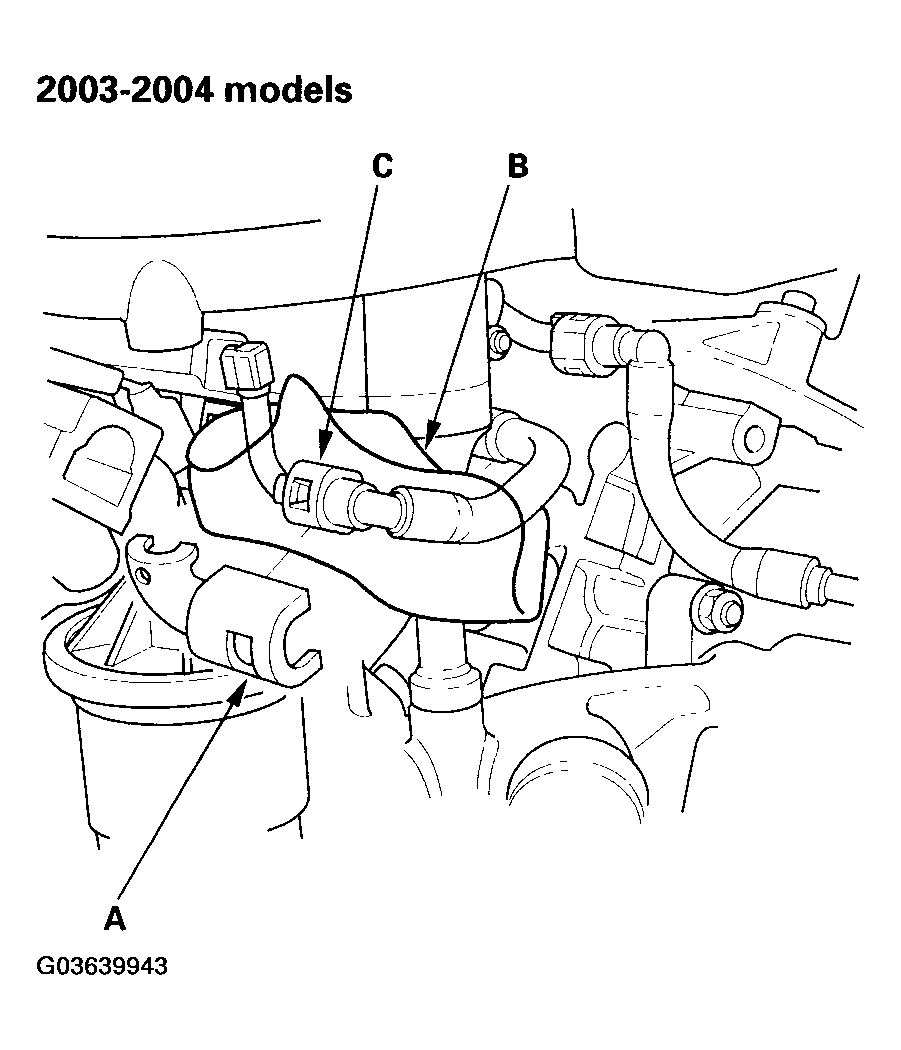
- Remove the quick-connect fitting cover (A).
 Courtesy of AMERICAN HONDA MOTOR CO., INC.
 Courtesy of AMERICAN HONDA MOTOR CO., INC.
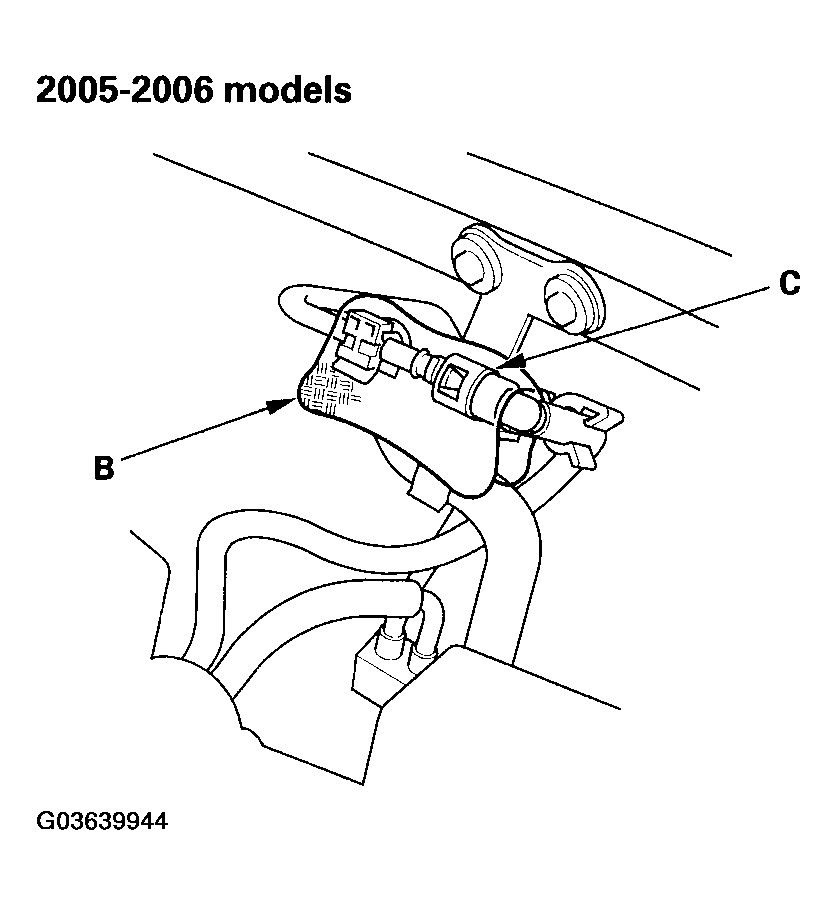
- Place a rag or shop towel (B) over the quick-connect fitting (C).
- Disconnect the quick-connect fitting (see FUEL LINE/QUICK-CONNECT FITTING PRECAUTIONS
).
- After relieving fuel pressure, install the quick-connect fitting (see FUEL LINE/QUICK-CONNECT FITTING INSTALLATION
).
- Reconnect the negative cable to the battery, and do these items: