Transmission Range Switch Replacement
- Remove the intake air duct.
- Get the audio and navigation anti-theft codes, and write down the audio presets and disconnect the battery negative terminal, then disconnect the battery positive terminal.
- Remove the battery hold-down bracket, then remove the battery and battery tray.
- Remove the four bolt securing the battery base in the engine compartment, then remove the battery base.
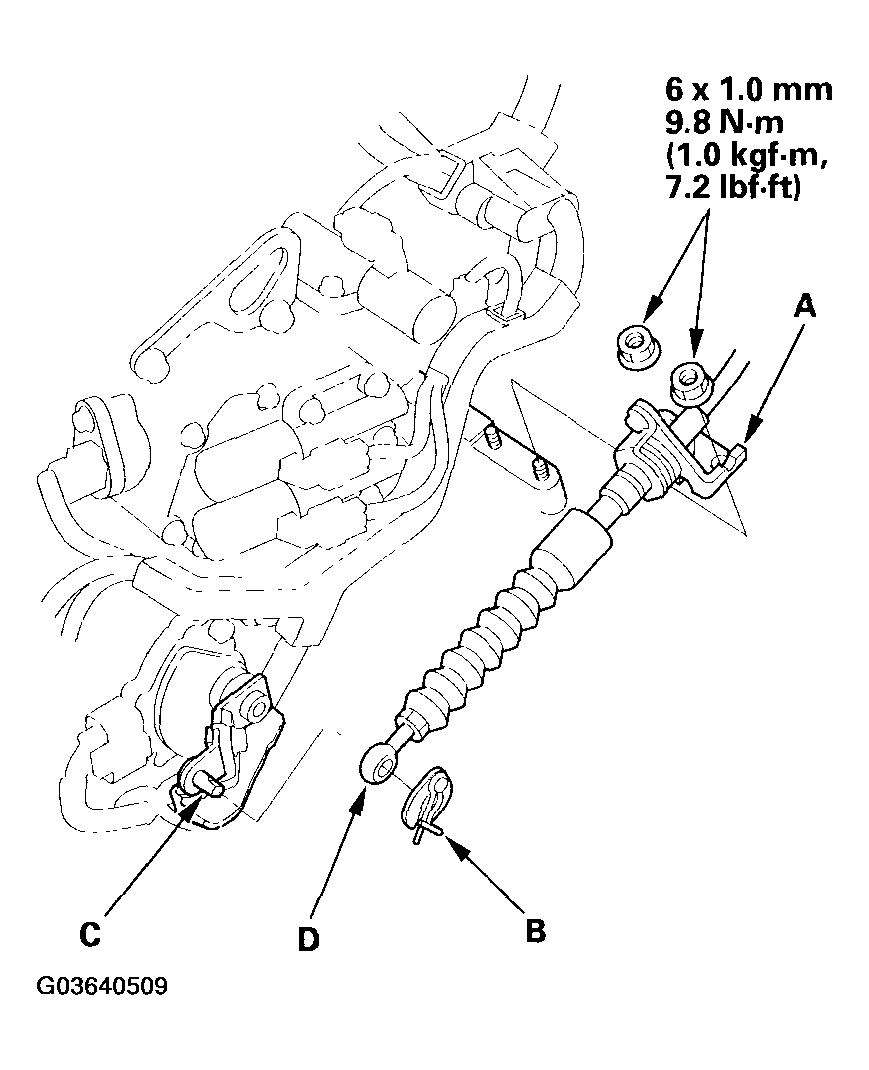
- Remove the nuts securing the shift cable bracket (A).
 Courtesy of AMERICAN HONDA MOTOR CO., INC.
- Remove the spring clip/washer (B) from the control lever (C), and disconnect the shift cable end (D) from the control lever.
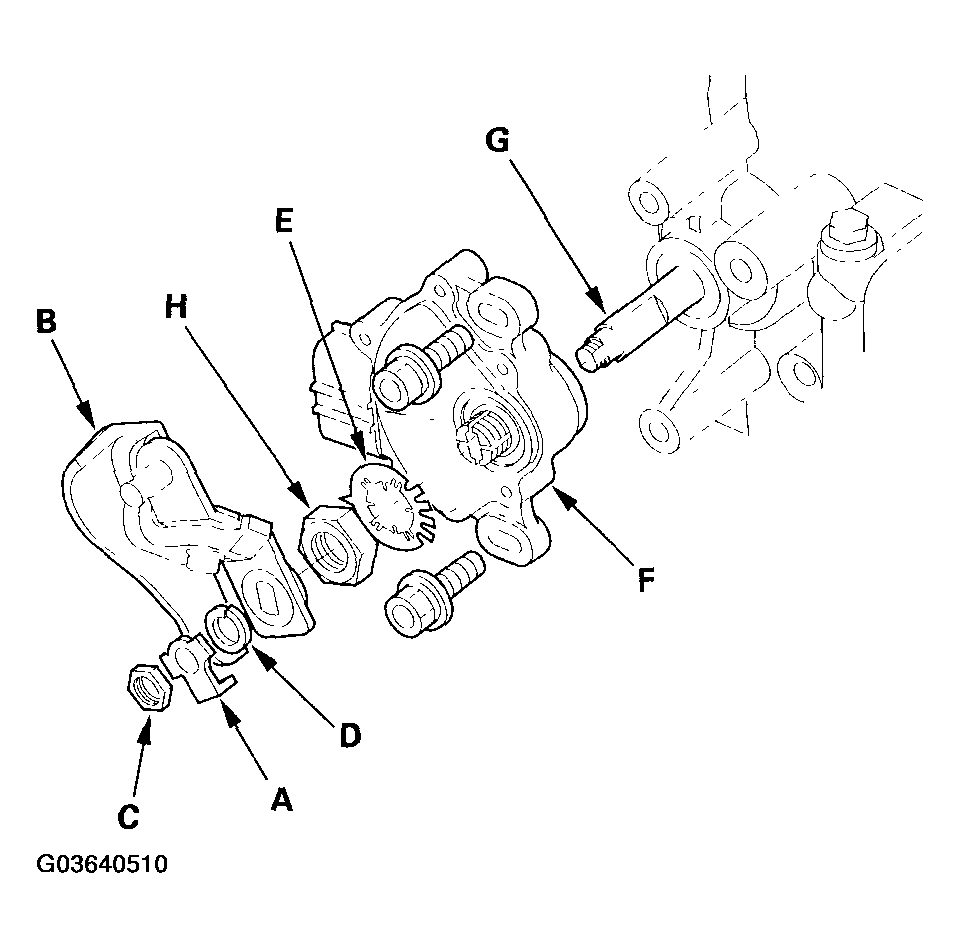
- Pry the lock tab of the lock washer (A) on the control lever (B), and remove the nut (C), lock washer, spring washer (D) and control lever.
 Courtesy of AMERICAN HONDA MOTOR CO., INC.
- Pry the lock tabs of the lock washer (E) on the transmission range switch (F), hold the selector control shaft (G) with a 6.0 mm wrench, and loosen the lock nut (H).
- Remove the lock nut and lock washer, then remove the transmission range switch (two bolts).
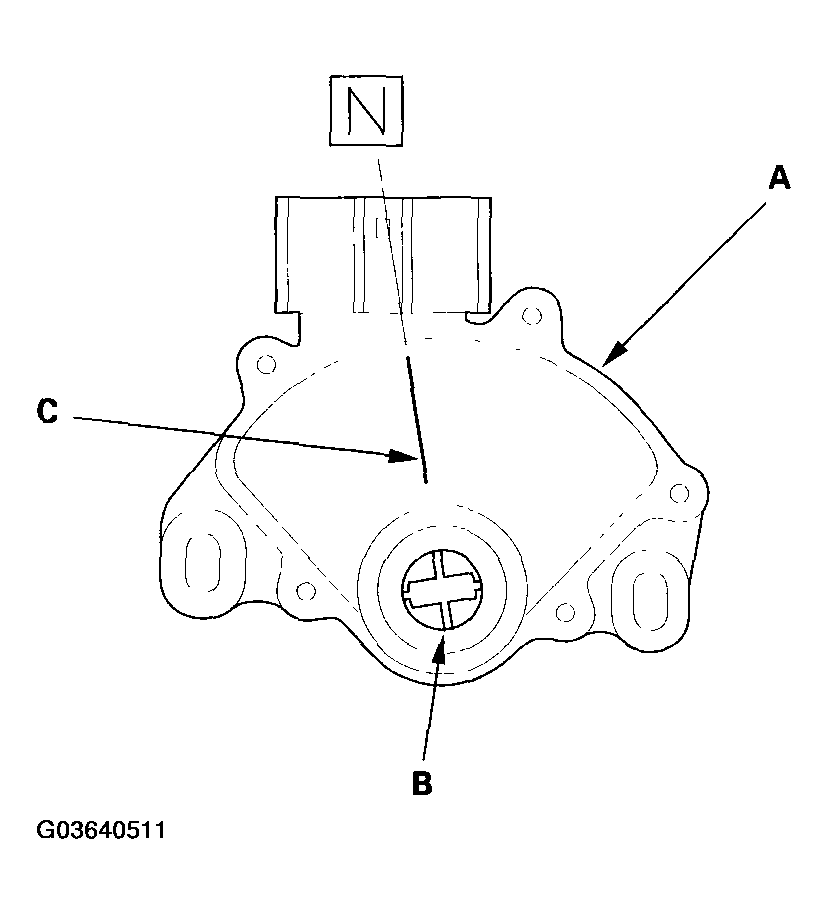
- Set the new transmission range switch (A) to the N position. The transmission range switch clicks in the N position, and the control shaft hole (B) aligns with the N positioning line (C).
 Courtesy of AMERICAN HONDA MOTOR CO., INC.
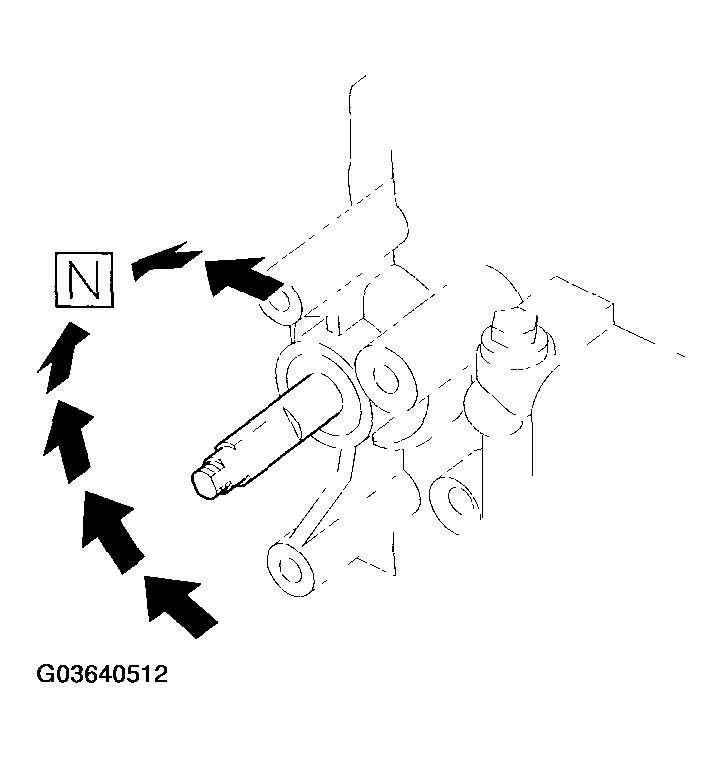
- Set the selector control shaft to the N position by turning the control shaft with a 6.0 mm wrench.
 Courtesy of AMERICAN HONDA MOTOR CO., INC.
- Install the transmission range switch (A) gently over the selector control shaft (B), and install the bolts loosely.
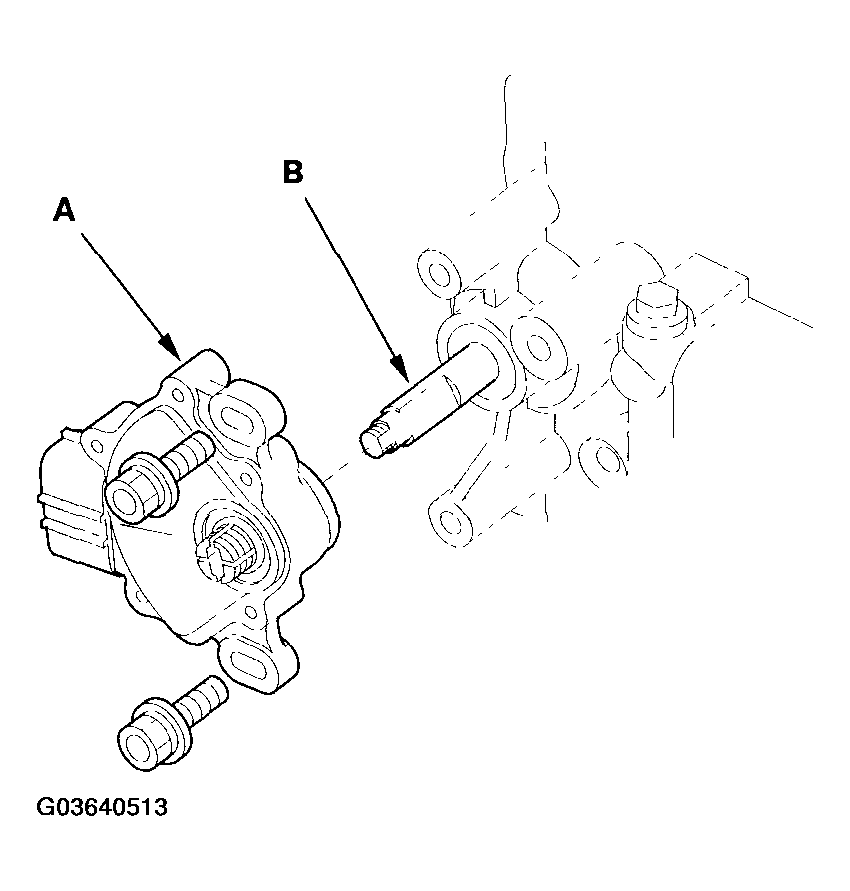 Courtesy of AMERICAN HONDA MOTOR CO., INC.
- Install the new lock washer (A) over the selector control shaft (B) with aligning the projection (C) of the lock washer with the N positioning line (D) on the transmission range switch (E), and install the lock nut (F).
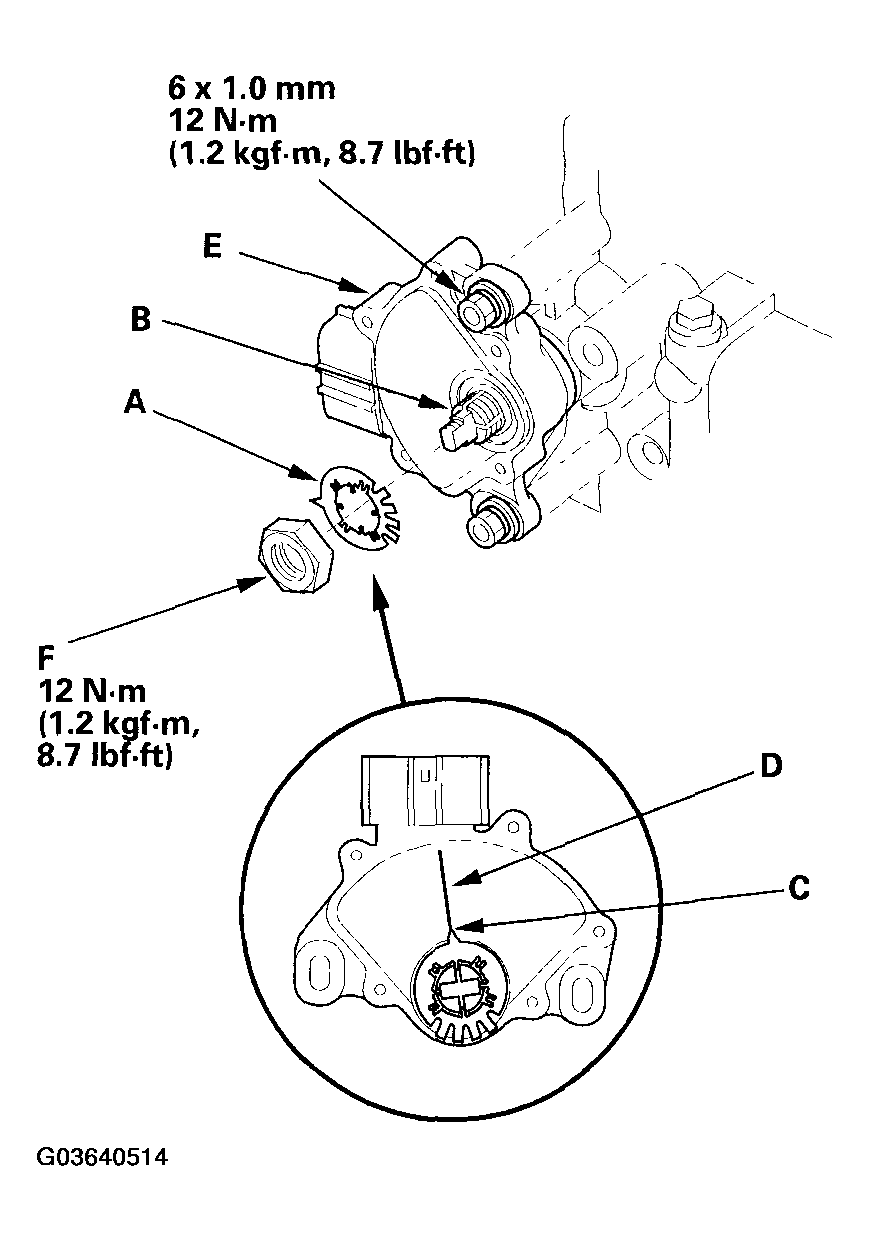 Courtesy of AMERICAN HONDA MOTOR CO., INC.
- Push the lock nut against the transmission housing to seat the transmission range switch into the selector control shaft, and tighten the lock nut to 12 N.m (1.2 kgf.m, 8.7 lbf.ft) while holding the selector control shaft with a 6 mm wrench, then bend the lock tabs against the lock nut.
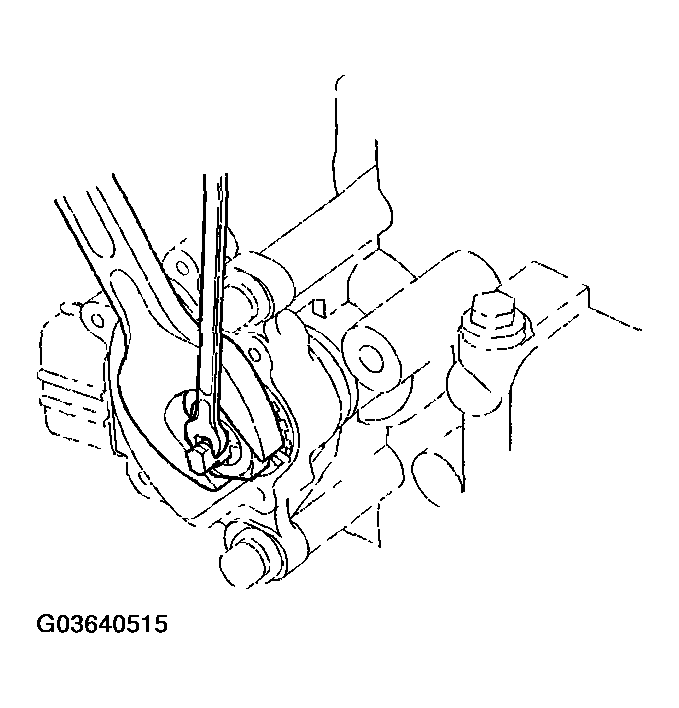 Courtesy of AMERICAN HONDA MOTOR CO., INC.
- Tighten the bolts to 12 N.m (1.2 kgf.m, 8.7 lbf.ft) securing the transmission range switch.
- Install the control lever (A), spring washer (B), lock washer (C), and lock nut (D) on the selector control shaft (E).
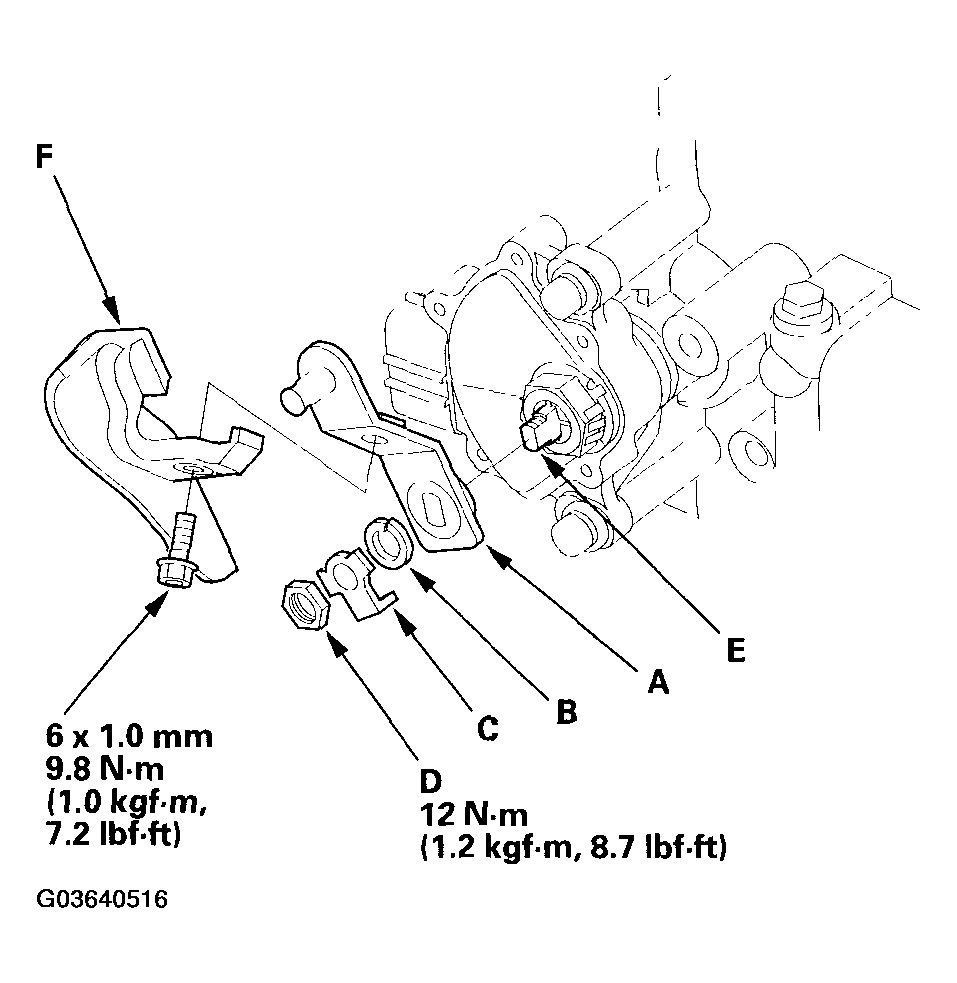 Courtesy of AMERICAN HONDA MOTOR CO., INC.
- If the lever cover (F) was removed or replaced, install the lever cover on the control lever.
- Connect the shift cable end to the control lever, and secure the cable end with the spring clip/washer.
- Secure the shift cable bracket with the nuts.
- Install the battery base, then install the intake air duct.
- Install the battery tray and battery, then secure the battery with its hold-down bracket. Connect the battery terminals.
- Clean the battery posts and cable terminals with sandpaper, then assemble them and apply grease to prevent corrosion.
- Turn the ignition switch ON (II). Move the shift lever through all positions, and check the transmission range switch synchronization with the A/T gear position indicator.
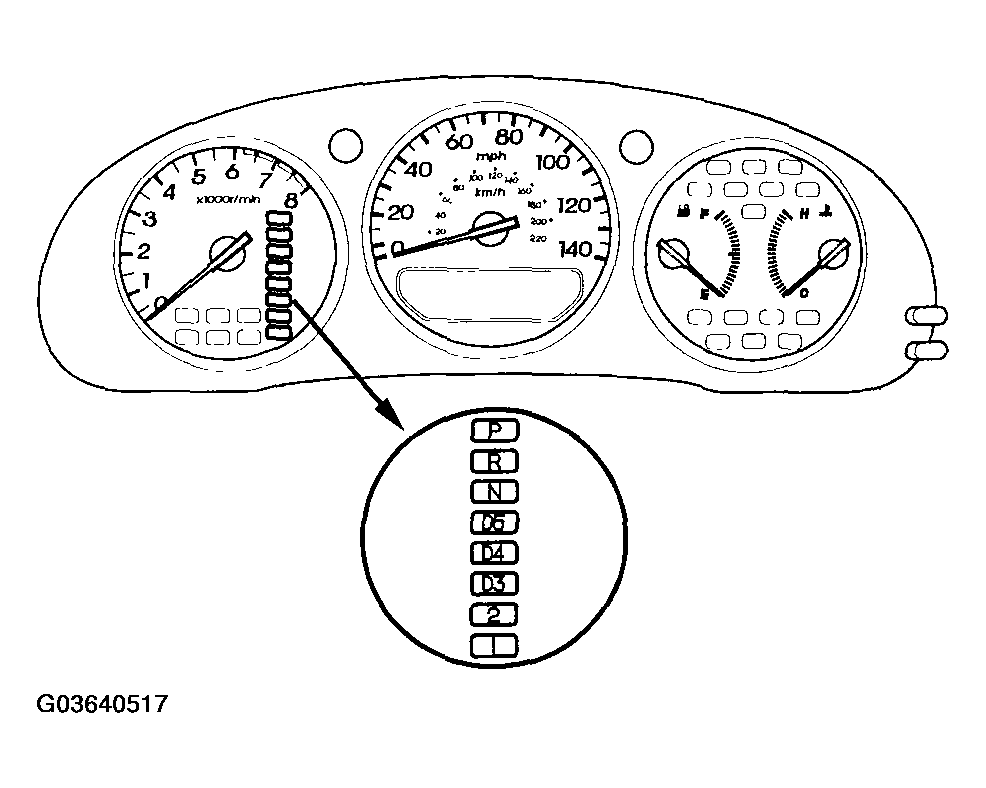 Courtesy of AMERICAN HONDA MOTOR CO., INC.
- Check that the engine can start in the P and N positions, and cannot start in any other shift lever position.
- Check that the back up lights come on when the shift lever is in the R position.
- Allow the all wheels to rotate freely, then start the engine, and check the shift lever operation.
- Do the power window control unit reset procedure (see RESETTING THE POWER WINDOW CONTROL UNIT
).
- Enter the audio and navigation anti-theft codes, then enter the presets, and set the clock.