Test A: All Windows Inoperative
- If power window system check was performed, go to next step. If power window system check was not performed, perform system check. See SYSTEM CHECK
under TROUBLE SHOOTING.
- Check symptom and verify all power windows are inoperative. If all power windows do not operate, go to next step. If power windows operate normally, check for loose wires and poor connections in power window circuit.
- Turn ignition off. Disconnect driver's master power window switch harness connector. Turn ignition on. Connect test light to ground and probe driver's master power window switch harness connector terminal No. 4 (Red wire). See Fig 1
. If test light illuminates, go to next step. If test light does not illuminate, go to step 9
.
- Turn ignition off. Disconnect driver's window motor harness connector. Connect driver's master power window switch harness connector. Turn ignition on. Connect test light to ground and probe driver's master power window switch harness connector terminal No. 29 (Yellow wire). See Fig 1
. If test light illuminates, go to next step. If test light does not illuminate, go to step 6
.
- Turn ignition off. Disconnect driver's master power window switch harness connector. Connect driver's window motor harness connector. Turn ignition on. Connect test light to driver's master power window switch harness connector terminal No. 27 (Gray/Yellow wire) and probe driver's master power window switch harness connector terminal No. 4 (Red wire). See Fig 1
. If test light illuminates, go to step 8
. If test light does not illuminate, go to step 7
.
- Check for an open, short to voltage or short to ground in Yellow wire between driver's master power window switch harness connector terminal No. 29 and driver's power window motor harness connector terminal No. 5. See Fig 1
. If no problem was found, go to step 8
. If a problem was found and corrected, go to step 11
.
- Check for an open in Black wire between driver's master power window switch terminal No. 6 and ground located at driver's kick panel. See Fig 1
. If no problem was found, go to next step. If problem was found and corrected, go to step 11
.
- Check for loose wires and poor connections at driver's master power window switch harness connector. If no problem was found, go to step 10
. If problem was found and corrected, go to step 11
.
- Repair open in Red wire between fuse No. 1 (30-amp) in instrument panel fuse block and driver's master power window switch harness connector terminal No. 4. See Fig 1
and Fig 2
. Go to step 11
.
- Replace driver's door power window switch. Go to next step.
- Operate system to verify power windows have been repaired properly. If system operates normally, system is okay at this time. If system does not operate normally, return to step 2
.
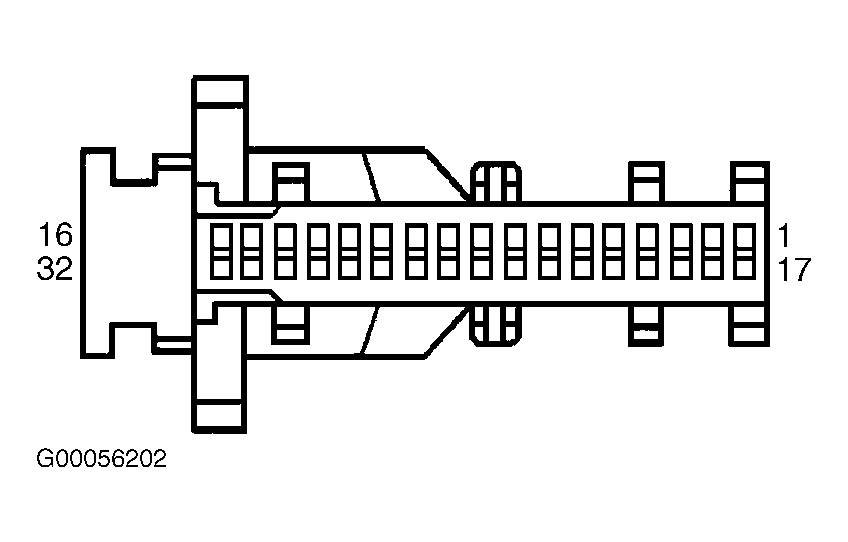 Courtesy of GENERAL MOTORS CORP.
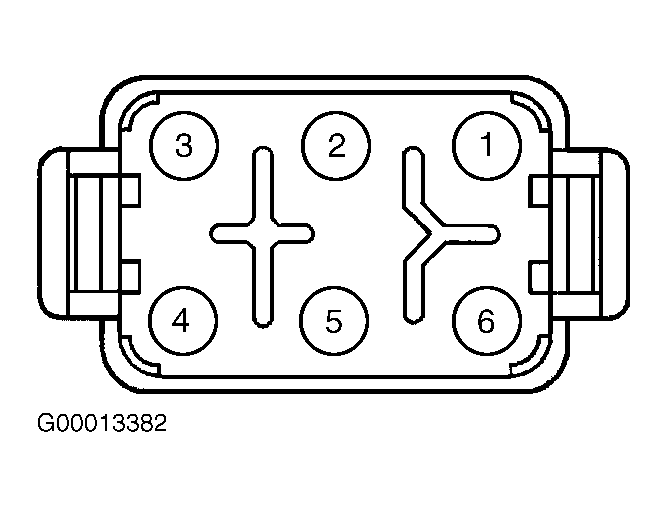 Courtesy of GENERAL MOTORS CORP.