Removal & Installation
- Verify what type of Body Control Module (BCM) is installed. Ensure replacement BCM is correct type for vehicle options and equipment. See BCM TYPE VERIFICATION
under SELF-DIAGNOSTIC SYSTEM. Review and record BCM information and customer feature customization preference settings prior to removal of BCM.
- Disconnect negative battery cable. Remove insulator panel from left side of instrument panel. BCM is mounted on bracket behind glove box. See 2
. Push and release tab on bracket to release BCM from bracket. Disconnect BCM harness connectors. Remove BCM.
- To install, reverse removal procedure. Ensure replacement BCM is correct type for vehicle options and equipment. Program feature customization settings into replacement BCM. See ENTER FEATURE CUSTOMIZATION MODE
under PROGRAMMING. If vehicle is equipped with factory installed Central Theft Deterrent (CTD) anti-theft system, go to CENTRAL THEFT DETERRENT (CTD) RELEARN
under PROGRAMMING.
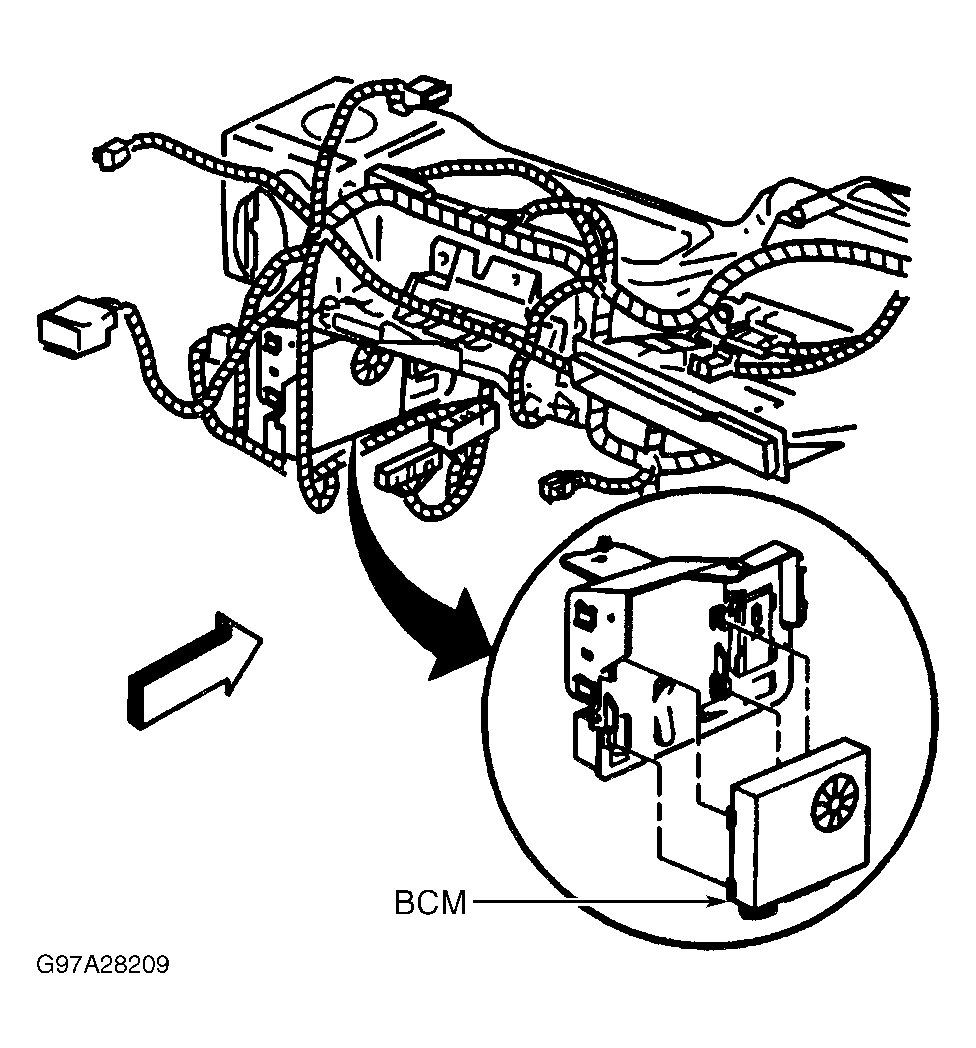 Courtesy of GENERAL MOTORS CORP.