Removal Procedure
- Remove the intake manifold in order to gain access to the fuel solenoid driver. Refer to INTAKE MANIFOLD REPLACEMENT - UPPER
and INTAKE MANIFOLD REPLACEMENT - LOWER
. The fuel solenoid driver is located on the left side of the injection pump.
- Scribe a reference mark on the engine front cover and the injection pump housing to assist in correctly locating the injection pump during reassembly.
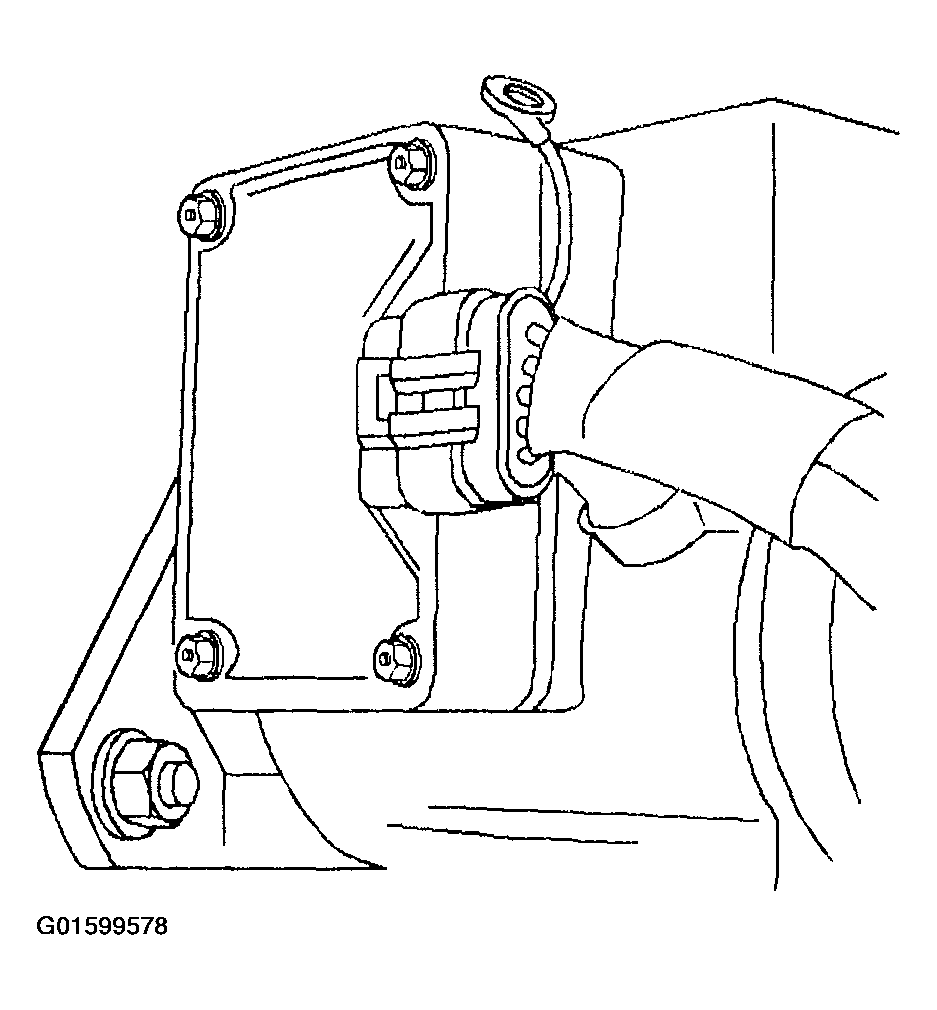 Courtesy of GENERAL MOTORS CORP.
- Loosen the injection pump retaining nuts approximately 1/2 turn, using an J 41711
. Do not remove the nuts.
- Rotate the pump to the passenger side of the vehicle until the pump stops, using an J 29872-A
.
- Retighten the top injection pump retaining nut using J 41711
.
- Disconnect the fuel solenoid driver wiring connector at the injection pump.
- Loosen the four fuel solenoid driver mounting screws until the screws are free from the injection pump.
- Discard the heat transfer pad (1) and the mounting screws.
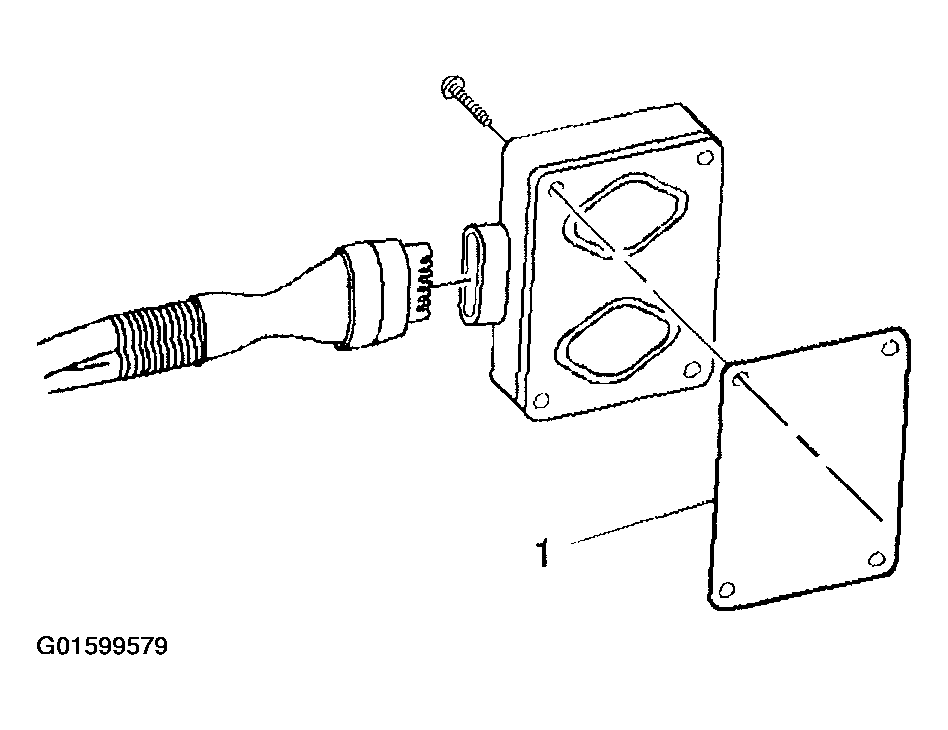 Courtesy of GENERAL MOTORS CORP.
- Remove the fuel solenoid calibrating resistor using a snap ring pliers. The calibrating resistor is located on a small circuit board which is located in the PMD connector housing and is placed over the PMD terminal pins. This calibrating resistor circuit board has two outboard holes (3) which can be grabbed with snap ring pliers.
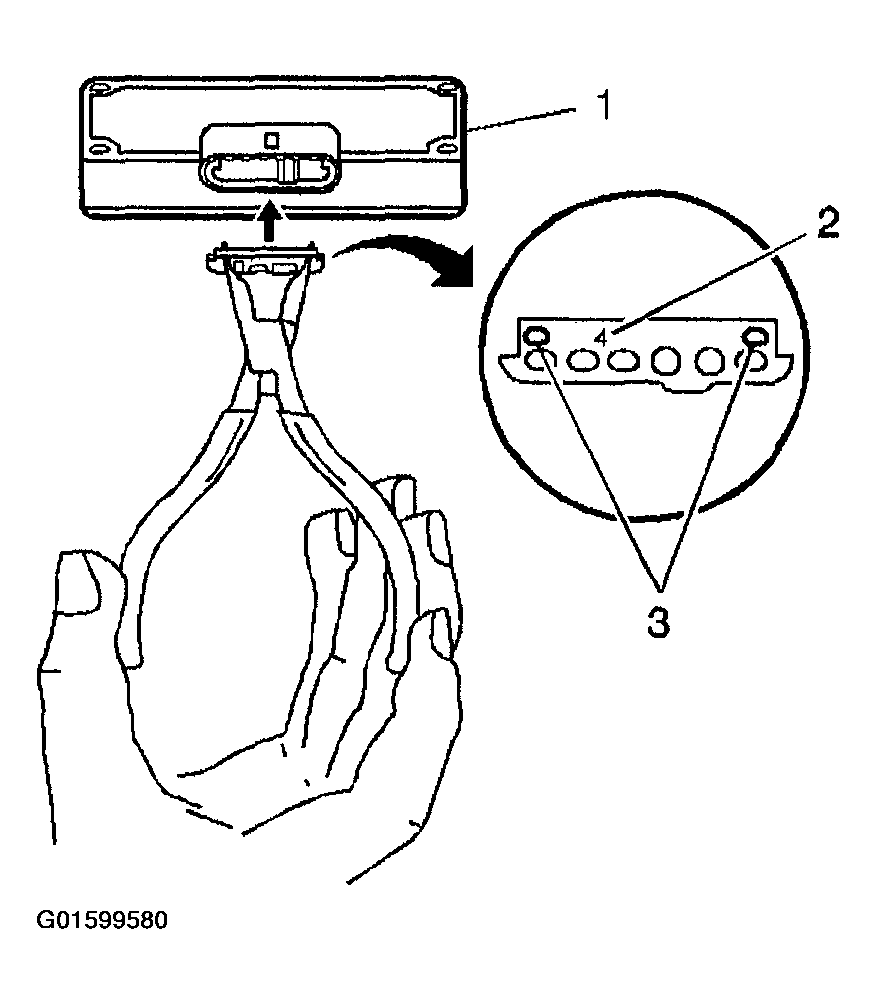 Courtesy of GENERAL MOTORS CORP.