System Testing (Metro)
- Start and run engine. Ensure coolant temperature is less than 199°F (93°C). If cooling fan operates, go to next step. If cooling fan does not operate, go to step 3).
- Disconnect cooling fan thermoswitch, located near distributor. See Fig 1
. If cooling fan continues to operate after cooling fan thermoswitch is disconnected, check for short in Blue wire between cooling fan thermoswitch and cooling fan motor. If cooling fan stops running, replace cooling fan thermoswitch.
- If cooling fan does not operate as described in step 1), run engine until engine coolant temperature is more than 208°F (98°C). If cooling fan operates, system is okay. If cooling fan does not operate, go to next step.
- With cooling fan thermoswitch connector disconnected, connect a fused jumper wire between thermoswitch connector terminals (Black/White and Blue wires). If cooling fan operates, replace cooling fan thermoswitch. If cooling fan does not operate, go to next step.
- Turn ignition switch off. Using a digital ohmmeter, backprobe cooling fan motor connector. Measure resistance between Black (ground) wire and ground. If ohmmeter reads less than .3 ohms, go to next step. If resistance is more than .3 ohms, repair open or bad ground connection at Black (ground) wire. Ground connection is located on left front inner fender. SeeFig 2
.
- Using a test light, backprobe cooling fan motor connector Blue wire. If test light lights, replace cooling fan motor. If test light does not light, go to next step.
- Connect test light to cooling fan thermoswitch connector Black/White wire. If test light does not light, repair open in Black/White wire between cooling fan thermoswitch and junction block connector. Junction block is located behind left side of instrument panel. See Fig 3
. If test light lights, repair open in Blue wire between cooling fan thermoswitch and cooling fan motor.
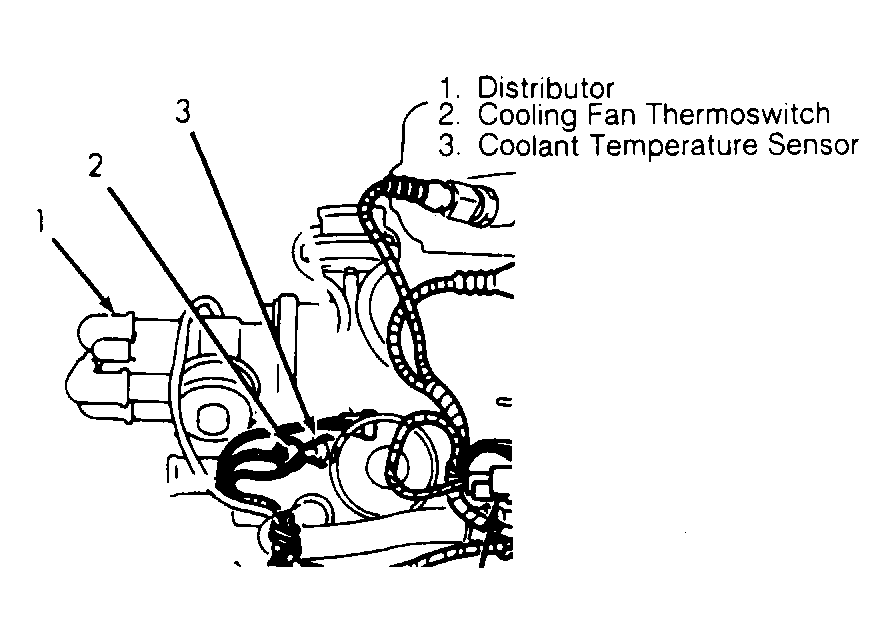 Courtesy of GENERAL MOTORS CORP.
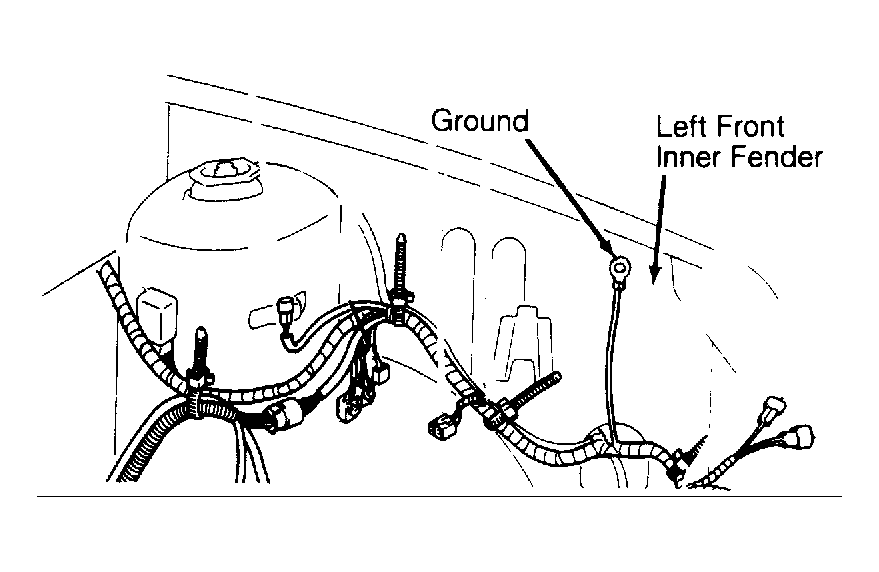 Courtesy of GENERAL MOTORS CORP.
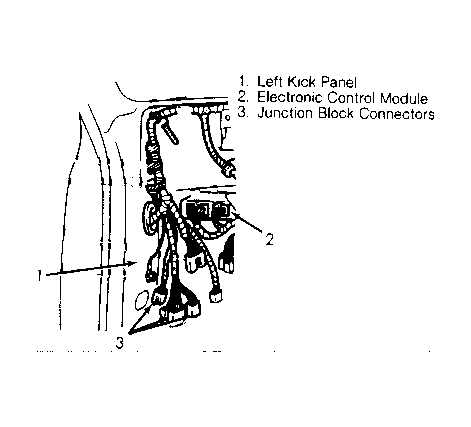 Courtesy of GENERAL MOTORS CORP.