Retrieving Codes
- Perform diagnostic circuit check before diagnosing vehicle using self-diagnostic system. See appropriate DIAGNOSTIC CIRCUIT CHECK chart under DIAGNOSTIC CODE CHARTS.
- Fault codes can be retrieved using a scan tester connected to ALDL connector or by counting flashes of CHECK ENGINE light after grounding either DIAG SW connector in fuse block or diagnostic request terminal in duty check coupler, located on left side of firewall. See Fig 1
.
- To retrieve code(s) using DIAG SW connector in fuse block, remove spare fuse from fuse block and insert into DIAG SW connector terminal. See Fig 1
. Turn ignition switch on and observe CHECK ENGINE light. Read fault code(s). Proceed to appropriate chart(s) under DIAGNOSTIC CODE CHARTS to diagnose fault codes.
- To retrieve code(s) using the duty check coupler, connect jumper between duty check coupler terminals No. 2 and 4. See Fig 1
. Turn ignition switch on and observe CHECK ENGINE light. Read fault code(s). Proceed to appropriate chart(s) under DIAGNOSTIC CODE CHARTS to diagnose fault codes.
- If no fault codes exist, ECM will flash Code 12. If fault codes are stored, the lowest code will be flashed first. Each code will be displayed 3 times. Proceed to appropriate chart(s) under DIAGNOSTIC CODE CHARTS to diagnose fault codes.
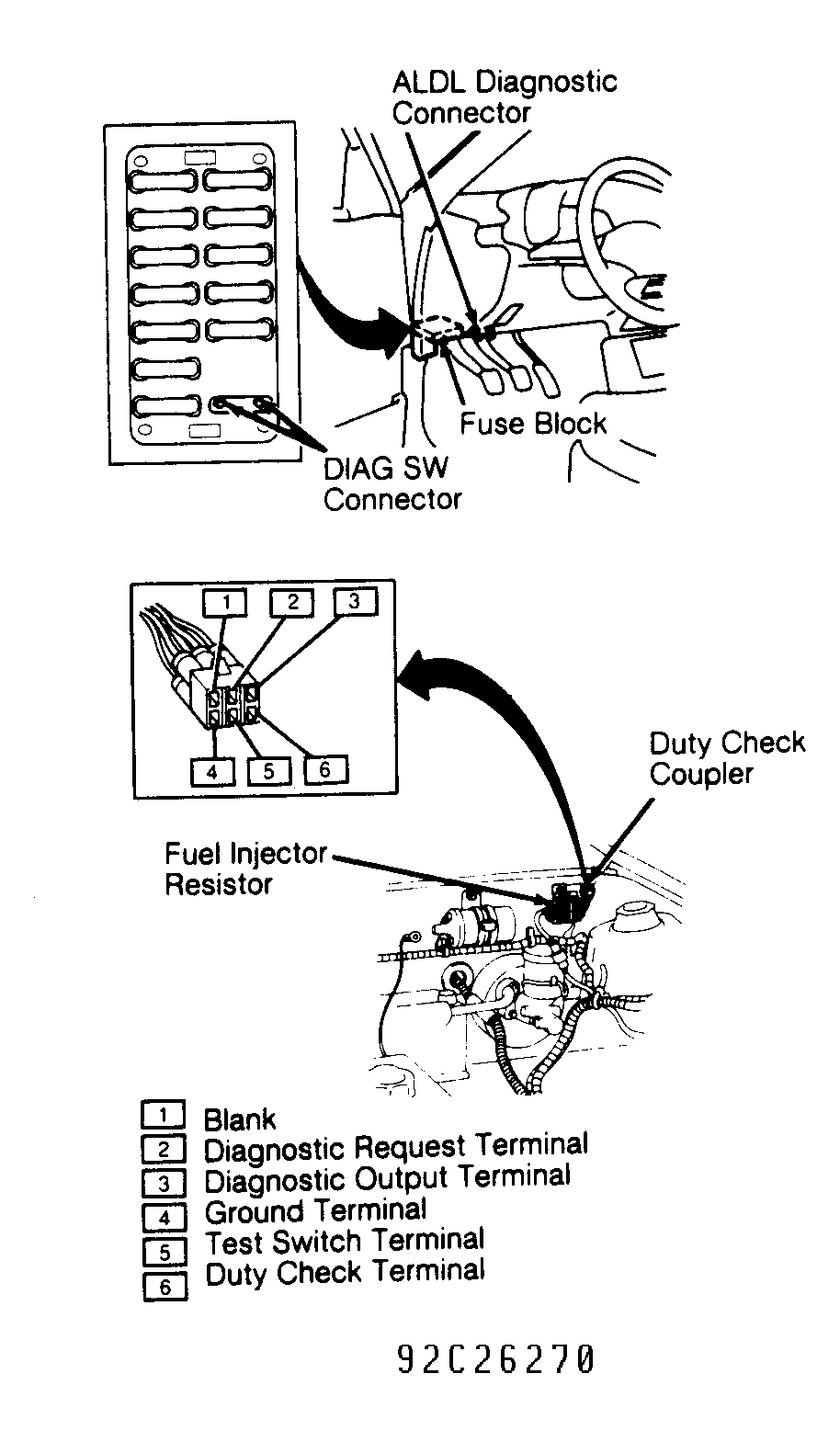 Courtesy of GENERAL MOTORS CORP.