Driving Position Memory Switch Test/Replacement
- Remove the driver's door panel (see FRONT DOOR PANEL REMOVAL/INSTALLATION
).
- Disconnect the 10P connector from the memory switch (A).
 Courtesy of AMERICAN HONDA MOTOR CO., INC.
- Remove the two screws, then remove the switch from the door panel.
- Check for continuity between the terminals in each switch position according to the table shown in Fig 2.
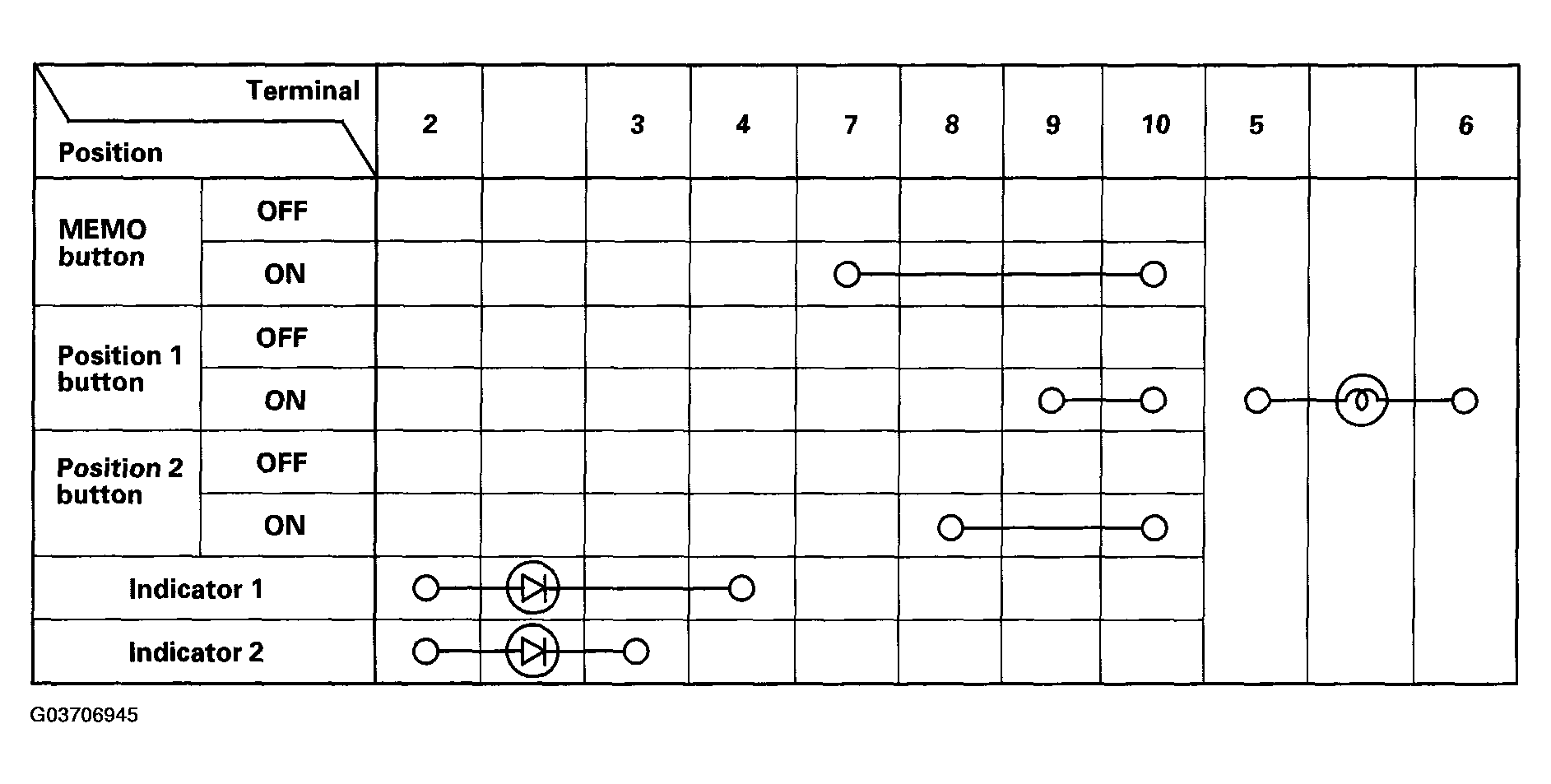 Courtesy of AMERICAN HONDA MOTOR CO., INC.
- If the continuity is not as specified, replace the illumination bulb (B) or the switch.