Steering Column/Shaft: Installation
- Place the steering column shaft in position and install the 4 mounting bolts temporarily.
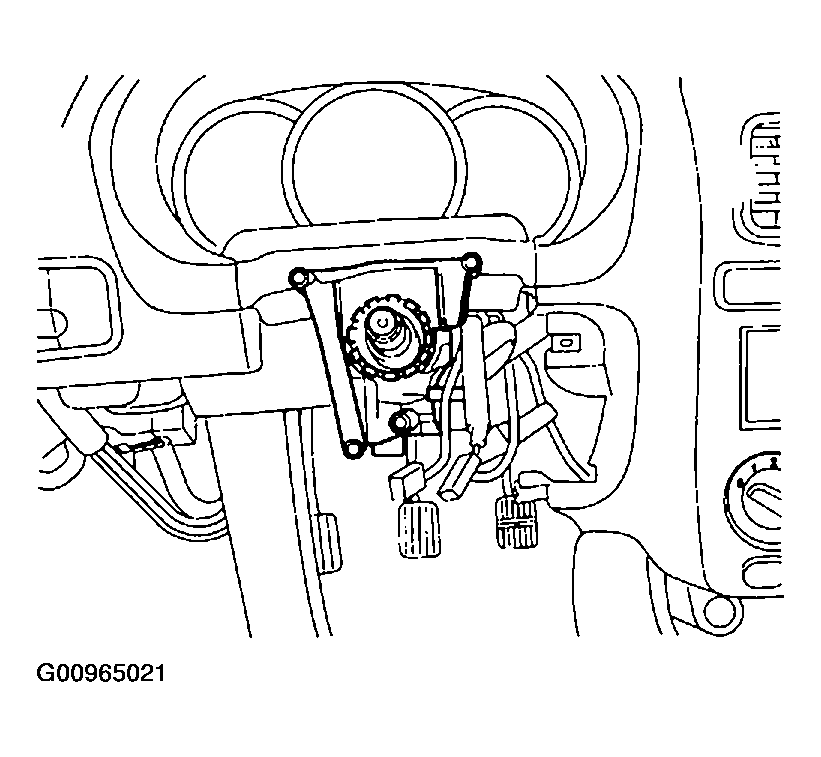 Courtesy of HYUNDAI MOTOR CO.
- Install the bolt on the universal joint and gear box connecting part in the driver's side brake pedal lower portion.
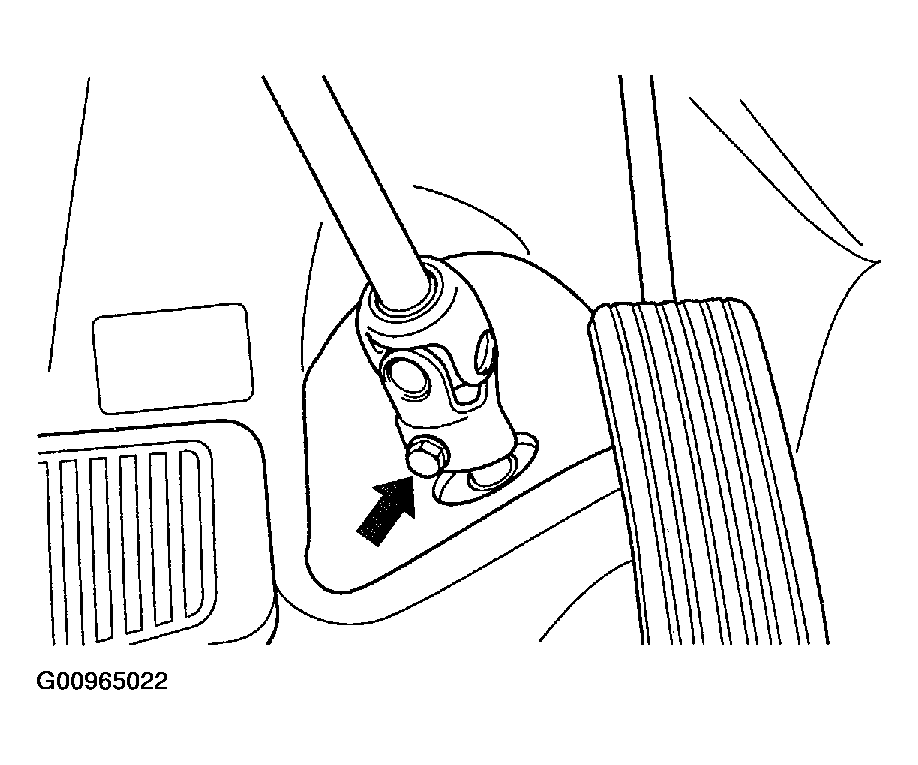 Courtesy of HYUNDAI MOTOR CO.
- Completely tighten the temporarily installed 4 mounting bolts on the steering column shaft.
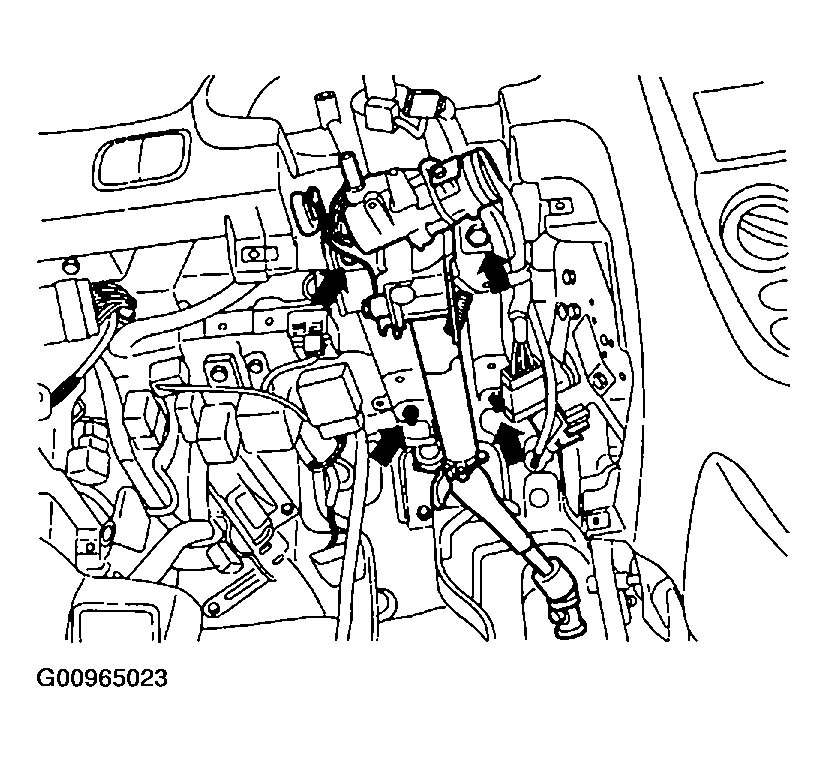 Courtesy of HYUNDAI MOTOR CO.
- After installing the lower crash pad, tighten the 4 bolts.
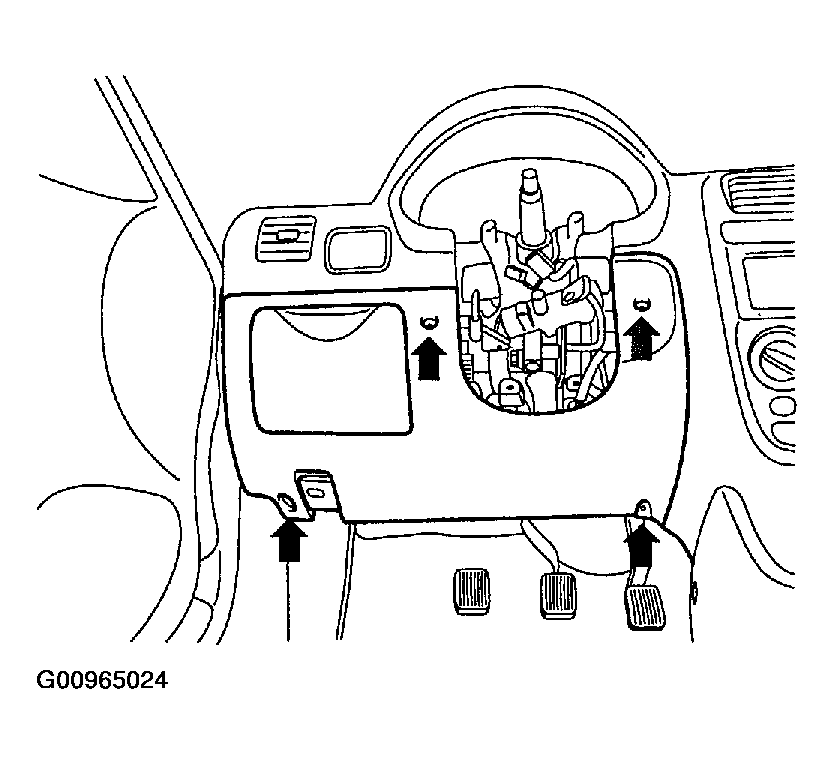 Courtesy of HYUNDAI MOTOR CO.
- Install the multi-function switch to the steering column shaft by pushing it until it reaches the marked portion.
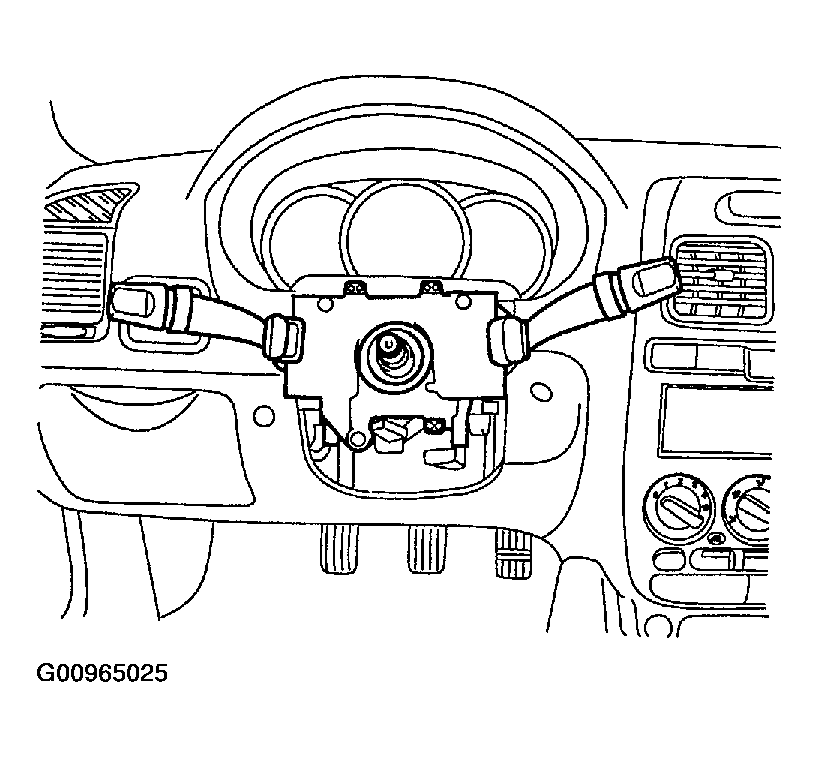 Courtesy of HYUNDAI MOTOR CO.
- Install the SRS clock spring and multi-function switch connector.
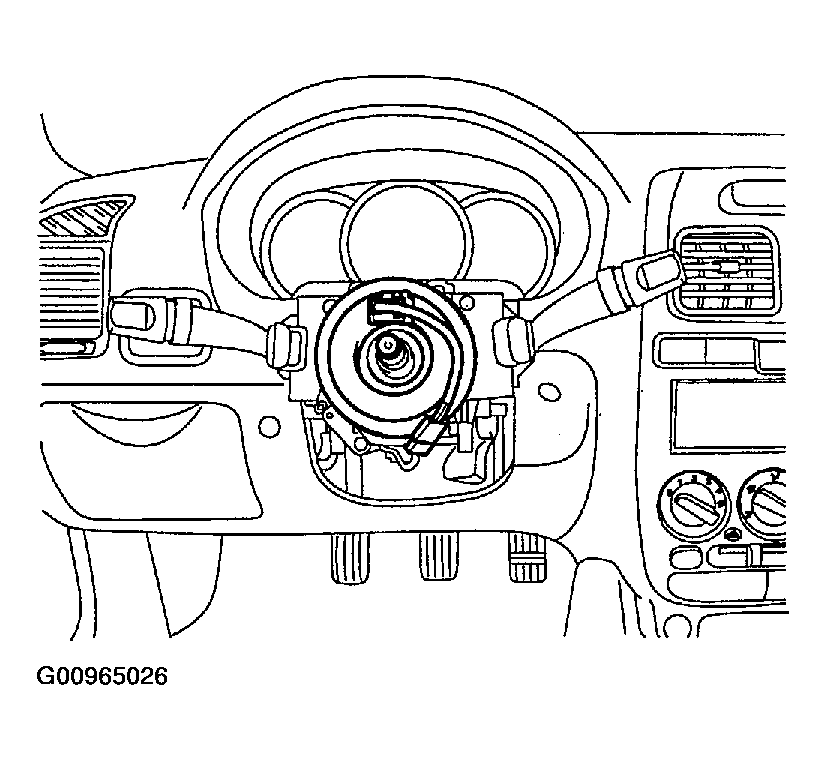 Courtesy of HYUNDAI MOTOR CO.
- After installing the upper/lower column shroud, tighten the 3 bolts.
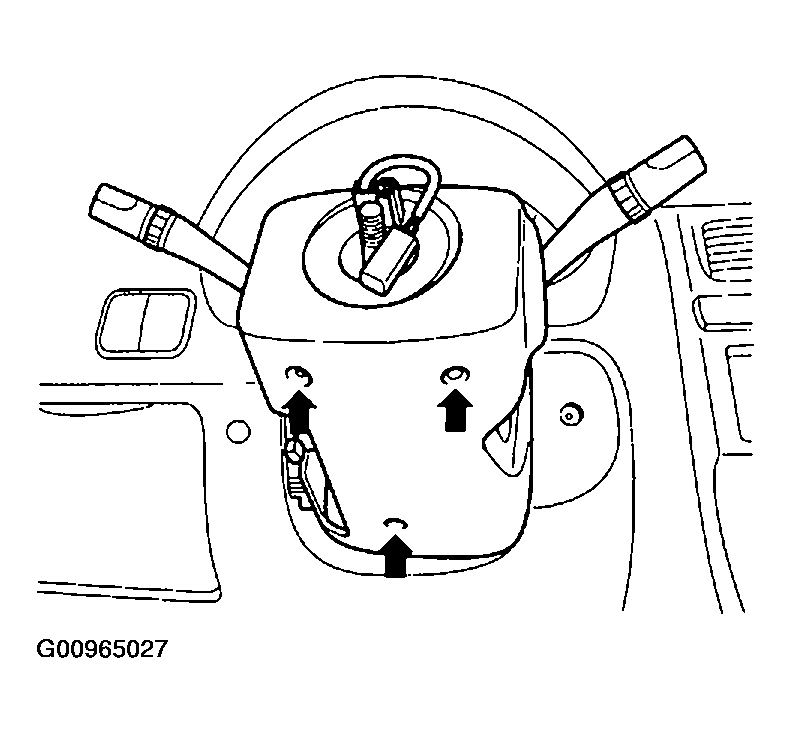 Courtesy of HYUNDAI MOTOR CO.
- Fix the steering wheel with a lock nut.
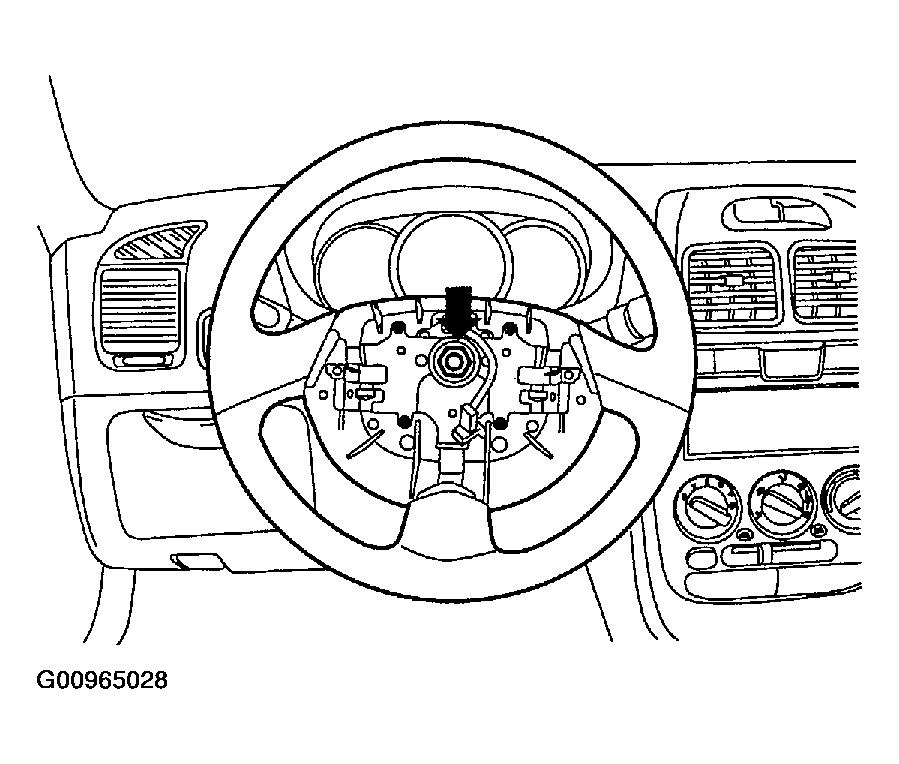 Courtesy of HYUNDAI MOTOR CO.
- Fix the SRS module to the steering wheel with 2 bolts.
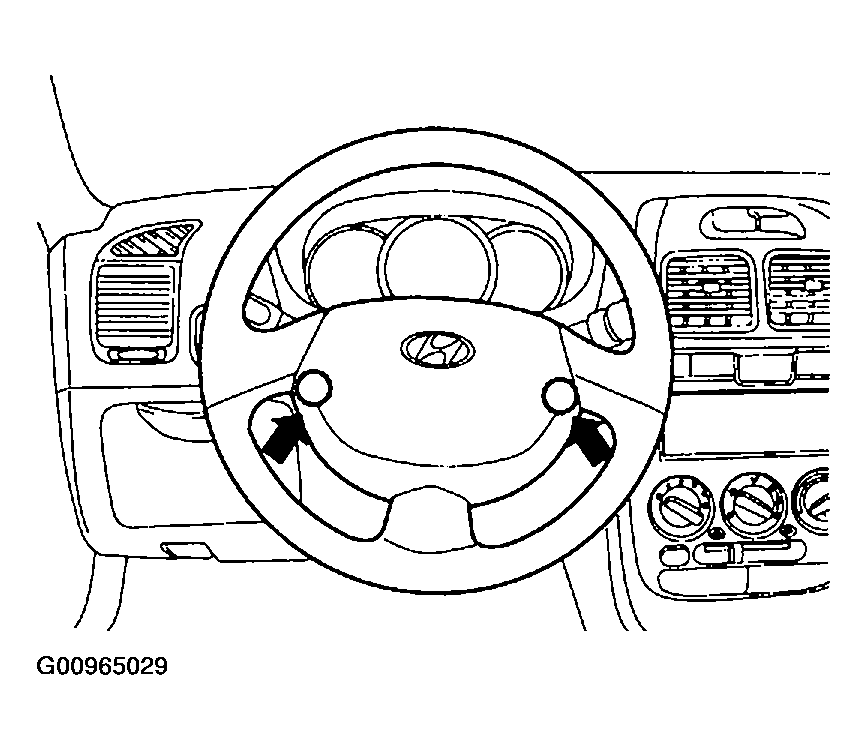 Courtesy of HYUNDAI MOTOR CO.
- Connect the (-) negative battery cable.
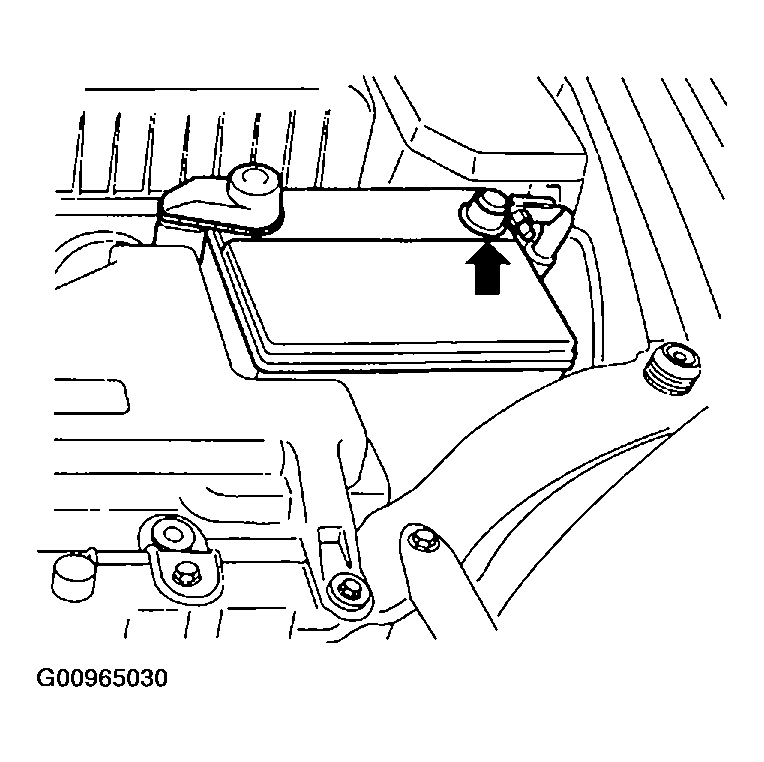 Courtesy of HYUNDAI MOTOR CO.