Tech 2 Data Information
Tech 2 Scan Tool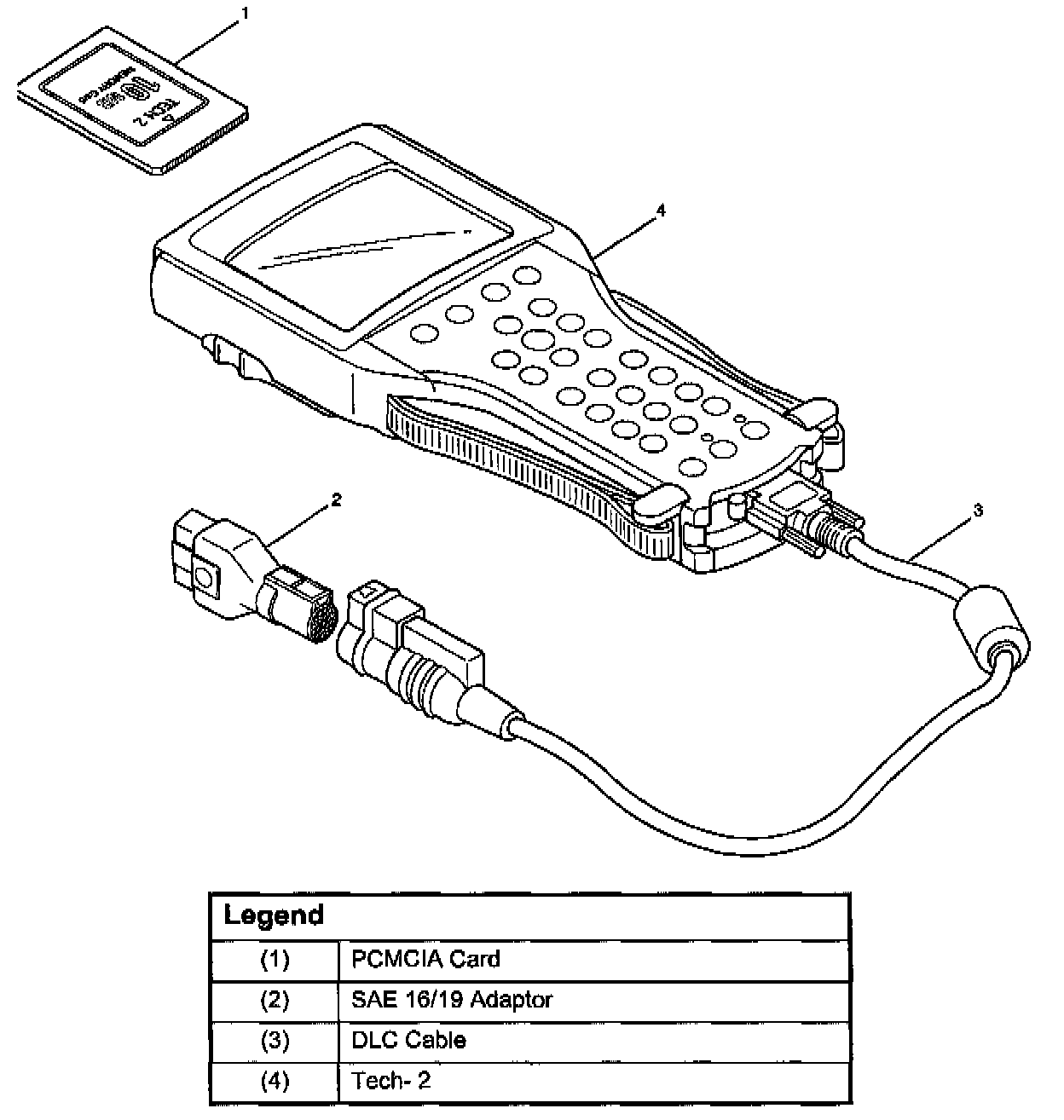
From 98 MY, Isuzu dealer service departments are recommended to use Tech 2. Please refer to Tech 2 scan tool user guide.
Getting Started
^ Before operating the Isuzu PCMCIA card with the Tech 2, the following steps must be performed:
1. The Isuzu 98 System PCMCIA card (1) inserts into the Tech 2 (4).
2. Connect the SAE 16/19 adapter (2) to the DLC cable (3).
3. Connect the DLC cable to the Tech 2 (4).
4. Mark sure the vehicle ignition is off.
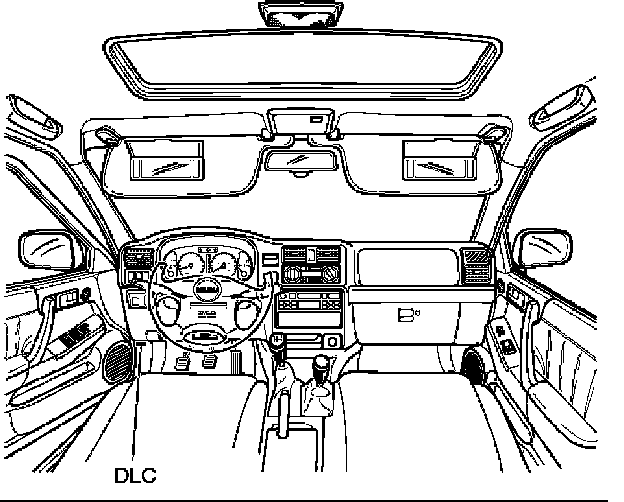
5. Connect the Tech 2 SAE 16/19 adapter to the vehicle DLC.
6. The vehicle ignition turns on.
7. Power up the Tech 2.

8. Verify the Tech 2 power up display.
Operating Procedure
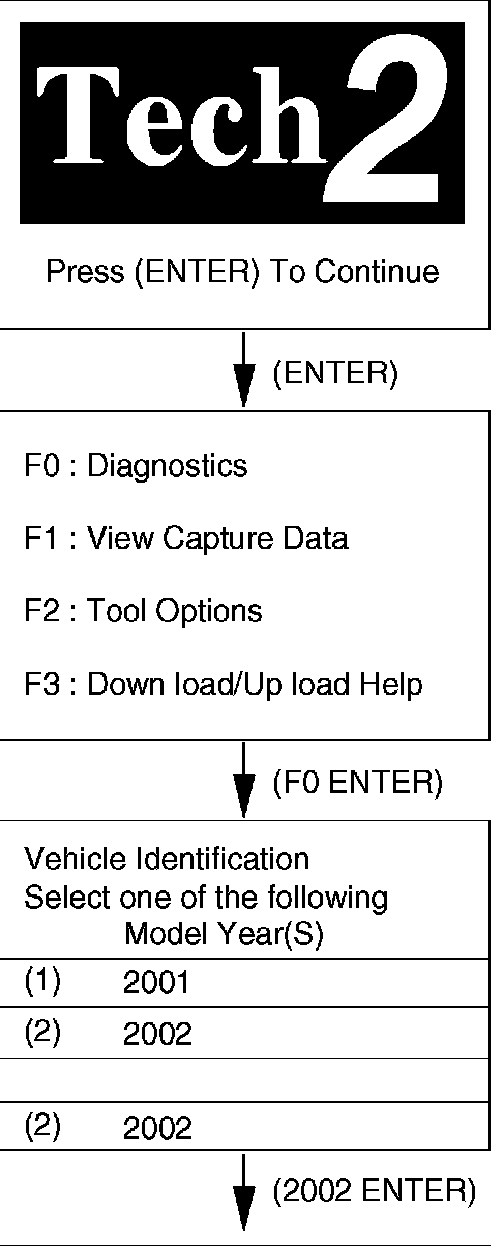
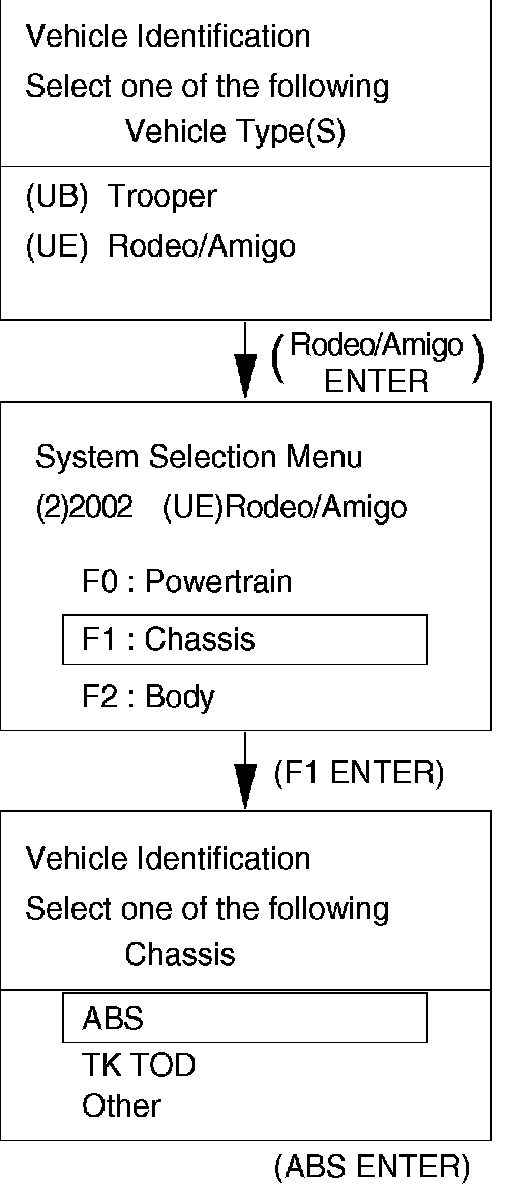
The power up screen is displayed when you power up the tester with the Isuzu systems PCMCIA card. Follow the operating procedure.