Tech 2 Features
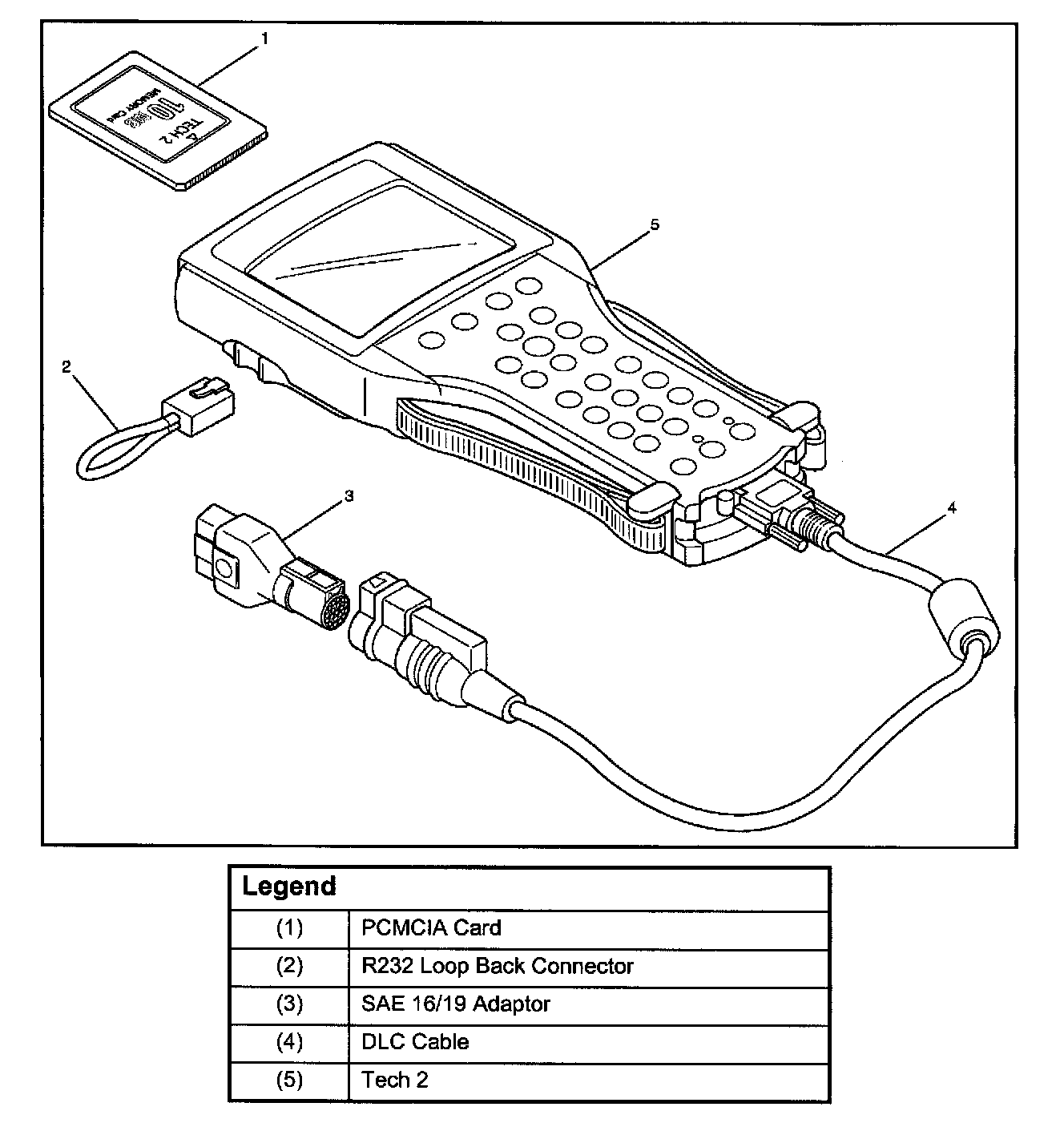
Tech 2
From 98 MY, Isuzu dealer service departments are recommended to use the Tech 2 scan tool. Please refer to the Tech 2 user guide.
Tech 2 Features
Tech 2 is a 12 volt system. Do not apply 24 volt.
After connecting and/or installing, the Vehicle Communications Interface (VCI) module, PCMCIA card and DLC connector to the Tech 2, connect the tool to the vehicle DLC.
Make sure the Tech 2 is powered OFF when removing or installing the PCMCIA card.
The PCMCIA card has a capacity of 10 Megabytes which is 10 times greater than the memory of the Tech 1 Mass Storage Cartridge.
The Tech 2 has the capability of two snapshots.
The PCMCIA card is sensitive to magnetism and static electricity, so care should be taken in the handling of the card.
The Tech 2 can plot a graph when replaying a snapshot.
Always return to the Main Menu by pressing the EXIT key several times before shutting down.
To clear Diagnostic Trouble Codes (DTCs), open Application Menu and press "F1: Clear DTC Info".