Selector Lever Indicator Assembly: Removal
- Remove the battery cover and disconnect battery ground cable.
- Remove the selector lever knob. See TRANSMISSION SELECTOR LEVER KNOB
.
- Remove the J-gate surround. See SELECTOR LEVER GATE FINISH PANEL
.
- Remove the console finisher veneer panel. See FLOOR CONSOLE FINISH PANEL
for 2001 or FLOOR CONSOLE FINISH PANEL
for 2002-03.
- Remove the selector indicator module screws.
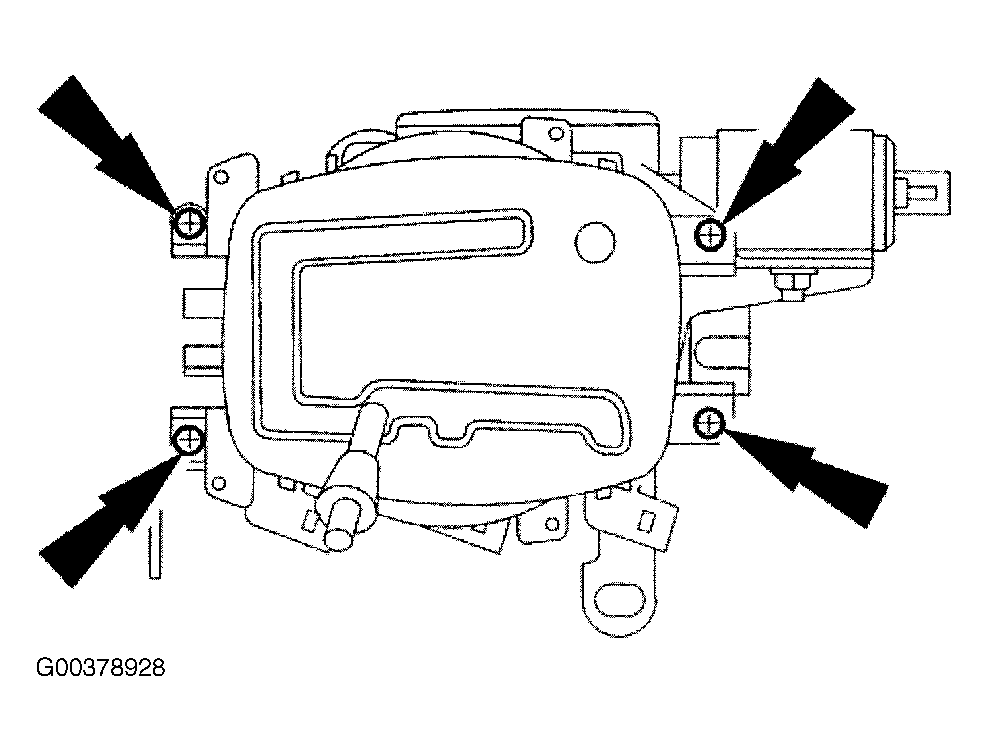 Courtesy of JAGUAR CARS, INC.
- Remove the selector indicator module.
- Free the D to 4 switch harness multiplug from the mounting bracket and disconnect the multiplug.
- Displace the P switch multiplug from the mounting bracket.
- Route the D to 4 harness from under the P switch harness.
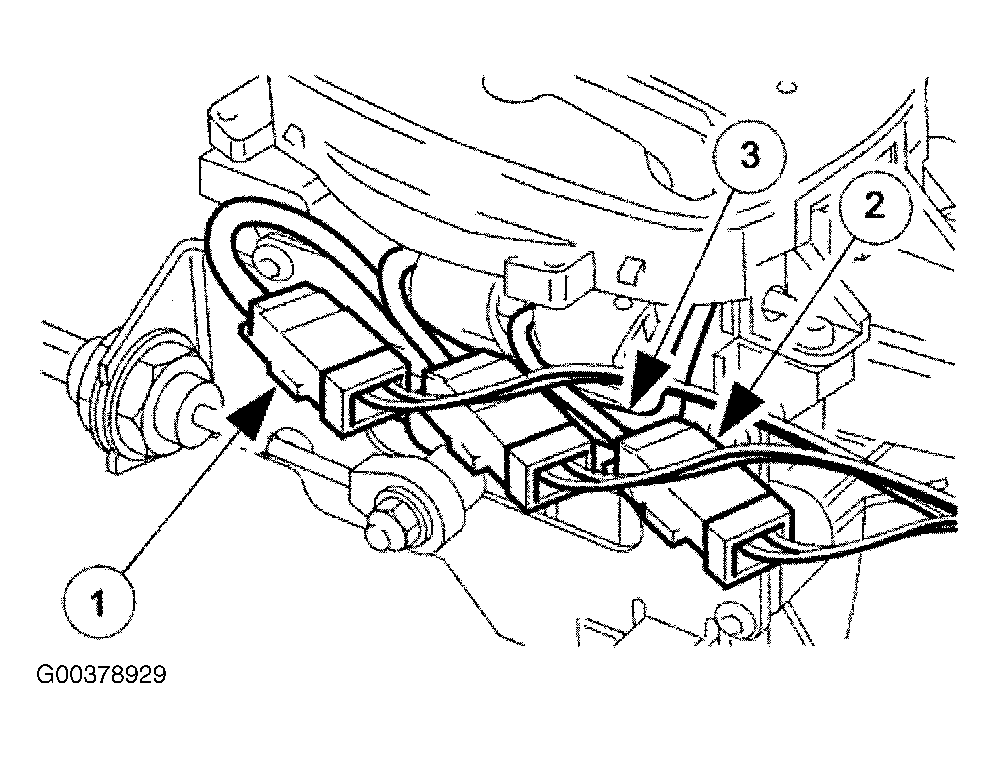 Courtesy of JAGUAR CARS, INC.