Central Processing Unit (CPU): Millenia
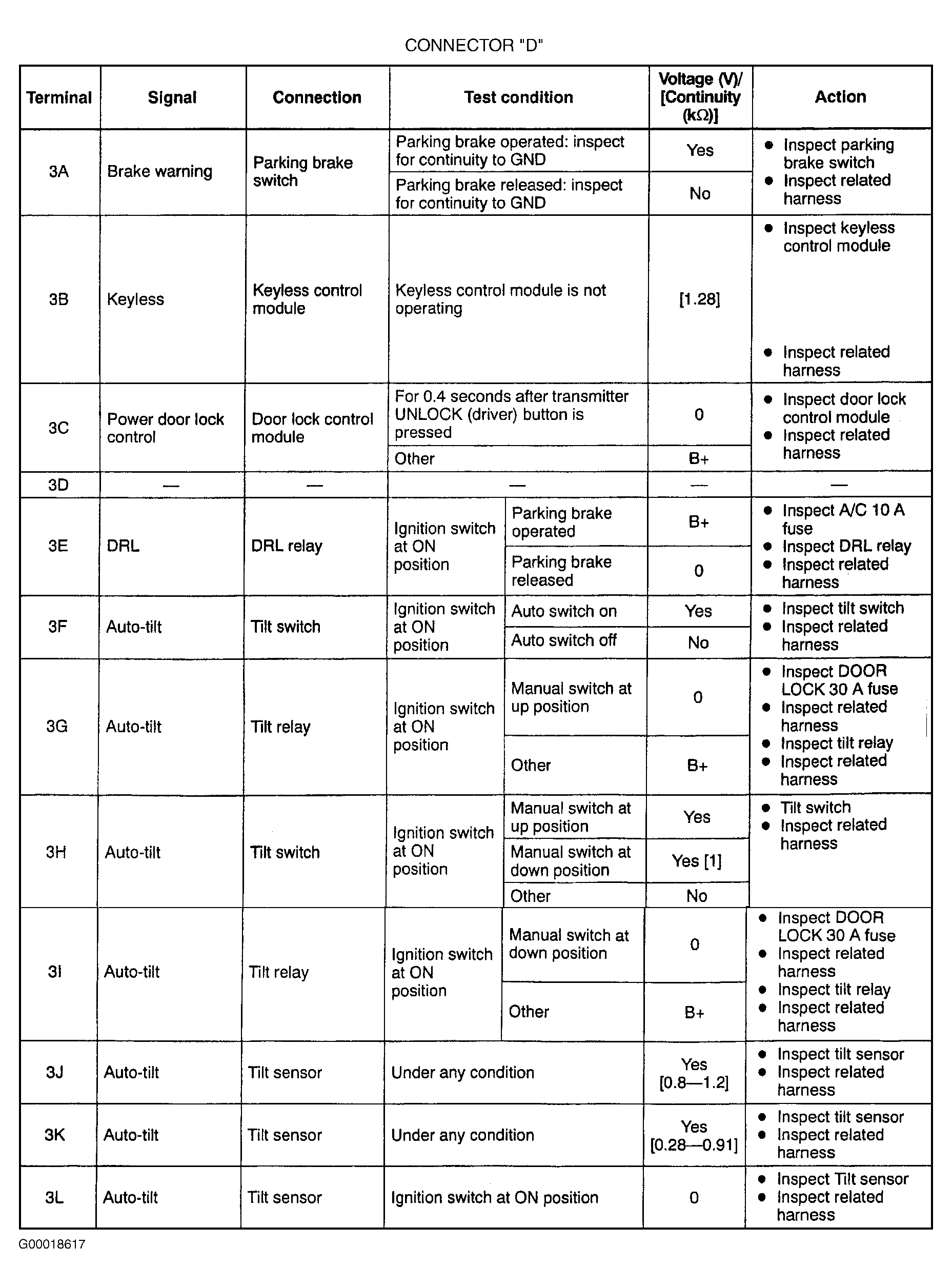
- Locate CPU behind left kick panel. For connectors "B", "C" and "D", using DVOM, leave CPU connectors attached to measure voltage at specified terminals (backprobe connectors). For connector "A", disconnect CPU from joint box and take measurements at CPU terminals. To check continuity, disconnect CPU connectors and measure at specified connector terminal. See Fig 1
-Fig 5
.
- If voltage or continuity are not as specified, check related components and wiring harnesses. If related components and wiring harnesses are okay, but system is still not functioning properly, replace CPU. See CENTRAL PROCESSING UNIT (CPU)
under REMOVAL & INSTALLATION.
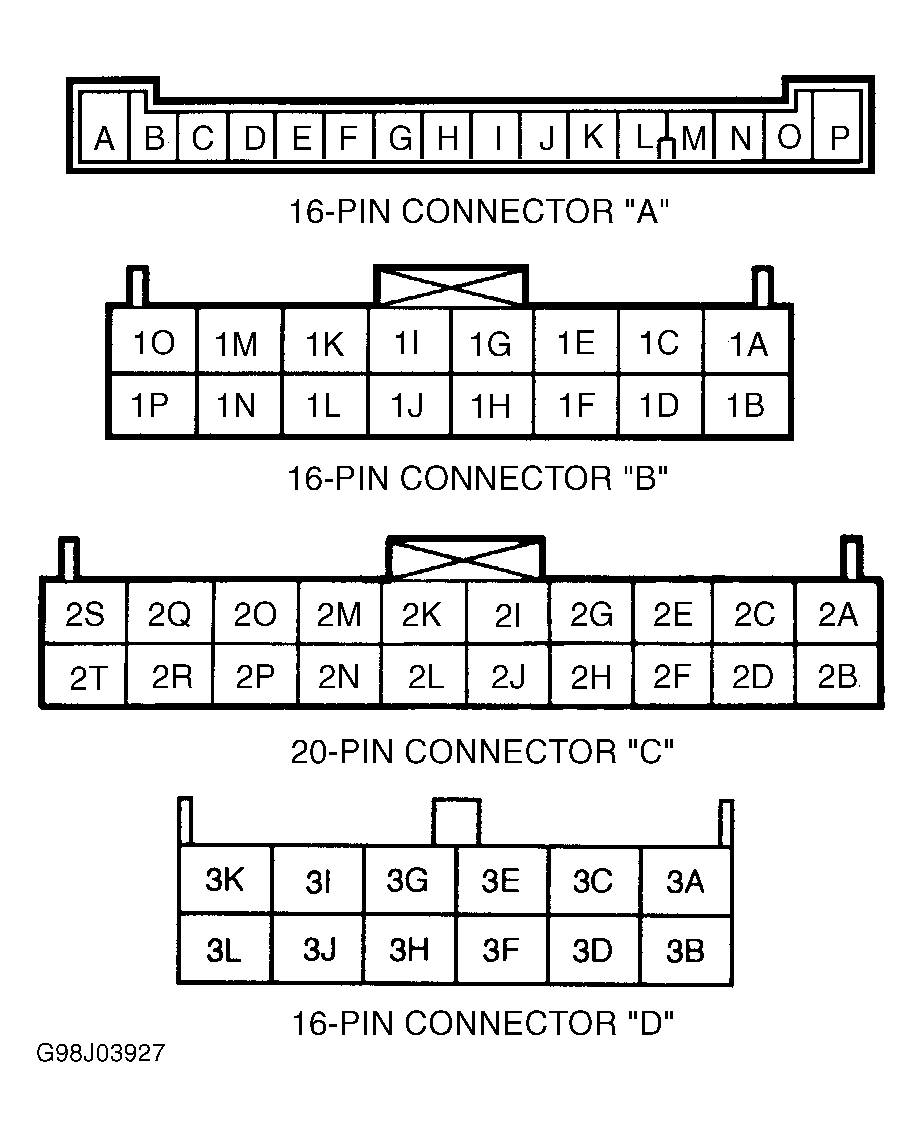 Courtesy of MAZDA MOTORS CORP.
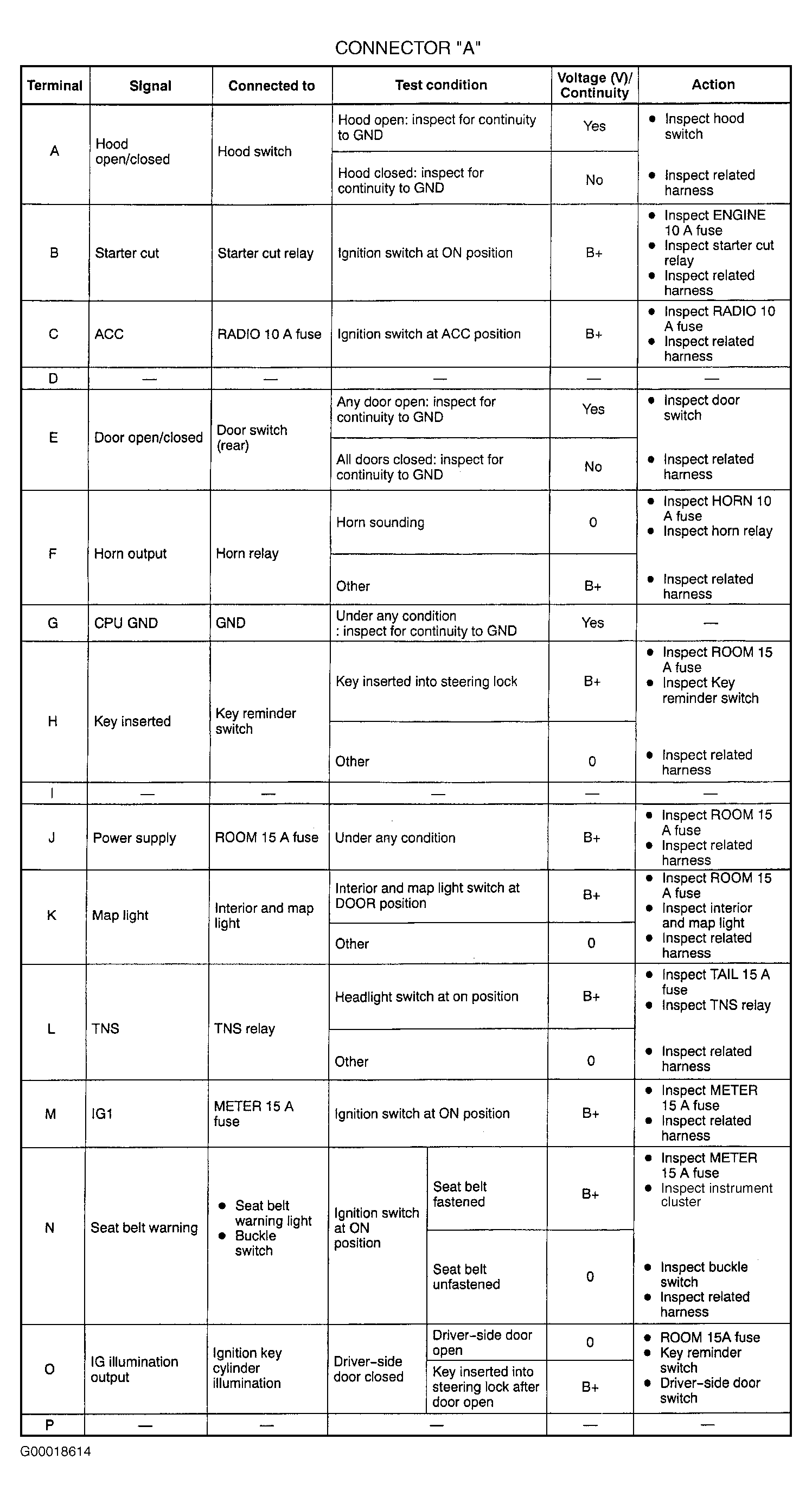 Courtesy of MAZDA MOTORS CORP.
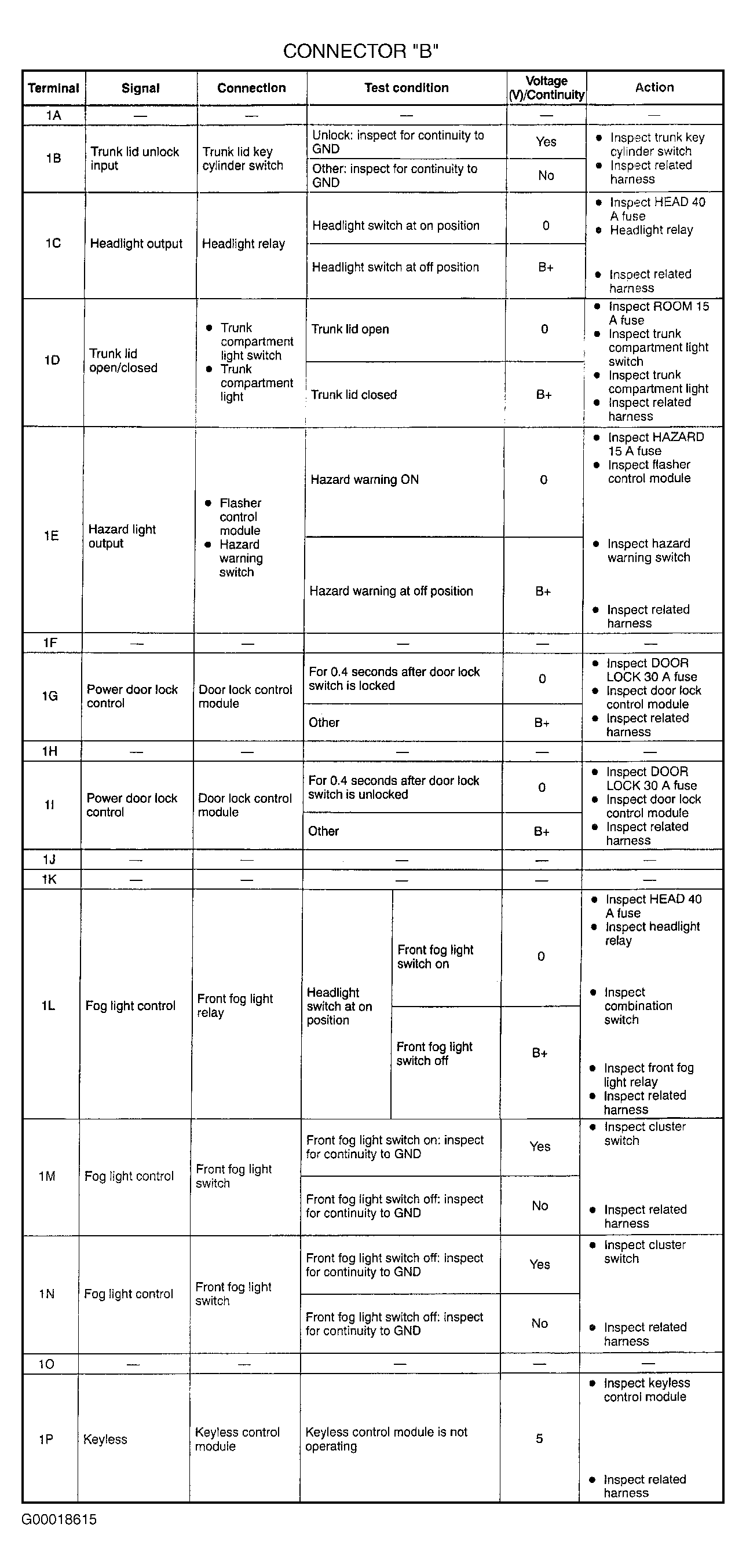 Courtesy of MAZDA MOTORS CORP.
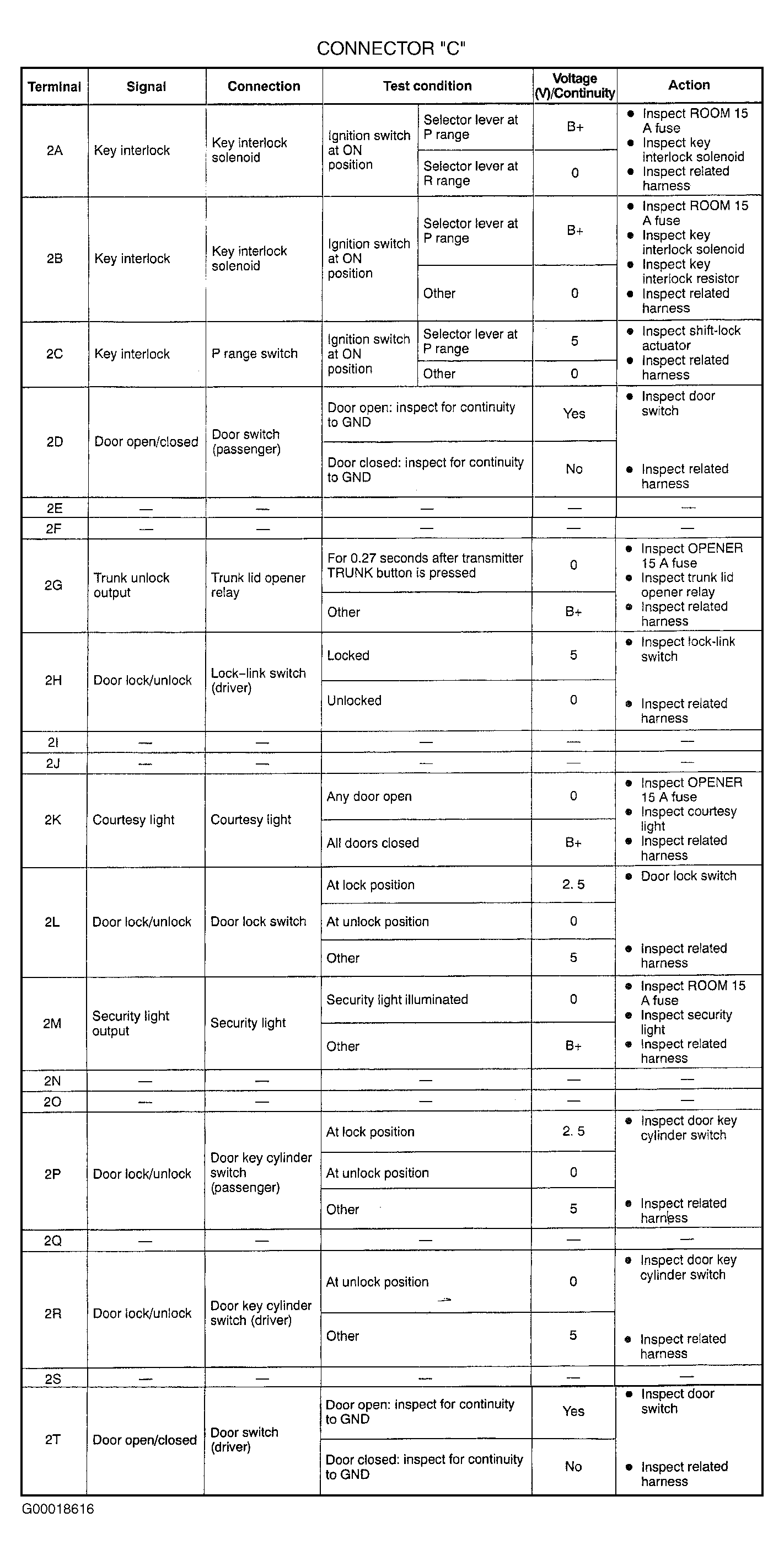 Courtesy of MAZDA MOTORS CORP.
 Courtesy of MAZDA MOTORS CORP.