Using World Diagnostic System (WDS) Or Equivalent Scan Tool
- Record Continuous Memory DTC & Freeze Frame Data (FFD) -
Turn ignition on with engine off. Connect scan tool to DLC. See Fig 1
. Retrieve all stored DTCs. Observe and record all DTCs and Freeze Frame Data. Go to next step.
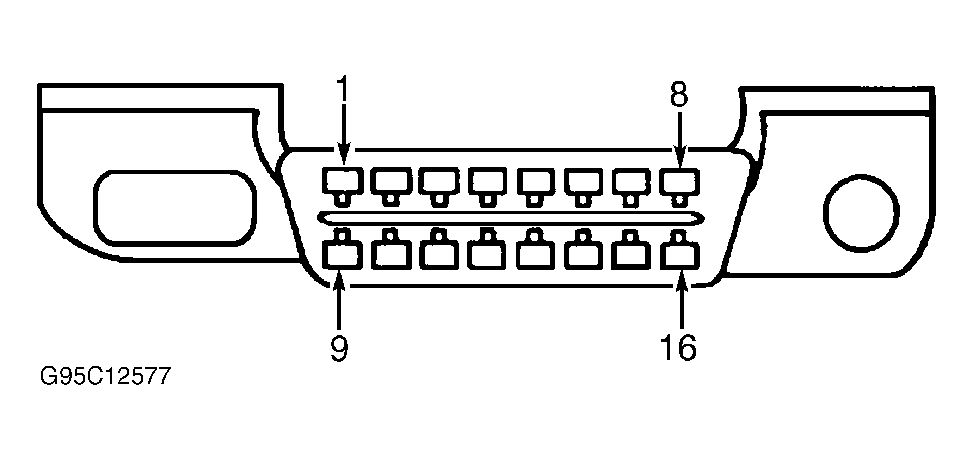 Courtesy of FORD MOTOR CO.
- Verify Related Repair Information Availability -
Check for any related Technical Service Bulletins (TSBs). If any TSBs apply, perform indicated repair. If vehicle is not repaired, go to next step. If no TSBs apply, go to next step.
- Perform Key On Engine Off (KOEO) Self-Test -
Start engine and allow to reach normal operating temperature. Turn off all electrical accessories. Perform KOEO Self-Test procedure. If any DTCs are present, go to DIAGNOSTIC TROUBLE CODE DEFINITIONS
. If no DTCs are present, go to next step.
- Perform Key On Engine Running (KOER) Self-Test -
Start engine. Perform KOER Self-Test procedure. If any DTCs are present, go to DIAGNOSTIC TROUBLE CODE DEFINITIONS
. If no DTCs are present, go to next step.
- If Continuous Memory DTCs are present in first step, go to DIAGNOSTIC TROUBLE CODE DEFINITIONS
. If Continuous Memory DTCs are not present, proceed to TROUBLE SHOOTING - NO CODES
article for diagnosis by symptom.