PID/Data Monitor and Record Procedure
PID/DATA Monitor and Record ProcedureNOTE: The PID/DATA MONITOR function monitors the calculated value of the input/output signals in the PCM. Therefore, an output device malfunction is not directly indicated as a malfunction of the monitored value for the output device. If a monitored value of an output device is out of specification, inspect the monitored value of the input device related to the output control.
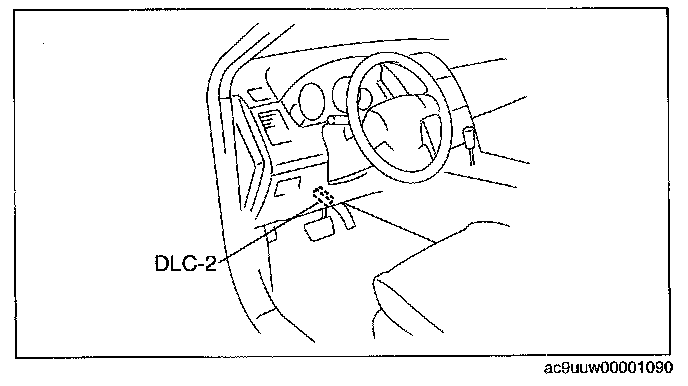
1. Connect the M-MDS to the DLC-2.
2. After the vehicle is identified, select the following items from the initial screen of the M-MDS.
- When using the IDS (laptop PC)
1. Select the "Toolbox" tab.
2. Select "DataLogger".
3. Select "Modules".
4. Select "PCM".
- When using the PDS (Pocket PC)
1. Select "Module Tests".
2. Select "PCM".
3. Select "DataLogger".
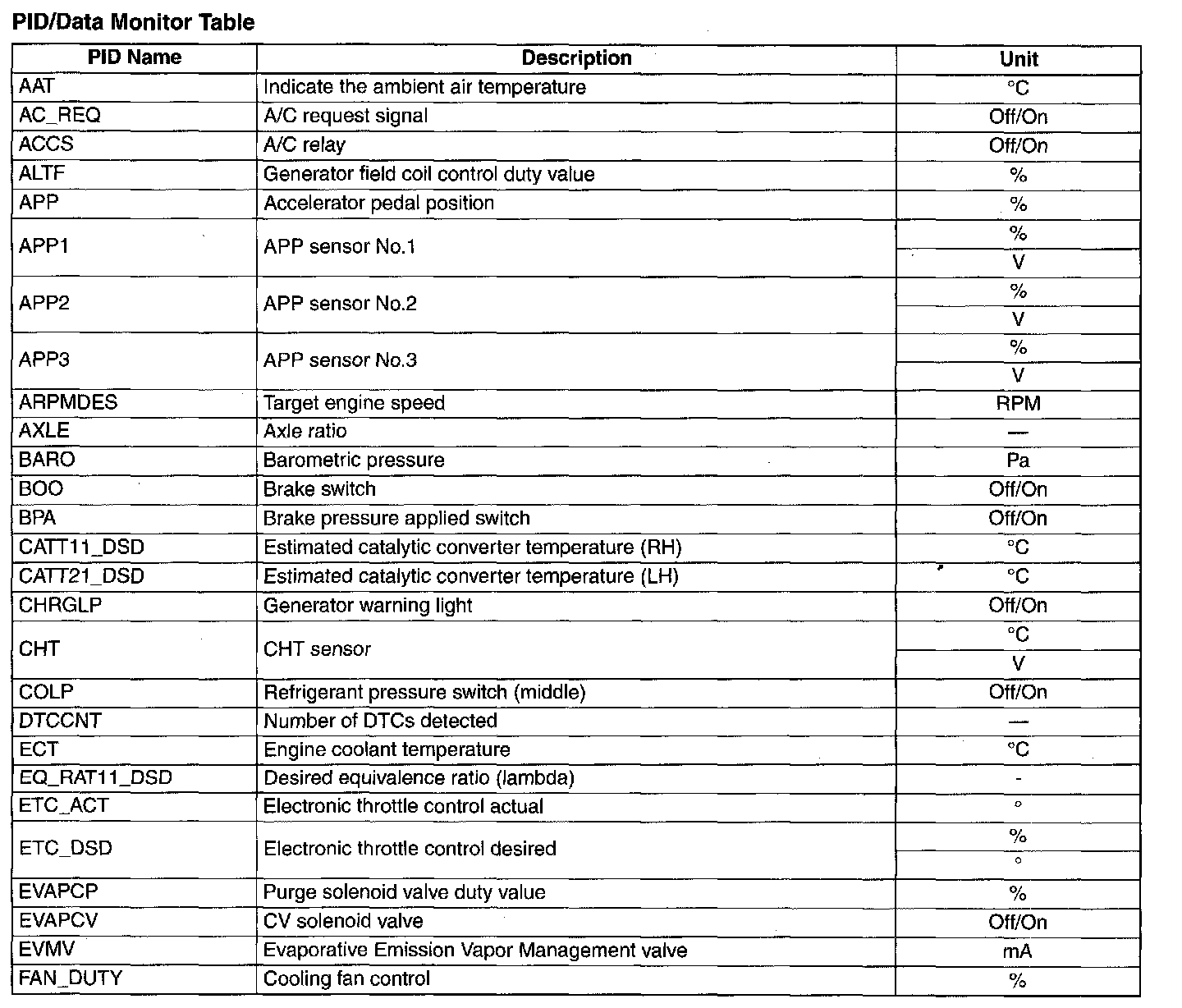
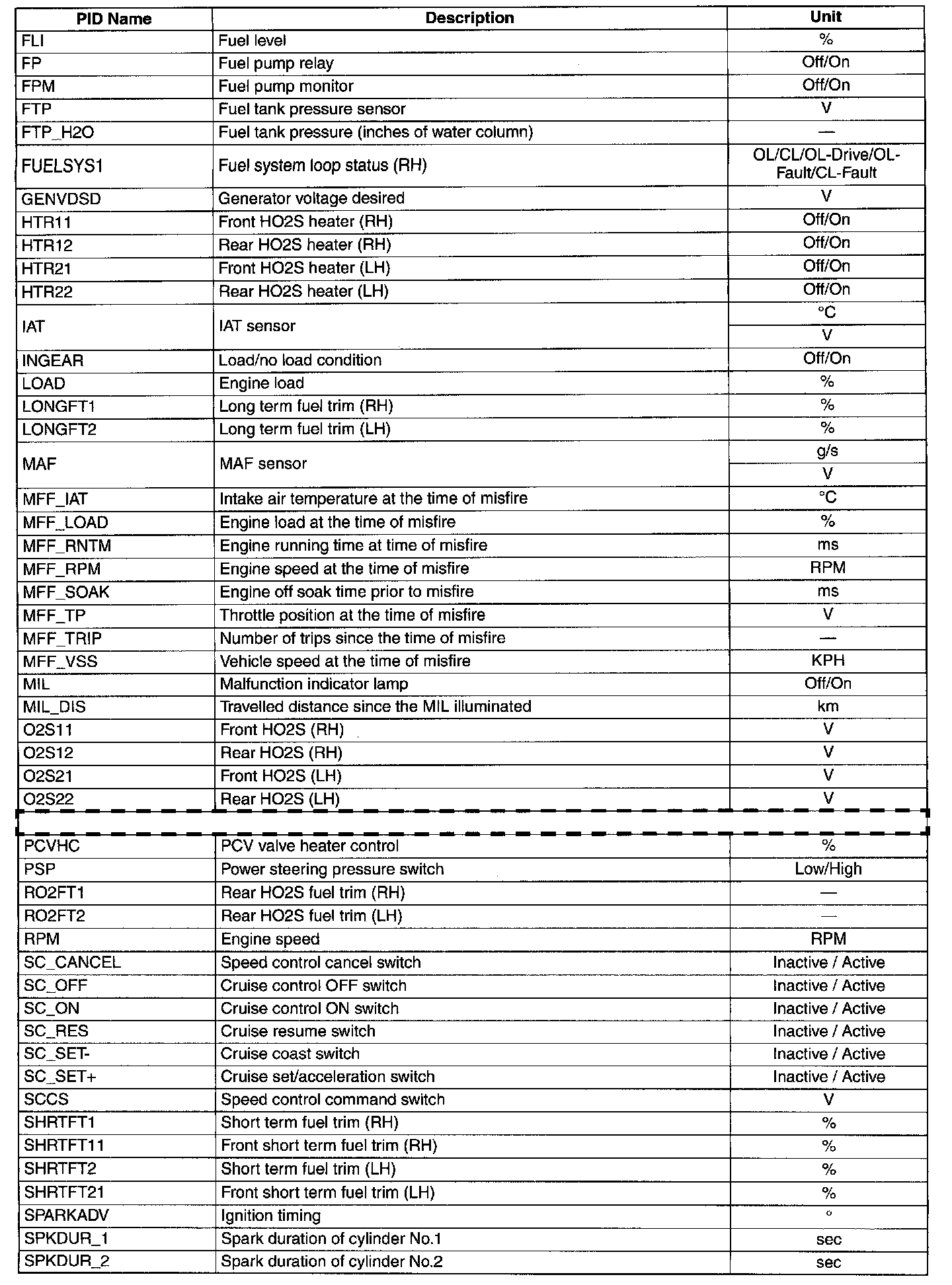
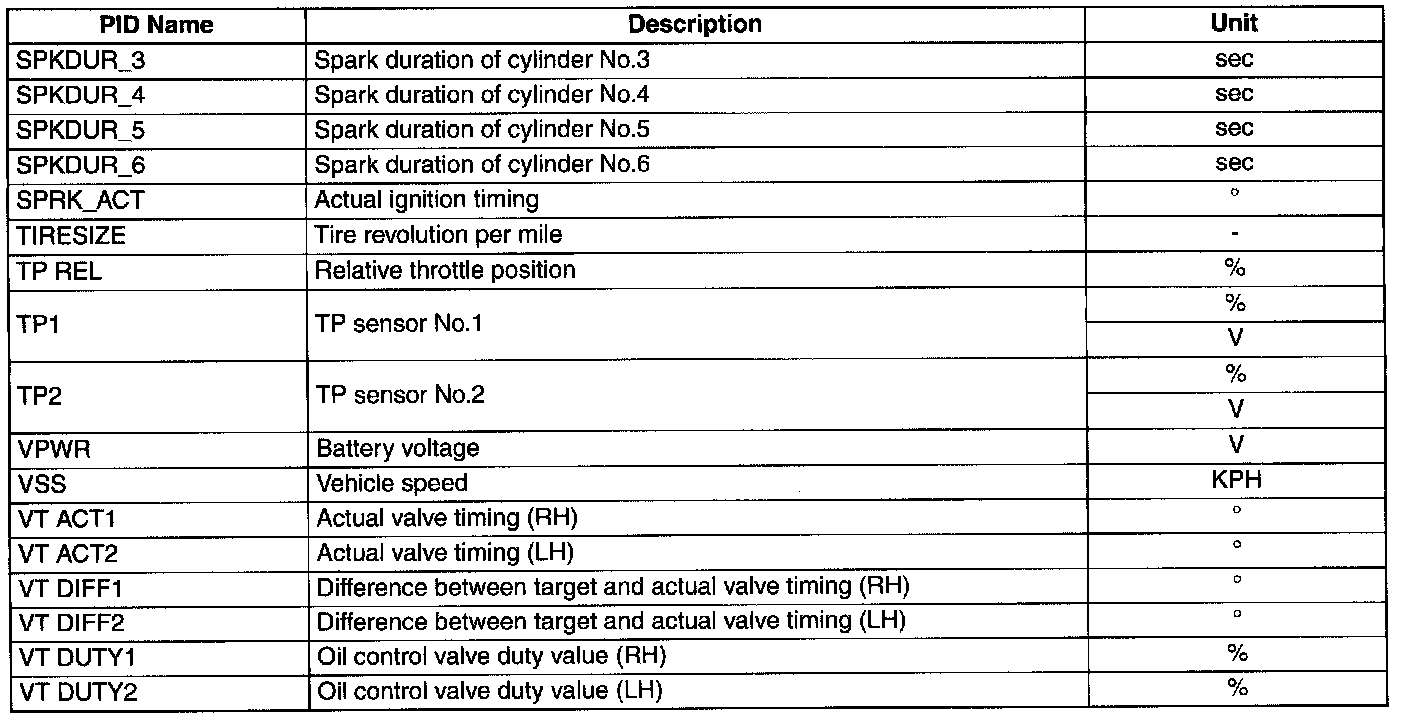
3. Select the PID from the PID table.
PID/Data Monitor Table Part 1:
PID/Data Monitor Table Part 2:
PID/Data Monitor Table Part 3:
4. Verify the test results according to detections on the screen.