ABS Configuration
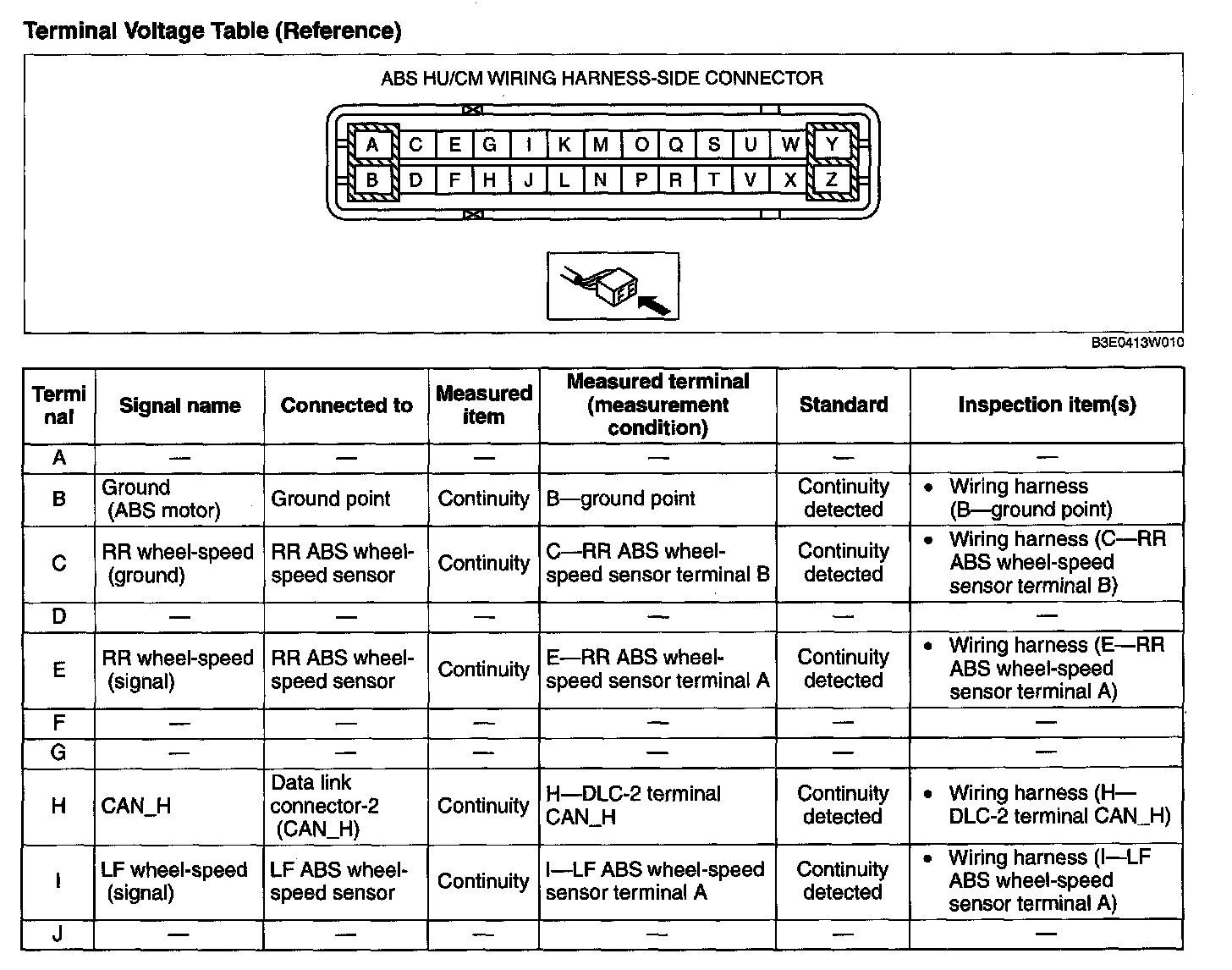
ABS CONFIGURATIONTerminal Voltage Table (Reference) (Part 1):
1. Connect the M-MDS to the DLC-2 connector.
2. After the vehicle is identified, select the following items from the initialization screen of the M-MDS.
^ When using the IDS (laptop PC)
1. Select the "Module Programming".
^ When using the PDS (Pocket PC)
1. Select "Programming".
2. Select "Module Programming".
3. Then, select items from the screen menu in the following order.
^ Select "Programmable Module Installation".
^ Select "ABS".
4. Perform the configuration according to the directions on the screen.
5. Retrieve DTCs by the M-MDS, then verify that there is no DTC present. If a DTC (s) is detected, perform the applicable DTC inspection. (See ON-BOARD DIAGNOSIS [ABS].) On Board Diagnosis [ABS]