Instrument Cluster Customized Function Setting Procedure
INSTRUMENT CLUSTER CUSTOMIZED FUNCTION SETTING PROCEDURE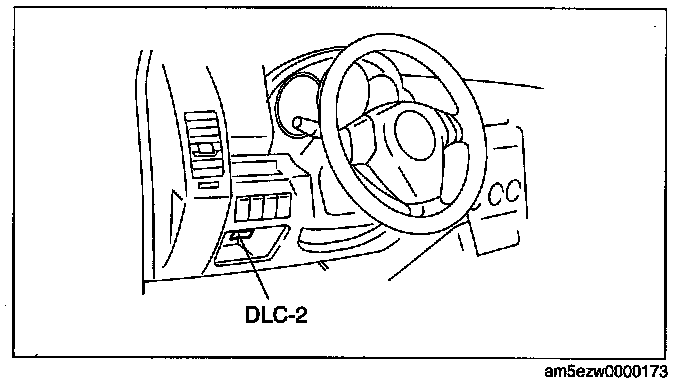
1. Connect the M-MDS to the DLC-2.
2. After the vehicle is identified, select the following items from the initialization screen of the M-MDS.
- When using the IDS (laptop PC)
1. Select "Module Programming".
- When using the PDS (Pocket PC)
1. Select "Programming"
2. Select "Module Programming".
3. Then, select the following from the screen menu.
1. "Programmable Parameters"
2. "Warning Lamps/Chimes"
4. Select the following items and change the setting according to the directions on the screen.
Supported items
- Fuel Response Data (level 1-16)