PID/Data Monitor Inspection
PID/DATA MONITOR INSPECTION [FS5A-EL]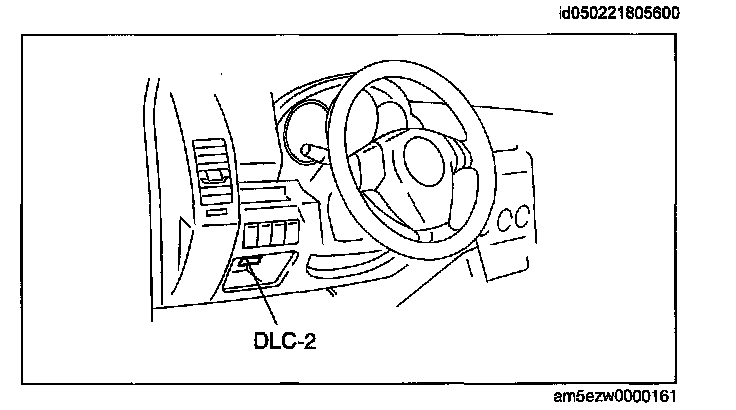
1. Connect the M-MDS to the DLC-2.
2. After the vehicle is identified, select the following items from the initial screen of the M-MDS.
^ When using the IDS (laptop PC)
1. Select "DataLogger".
2. Select "Modules".
3. Select "TCM".
^ When using the PDS (Pocket PC)
1. Select "Module Tests".
2. Select "TCM".
3. Select "DataLogger".
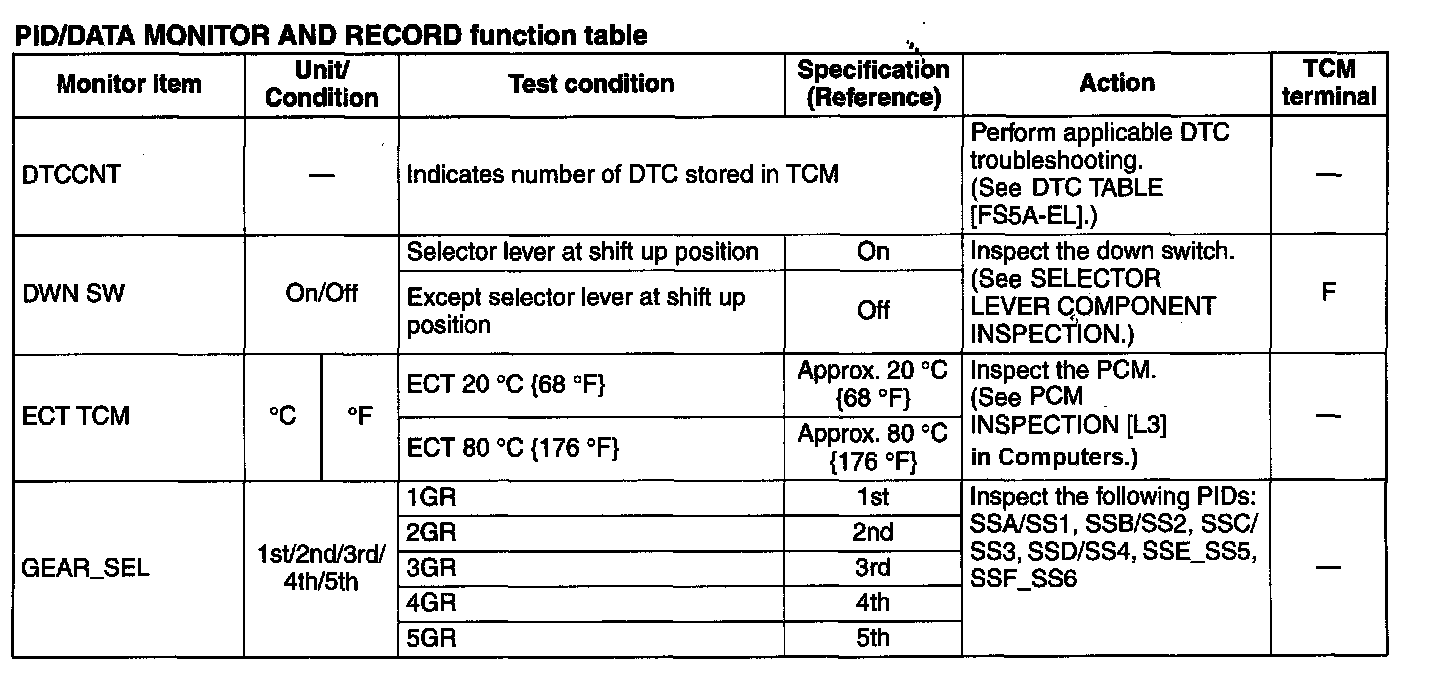
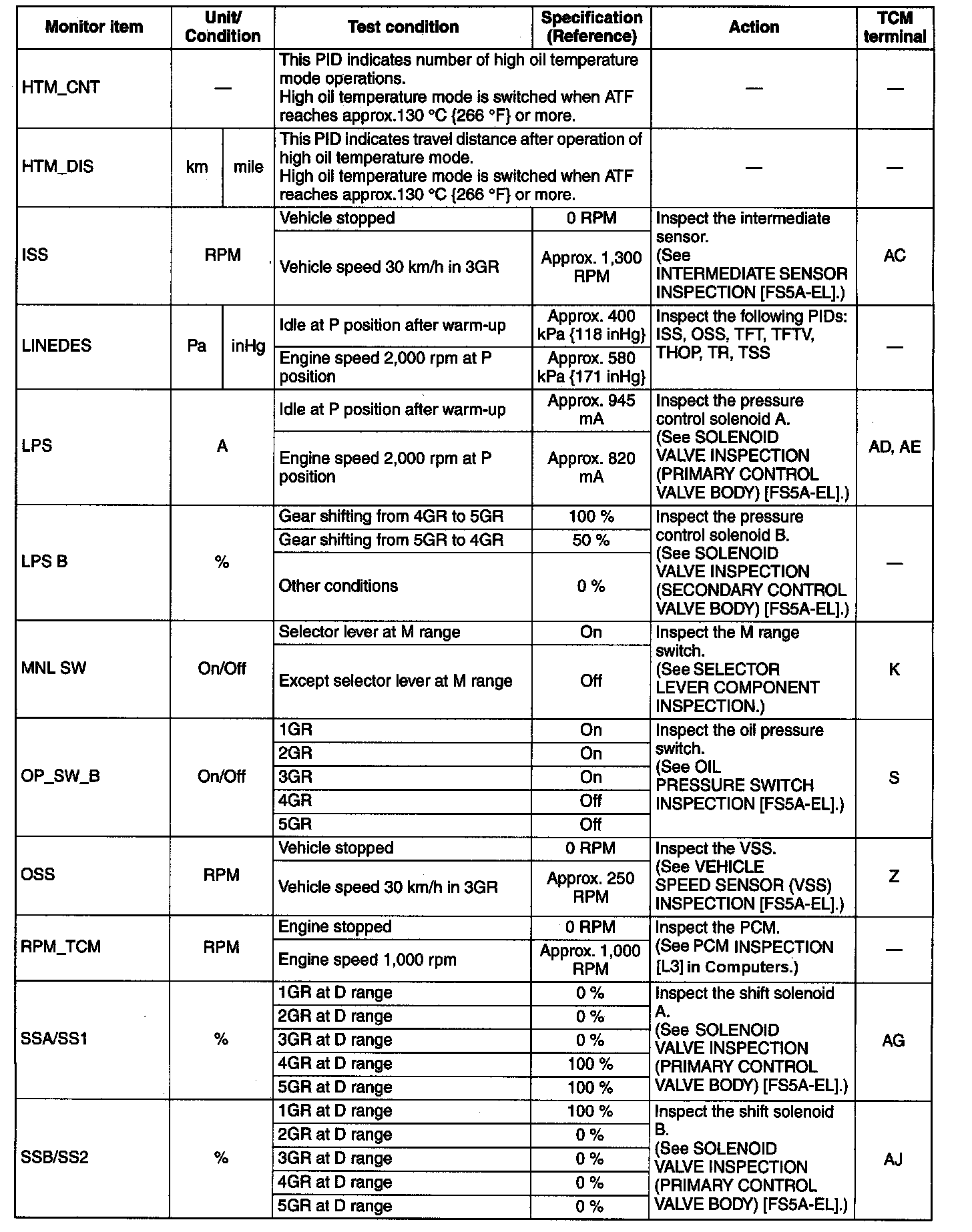
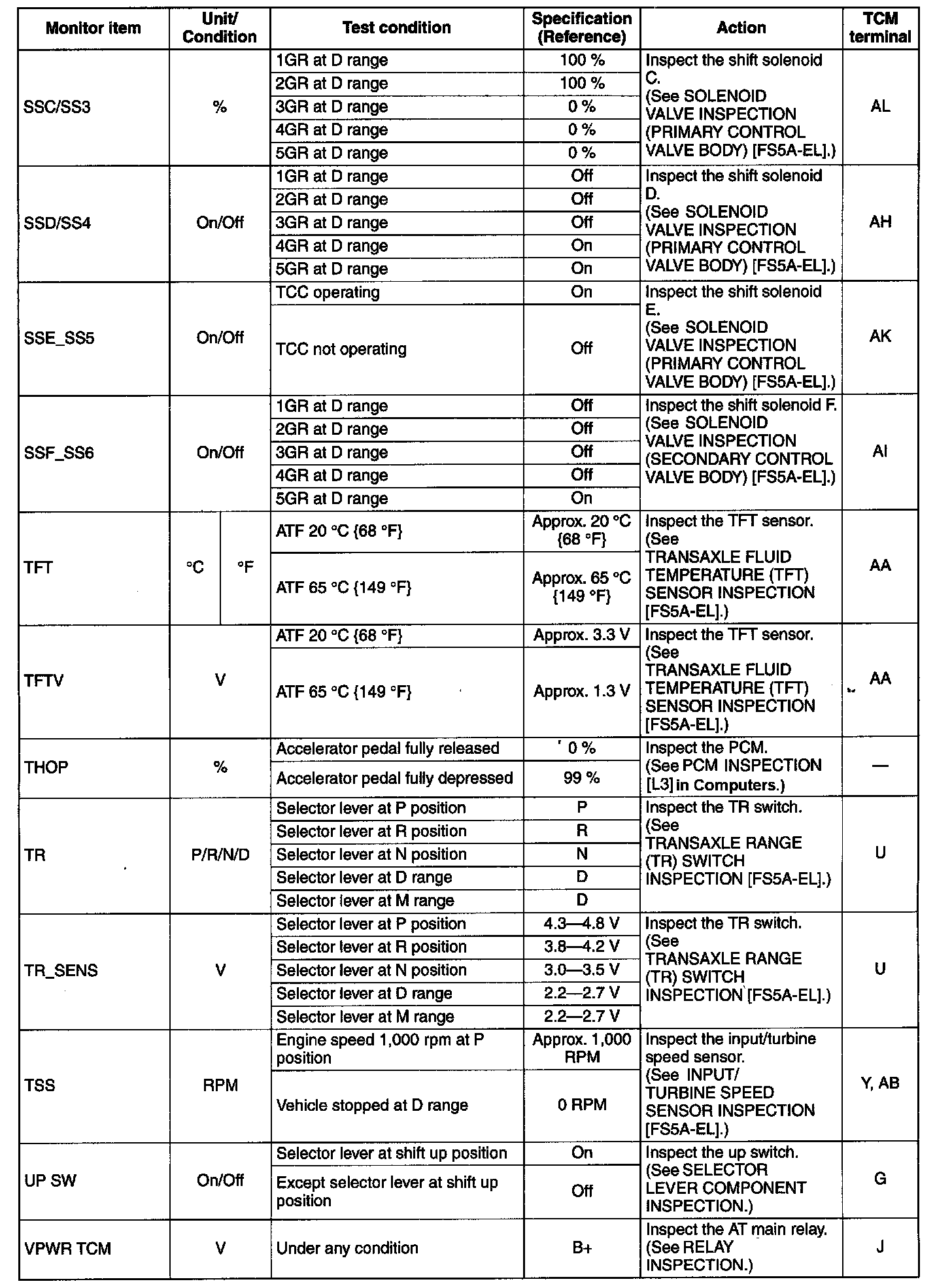
3. Select the PID from the PID table.
4. Verify the PID data according to the directions on the M-MDS screen.
Note
^ Perform part inspection for the output device after TCM inspection.
^ The PID/DATA MONITOR function monitors the calculated value of the input/output signals in the TCM. Therefore, if a monitored value of an output device is out of specification, it is necessary to inspect the monitored value of the input device related to the output device control. Since an output device malfunction is not directly indicated as a malfunction of the monitored value for the output device, it is necessary to inspect the output device individually using methods such as the simulation function.