Freeze Frame PID Data Access Procedure
TIRE PRESSURE MONITORING SYSTEM (TPMS) ON-BOARD DIAGNOSIS
Freeze Frame PID Data Access Procedure
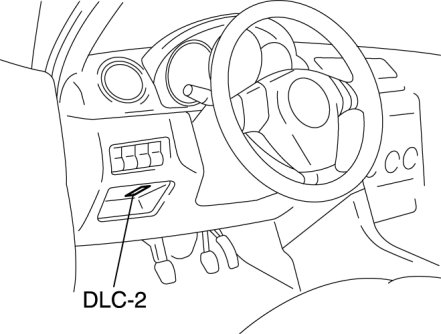
1. Connect the M-MDS to the DLC-2.
2. After the vehicle is identified, select the following items from the initialization screen of the M-MDS.
- This function is available for only the IDS (laptop PC)
1 Select "Body".
2 Select "TPMS Functions".
3 Select "Freeze Frame Data".
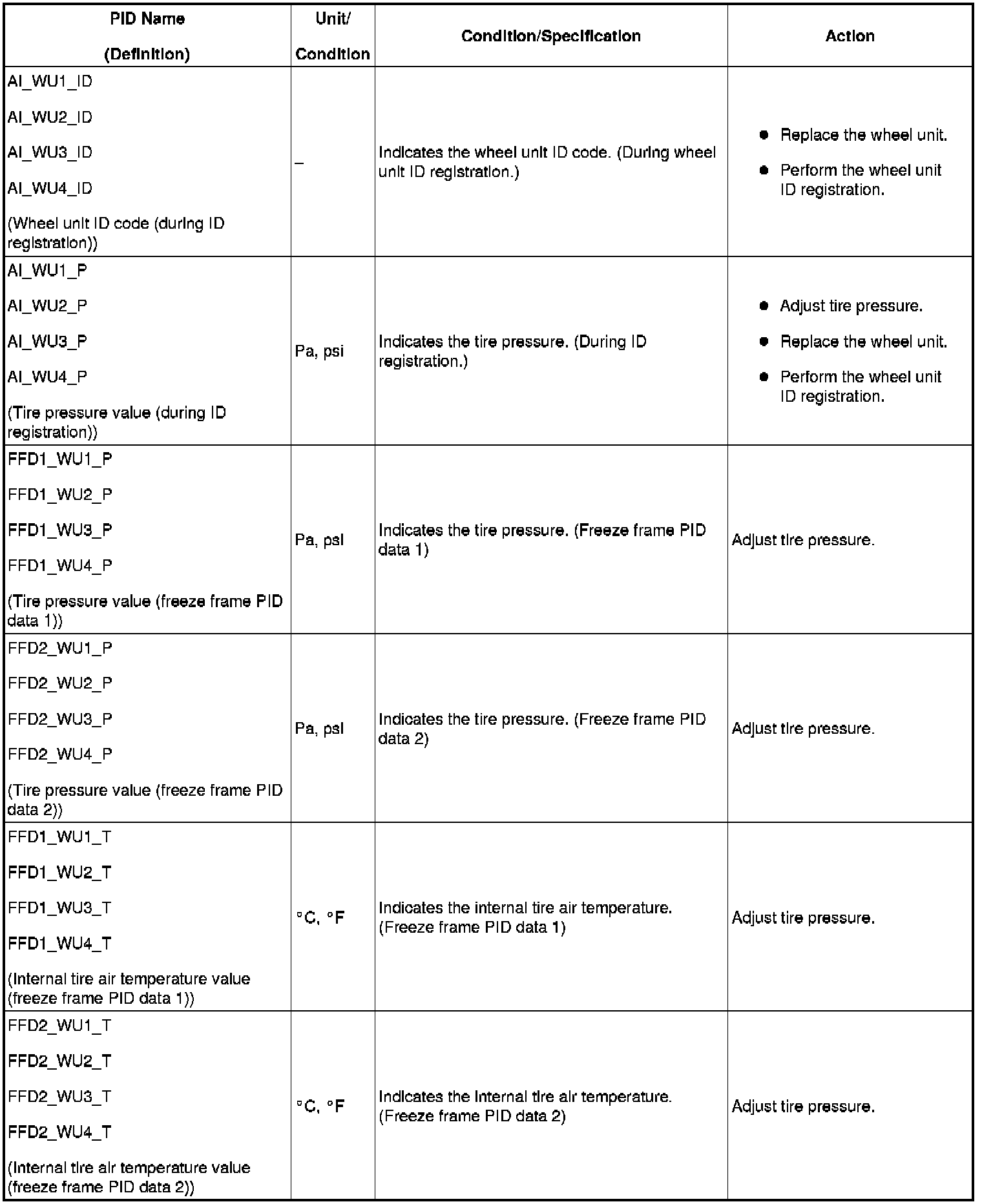
PID/DATA Monitor Table
PID/Data Monitor Table (Part 1):
PID/Data Monitor Table (Part 2):
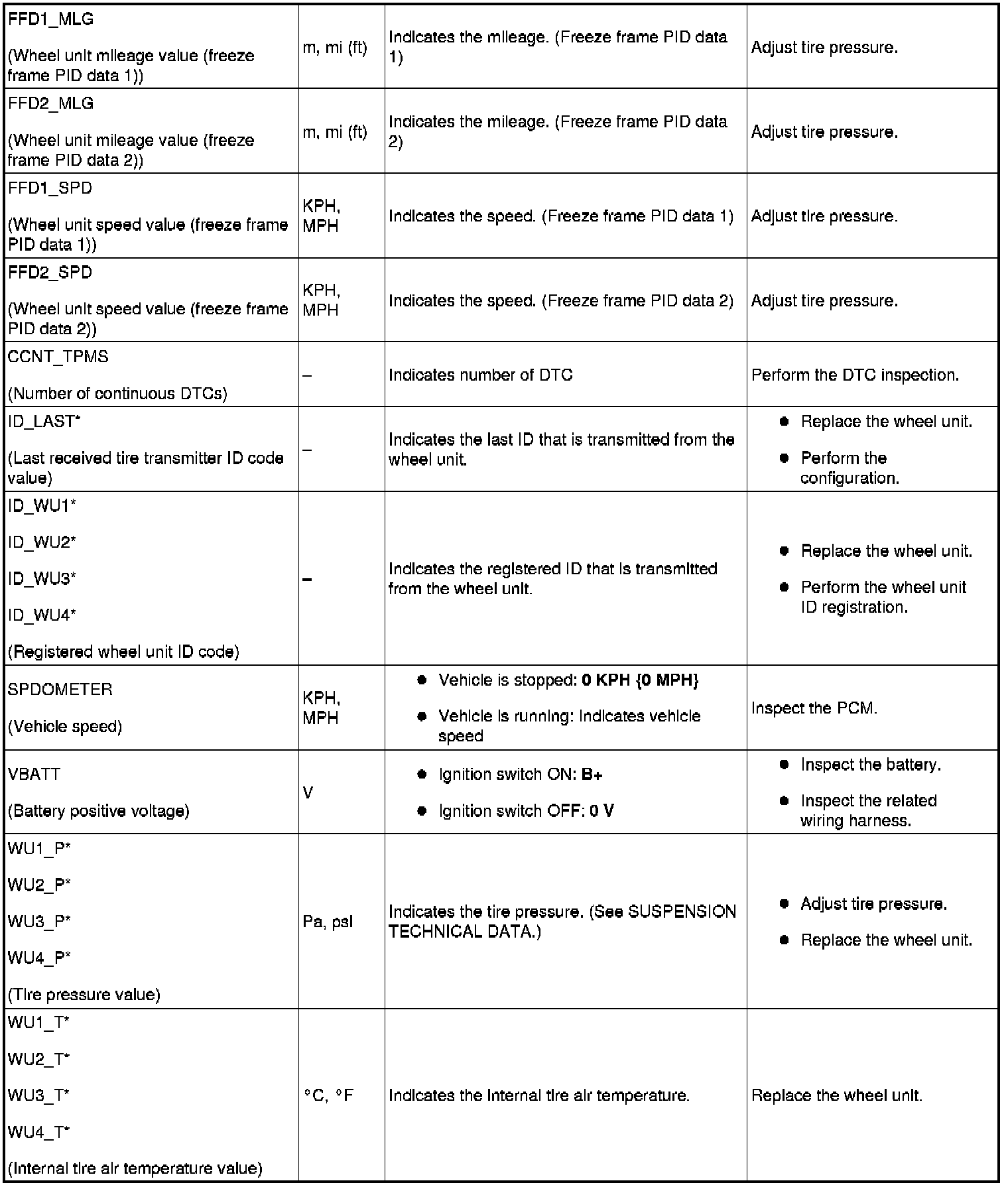
*
Data transmission from the wheel unit occurs when the vehicle speed is 25 km/h {15.5 mph} or more. Due to this, the current air pressure and temperature data can only be displayed after the vehicle is driven at 25 km/h {15.5 mph} or more. Also, the ID_LAST, and tire pressure and internal tire air temperature data are erased when the instrument cluster connector and the battery terminal are disconnected. If the instrument cluster is replaced or the battery terminals are disconnected, drive the vehicle at 25 km/h {15.5 mph} or more and display the tire pressure PID after the data transmission.