DTC U1088: Lost Communications With SDM
- Perform VEHICLE ON-BOARD DIAGNOSTIC SYSTEM CHECK under SELF-DIAGNOSTIC SYSTEM. If vehicle on-board diagnostic system check has been performed, go to next step.
- Turn ignition on. Using scan tool, attempt to establish communications with SDM. If scan tool does not communicate with SDM, go to next step. If scan tool communicates with SDM, problem is intermittent. Turn ignition on. Using scan tool, select DIAGNOSTIC CIRCUIT CHECK- - -CLASS 2 MESSAGE MONITOR and monitor SIR. If INACTIVE is displayed, SDM is not communicating on class-2 serial data link.
- Turn ignition off. Disconnect Yellow 18-pin SDM connector. See COMPONENT LOCATIONS . Connect test light between ground and SDM connector terminal A1 (Pink wire). See Fig 1. Turn ignition on. If test light illuminates, go to next step. If test light does not illuminate, repair open in Pink wire between SDM connector terminal A1 and IGN 1 fuse (10-amp), located in underhood fuse block. See WIRING DIAGRAMS in appropriate AIR BAG RESTRAINT SYSTEMS article. Retest operation.
- Connect test light between battery voltage and Yellow 18-pin SDM connector terminal A18 (Black wire). If test light illuminates, go to next step. If test light does not illuminate, repair open in Black wire between SDM connector terminal A18 and ground. See GROUND DISTRIBUTION article in WIRING DIAGRAMS.
- Check for poor connections at SDM. See COMPONENT LOCATIONS . Repair as necessary. If SDM connections are okay, replace SDM. See appropriate AIR BAG RESTRAINT SYSTEMS article. Retest operation.
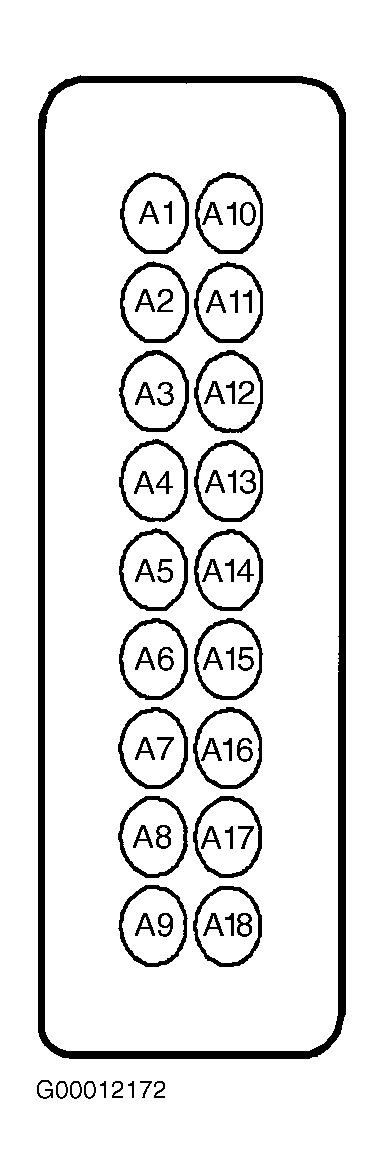 Courtesy of GENERAL MOTORS CORP.