Read Current Data
READ CURRENT DATAOPERATION
1. On the [Main Menu] display screen, select {Each System Check}.
2. On the [System Selection Menu] display screen, select the {Integ. unit mode}.
3. On the [Integ. unit mode failure diag] display screen, select the {Current Data Display & Save}.
4. Using the scroll key, scroll the display screen up or down until the desired data is shown.
LIST
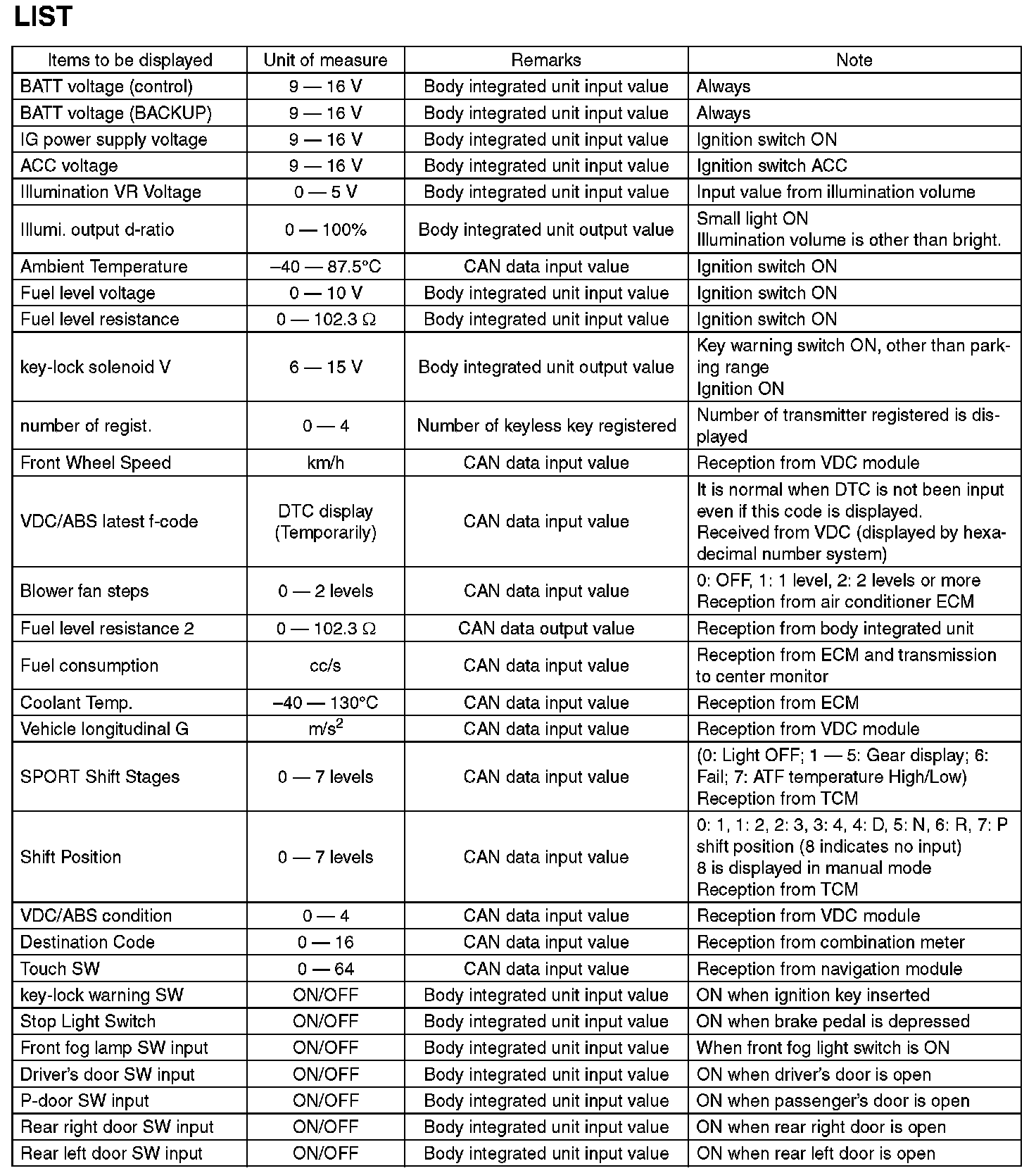
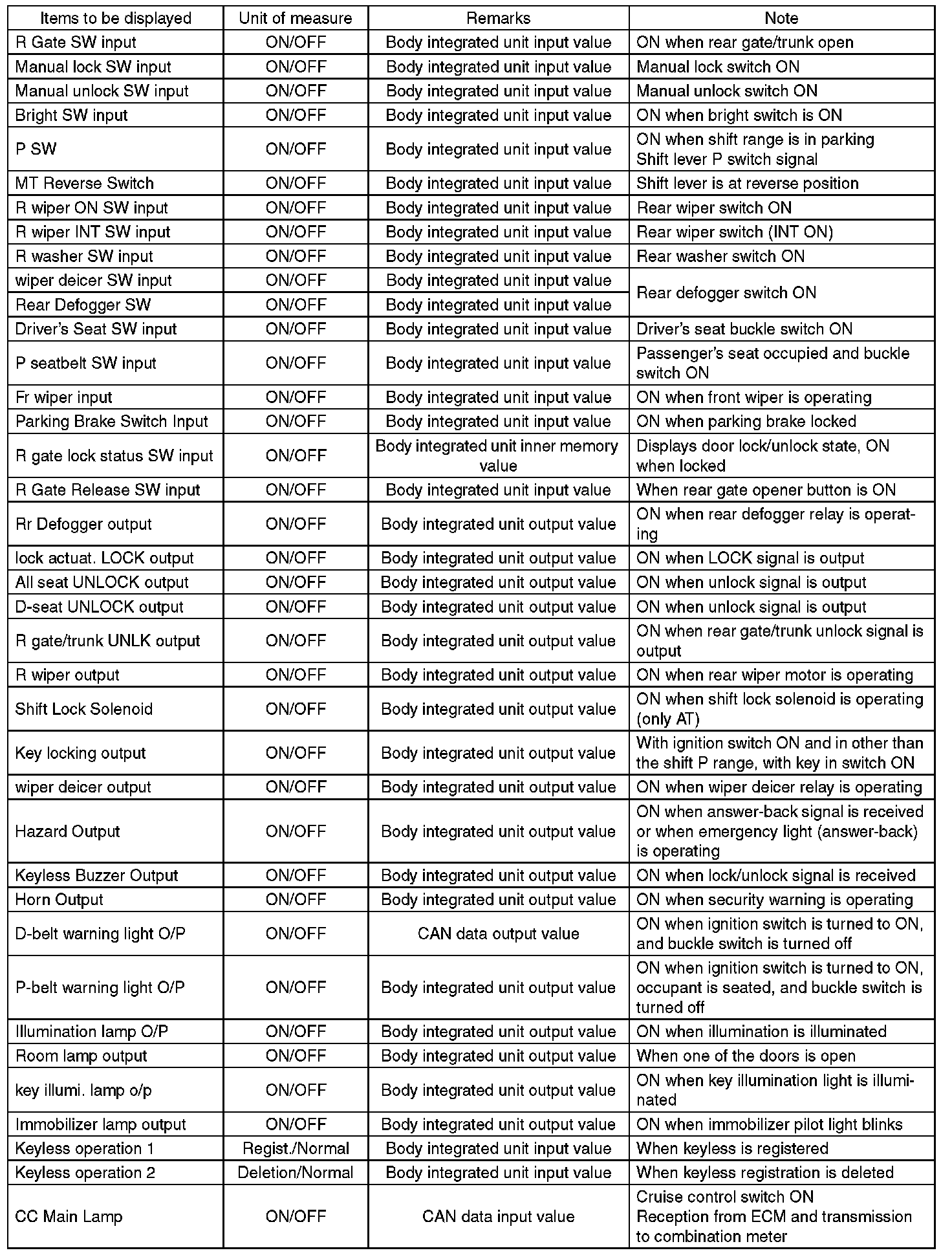
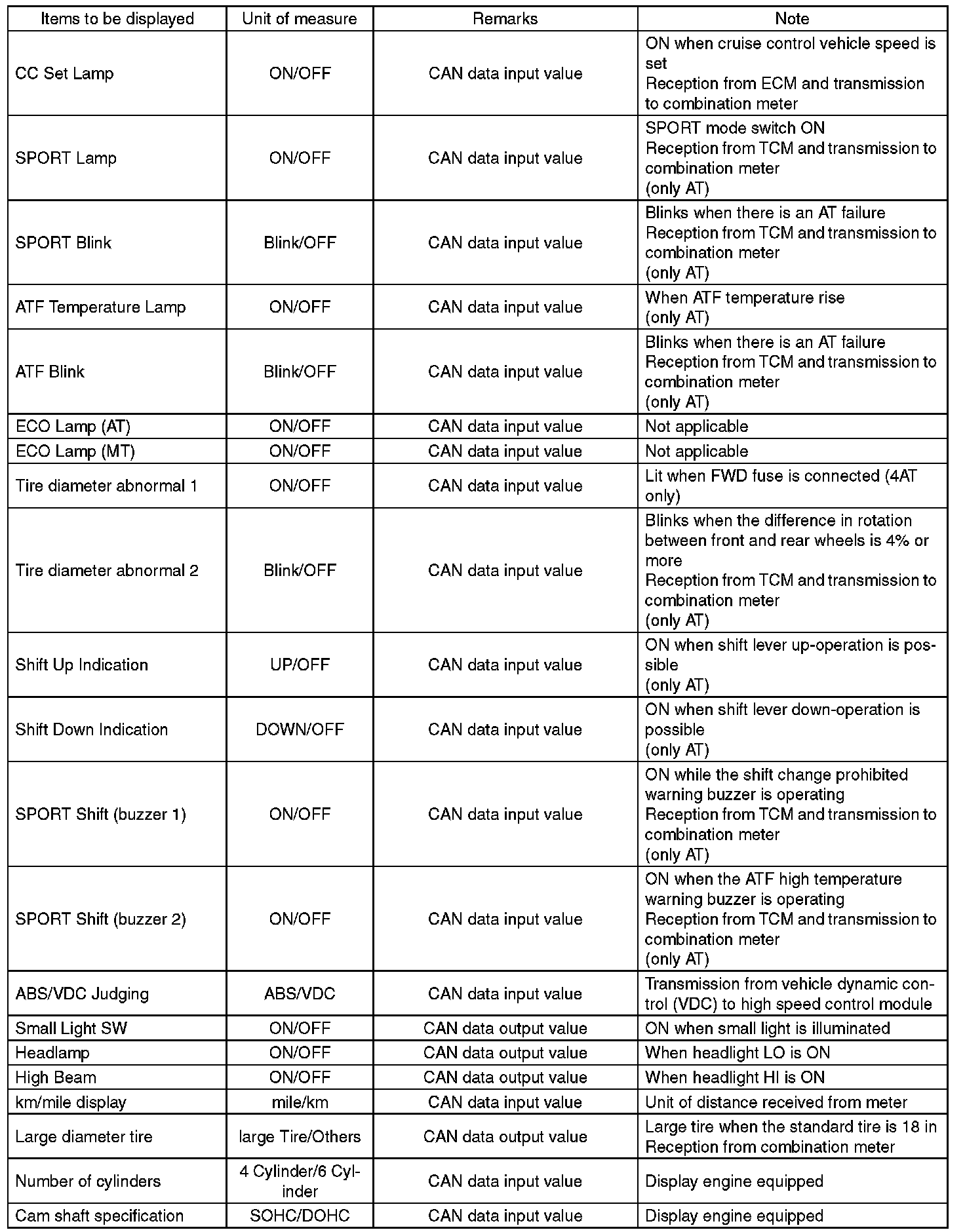
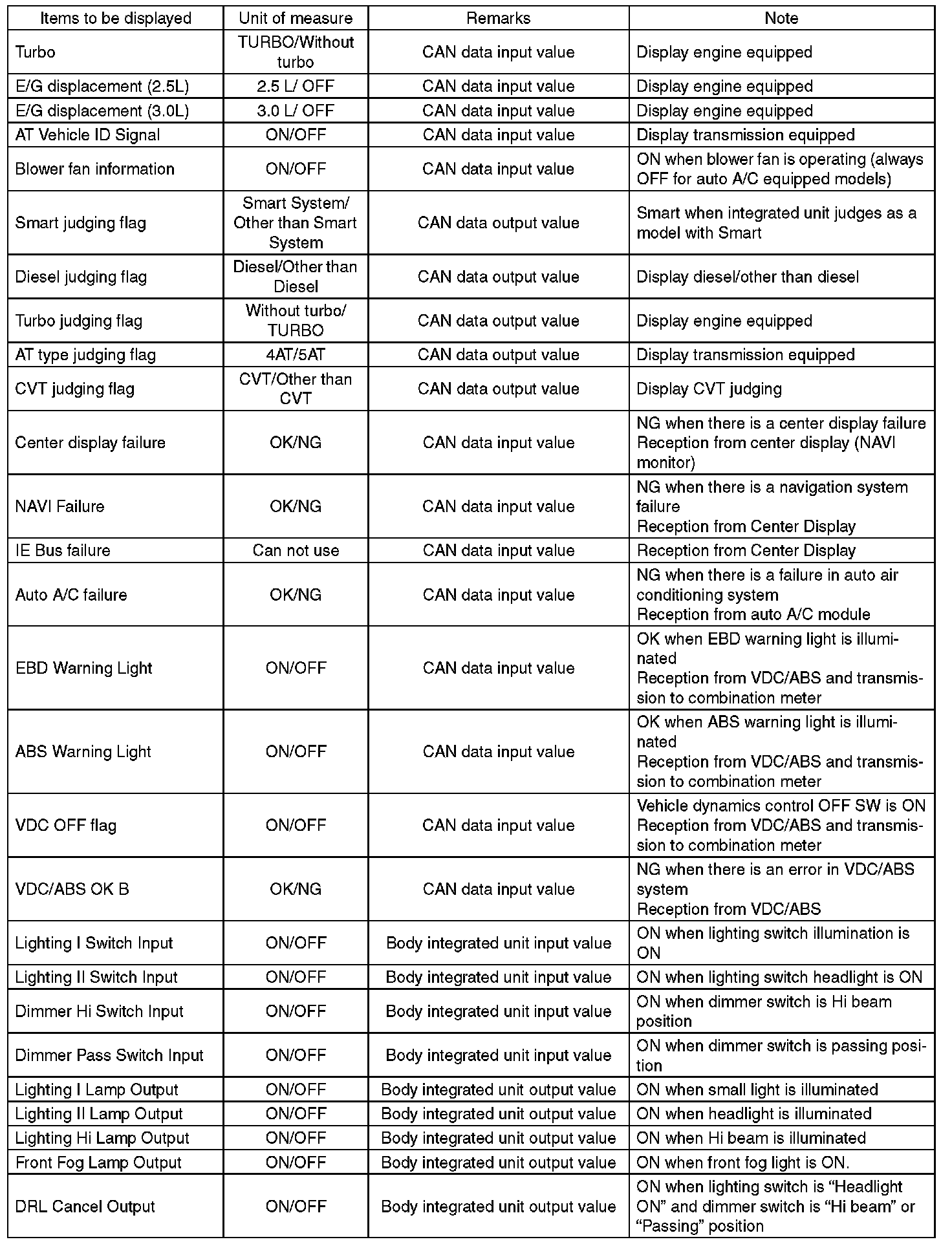
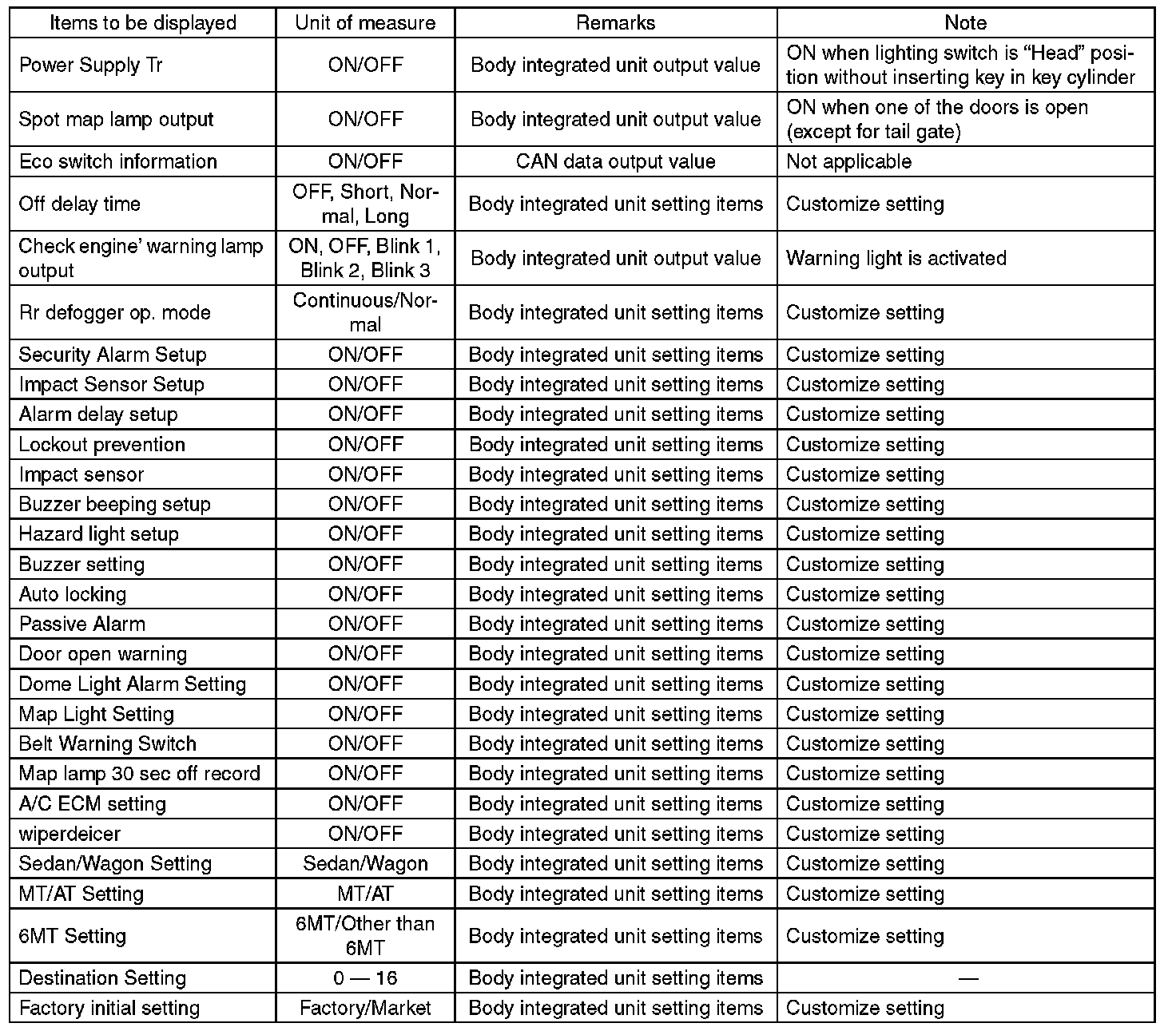
NOTE: For detailed operation procedures, refer to "PC application help for Subaru Select Monitor".