October 30: LEMON manuals on a temporary server, it is slow and having issues, download the manuals you need! Later in November we will switch back to the fast server.
Target Calibration
- In Toolbox 2, go to Panels > Driver Assist > Camera Single Pole Target Auto Calibration
, and click the Play button.
- Follow the onscreen instructions to calibrate the forward facing camera.
NOTE:
When prompted, move the target from "Location 1" to "Location 2".
| Location 1 |
Location 2 |
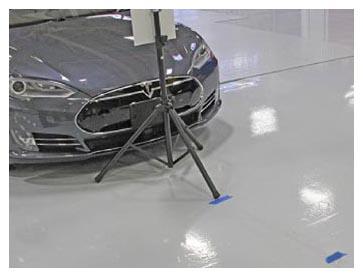 Courtesy of TESLA, INC. Courtesy of TESLA, INC.
|
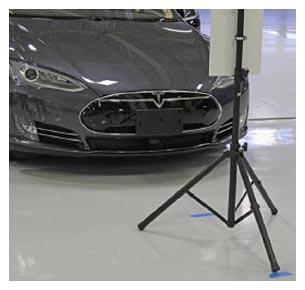 Courtesy of TESLA, INC. Courtesy of TESLA, INC.
|
- Once the calibration procedure is completed, click Finish
.