- Check the condition of the connectors of the laptop with Toolbox 3 and the vehicle interface cable.
NOTE:
If the vehicle interface cable is damaged in any way, do not use it.
- Open the LH front door.
- Remove the cubby from under the Media Control Unit.
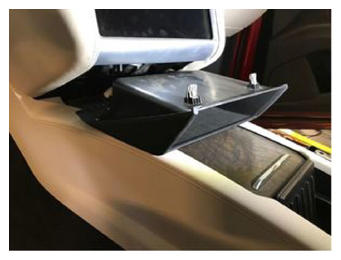 Courtesy of TESLA, INC. Courtesy of TESLA, INC.
|
- Connect the vehicle interface cable to the laptop and to the vehicle interface connector located under the Media Control Unit.
NOTE:
Perform a push-pull-push check of each of the connections.
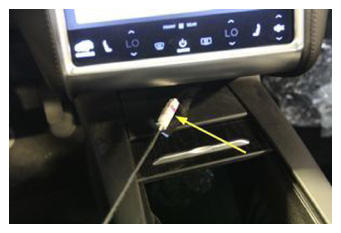 Courtesy of TESLA, INC. Courtesy of TESLA, INC.
|
- If powered off, press the brake pedal to power on the vehicle drive rails.
- If powered off, power on the laptop, sign in and open a web browser to the Toolbox 3 website.
- In Toolbox 3, click the grey circle in the upper right corner to open the connection window.
- From the drop-down, select Connect Locally
, and then click Connect
.
NOTE:
When the connection is successfully established, the grey circle becomes green.
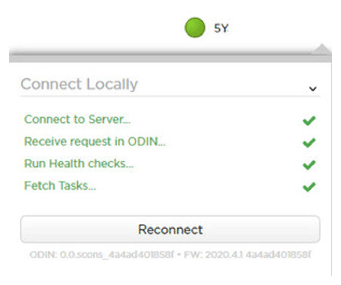 Courtesy of TESLA, INC. Courtesy of TESLA, INC.
|
- Click the green circle to close the connection window.
- Return to the procedure that required connection of a laptop with Toolbox 3 to the vehicle.