Module - Central Body Controller - BCCEN - Remove And Replace: Installation
- Install the central body controller module onto the body, and then install the nuts (x3) that attach the module to the body (torque 5 N.m).
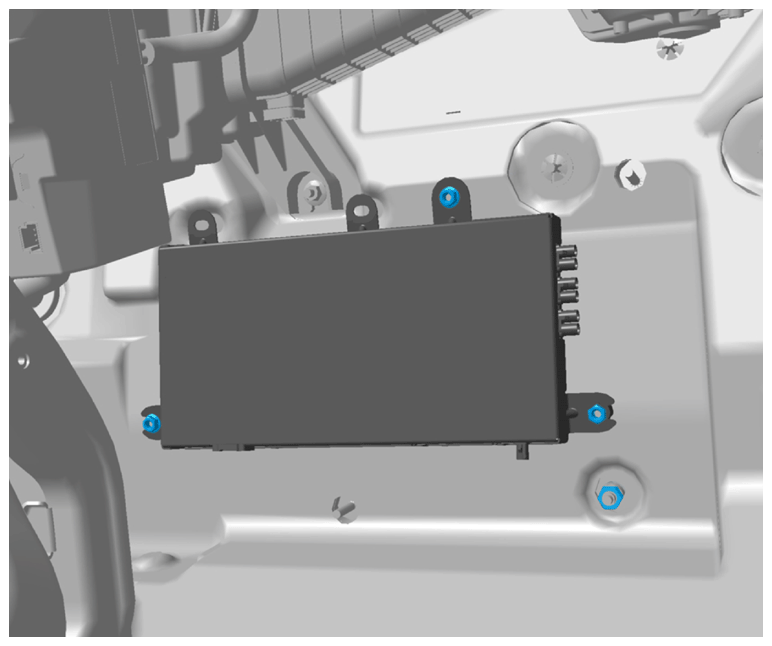 Courtesy of TESLA, INC. Courtesy of TESLA, INC.
|
- Connect the electrical harnesses to the central body controller module connectors (x8).
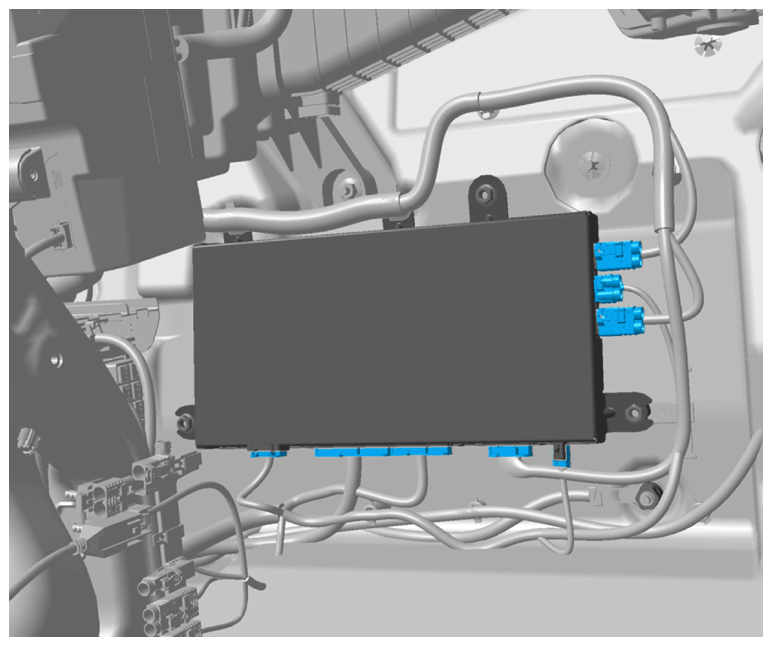 Courtesy of TESLA, INC. Courtesy of TESLA, INC.
|
- Fasten the clips (x2) that attach the electrical harness to the central body controller module.
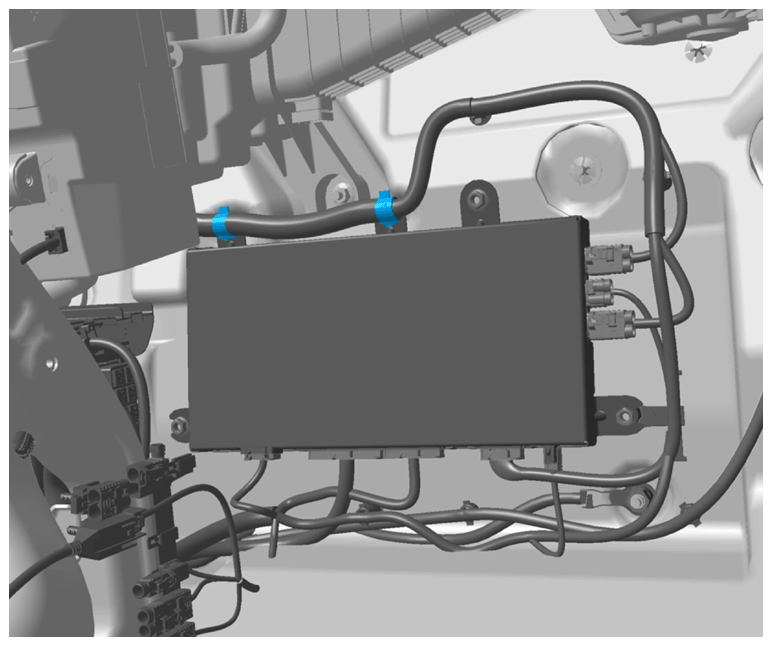 Courtesy of TESLA, INC. Courtesy of TESLA, INC.
|
- Connect 12V power. See DISCONNECT 12V POWER .
- Update the vehicle firmware concurrent to installing components that were removed for access. See FIRMWARE UPDATE
.
- Install the RH false floor.
- Unfold the carpet in the passenger side footwell.
- Install the RH lower A-pillar trim panel. See TRIM - A-PILLAR - LOWER - LH (REMOVE AND REPLACE)
.
- Install the RH closeout extension. See CLOSEOUT EXTENSION - CENTER CONSOLE - LH (REMOVE AND REPLACE)
.
- Connect a laptop to the diagnostic port of the vehicle, and then use Toolbox 3 to locally connect to the vehicle. See Toolbox 3 (Connect And Disconnect)
.
- Unlock the vehicle gateway for diagnostic communication, if not already unlocked. See Gateway Unlock
.
- In Toolbox 3, click the Actions
tab, type "BCCEN_x_provisioning" into the search field, click PROC_BCCEN_X_PROVISIONING
, click Run
, and allow the routine to complete.
- In Toolbox 3, click the Actions
tab, type "immobilizer reset" into the search field, click PROC_BCCEN_X_IMMOBILIZER-RESET
, click Run
, and allow the routine to complete.
- Pair all keys. See KEY FOB - PROGRAM .
- In Toolbox 3, click the Actions
tab, type "Calibrate-Steering-Column" into the search field, click PROC_BCCEN_X_CALIBRATE-STEERING-COLUMN
, click Run
, and allow the routine to complete.
- If necessary, use the touchscreen to recalibrate the rear doors.