- Put on an antistatic wrist strap, and connect the strap to a body ground point.
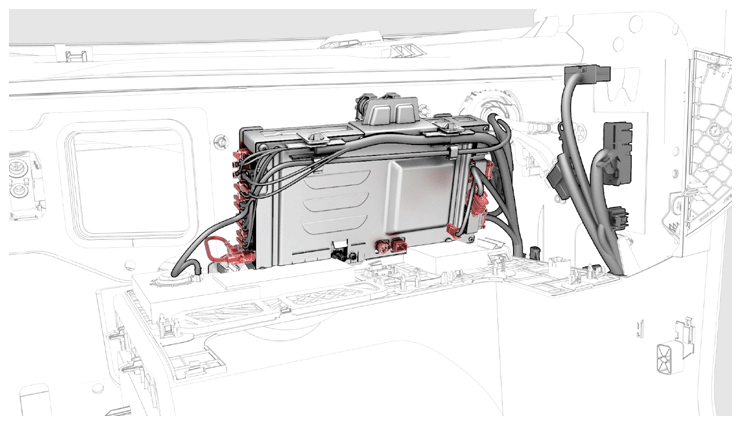
- Move the car computer into position, and then connect the electrical harness connectors (x21) to the car computer.
CAUTION:
Avoid spilling coolant on the electrical connectors.
NOTE:
LHD shown, RHD similar.
 Courtesy of TESLA, INC. Courtesy of TESLA, INC.
|
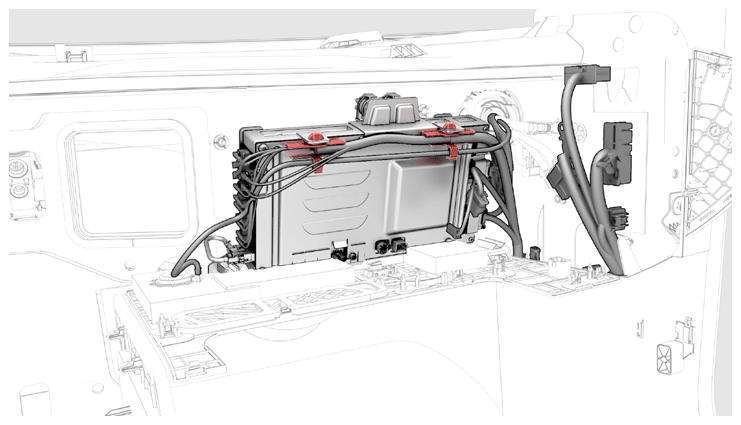
- Install the clips (x4) that attach the electrical harnesses to the car computer.
NOTE:
LHD shown, RHD similar.
 Courtesy of TESLA, INC. Courtesy of TESLA, INC.
|
- Slide the car computer into position on the bulkhead.
- Install the bolt and nut (torque 3.5 N.m/2.58 ft-lbs) that attach the ground cable to the car computer.
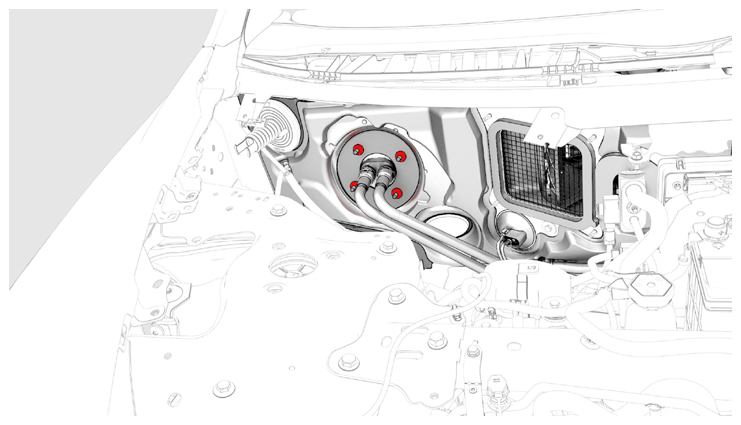
- Install new nuts (x4) that attach the car computer to the body (torque 7 N.m/5.16 ft-lbs).
NOTE:
LHD shown, RHD similar.
 Courtesy of TESLA, INC. Courtesy of TESLA, INC.
|
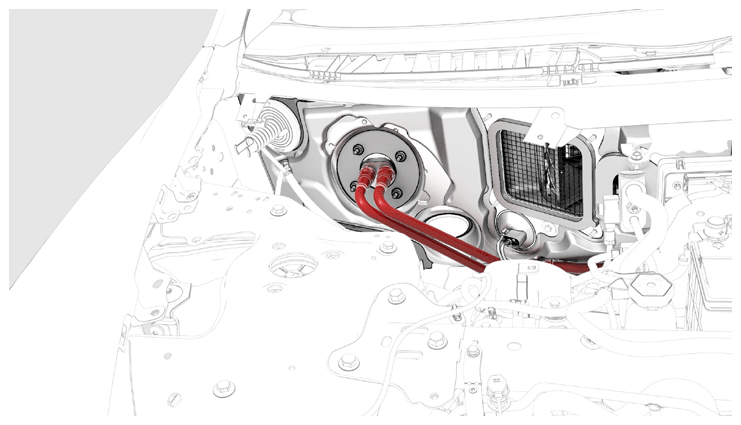
- Remove the car computer fluid port plug from the car computer coolant hose fittings, and then connect the coolant hoses to the car computer.
NOTE:
LHD shown, RHD similar.
 Courtesy of TESLA, INC. Courtesy of TESLA, INC.
|
- Remove absorbent materials from below car computer coolant hose connection points and from beneath the car computer.
- Fold the LH front main carpet back into position, and then install the push clips (x2) that attach the carpet to the vehicle.
- Install the LH footwell cover. See COVER - FOOTWELL - PASSENGER (RHD) (REMOVE AND REPLACE)
.
- Install the LH lower A-pillar trim. See TRIM - A-PILLAR - LOWER - LH (REMOVE AND REPLACE)
.
- Install the cowl screen panel. See PANEL - COWL SCREEN (REMOVE AND REPLACE)
.
- Connect 12V power. See 12V/LV POWER (DISCONNECT AND CONNECT)
.
- Refill the cooling system. See COOLING SYSTEM (CHECK AND FILL)
.
- Install the underhood storage unit. See UNDERHOOD STORAGE UNIT (REMOVE AND REPLACE)
.
- Install the outer HVAC plenum duct. See DUCT - HVAC PLENUM - OUTER (REMOVE AND REPLACE)
.
- Install the cabin intake duct. See DUCT - CABIN INTAKE (REMOVE AND REPLACE)
.
- Close the hood, doors and windows.