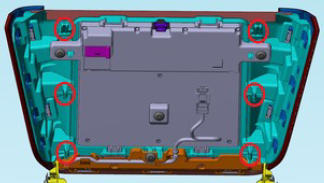
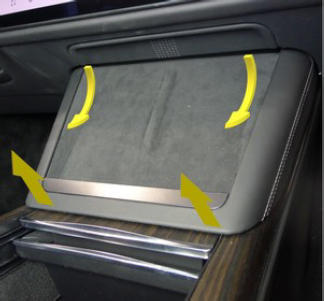
- Release the clips (x4) that attach the phone dock
NOTE:
Pull up at the bottom and swing out from under the instrument panel.
 Courtesy of TESLA, INC. Courtesy of TESLA, INC.
|
 Courtesy of TESLA, INC. Courtesy of TESLA, INC.
|
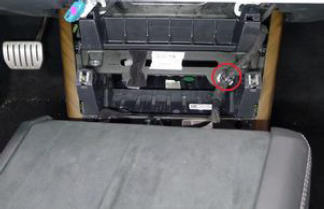
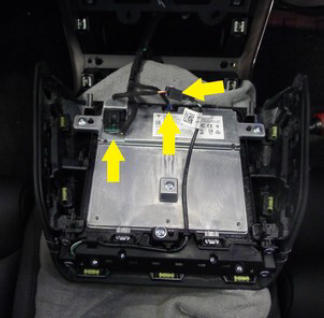
- Release the clip, disconnect the electrical connectors (x3), and then remove the phone dock.
CAUTION:
Release the connector locks before pulling straight out of each socket to avoid damage.
 Courtesy of TESLA, INC. Courtesy of TESLA, INC.
|
 Courtesy of TESLA, INC. Courtesy of TESLA, INC.
|
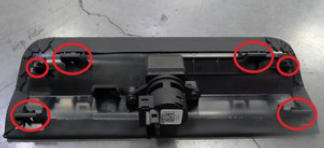
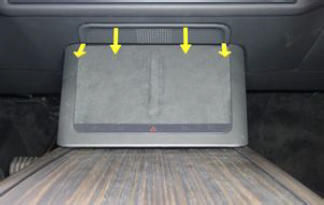
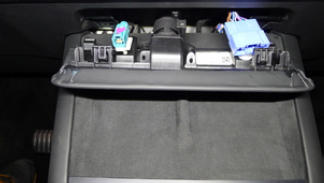
- Release the tabs (x2) that attach the service panel.
NOTE:
x4 locating pins.
NOTE:
Release the top tabs, and then slide rearward.
 Courtesy of TESLA, INC. Courtesy of TESLA, INC.
|
 Courtesy of TESLA, INC. Courtesy of TESLA, INC.
|
 Courtesy of TESLA, INC. Courtesy of TESLA, INC.
|
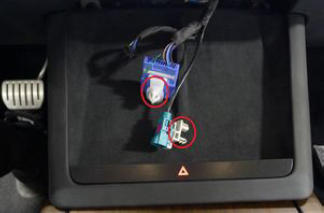
- Release the clips (x2) that attach the diagnostic and CAN harnesses to the service panel.
 Courtesy of TESLA, INC. Courtesy of TESLA, INC.
|
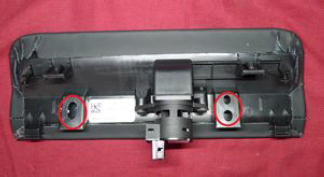 Courtesy of TESLA, INC. Courtesy of TESLA, INC.
|
- Disconnect the cabin temperature sensor fan electrical connector, and then remove the service panel from the vehicle.
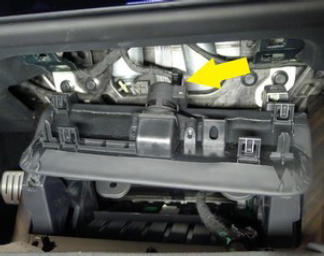 Courtesy of TESLA, INC. Courtesy of TESLA, INC.
|
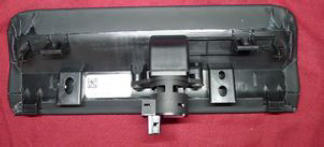 Courtesy of TESLA, INC. Courtesy of TESLA, INC.
|
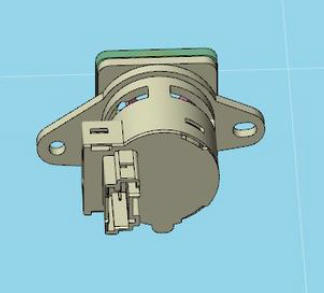
- Remove the screws (x2) that attach the cabin temperature sensor fan to the service panel.
NOTE:
T20. Torque 2 N.m.
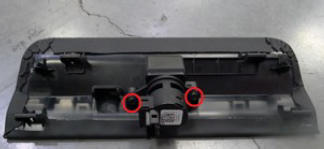 Courtesy of TESLA, INC. Courtesy of TESLA, INC.
|
 Courtesy of TESLA, INC. Courtesy of TESLA, INC.
|