Data Link Connector No. 3 Inspection
- If scan tool displays UNABLE TO CONNECT TO VEHICLE when scan tool is connected, try scan tool on another vehicle. If scan tool operates on another vehicle, go to next step. If scan tool does not operate on another vehicle, problem is probably with scan tool.
- Check DLC No. 3 for loose or damaged terminals. Ensure DLC No. 3 terminals are in correct position in connector. See WIRING DIAGRAMS article. If connector and terminals are okay, go to next step. If connector and terminals are not okay, repair as necessary.
- Check voltage and resistance between ground and specified terminal on DLC No. 3. See DATA LINK CONNECTOR NO. 3 VOLTAGE & RESISTANCE SPECIFICATIONS table. See Fig 1. If voltage and resistance readings are not as specified, check wiring circuit. See DATA LINK CONNECTORS article in WIRING DIAGRAMS.
DATA LINK CONNECTOR NO. 3 VOLTAGE & RESISTANCE SPECIFICATIONS
| Terminal No. (Circuit) |
Specification |
| 4 (Chassis Ground) |
One Ohm Or Less |
| 5 (Signal Ground) |
One Ohm Or Less |
| 16 (Battery Voltage) |
9-14 Volts |
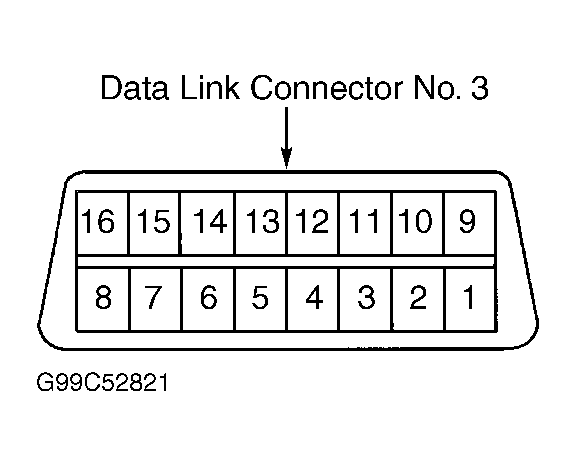 Courtesy of © TOYOTA, LICENSE AGREEMENT TMS1002