Data Link Connector No. 3 Inspection
- If your display shows UNABLE TO CONNECT TO VEHICLE when you have connected the cable of the OBD II scan tool or hand-held tester to the DLC3, turned the ignition switch ON and operated the scan tool, there is a problem on the vehicle side or tool side. If communication is normal when the tool is connected to another vehicle, inspect the DLC3 on the original vehicle. Go to next step. If communication is still not possible when the tool is connected to another vehicle, the problem is probably in the tool itself, so consult the Service Department listed in the tool's instruction manual.
- Measure voltage between body ground and specified DLC3 terminals. See INSPECTING DATA LINK CONNECTOR NO. 3 CONDITION table. See Fig 1. The vehicle's ECM uses ISO 9141-2 for communication. The terminal arrangement of DLC3 complies with SAE J1962 and matches the ISO 9141-2 format.
INSPECTING DATA LINK CONNECTOR NO. 3 CONDITION
| Terminal No. (Connection) |
Resistance |
Condition |
| 4 (Chassis Ground) |
1 Ω Or Less |
Always |
| 5 (Signal Ground) |
1 Ω Or Less |
Always |
| 7 (BUS Communication) |
|
During Transmission |
| 16 (Battery Positive) |
9-14 Volts |
Always |
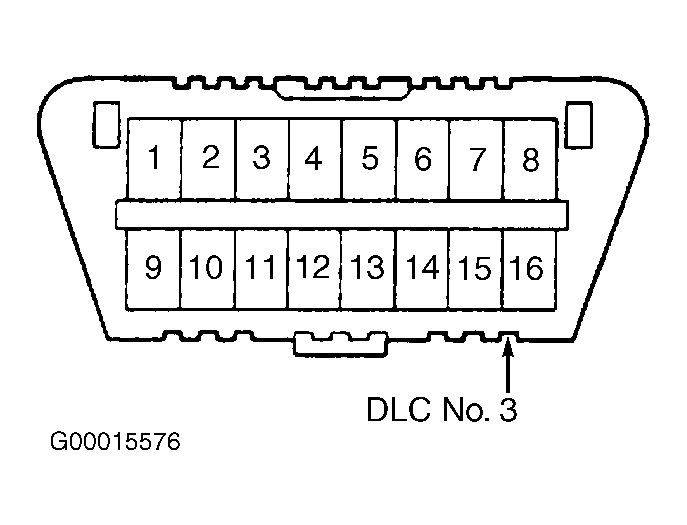 Courtesy of © TOYOTA, LICENSE AGREEMENT TMS1002