October 30: LEMON manuals on a temporary server, it is slow and having issues, download the manuals you need! Later in November we will switch back to the fast server.
Basic Setting Diagnostic Test Mode (Function 04): Testing
- Press -0- button twice to select basic setting display group 00.
- Display will read - "INITIATE BASIC SETTING" "INSERT DISPLAY GROUP NUMBER 00".
- Press -Q- button to confirm input.
- Display will read - "SYSTEM IN BASIC SETTING 1 2 3 4 5 6 7 8 9 10".
- After a minimum of 5 seconds: Compare values in display fields with chart. See Fig 1
.
- After test driving and checking DTC memory, (within 5 minutes) compare values in display field 9 with specified values. If the vehicle idles longer than 5 minutes, the specified value can be exceeded without a malfunction being present.
- Display field 10 shows the ignition timing as calculated by the Motronic Engine Control Module (ECM). If there is a power loss, check the basic mechanical settings of the engine.
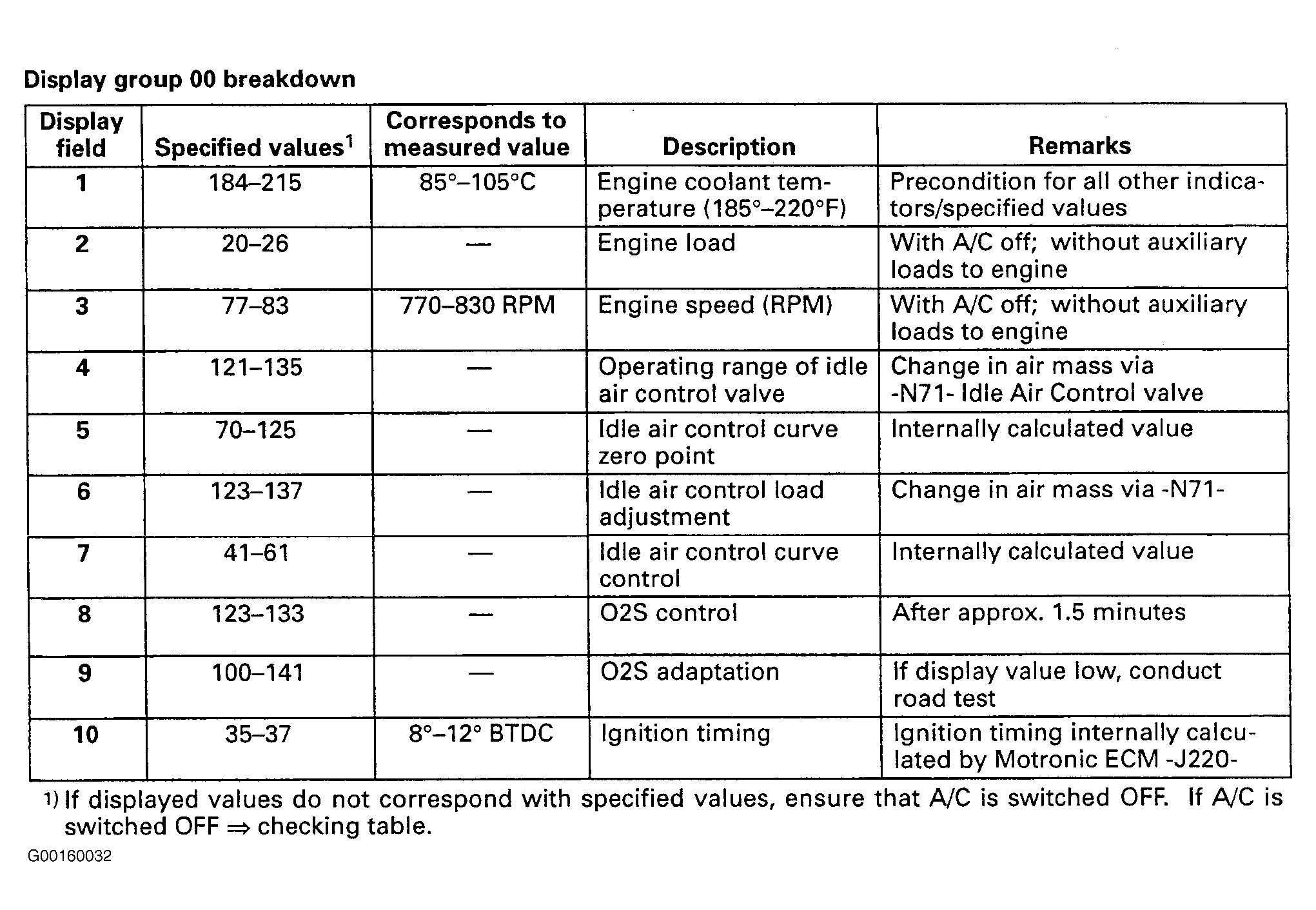 Courtesy of AUDI OF AMERICA, INC.
- Press buttons -0- and -1- to select basic setting display group 01.
- Display will read - "INITIATE BASIC SETTING" "INSERT DISPLAY GROUP NUMBER 01".
- Press -Q- button to confirm input. Display will read - "SYSTEM IN BASIC SETTING 1" "1 2 3 4".