Displaying CCM Data
- CCM can display data used to determine control decisions. Data may be useful in determining if a system is properly operating and/or sending correct data to CCM.
- To enter display CCM data function, press TRIP/ODO (next test) button on DIC until "1.2" displays on trip monitor. Press ENG/MET (next value) button until identifying number for data value is displayed in the first 2 digits of odometer. See CCM DATA IDENTIFICATION NUMBER
table. Press FUEL INFO (previous value) button to go backward in the list.
- Data value is displayed in the last 3 digits of odometer. Data values are different for each system data. See CCM DATA IDENTIFICATION NUMBER
table.
CCM DATA IDENTIFICATION NUMBER
| Data ID No. |
Data (Value) |
| 01 |
Fuel Level (Gallons, Tenths) |
| 02 |
Dimming Potentiometer (A/D Counts) |
| 03 |
Ambient Light Sensor (A/D Counts) |
| 04 |
Rear Defogger Timer (Seconds) |
| 05 |
Vehicle Speed (MPH) |
| 06 |
PASS-Key(R) (Key A/D Counts) |
| 07 |
Ignition Voltage (Volts, Tenths) |
| 08 |
Switched Battery Voltage (Volts, Tenths) |
| 09 |
Cluster Incandescent Light Dimming PWM (0-100%) |
| 10 |
Cluster LCD Backlight Lights Dimming PWM (0-100%) |
| 11 |
Radio & Climate Control LCD Dimming PWM (0-100%) |
| 12 |
LED Dimming PWM (0-100%) |
| 13 |
Oil Monitor Effective Revolution (0-200 - LT1 & 0-250 - LT5, 100,000 Revolutions Per Count) |
| 14 |
CCM Software Version |
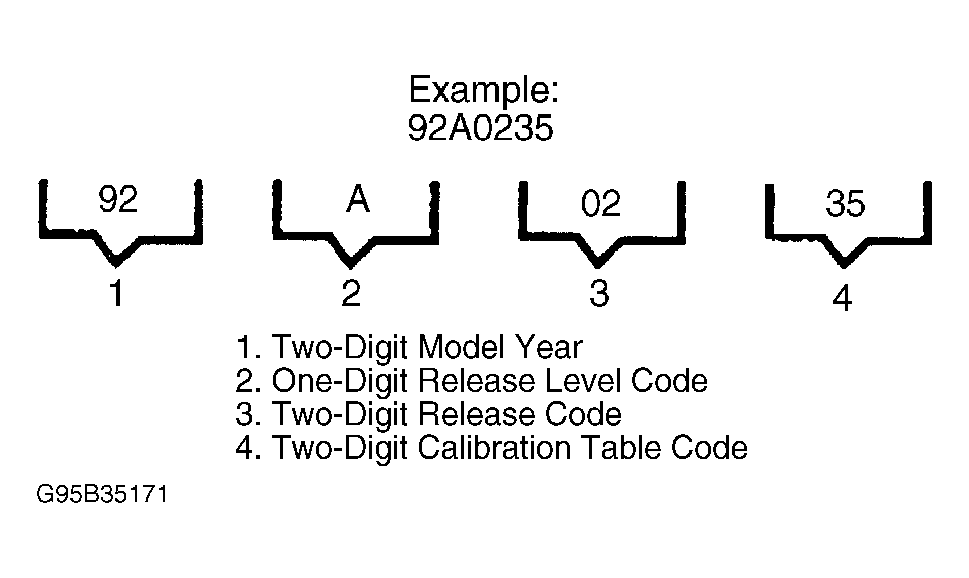 Courtesy of GENERAL MOTORS CORP.