Configuring A New Module / Switch Operating Modes
To switch operating modes or to configure a new module, a DRB III scan tool must be used.Data Link Connector (DLC) Location:
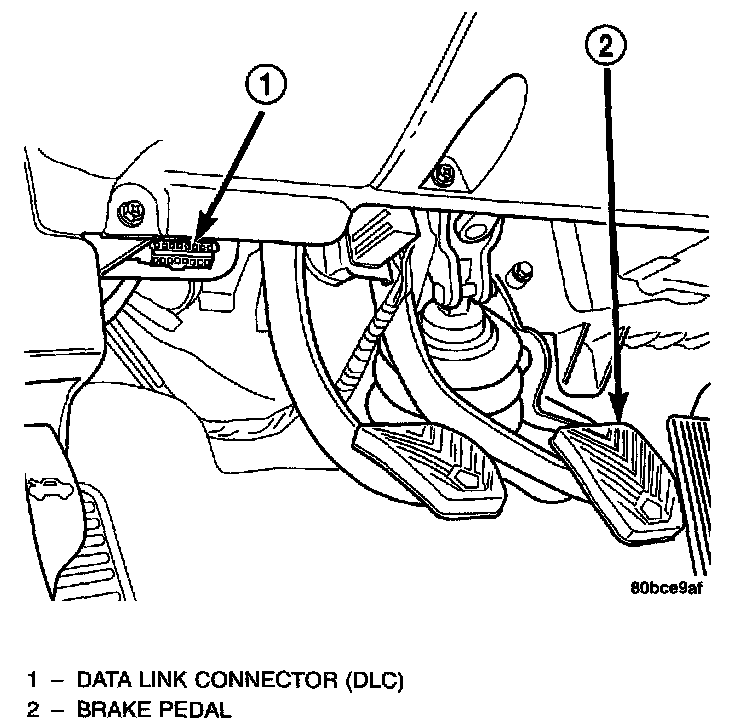
1. Hook up the DRB III scan tool to the Data Link Connector (DLC).
2. With the key in the ignition, turn the key to the RUN position.
3. After the DRB III scan tool initialization, perform the following:
a. Select "Theft Alarm."
b. Select "VTSS."
c. Select "Miscellaneous."
4. Once in the "Miscellaneous" screen:
a. If you wish to configure a new module, select "Configure Module."
b. If you wish to put the module into customer usage mode, select "Enable VTSS."
c. If you wish to put the module into dealer lot mode, select "Dealer Lot."