Removal and Installation
- Disconnect the battery ground cable. Refer to
BATTERY, MOUNTING AND CABLES
.
NOTE:
Prior to removal of the vehicle security module, it is necessary to upload module configuration information to a diagnostic tool. This information needs to be downloaded into the new module once installed. Refer to
MODULE CONFIGURATION
.
- Remove the lower center dash trim panel. Refer to
INSTRUMENT PANEL AND CONSOLE
.
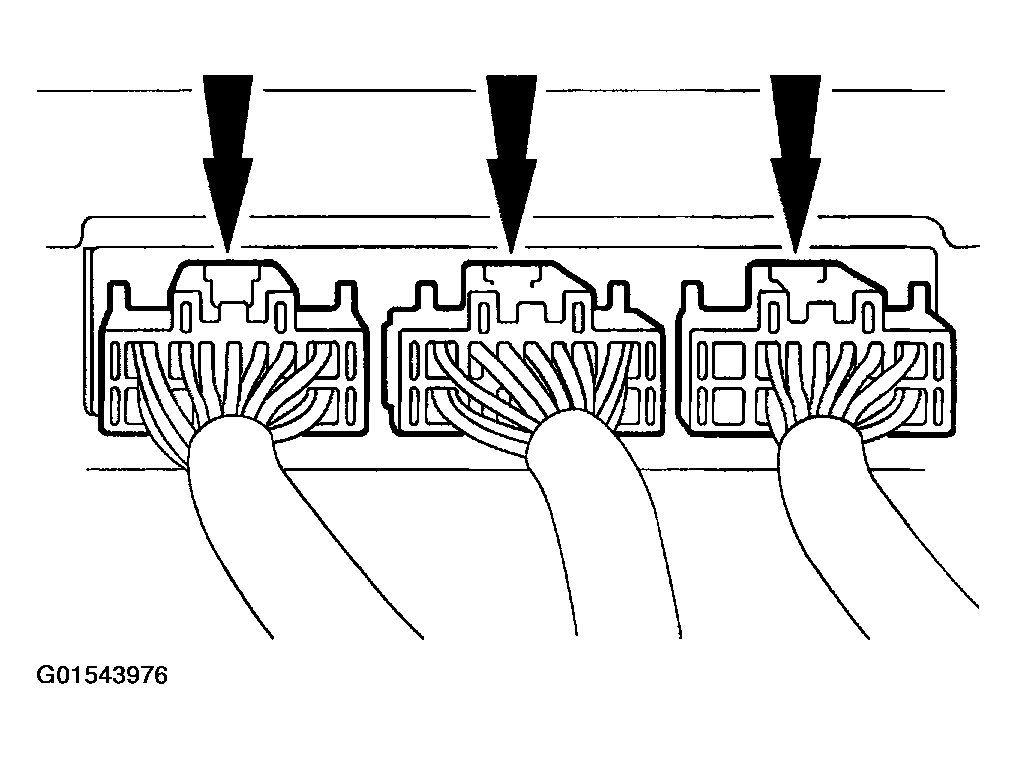
- Locate the vehicle security module on the dash panel behind the radio and heater controls and disconnect the vehicle security module electrical connectors.
 Courtesy of FORD MOTOR CO.
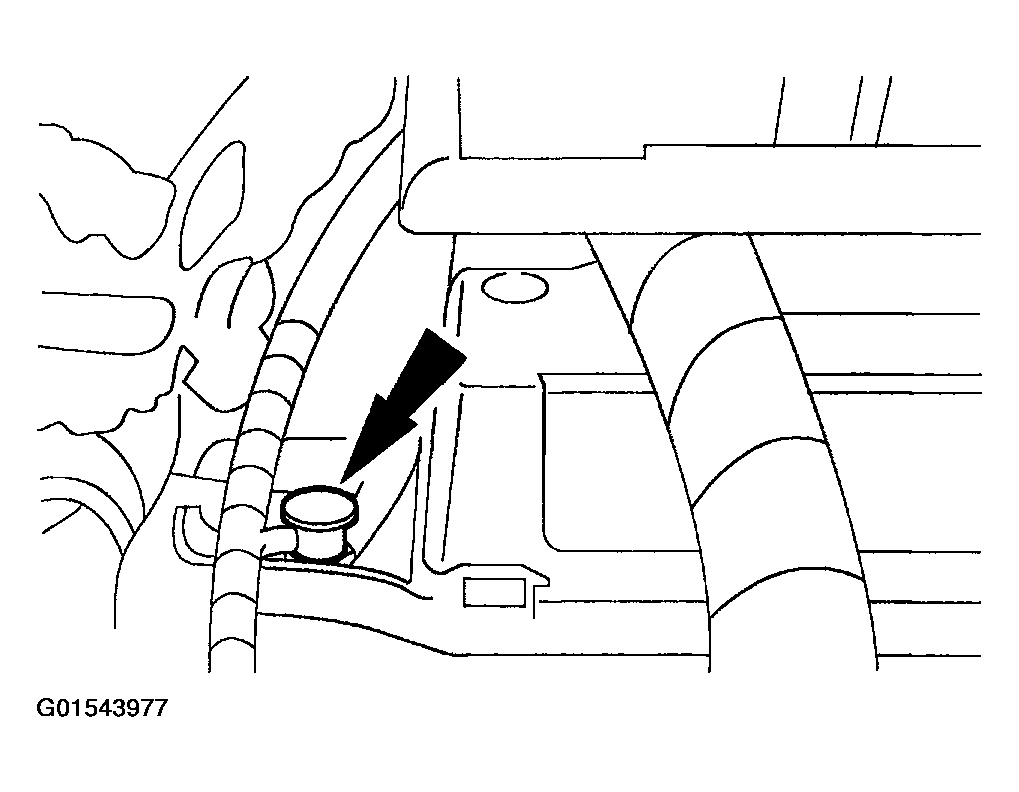
- Remove the wiring harness retainer from the LH stud.
 Courtesy of FORD MOTOR CO.
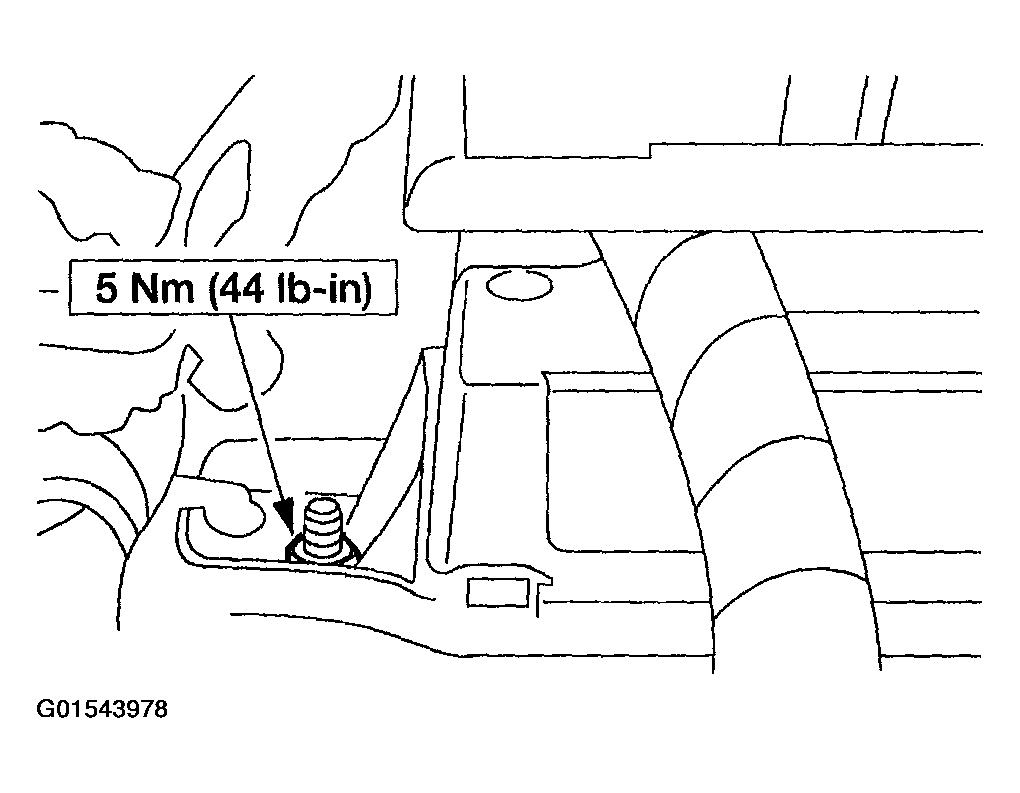
- Remove the LH nut.
 Courtesy of FORD MOTOR CO.
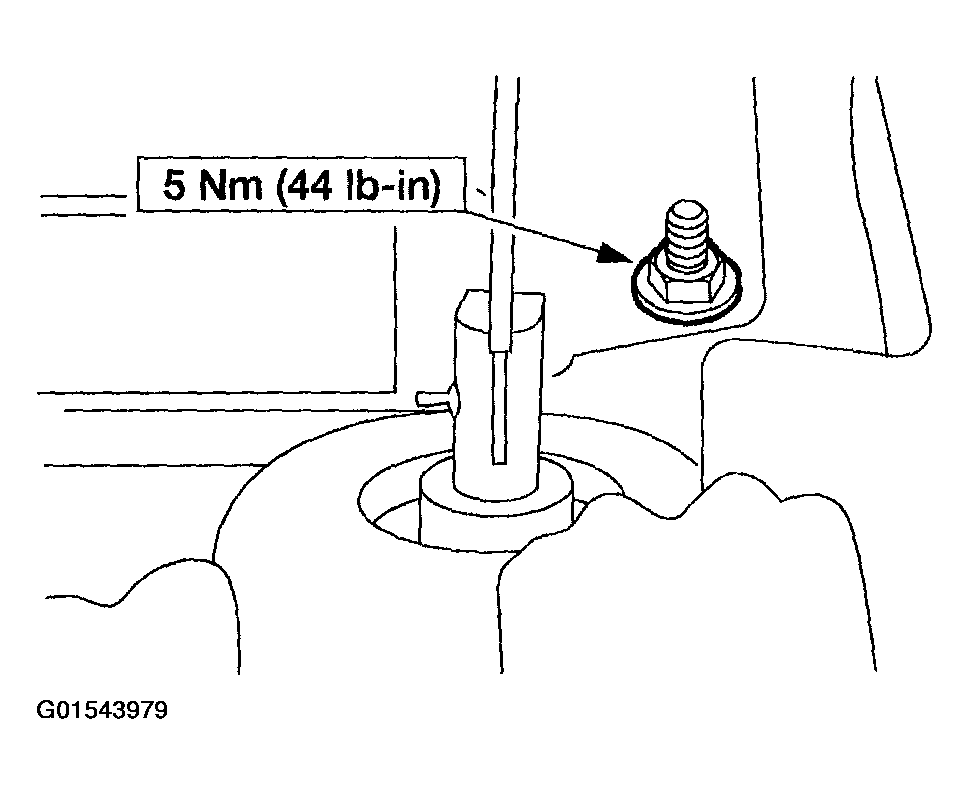
- Remove the RH nut and the vehicle security module.
 Courtesy of FORD MOTOR CO.
- To install, reverse the removal procedure.
NOTE:
Once the new module is installed it is necessary to download the module configuration information from the diagnostic tool into the new module. Refer to
MODULE COMMUNICATIONS NETWORK
.