Input Speed Sensor Installation
Input Speed Sensor Installation
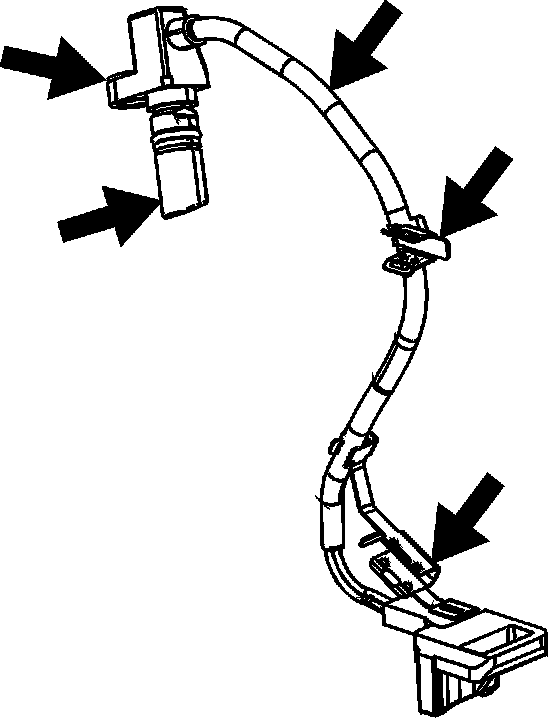
1. Inspect the input speed sensor (ISS) assembly (250) for the following conditions:
^ Cracked or damaged housing
^ Worn or missing harness brackets
^ Damaged or worn wining or electrical connector
^ Loose, missing or damaged mounting bolt insert
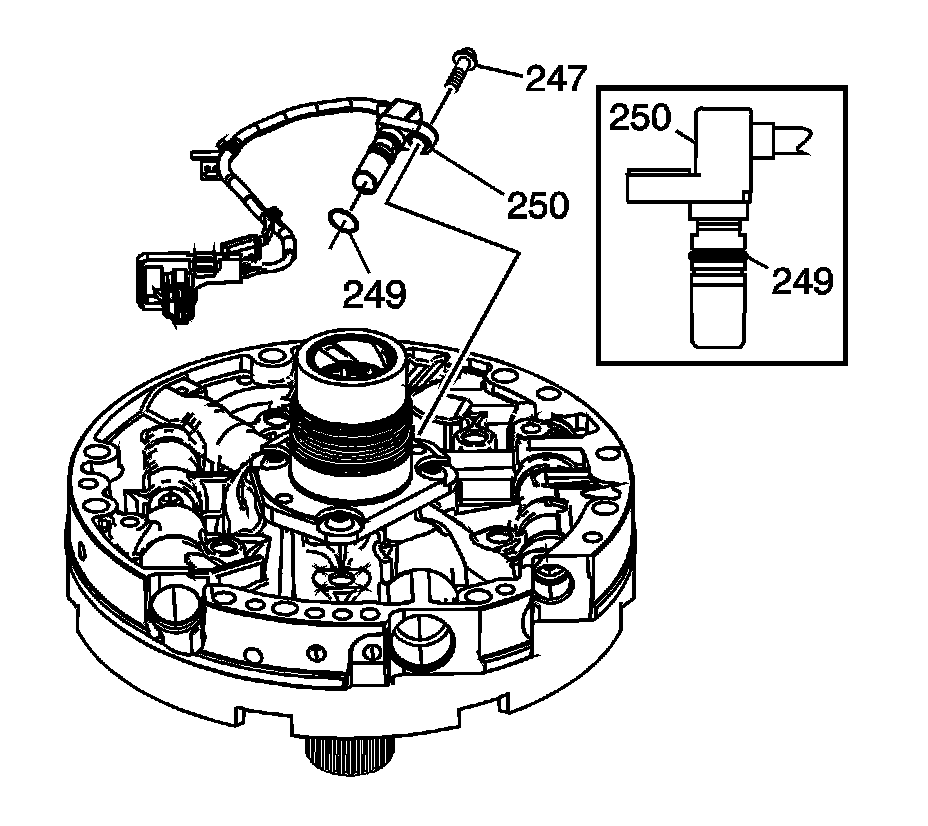
2. Remove the input speed sensor (ISS) O-ring (249).
3. Lubricate NEW O-ring (249) with transmission fluid and position in ISS O-ring groove.
4. Insert ISS (250) into oil pump ISS bore and fully seal.
5. Align ISS bolt insert with oil pump mounting bolt hole. For non-ISS models, install the ISS hole plug (248) and NEW O-ring (249).
6. Install bolt (247).
^ Tighten bolt to 9 - 11 Nm (6.6 - 8.1 ft. lbs.).
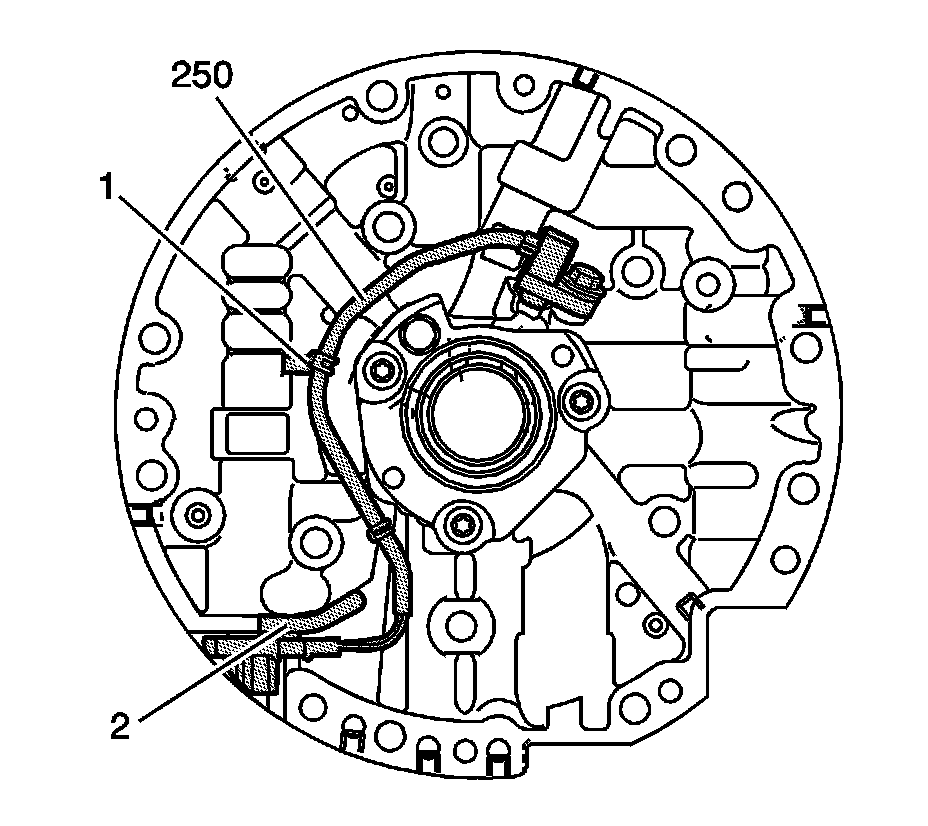
7. Route the ISS assembly (250) wire harness as shown. Install harness bracket #1 and #2 in the locations shown. Ensure wire harness does not cover pump mounting holes and lays flat against the pump housing.