Removal & Installation
- Before proceeding, follow air bag service precautions. See AIR BAG SAFETY PRECAUTIONS in AIR BAG RESTRAINT SYSTEMS article in RESTRAINTS. Place front wheels in straight-ahead position. Remove steering column cover from bottom of instrument panel. Remove screws and lower steering column cover. Move tilt steering lever to full downward position (if equipped). Remove upper and lower steering column covers.
- Disconnect steering column wire harness retainer from tab on top of Smart Key Immobilizer Module (SKIM) mounting bracket. On manual transmission equipped vehicles, remove multifunction switch screws. On all models, disconnect electrical connector from SKIM. See Fig 1
.
- Mounting bracket has a clip securing SKIM to steering column jacket. Pull down on connector end of mounting bracket to release clip. Rotate module and mounting bracket down, and then to the side, away from steering column. Slide SKIM antenna ring from around lock cylinder housing. On manual transmission equipped vehicles, lift multifunction switch to allow SKIM to clear column. On all models, remove module from vehicle.
- To install, reverse removal procedure. If a new module is installed, a DRB III(R) scan tool must be used to initialize module and program key transponders. See SENTRY KEY IMMOBILIZER SYSTEM
under PROGRAMMING.
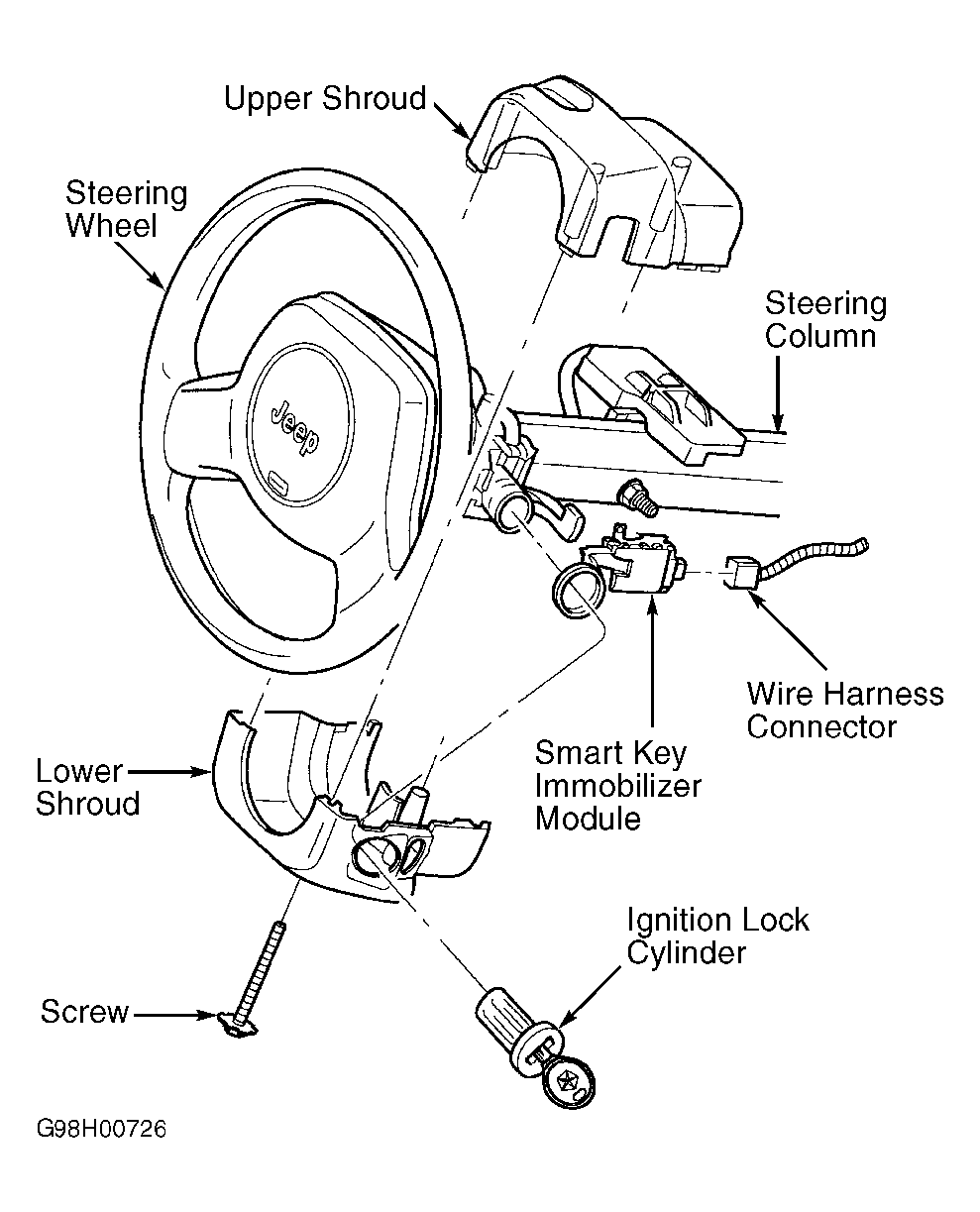 Courtesy of CHRYSLER CORP.