Pinpoint Test G: The Lighting Control Module (LCM) Does Not Respond To The Diagnostic Tool
- G1 CHECK THE LCM C2145A FOR DAMAGE
- Key in OFF position.
- Disconnect: LCM C2145a.
- Inspect the LCM C2145a for damage.
- Is the LCM C2145a OK?
- Yes
: GO to G2.
- No
: REPAIR the LCM C2145a as necessary. CARRY OUT the diagnostic tool data link test.
- G2 CHECK CIRCUITS 914 (TN/OG) AND 915 (PK/LB) BETWEEN THE DATA LINK CONNECTOR (DLC) C251 AND THE LCM C2145A FOR AN OPEN
- Measure the resistance between the LCM C2145a pin 1, circuit 914 (TN/OG), harness side and the DLC C251 pin 2, circuit 914 (TN/OG), harness side.
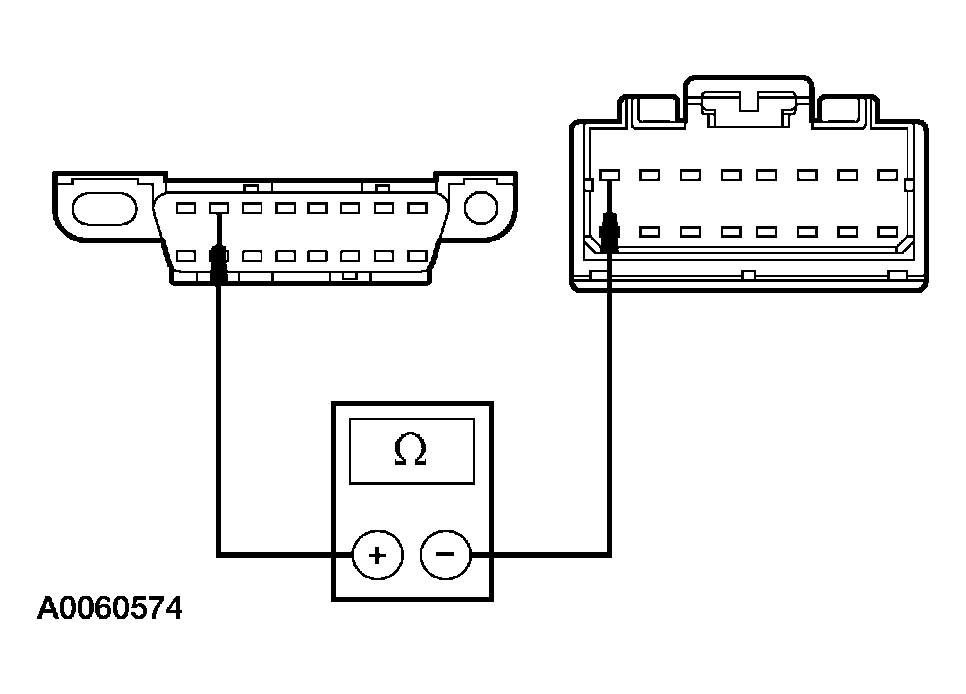 Courtesy of FORD MOTOR CO.
- Measure the resistance between the LCM C2145a pin 9, circuit 915 (PK/LB), harness side and the DLC C251 pin 10, circuit 915 (PK/LB), harness side.
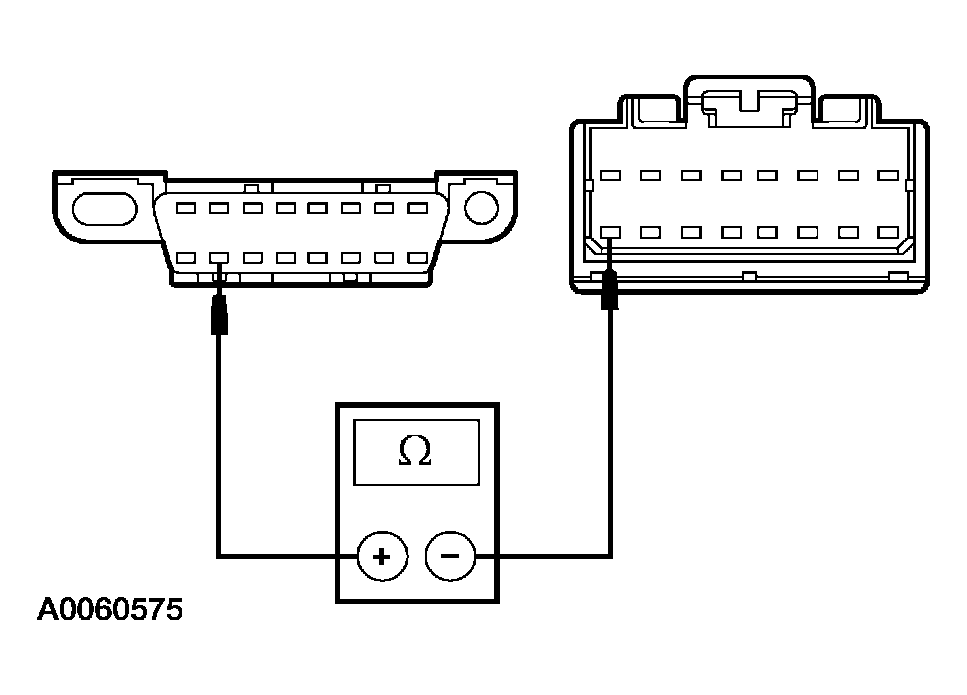 Courtesy of FORD MOTOR CO.
- Are the resistances less than 5 ohms?
- Yes
: GO to G3.
- No
: REPAIR the circuit in question. CARRY OUT the diagnostic tool data link test.
- G3 CHECK FOR CORRECT LCM OPERATION
- Disconnect all the LCM connectors.
- Check for:
- corrosion
- pushed-out pins
- Connect all the LCM connectors and make sure they seat correctly.
- Operate the system and verify the concern is still present.
- Is the concern still present?
- Yes
: INSTALL a new LCM. Refer to MULTIFUNCTION ELECTRONIC MODULES
. CARRY OUT the diagnostic tool data link test.
- No
: The system is operating correctly at this time. The concern may have been caused by a loose or corroded connector. CLEAR the DTCs. REPEAT the self-test. CARRY OUT the diagnostic tool data link test.