Pcm Replacement
- Connect the WDS (or equivalent) to the DLC-2.
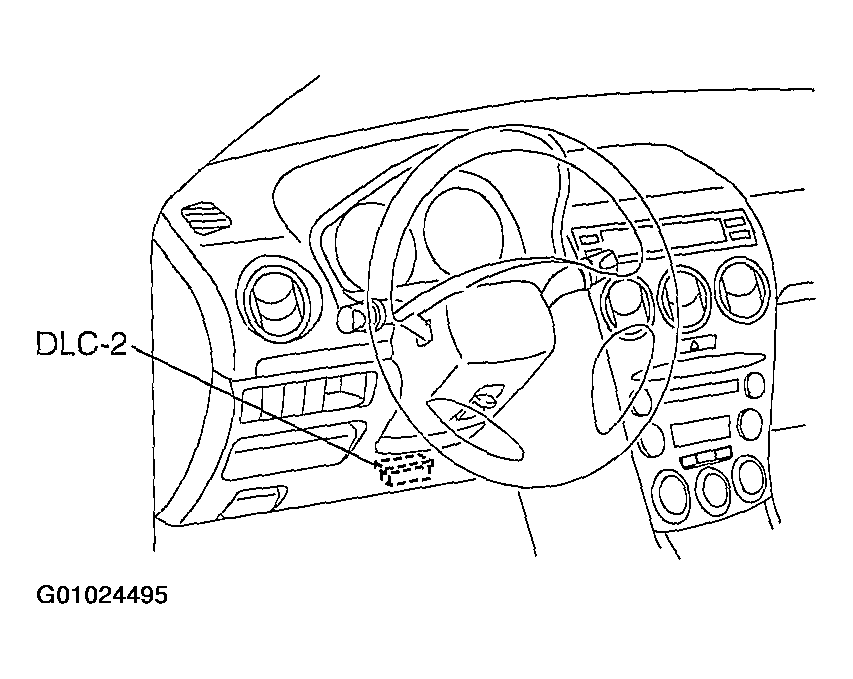 Courtesy of MAZDA MOTORS CORP.
- Set up the WDS or equivalent (including the vehicle recognition.)
- Perform the normal vehicle identification procedure.
- Select "Module Programming", or with WDS select "toolbox" and "module programming".
- Select "Programmable Module Installation".
- Select "PCM" and perform procedures according to directions on the WDS (or equivalent) screen.
NOTE:
- If the PCM is replaced with a new one without performing "Programmable Module Installation" procedure, the PCM stores DTC P0602 and illuminates the MIL. This is because the vehicle information was not programmed in the PCM. After completing the "Programmable Module Installation" procedure, various U**** DTCs are stored, which is normal.
- Retrieve DTCs with the WDS (or equivalent), erase them, and verify that there are no DTCs present and the MIL is off.
- If DTCs are still present, perform applicable DTC inspection.