September 30: LEMON manuals is back up on a temporary server! Slowness is possible
Using WDS or Equivalent
- Fully lower the driver-side door glass.
- Connect the WDS or equivalent to the DLC-2.
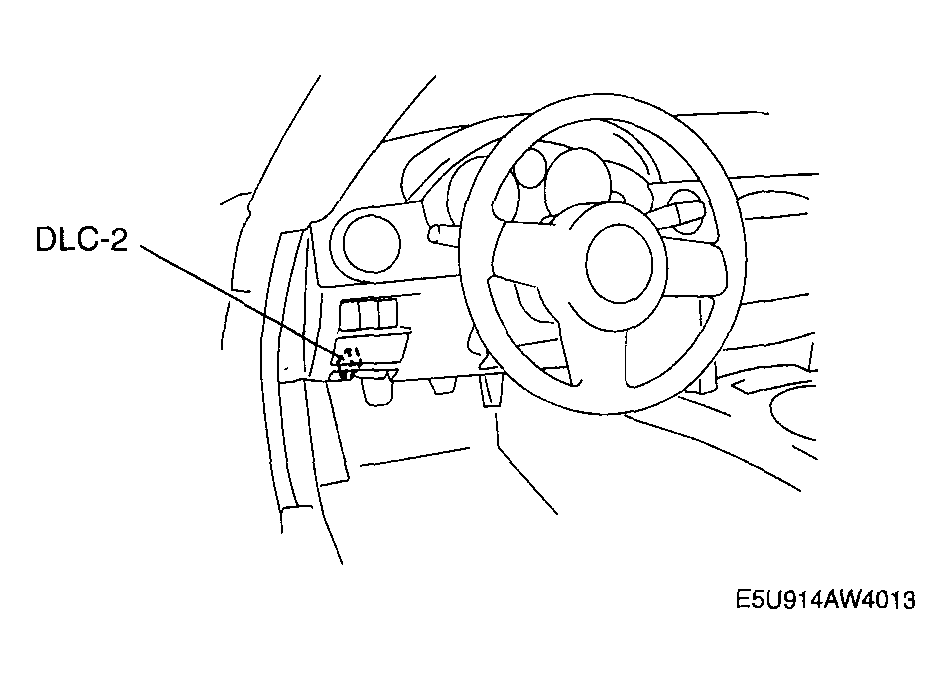 Courtesy of MAZDA MOTORS CORP.
- Pull out the WDS or equivalent cable from the door glass opening and set the WDS or equivalent outside the vehicle.
CAUTION:
- Protect the cable and body contact area with a clean rag, otherwise they could be damaged.
- Select "BODY/SECURITY/PATS (immobilizer)" from the WDS or equivalent screen menu.
- Security access begins and the WDS or equivalent displays the "OUT-CODE".
NOTE:
- When "OUT-CODE" is first displayed, turning the ignition switch from the LOCK to the ON position 5 times
will change the "OUT-CODE".
- Input the "IN-CODE" that corresponds to the "OUT-CODE" displayed on the WDS or equivalent screen.
- Select "CARD KEY PROGRAMMING" from the WDS or equivalent screen menu.
NOTE:
- After Step 7 is completed and the card key programming is activated, the door lock actuator operates to lock, and then operates to unlock.
- Press the unprogrammed card key UNLOCK button twice.
NOTE:
- After Step 8 is completed and the card key is programmed, the door lock actuator operates to lock, and then operates to unlock.
- If programming more card keys, remove the supplementary key once, and then repeat the procedure from Step 7 by following the instructions on the WDS or equivalent screen.