Diagnostic Monitoring Test Results Access Procedure
- Connect the M-MDS or equivalent to the DLC-2.
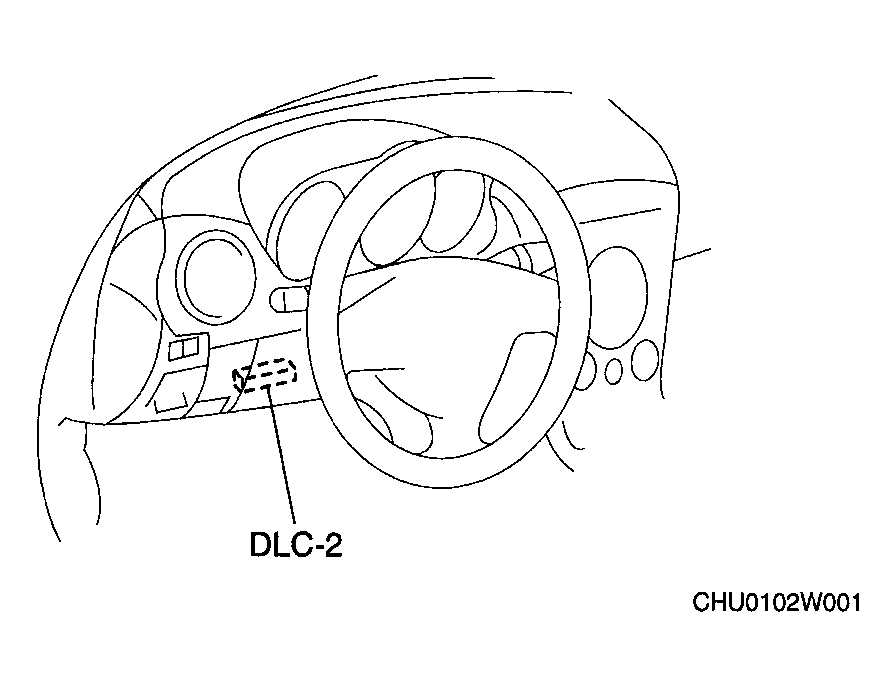 Courtesy of MAZDA MOTORS CORP.
- After the vehicle is identified, from the initial screen select the following items:
- When using the IDS (laptop PC)
- Select the "Tool Box" tab
- Select "Powertrain"
- Select "OBD Test Modes"
- Select "Mode 6 On-Board Test Results"
- When using the PDS (Pocket PC)
- Select "OBDII Test Modes"
- Select "Mode 6 On-Board Test Results"
- Verify the diagnostic monitoring test results according to the directions on the screen.