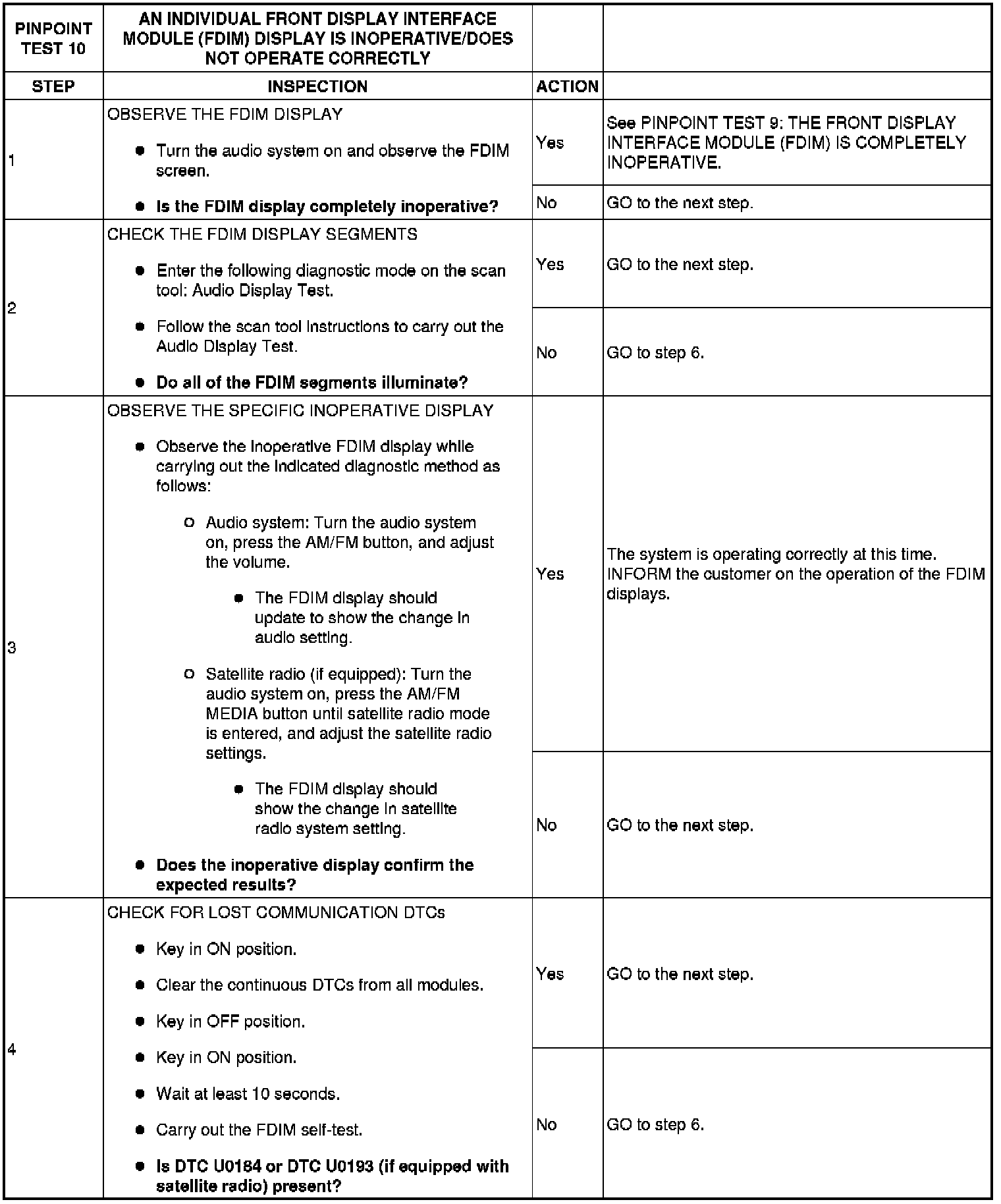
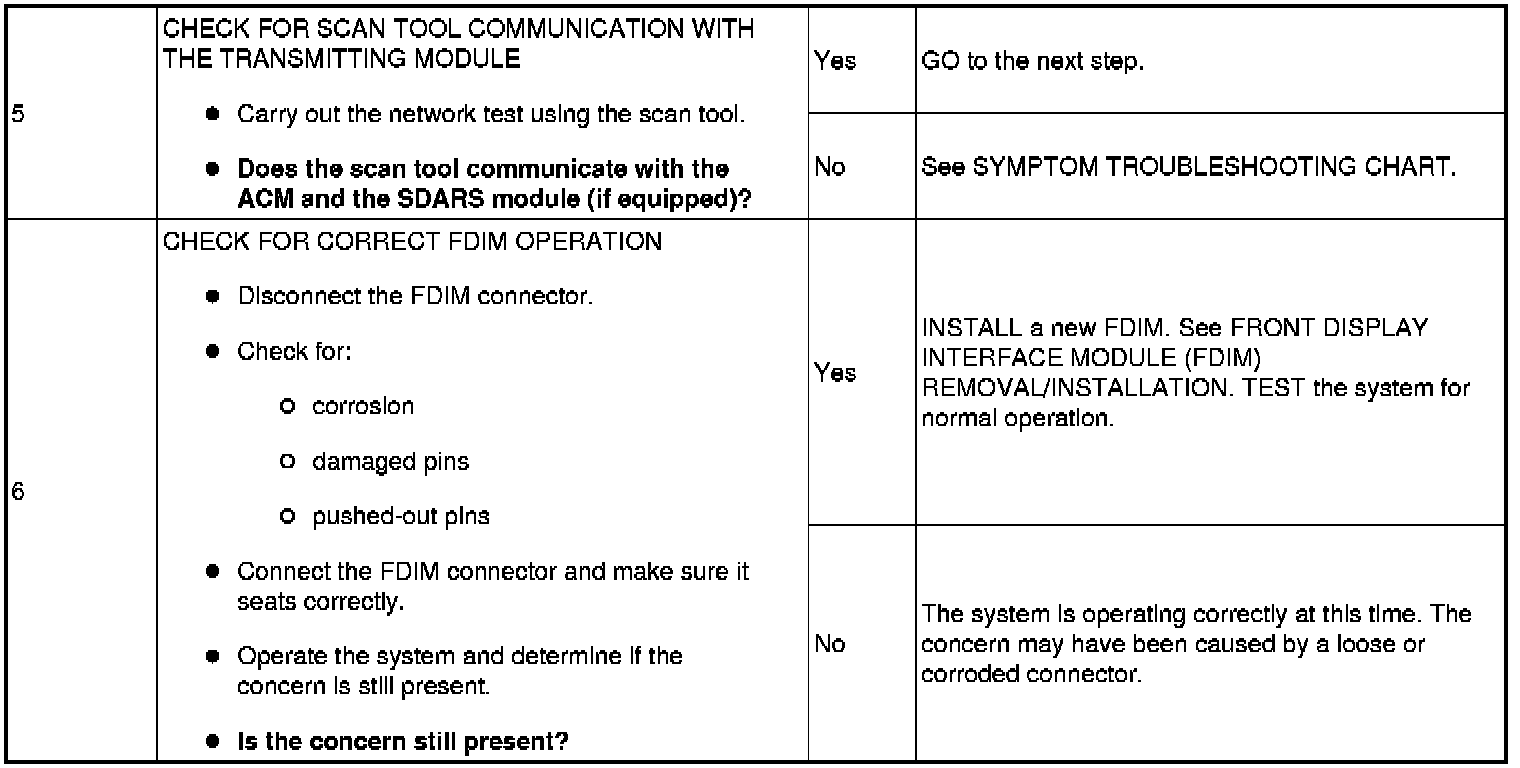
Pinpoint Test 10: An Individual Front Display Interface Module (FDIM) Display Is Inoperative/Does Not Operate Correctly
PINPOINT TEST 10: AN INDIVIDUAL FRONT DISPLAY INTERFACE MODULE (FDIM) DISPLAY IS INOPERATIVE/DOES NOT OPERATE CORRECTLY
Normal Operation
The front display interface module (FDIM) receives inputs from multiple modules via the medium speed controller area network (MS-CAN) from the following modules:
- Audio control module (ACM): audio system information
- Satellite digital audio receiver system (SDARS) module: satellite radio information (if equipped)
- DTC U0155 (Lost Communication With Instrument Panel Cluster [IC] Control Module) - set by the FDIM when the compass heading message is not received by the FDIM for greater than 5 seconds with the key in RUN. When this message is missing, the compass display does not show on the FDIM.
- DTC U0184 (Lost Communication With Radio [ACM]) - set by the FDIM when audio system messages are not received by the FDIM for greater than 5 seconds with the key in RUN. When these messages are missing, the audio system display does not show on the FDIM.
- DTC U0256 (Lost Communication With Front Display Interface Module) - set by the ACM when it is missing messages from the FDIM for greater than 5 seconds with the key in RUN. When these messages are lost, the display may not show any information originating from the ACM.
- DTC U0256 (Lost Communication With Front Display Interface Module) - set by the SDARS module when it is missing messages from the FDIM for greater than 5 seconds with the key in RUN. When these messages are lost, the display may not show any information originating from the SDARS module.
Possible Causes
- Communication network concern
- FDIM
Diagnostic Procedure
CAUTION:Use the correct probe adapter(s) when making measurements. Failure to use the correct probe adapter(s) may damage the connector.