Using Commander Switch
- Input the diagnostic assist code by rotating the commander knob.
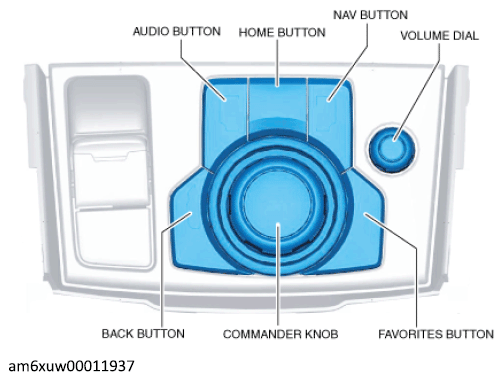 Courtesy of MAZDA MOTORS CORP.
- Press the commander knob.
- Perform the inspection according to the diagnostic assist code list. (See Diagnostic Assist Code List .)
NOTE:
- If [- REJECTED] is displayed, the inspection cannot be performed because communication is not enabled between the related parts, or the conditions are not met even if communication is enabled. Therefore, verify the display [- REJECTED] referring to the following procedure. (See[- REJECTED] is displayed.)