Installing Display And Operator Control Unit PCM 3.0
- If the PCM unit has to be replaced and a telephone control unit is installed:
- 1.1. Install the telephone control unit. → Installing Control unit for telephone
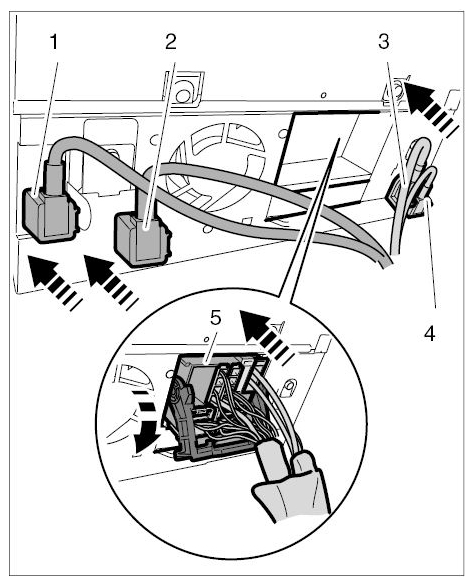
- Plug in central connector -5-
for PCM and lock it -arrow-
.
 Courtesy of PORSCHE CARS NORTH AMERICA, INC.
- Plug in antenna connectors one after the other -4, 3, 2, 1-
until they engage securely.
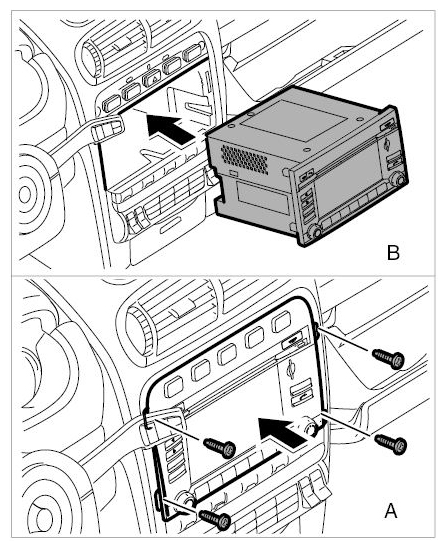
- Carefully slide the PCM unit as far as it will go into the housing in the dashboard. Make sure that the lines are not pinched.
 Courtesy of PORSCHE CARS NORTH AMERICA, INC.
- Secure PCM to the dashboard using the four fastening screws.
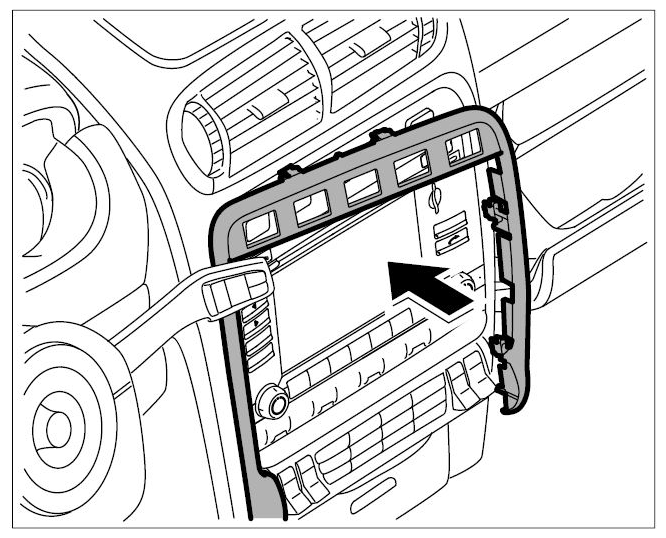
- Fit the covering frame and press into place until it engages securely.
 Courtesy of PORSCHE CARS NORTH AMERICA, INC.
- Switch on PCM.