How to Use OBD-II General Scan Tool
1. Prepare a general scan tool (OBD-II general scan tool) required by SAE J1978.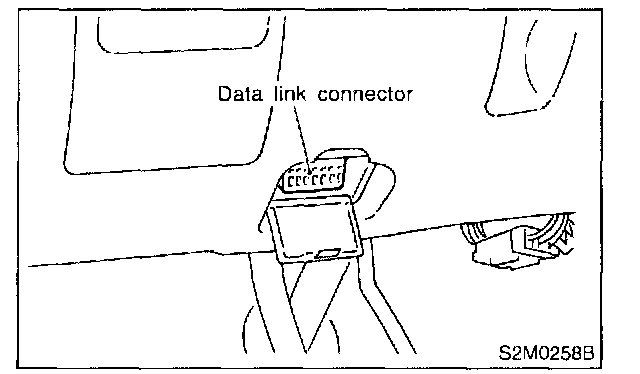
2. Open the cover and connect the OBD-II general scan tool to the data link connector located in the lower portion of the instrument panel (on the driver 5 side).
3. Using the OBD-II general scan tool, call up diagnostic trouble code(s) and freeze frame data.OBD-II general scan tool functions consist of:
1. MODE $01: Current powertrain diagnostic data
2. MODE $02: Powertrain freeze frame data
3. MODE $03: Emission-related powertrain diagnostic trouble codes
4. MODE $04: Clear/Reset emission-related diagnostic information
Read out data according to repair procedures.(For detailed operation procedures, Refer to the OBD-II General Scan Tool Operation Manual.)
NOTE: For details concerning diagnostic trouble codes, Refer to the DIAGNOSTIC TROUBLE CODE (DTC) LIST. Diagnostic Trouble Code Descriptions