User Customizing
User CustomizingOPERATION
1. On �Main Menu� display, select {Each System Check}.
2. On �System Selection Menu� display, select {Integ. unit mode}.
3. On �Integ. unit mode failure diag� display, select {ECM customizing}.
4. Change the setting with UP/DOWN key and set with the [OK] key.
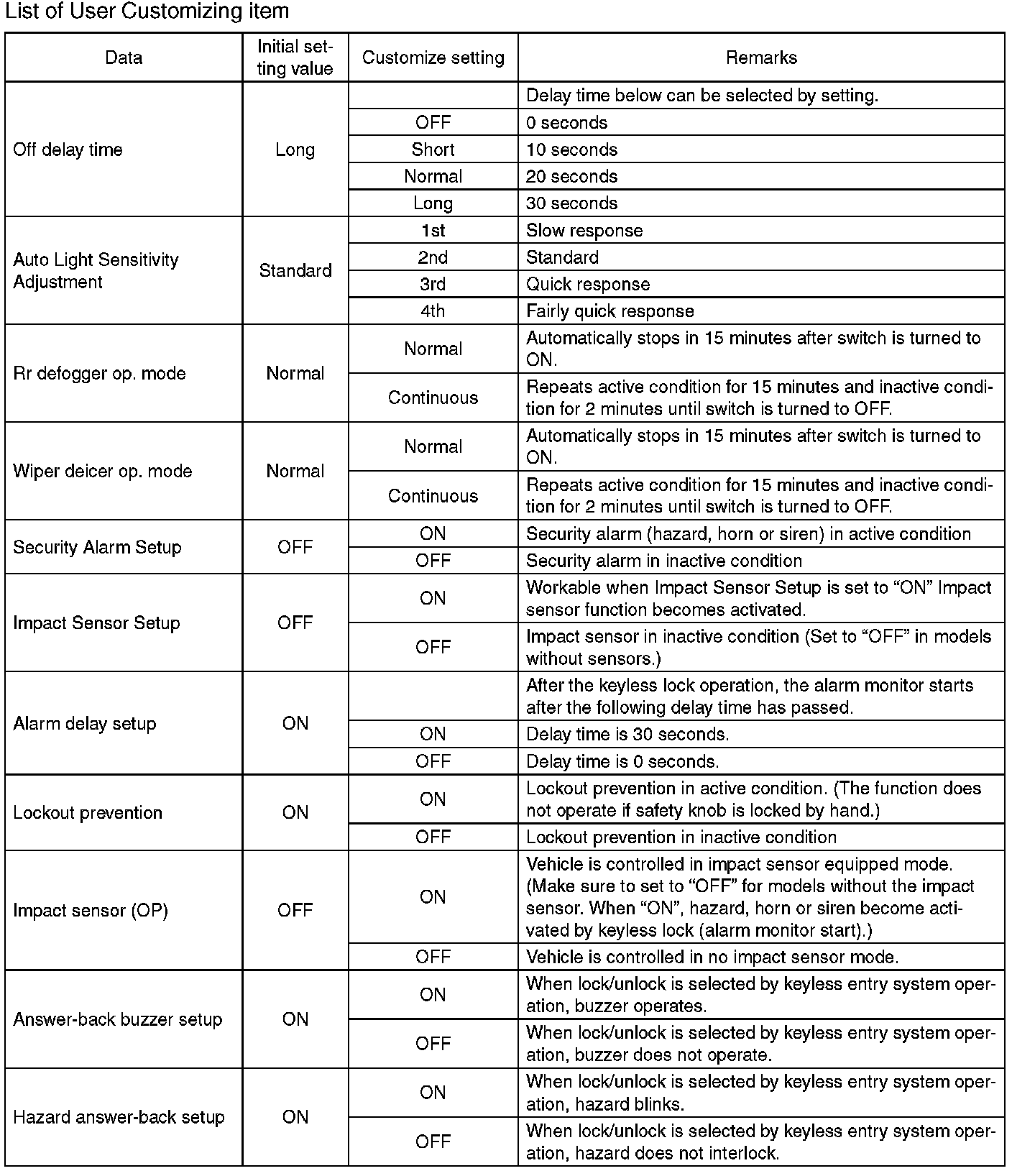
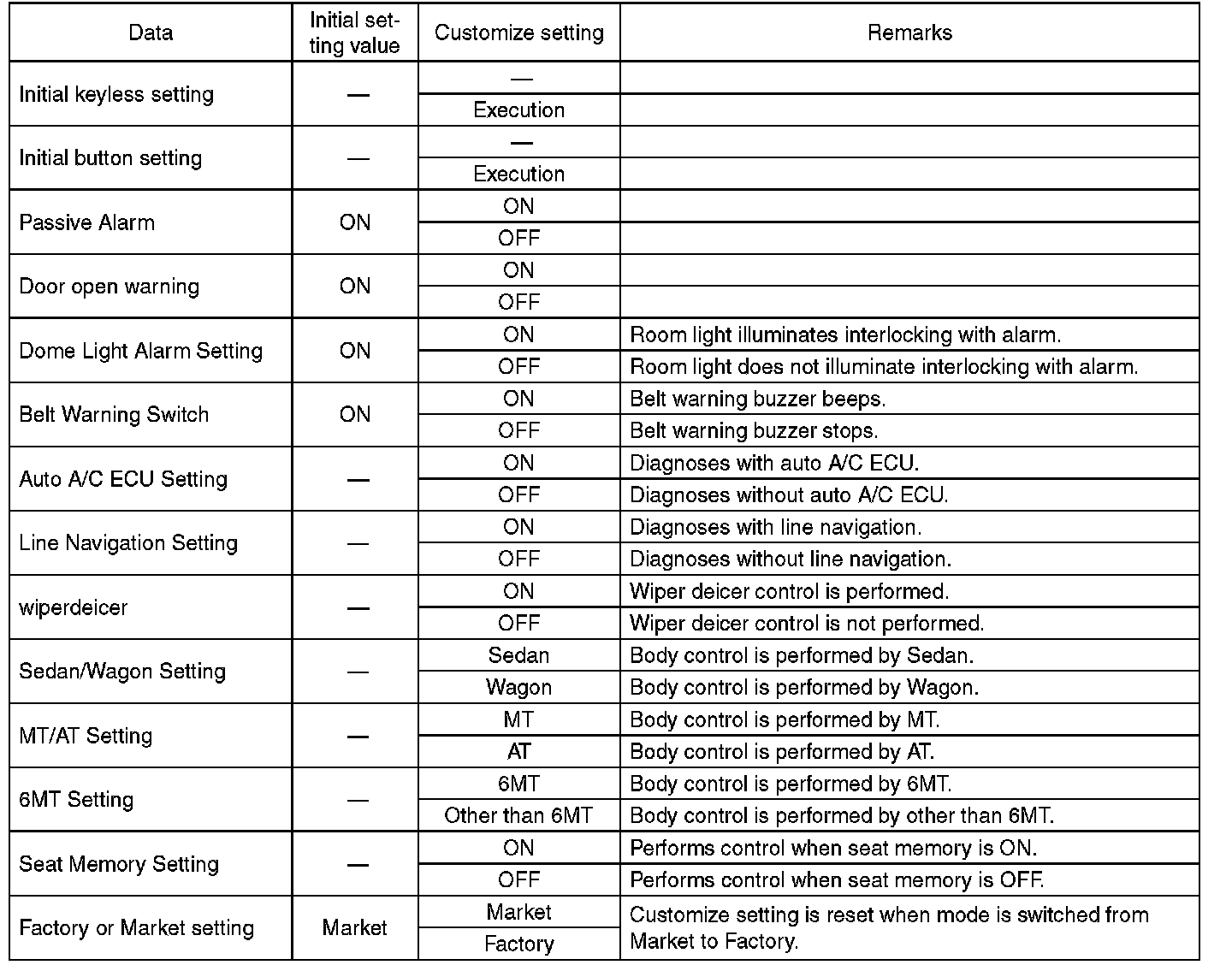
5. After setting, make sure that the setting changed in the {Current Data Display & Save} is same as vehicle equipment.
CAUTION:
- The above settings must match the actual vehicle equipment.
- Do not change settings except for setting above while setting the functions.
- Be sure not to change Factory or Market setting except when installing a new body integrated unit.
NOTE: For detailed operation procedures, refer to "PC application help for Subaru Select Monitor".