VIN Registration
VIN Registration
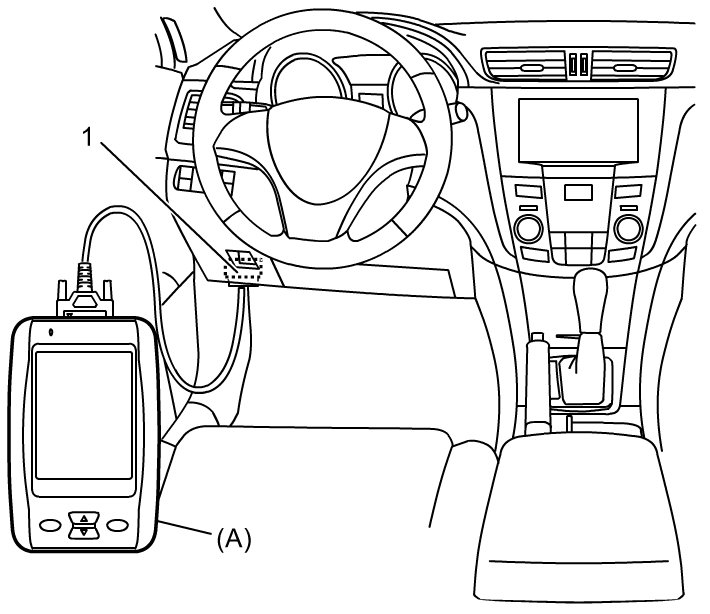
1) With ignition mode of keyless push start system in "OFF", connect SUZUKI scan tool to DLC (1) located on underside of instrument panel at driver's seat side.
Special Tool
(A): SUZUKI scan tool (SUZUKI-SDT)
2) Check VIN shown on the left side of the instrument panel.
3) Push engine switch to change the ignition mode to "ON".
4) Select "VIN Registration" mode of SUZUKI scan tool.
5) Register VIN according to the instructions indicated on the SUZUKI scan tool.
NOTE:
For further details, refer to the operator's manual for SUZUKI scan tool.
6) Before completing VIN registration, confirm that VIN data indicated on SUZUKI scan tool is correct. If not, re-register VIN data into ECM correctly.