- Move the vehicle to a 2 post lift. See Raise Vehicle - 2 Post Lift
.
- Perform a cooling system thermal fill drain. See Thermal Fluid - Cooling System (Fill/Drain)
.
- Remove the LH and RH rocker panel moldings. See Molding - Rocker Panel - LH (Remove And Replace)
.
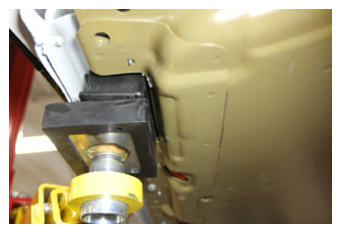
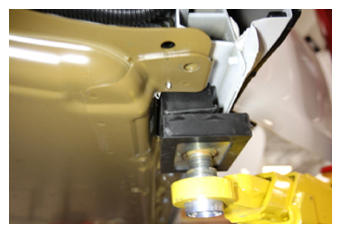
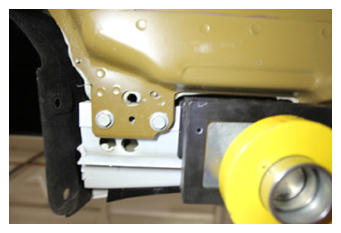
- Position the 2 post lift pads for HV battery removal.
 Courtesy of TESLA, INC. Courtesy of TESLA, INC.
|
 Courtesy of TESLA, INC. Courtesy of TESLA, INC.
|
 Courtesy of TESLA, INC. Courtesy of TESLA, INC.
|
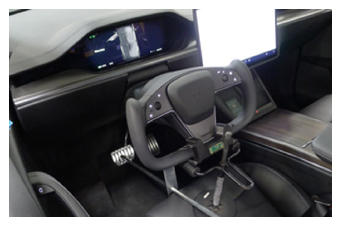
- Set the steering wheel straight ahead, place a protector sheet onto the driver seat, and then install the steering wheel lock.
 Courtesy of TESLA, INC. Courtesy of TESLA, INC.
|
- Remove the rear underhood apron. See Underhood Apron - Rear (Remove and Replace)
.
- Remove the underhood storage unit. See Underhood Storage Unit (Remove and Install)
.
- Remove the LH and RH sill panel trims. See Trim - Sill Panel - Rear - LH (Remove and Replace)
.
- Remove the 2nd row mid floor panel. See:
- Remove the LH and RH mid C-pillar trim. See Trim - C-Pillar - Mid - LH (Remove and Replace)
.
- Remove the LH and RH lower C-pillar trim. See Trim - C-Pillar - Lower - LH (Remove and Replace)
.
- Remove the 2nd row rear floor panel. See:
- Remove the bolts (x2) that attach the busbar duct to the body, and then remove the busbar duct from the vehicle.
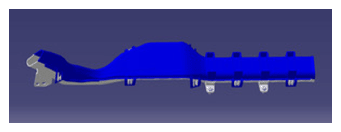 Courtesy of TESLA, INC. Courtesy of TESLA, INC.
|
- Remove the LH upper C-pillar trim. See Trim - C-Pillar - Upper - LH (Remove and Replace)
.
- Remove the trunk sill trim. See Trim - Sill - Trunk (Remove and Replace)
.
- Remove the trunk side trim bracket. See:
- Disconnect LV power. See LV Power (Disconnect and Connect)
.
- Set the high voltage multimeter to DC voltage, lightly touch the probes to the auxiliary battery connector contacts, and verify that the multimeter displays a voltage.
NOTE:
Battery voltage is typically 14.5 to 15.5 volts.
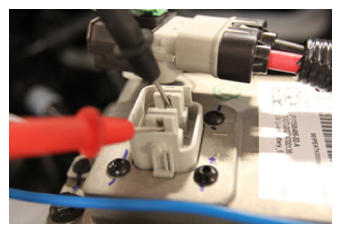 Courtesy of TESLA, INC. Courtesy of TESLA, INC.
|
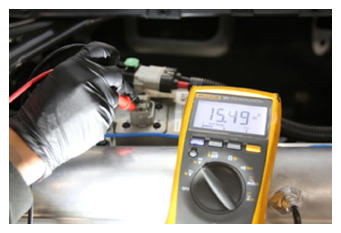 Courtesy of TESLA, INC. Courtesy of TESLA, INC.
|
- Remove the cowl screen panel. See Panel - Cowl Screen (Remove and Replace)
.
- Remove the wiper module. See Wiper Module (Remove and Replace)
.
- Remove the bolt that attaches the ground strap to the front drive unit.
NOTE:
The bolt is captive to the ground strap.
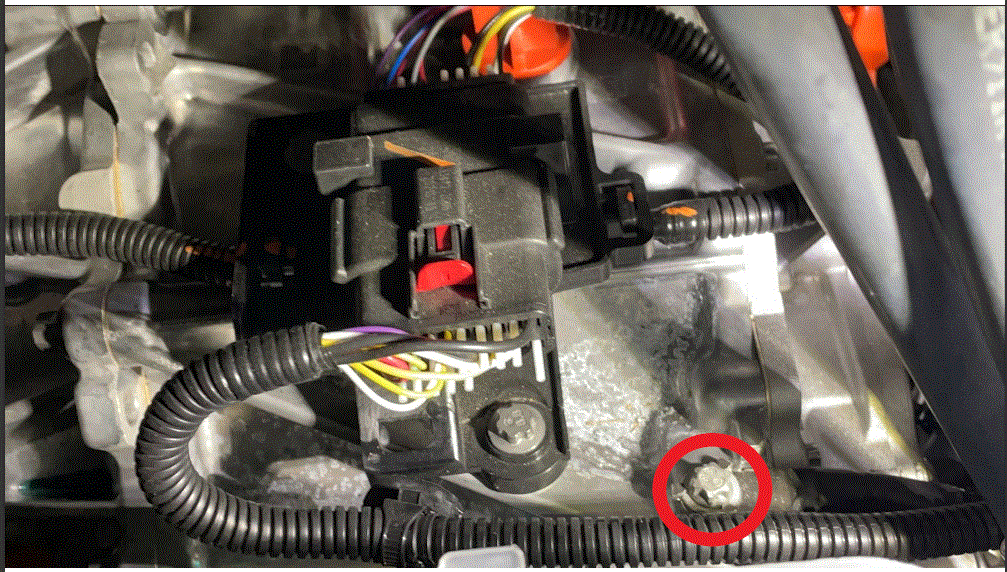 Courtesy of TESLA, INC. Courtesy of TESLA, INC.
|
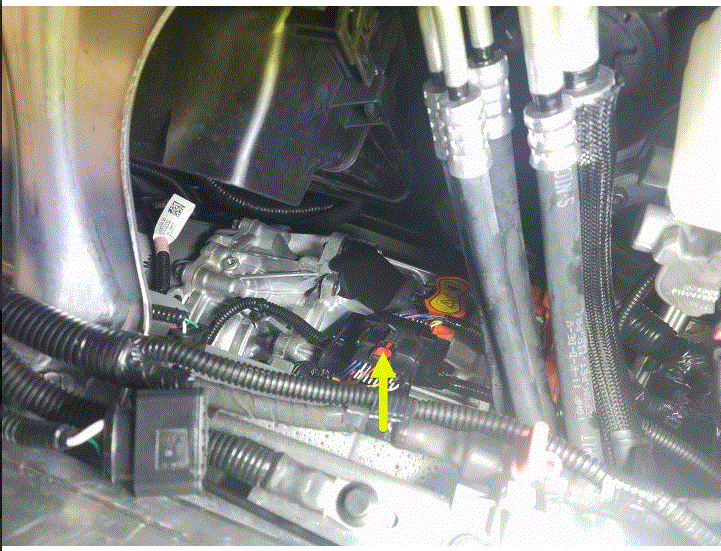
- Pull the red tab, and then pull the tab again to disconnect the frunk harness from the front drive unit harness connector.
 Courtesy of TESLA, INC. Courtesy of TESLA, INC.
|
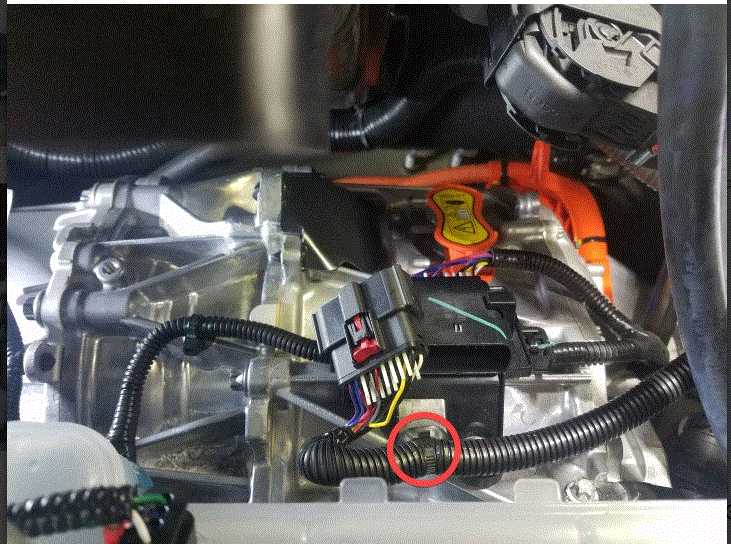
- Release the clip that attaches the frunk harness to the front drive unit.
 Courtesy of TESLA, INC. Courtesy of TESLA, INC.
|
- Remove the 3rd row seat cushion, if installed. See Cushion - Seat - 3rd Row (Remove and Replace)
.
- Remove the LH inner reinforcement. See Reinforcement - Inner - LH (Remove and Replace)
.
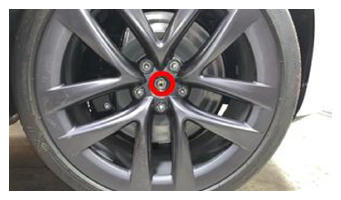
- Loosen the LH and RH front axle nuts.
 Courtesy of TESLA, INC. Courtesy of TESLA, INC.
|
- Remove the LH and RH front wheels. See Wheel (Remove and Install)
.
- Remove the mid aero shield panel. See Panel - Aero Shield - Mid (Remove and Replace)
.
- Perform the vehicle electrical isolation procedure. See Vehicle Electrical Isolation Procedure
.
- Remove the leather glove protectors and the HV insulating gloves.
 Courtesy of TESLA, INC. Courtesy of TESLA, INC.
|
- Remove the bolt that secures the charge port busbar connector access door.
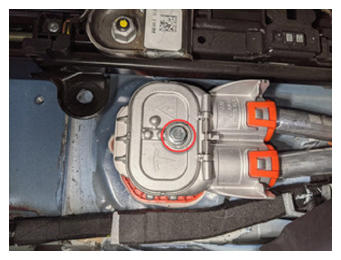 Courtesy of TESLA, INC. Courtesy of TESLA, INC.
|
- Remove the bolts (x2) that attach the charge port busbar connector to the DC input HV header.
 9 N.m (6.6 ft-lbs)
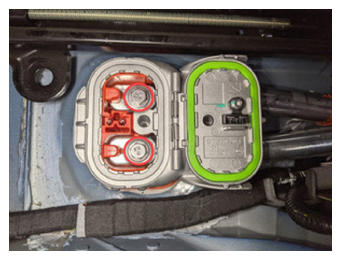 Courtesy of TESLA, INC. Courtesy of TESLA, INC.
|
- Lift the charge port busbar connector to remove the connector from the DC input HV header.
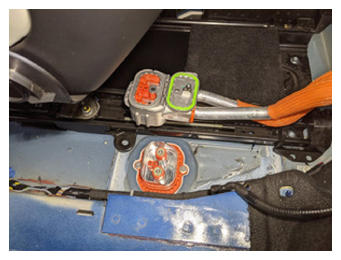 Courtesy of TESLA, INC. Courtesy of TESLA, INC.
|
- Remove the LH and RH shear plates. See Shear Plate - Rear Subframe - LH (Remove and Replace)
.
- Remove the front aero shield panel. See Panel - Aero Shield - Front (Remove and Replace)
.
- Remove the front skid plate. See Skidplate - Front (Remove and Replace)
.
- Remove the HV battery. See HV Battery (AWD) (Remove and Install)
.
- Remove the front fascia valance. See Valance - Front Fascia (Remove And Replace)
.
- Remove the front subframe. See Subframe Assembly - Front (Remove and Install)
.
- Remove the LH and RH front halfshafts. See HALFSHAFT - FRONT DRIVE UNIT - LH (REMOVE AND REPLACE) and HALFSHAFT - FRONT DRIVE UNIT - RH (REMOVE AND REPLACE) .
- Remove the front drive unit from the vehicle. See DRIVE UNIT - FRONT (REMOVE AND INSTALL) .
- With the help of an assistant, verify that the front drive unit is securely strapped to the transmission jack fixture, remove the bolts (x4) that attach the RH side bushing carrier to the drive unit, and then remove the busing carrier from the drive unit.
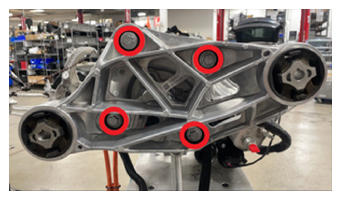 Courtesy of TESLA, INC. Courtesy of TESLA, INC.
|