Dash Integration Module Replacement (RHD)
REMOVAL PROCEDUREIMPORTANT: Before replacement of the DIM module (i), record the personalization settings in order to transfer the settings after the DIM module (1) has been replaced.
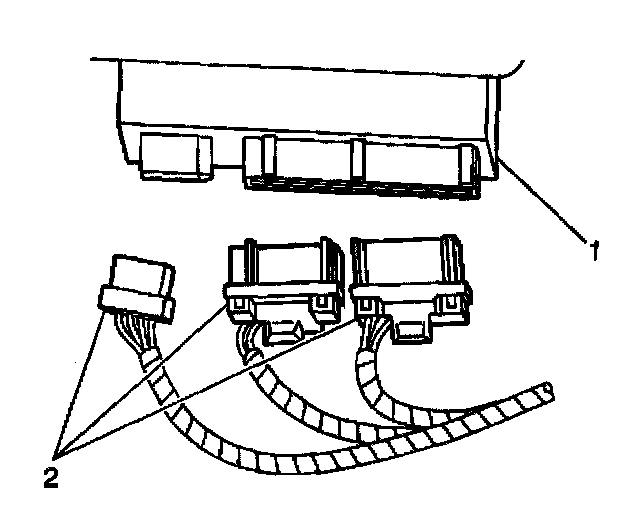
1. Remove the left sound insulator. Refer to Closeout/Insulator Panel Replacement - Left (LHD) or Closeout/Insulator Panel Replacement - Left (RHD) in Instrument Panel, Gages and Warning Indicators.
2. Disconnect the DIM electrical connectors (2).
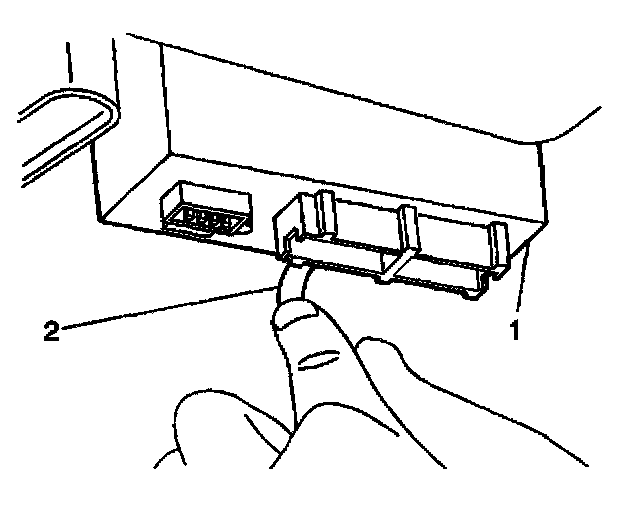
3. Depress inward on the locking tab (2).
4. With the locking tab (2) depressed, slide the DIM (1) downward.
5. Remove the module (1) from the bracket.
INSTALLATION PROCEDURE
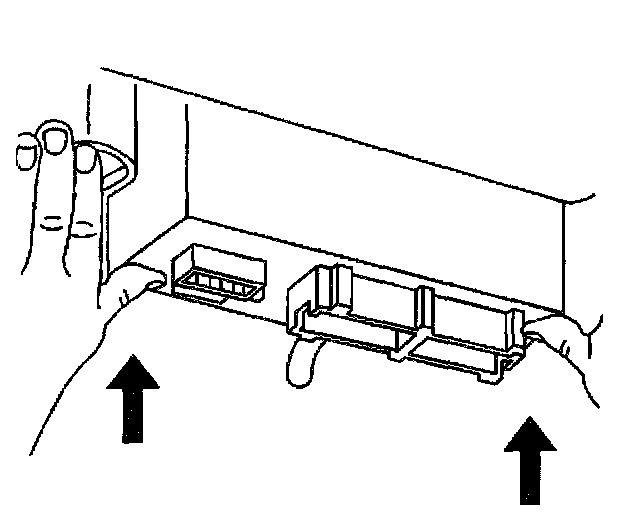
1. Install the module to the bracket.
2. Slide the DIM upward until it is fully engaged.
3. Connect the DIM electrical connectors (2).
4. Install the left sound insulator. Refer to Closeout/Insulator Panel Replacement - Left (LHD) or Closeout/insulator Panel Replacement - Left (RHD) in Instrument Panel, Gages and Warning Indicators.
5. Reprogram the Dash Integration Module. Refer to BCM Programming/RPO Configuration (DIM) or BCM Programming/RPO Configuration (IPM) or BCM Programming/RPO Configuration (RIM). Programming and Relearning