Ignition Timing: 2.0L
- Install scan tool. Start engine and allow it to reach normal operating temperature. Ensure A/C is off, transmission is in Neutral (M/T) or Park (A/T), and parking brake is fully engaged. Connect an inductive timing light to ignition coil No. 1 wiring harness. Using scan tool, select special functions, and then engine output controls.
- Using scan tool, turn fixed spark mode on. Observe spark parameter. Scan tool should display 5 degrees, indicating fixed spark mode has been activated. Using timing light, ensure crankshaft pulley mark aligns with timing pointer, indicating timing is correctly set at 5 degrees BTDC. See Fig 1
. If ignition timing is 4-6 degrees BTDC, ignition timing is okay. If ignition timing is not 4-6 degrees BTDC, go to next step.
- To adjust ignition timing, loosen Camshaft Position (CMP) sensor housing bolt. See Fig 2
. To advance ignition timing, rotate CMP sensor housing clockwise. To retard ignition timing, rotate CMP sensor housing counterclockwise.
- Recheck ignition timing. Readjust ignition timing as necessary. Tighten CMP sensor housing bolt to 11 ft. lbs. (15 N.m). Using scan tool, turn fixed spark mode off. Using timing light, ensure crankshaft pulley mark and timing pointer indicate 12-16 degrees BTDC. See Fig 1
.
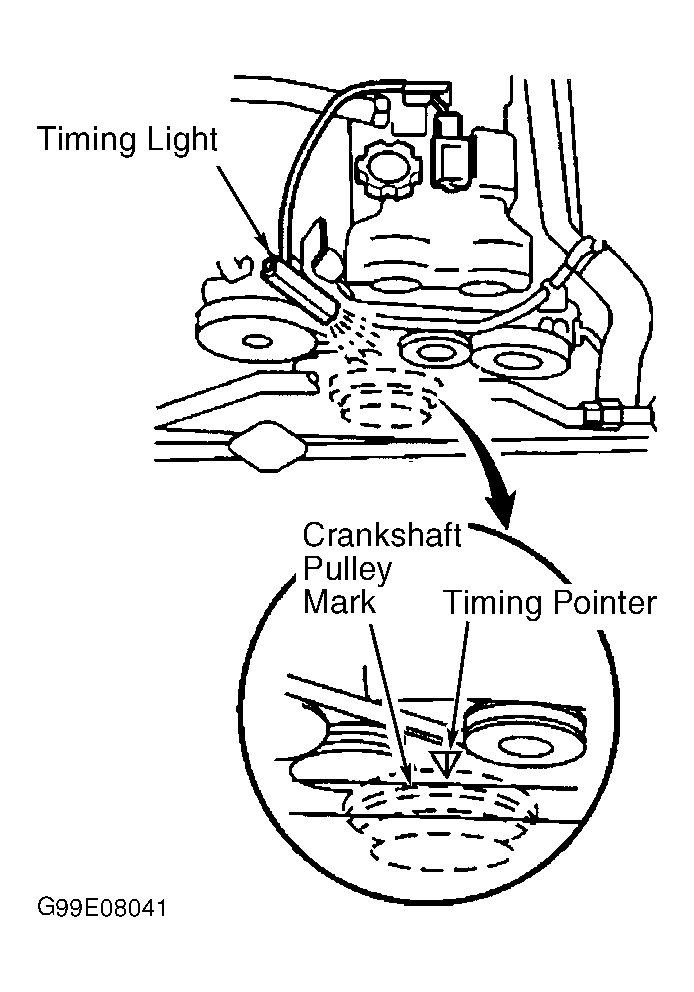 Courtesy of GENERAL MOTORS CORP.
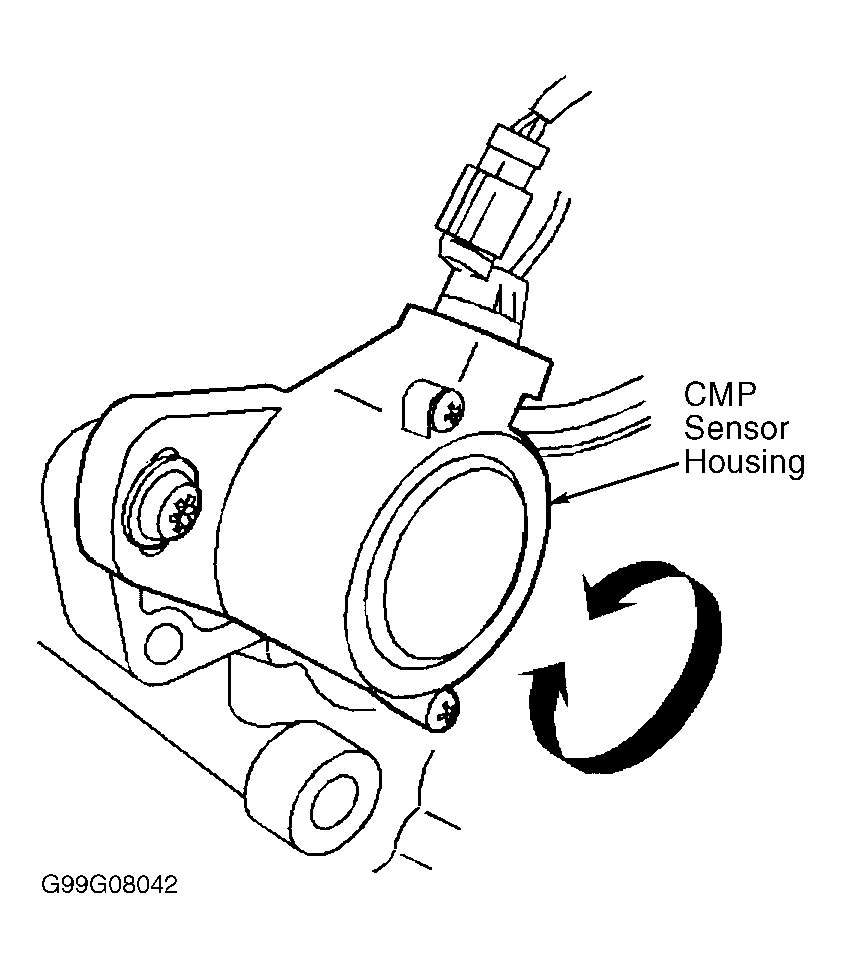 Courtesy of GENERAL MOTORS CORP.