- Disconnect and isolate battery negative cable (2) from battery post.
- Raise and support vehicle. Refer to STANDARD PROCEDURE
.
 Courtesy of CHRYSLER LLC
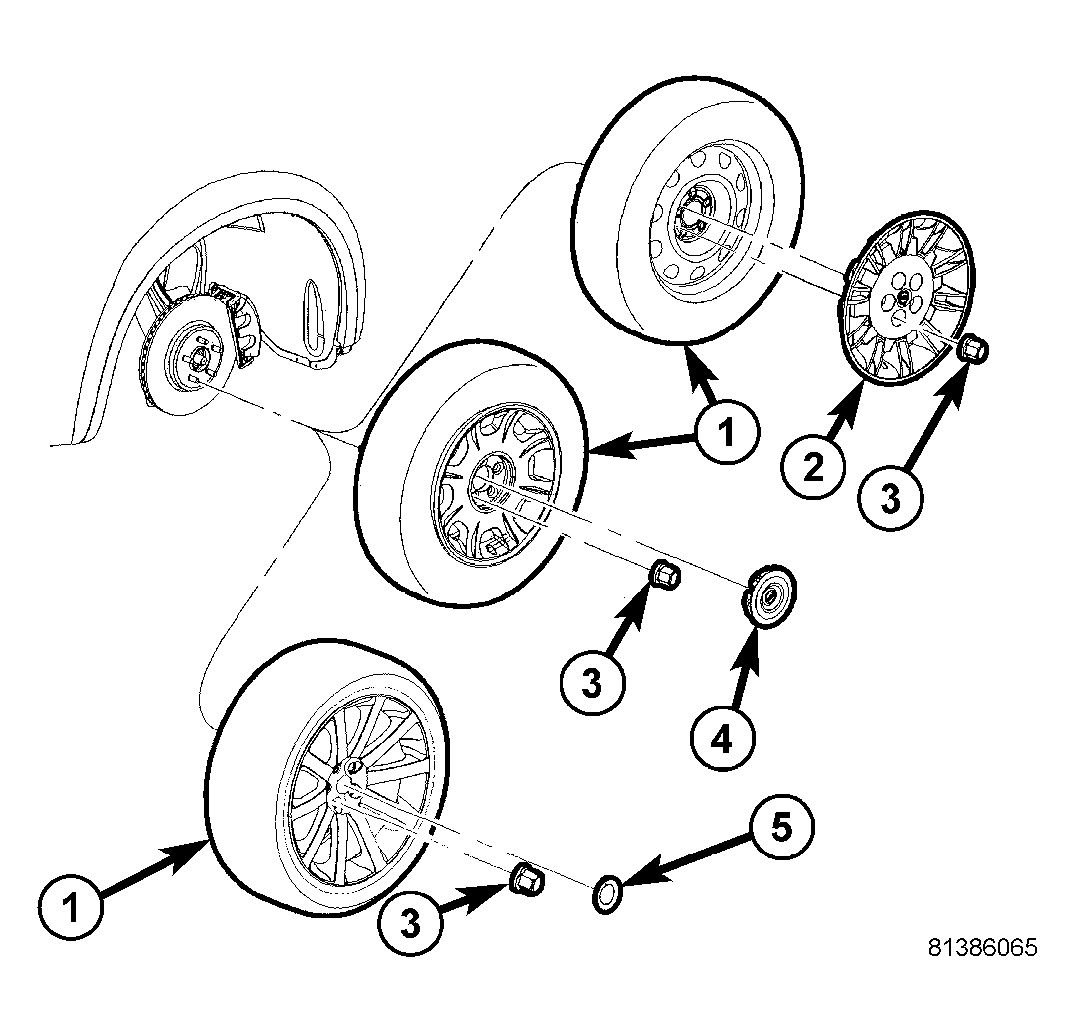
- On each side of vehicle rear, remove wheel mounting nuts (3), then tire and wheel assembly (1).
 Courtesy of CHRYSLER LLC
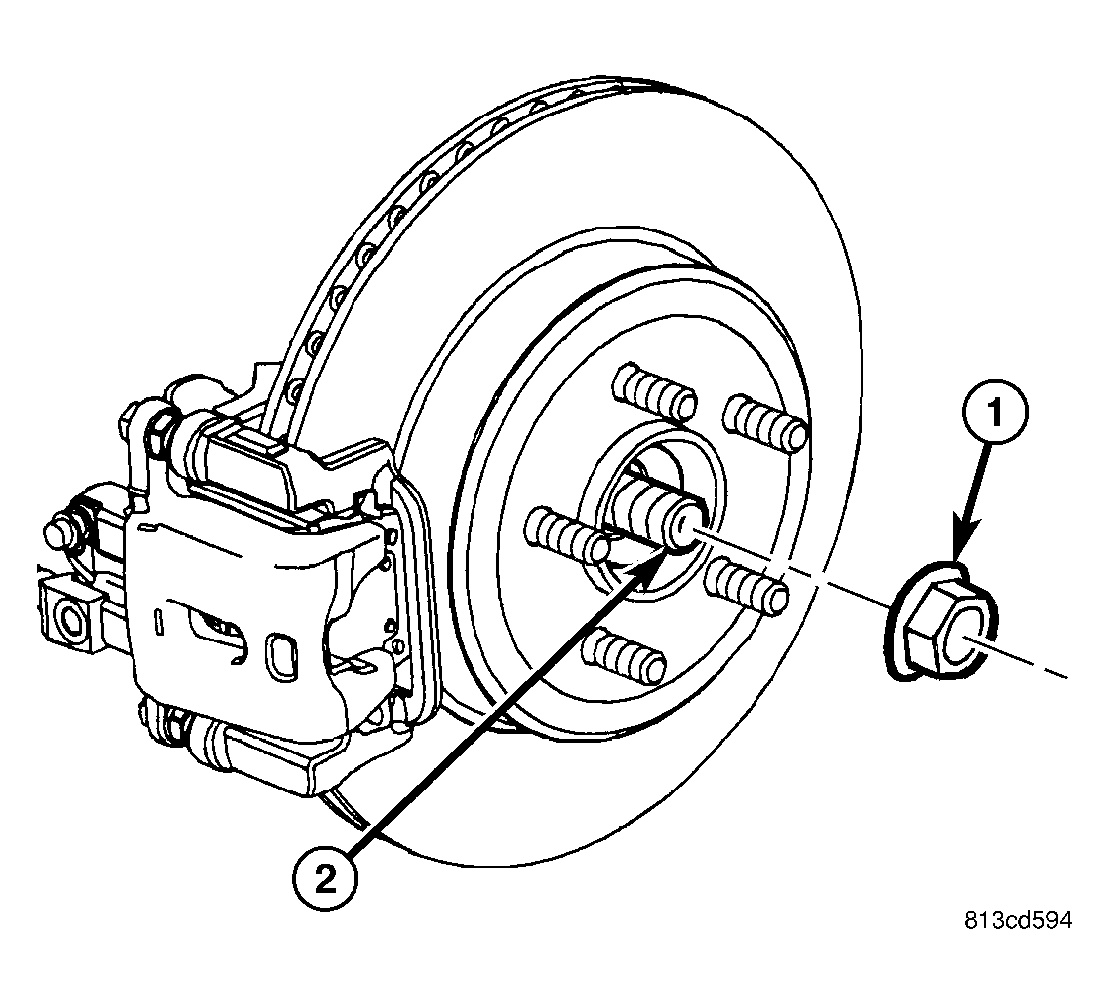
- On each side of vehicle rear, while a helper applies brakes to keep hub from rotating, remove hub nut (1) from half shaft (2).
 Courtesy of CHRYSLER LLC
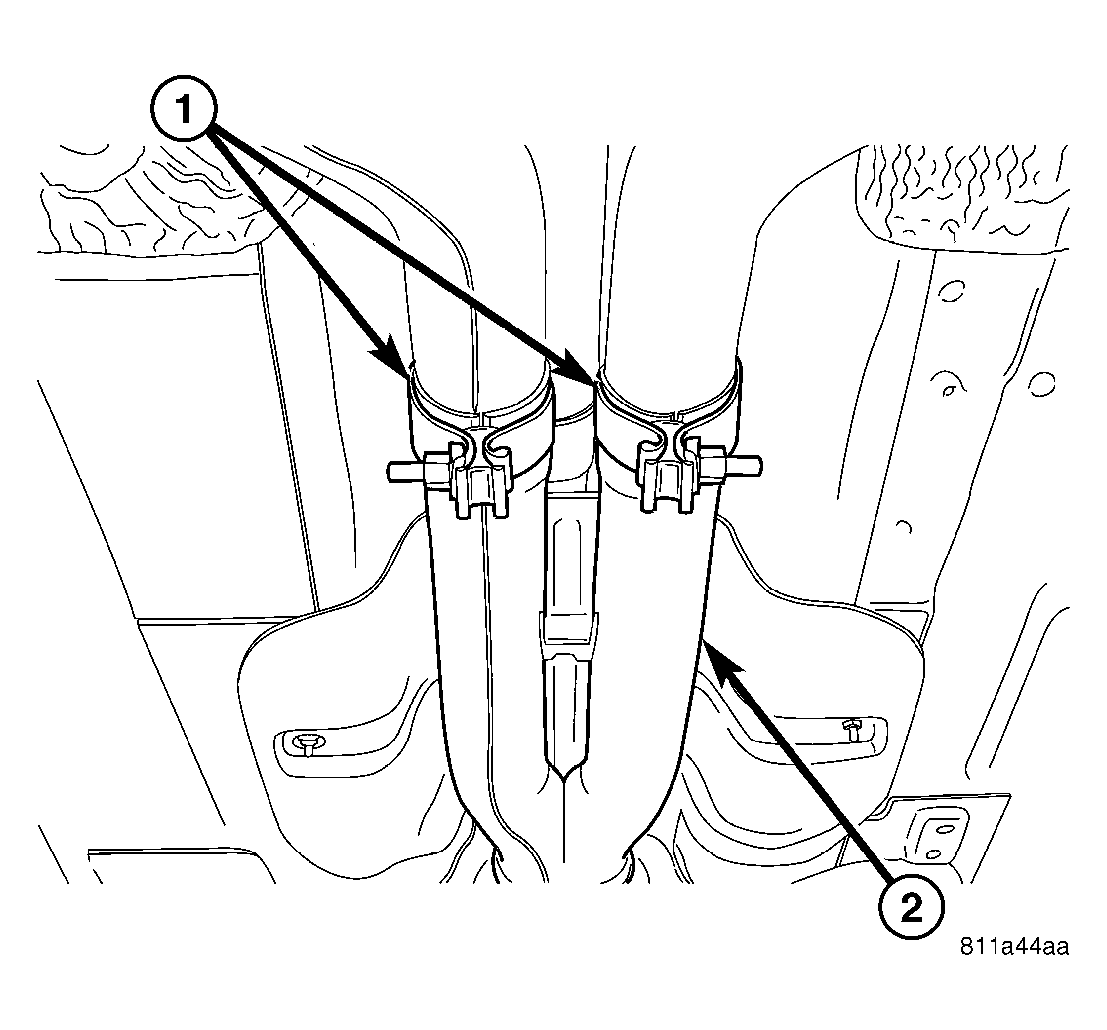
- Remove rear exhaust system (2) (dual-outlet exhaust shown in figure).
- Remove rear axle differential. Refer to REMOVAL
.
- Slide each axle half shaft from hub and bearing and remove from vehicle.
 Courtesy of CHRYSLER LLC
NOTE:
Due to short travel and low spring tension, it is not necessary to lock-out parking brake lever to service parking brake components.
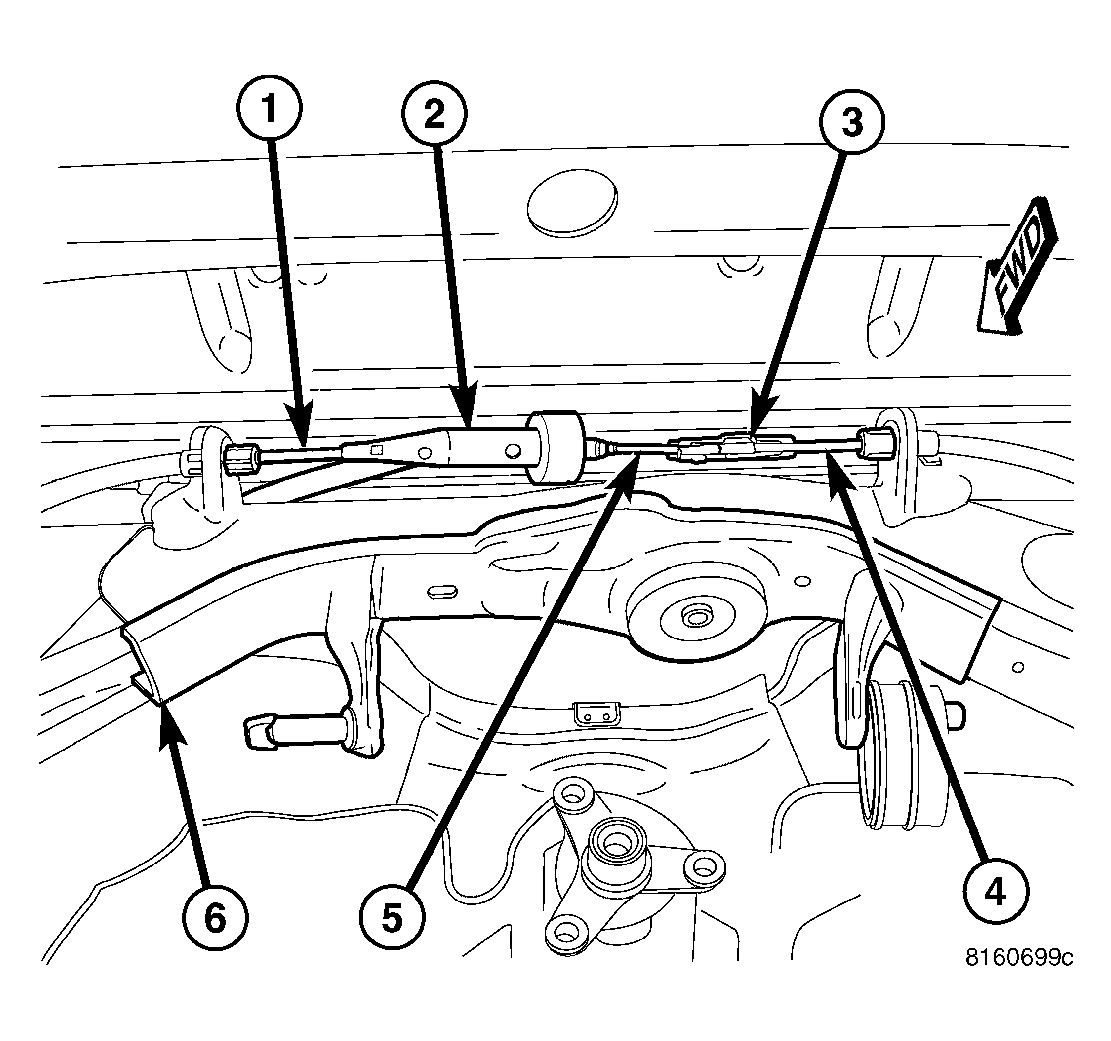
- Disconnect right rear parking brake cable (4) at connector (3) to front parking brake cable (5).
- Disconnect left rear parking brake cable (1) at equalizer (2). Leave equalizer on front cable.
 Courtesy of CHRYSLER LLC
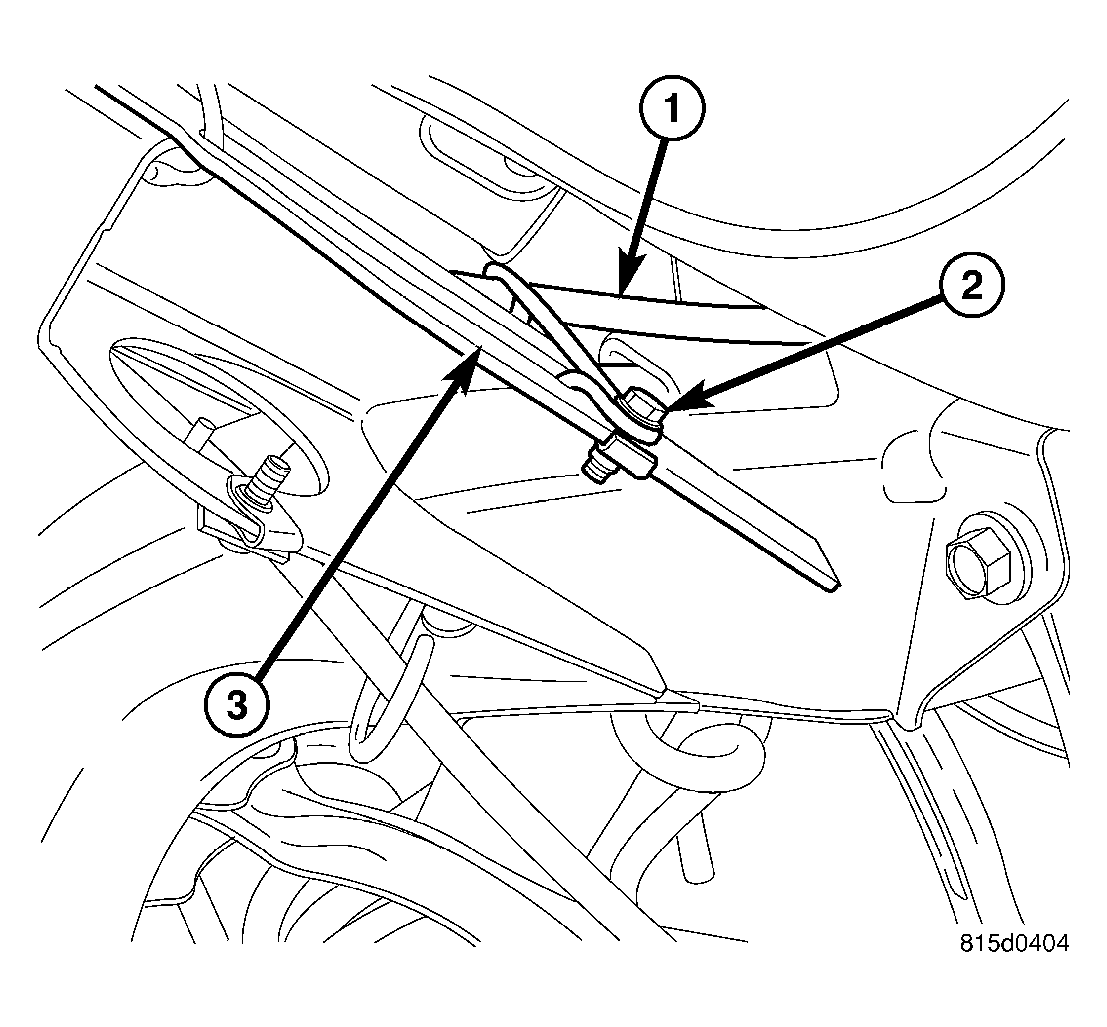
- Remove screw (2) fastening front parking brake cable (1) routing bracket to rear crossmember front flange (3). Remove J-nut from crossmember.
 Courtesy of CHRYSLER LLC
- If equipped with standard or premium disc brakes, on each rear disc brake:
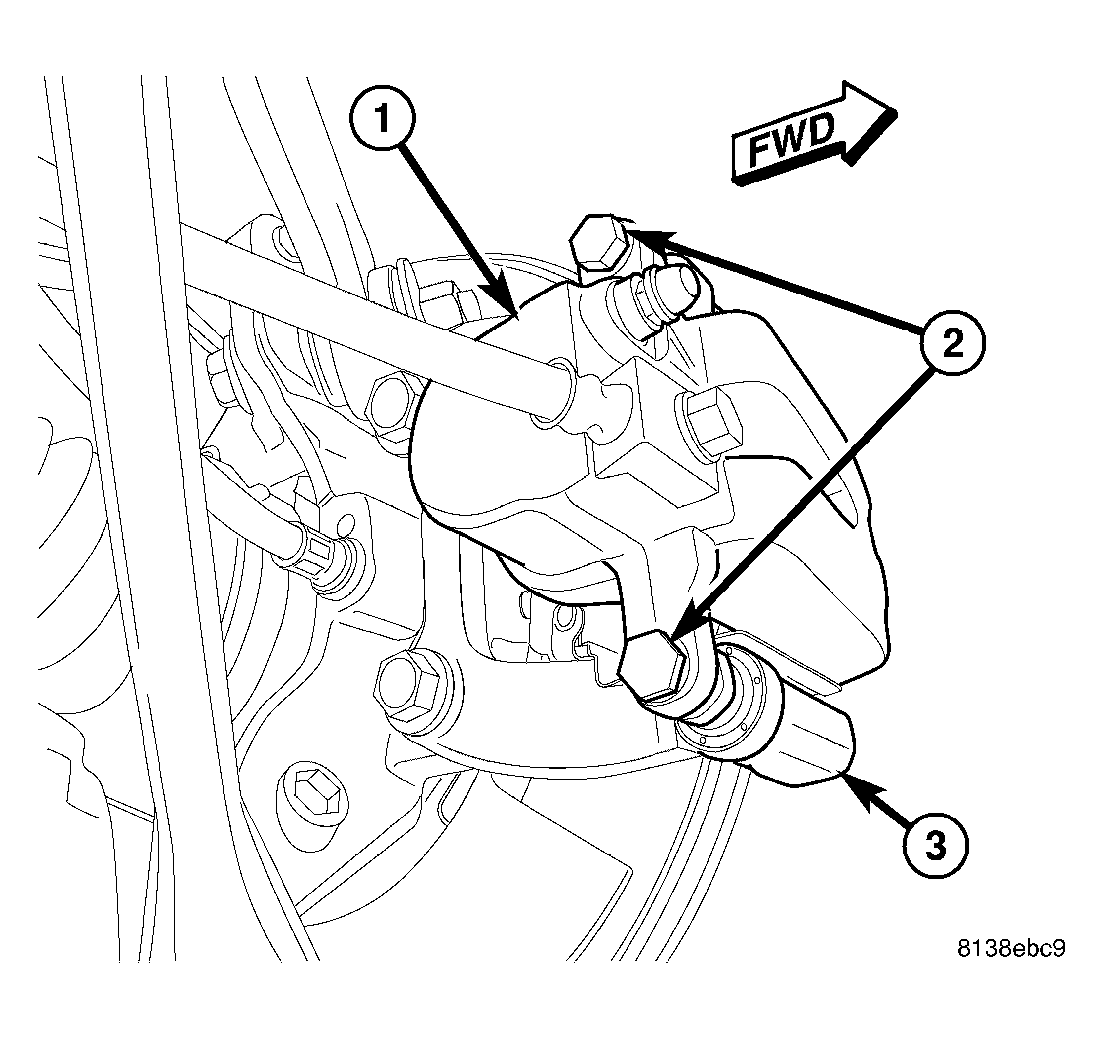
- While holding guide pins from turning, remove disc brake caliper guide pin bolts (2).
- Remove brake caliper (1) from brake adapter (3) and pads.
- Guide brake caliper up through suspension, following brake hose path. Support caliper above rear suspension using with bungee cord or wire to keep caliper from overextending brake hose when crossmember is lowered.
 Courtesy of CHRYSLER LLC
CAUTION:
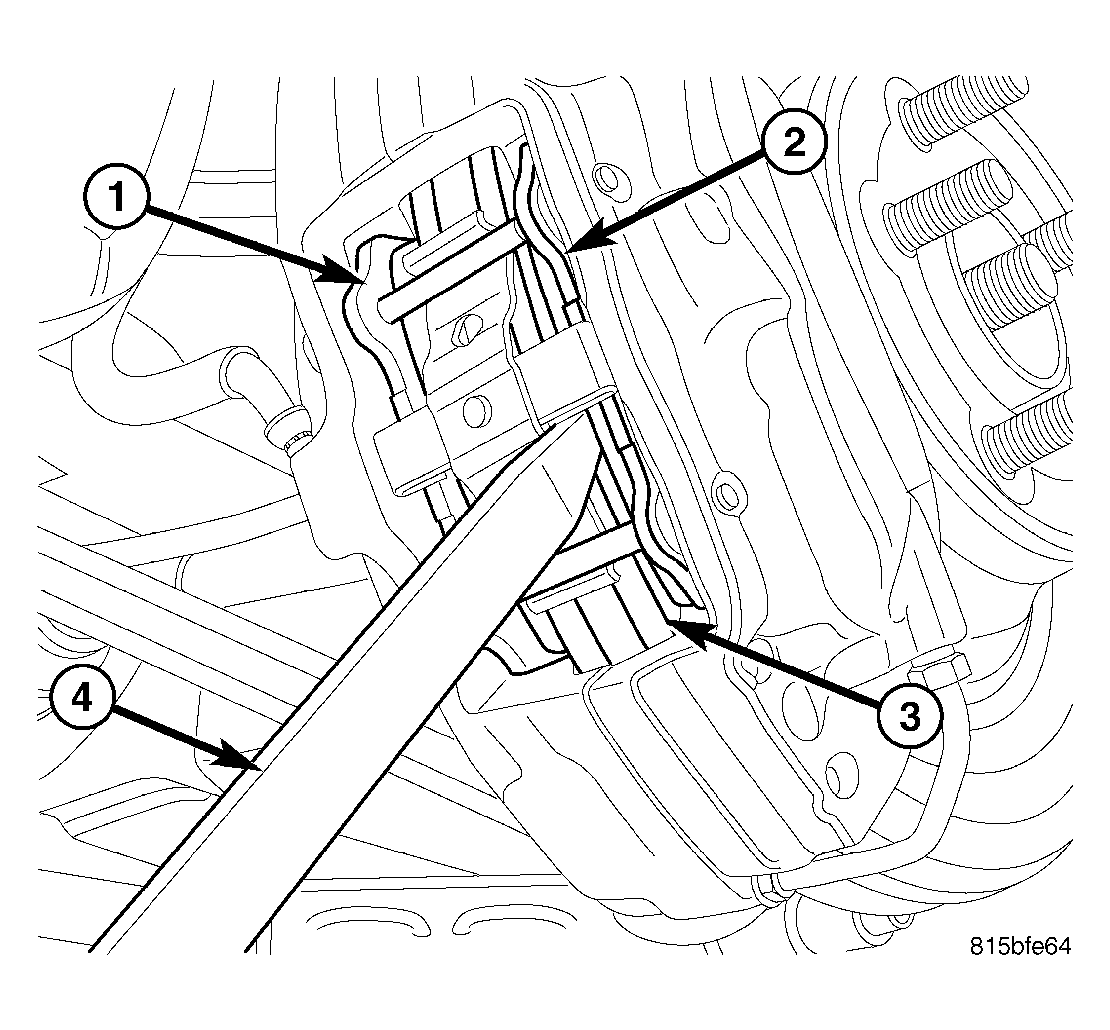
When pushing pistons back into caliper bores, use only a trim stick as shown in illustration or other suitable soft tool. Never use a screwdriver or other metal pry bar due to potential damage to braking surface of rotor, caliper, pistons or dust boots.
- If equipped with SRT8 disc brakes, on each rear disc brake, place trim stick (4) between brake pad (2) and outer edge of rotor (3).
- If equipped with SRT8 disc brakes, on each rear disc brake, using trim stick, slowly apply pressure against brake pad (2) until both pistons (on that side of caliper) are completely bottomed in bores of caliper half.
NOTE:
Repeat above procedure to opposite brake pad (1) and pistons as necessary.
 Courtesy of CHRYSLER LLC
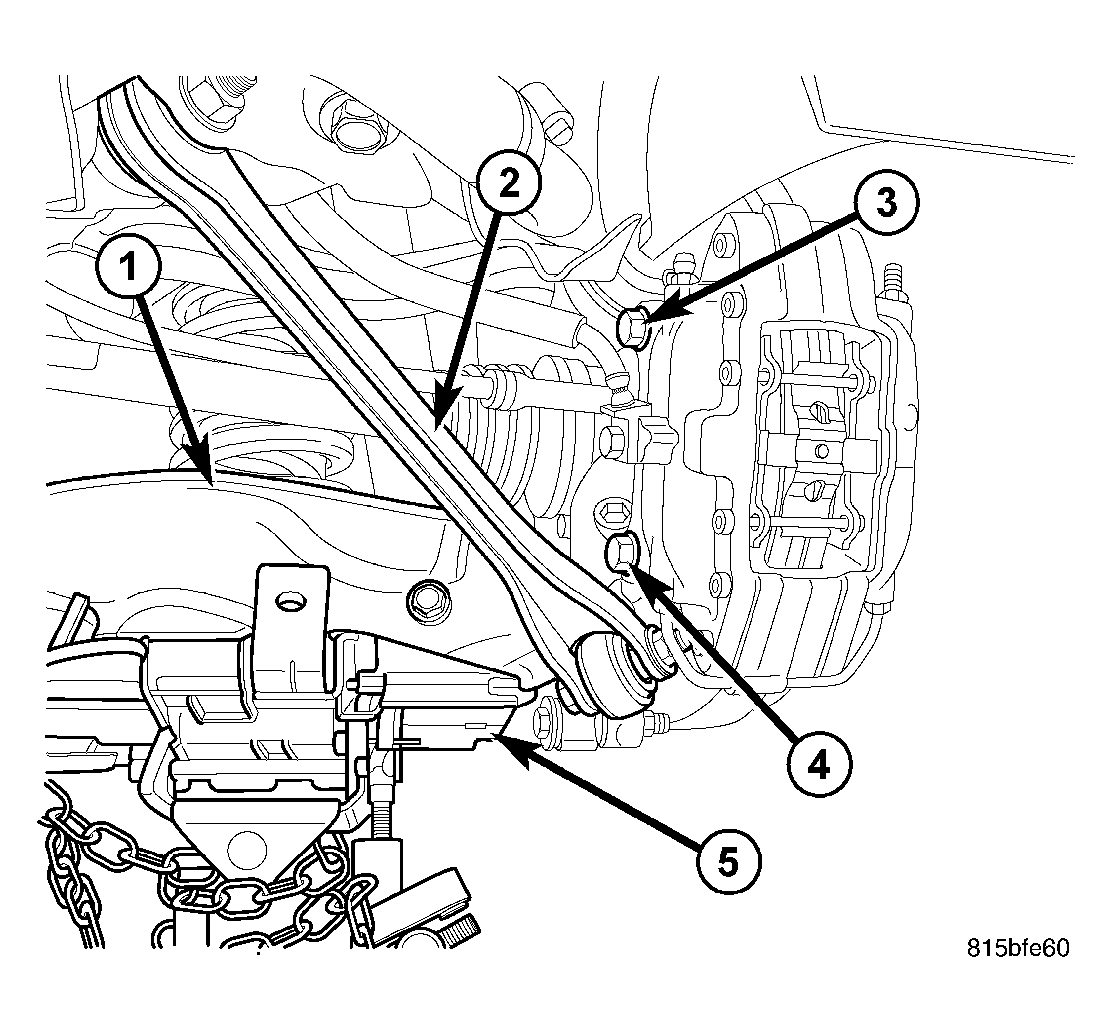
- If equipped with SRT8 disc brakes, on each rear disc brake, support spring link (1) using a transmission jack (5) or other appropriate jack. Raise spring link just enough to access brake caliper lower mounting bolt (4) from above compression link (2).
 Courtesy of CHRYSLER LLC
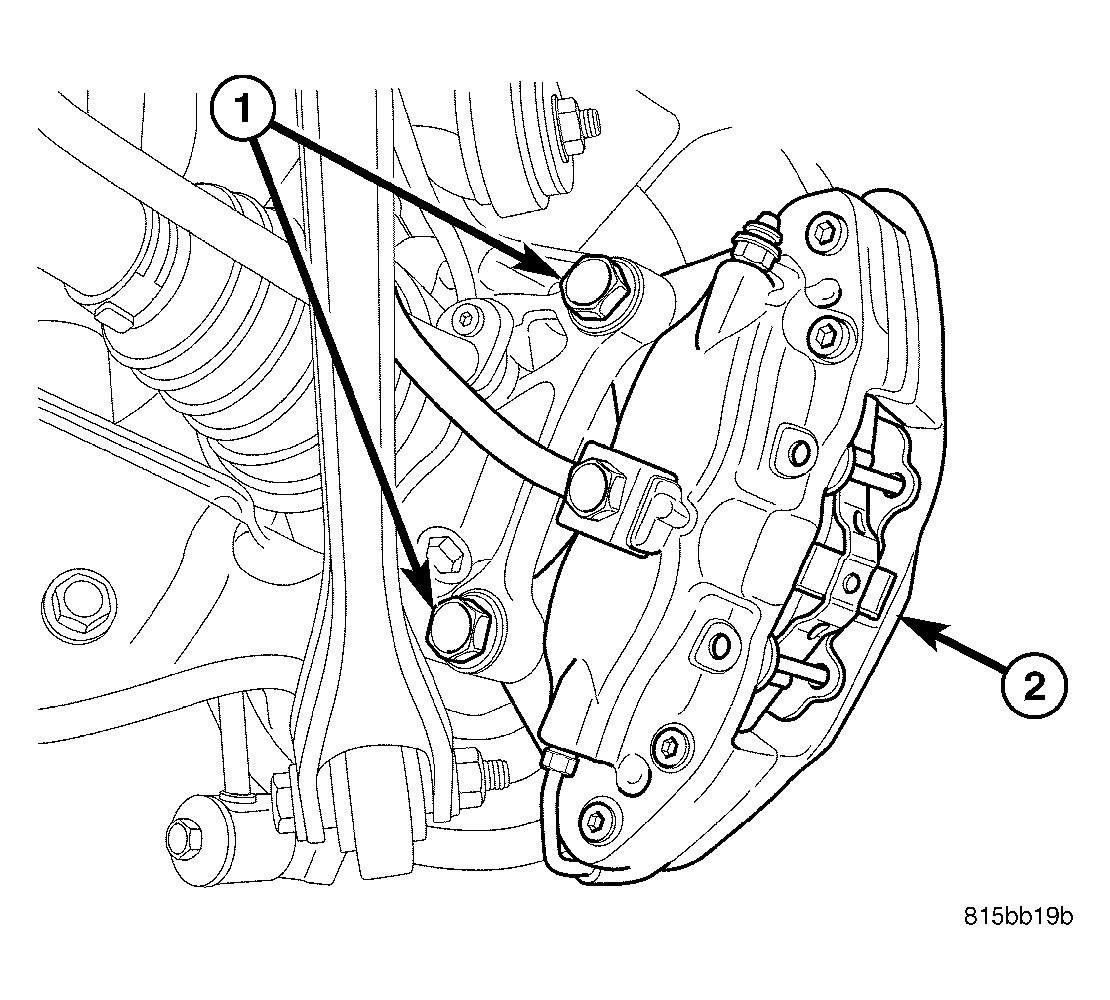
- If equipped with SRT8 disc brakes, on each rear disc brake, remove the lower and upper caliper mounting bolts (1).
- If equipped with SRT8 disc brakes, on each rear disc brake, remove brake caliper (2) with pads from knuckle and brake rotor. Hang assembly out of way using wire or a bungee cord. Use care not to overextend brake hose when doing this.
- If equipped with SRT8 disc brakes, remove jack from under spring link.
 Courtesy of CHRYSLER LLC
NOTE:
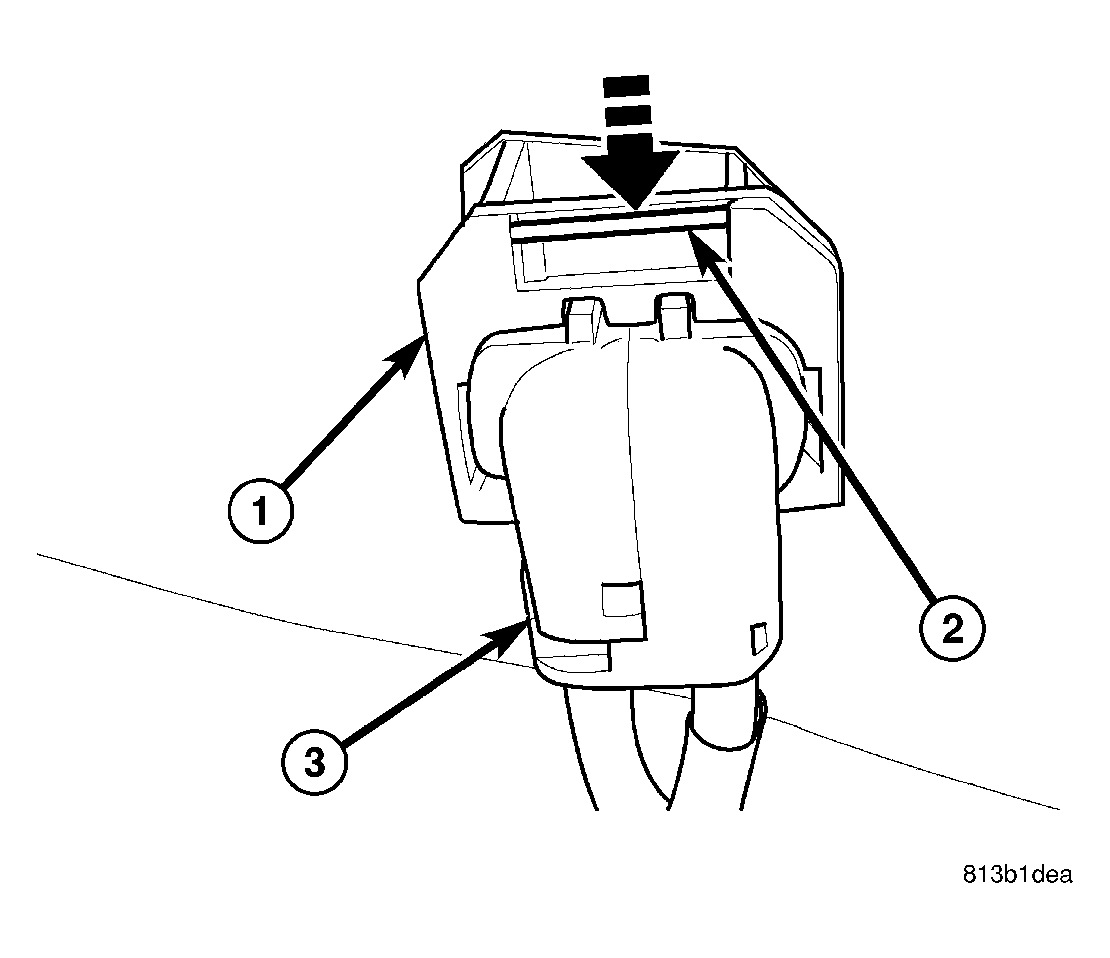
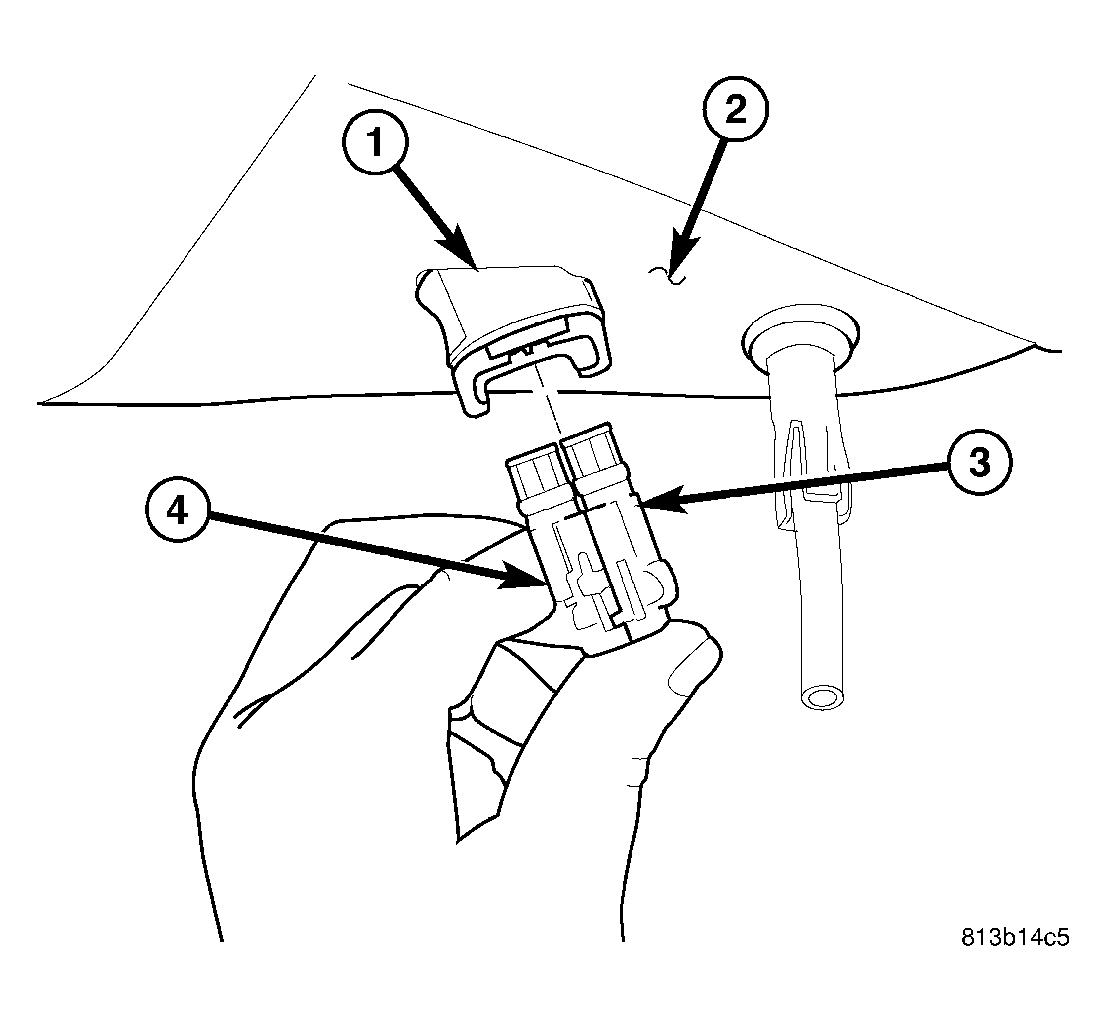
To remove wheel speed sensor connector from body wiring harness connector, move retaining clip (2) and pull sensor connector outward.
 Courtesy of CHRYSLER LLC
- Remove wheel speed sensor connectors (3 and 4) from body wiring harness connector (1) located in luggage compartment floor pan (2).
 Courtesy of CHRYSLER LLC
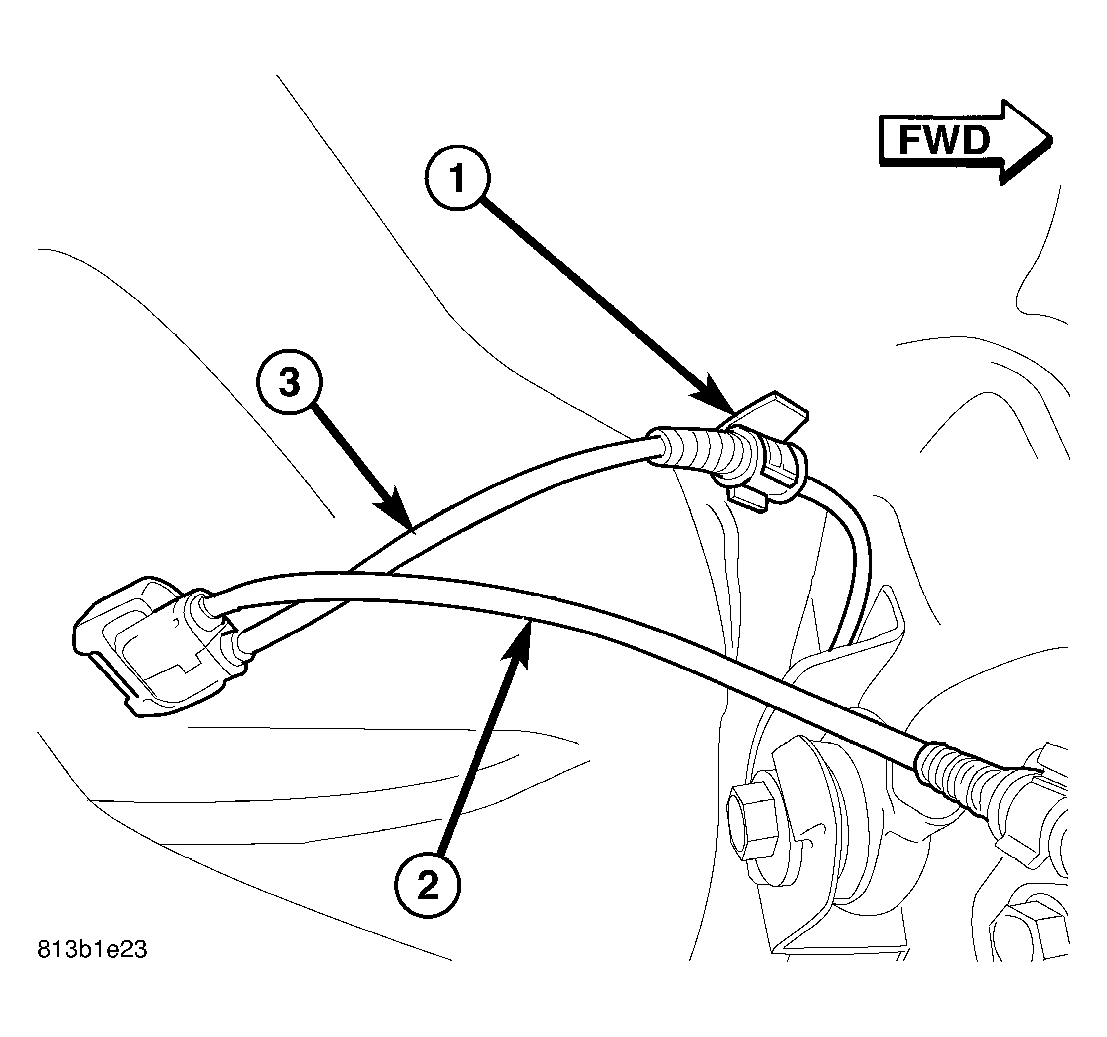
- Unclip left wheel speed sensor cable (3) from routing clip (1) near body connector.
 Courtesy of CHRYSLER LLC
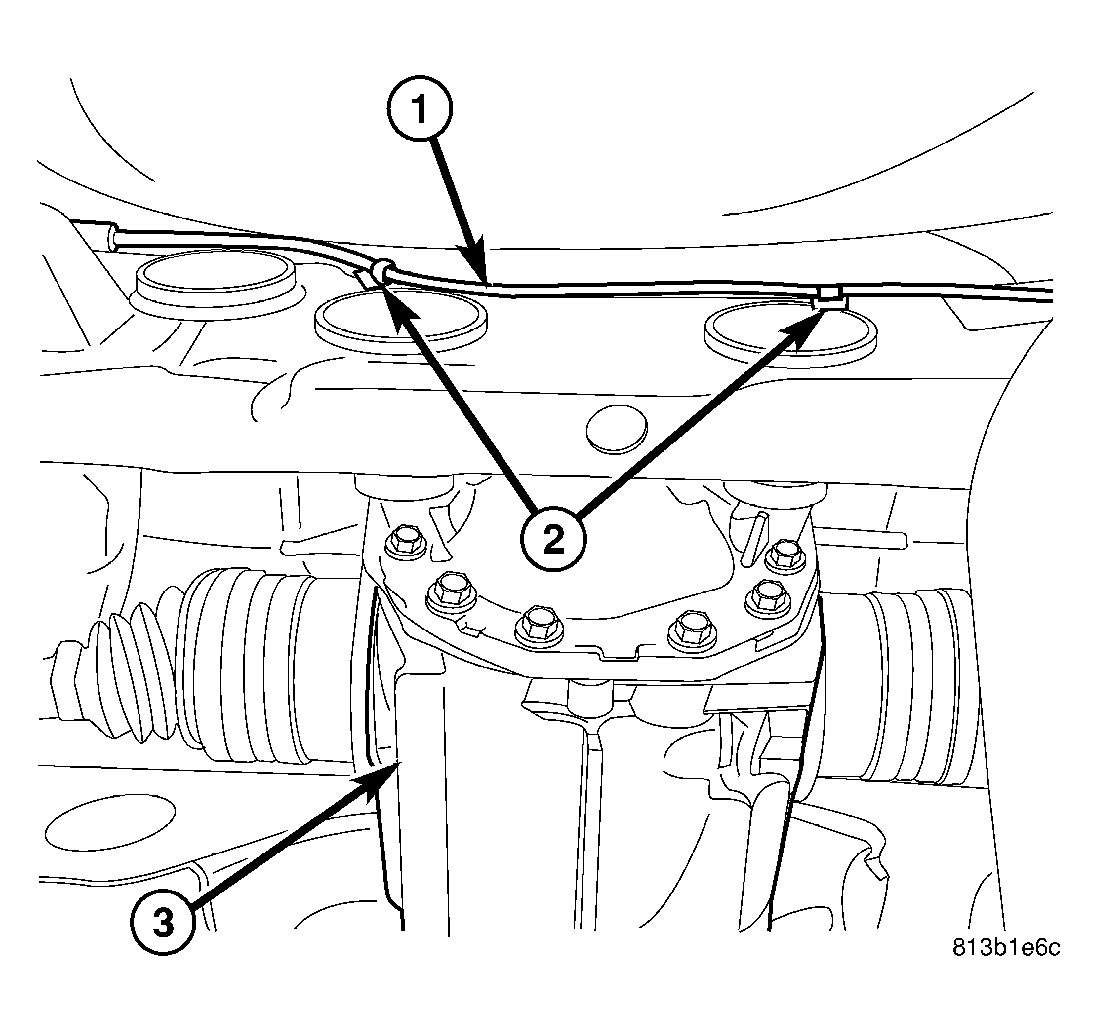
- Unclip left sensor cable (1) from routing clips (2) along rear of crossmember near rear differential (3).
 Courtesy of CHRYSLER LLC
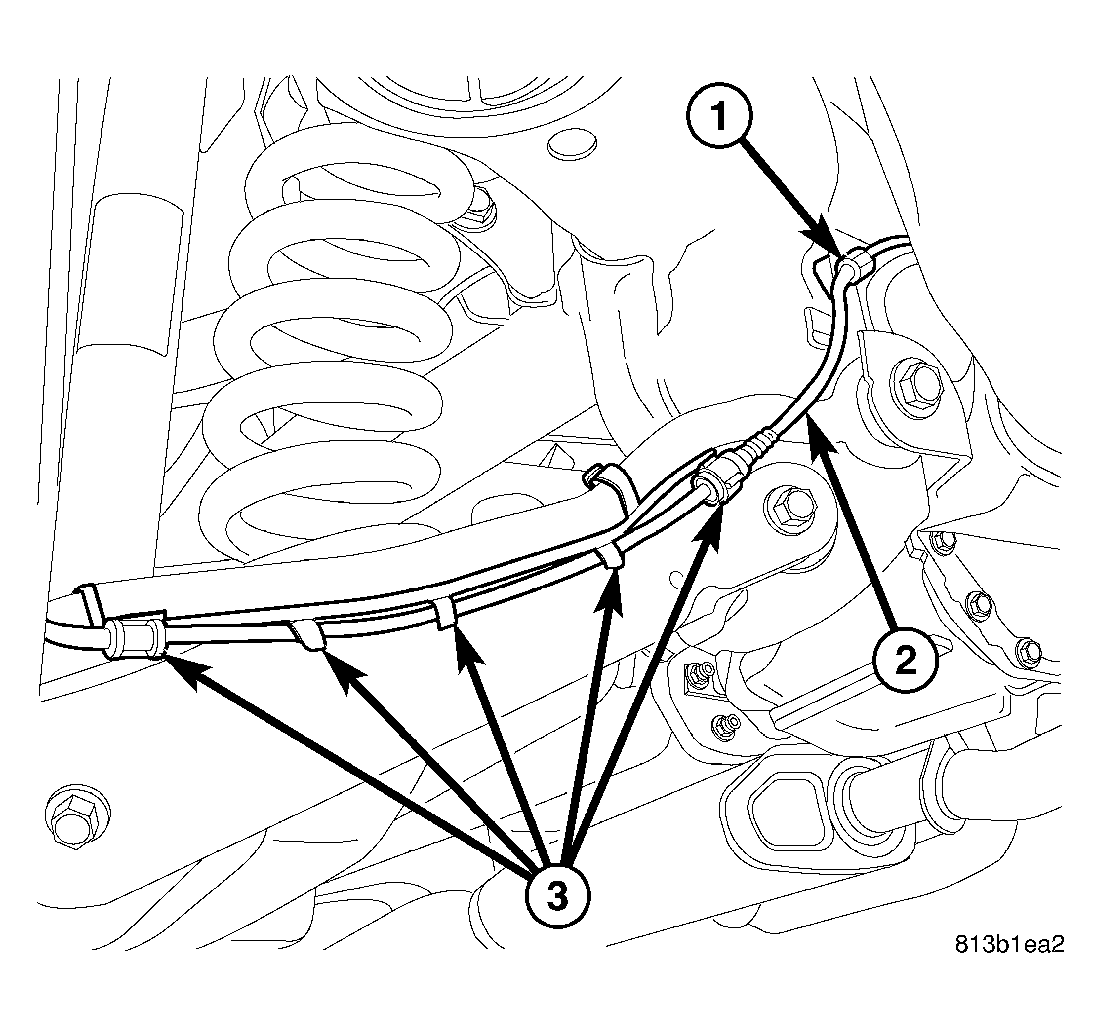
- Unclip left sensor cable (2) from routing clip (1) above toe link mount on rear crossmember.
 Courtesy of CHRYSLER LLC
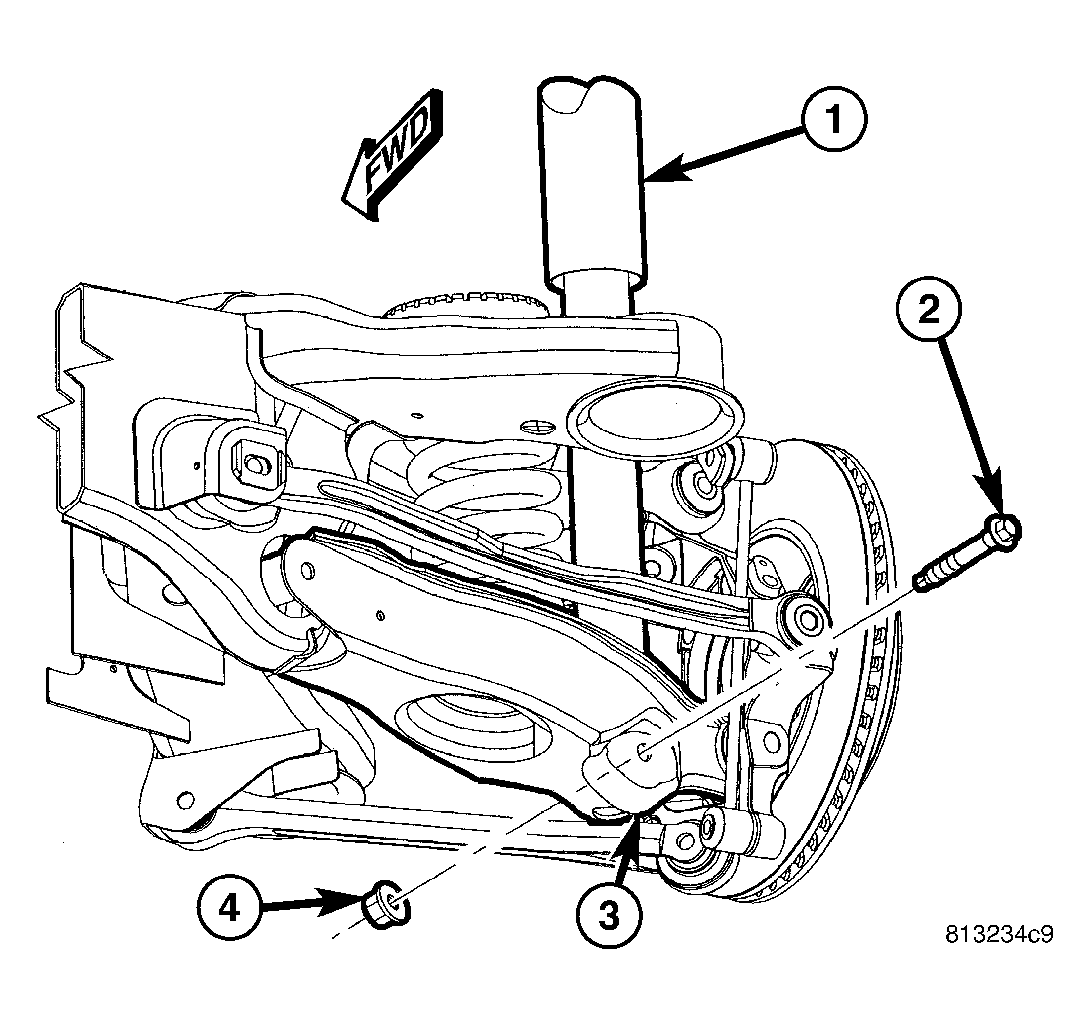
- On each side of vehicle, remove shock absorber (1) lower mounting bolt (2) and nut (4).
 Courtesy of CHRYSLER LLC
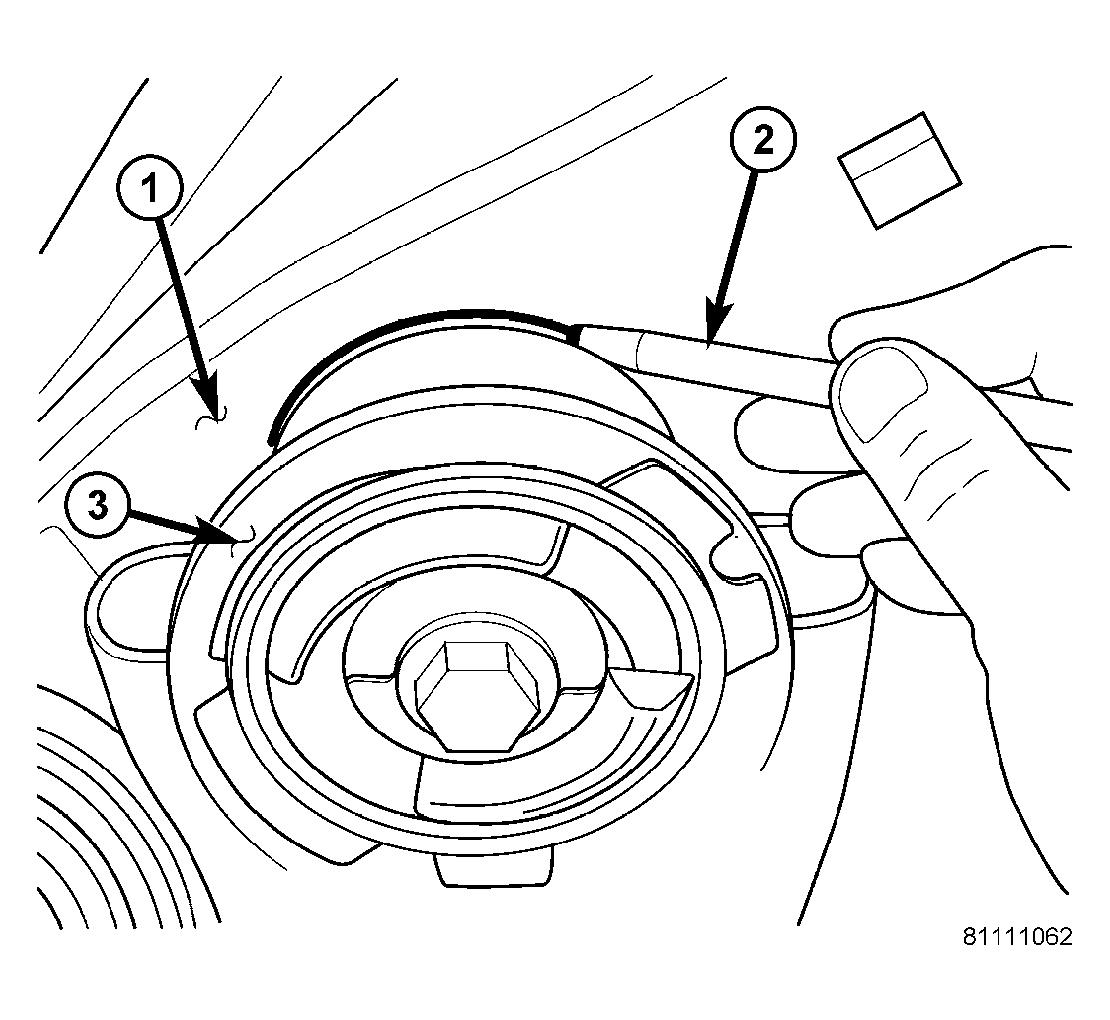
| 1 - BODY |
| 2 - MARKER (OR CRAYON) |
| 3 - CROSSMEMBER BUSHING FLANGE |
- Carefully mark location of rear crossmember on body at all four mount (bushing) locations using a marker or crayon. Do not use a scratch awl to mark location.
- Position an extra pair of jack stands under and support forward end of engine cradle to help stabilize vehicle during rear suspension removal/installation.
 Courtesy of CHRYSLER LLC
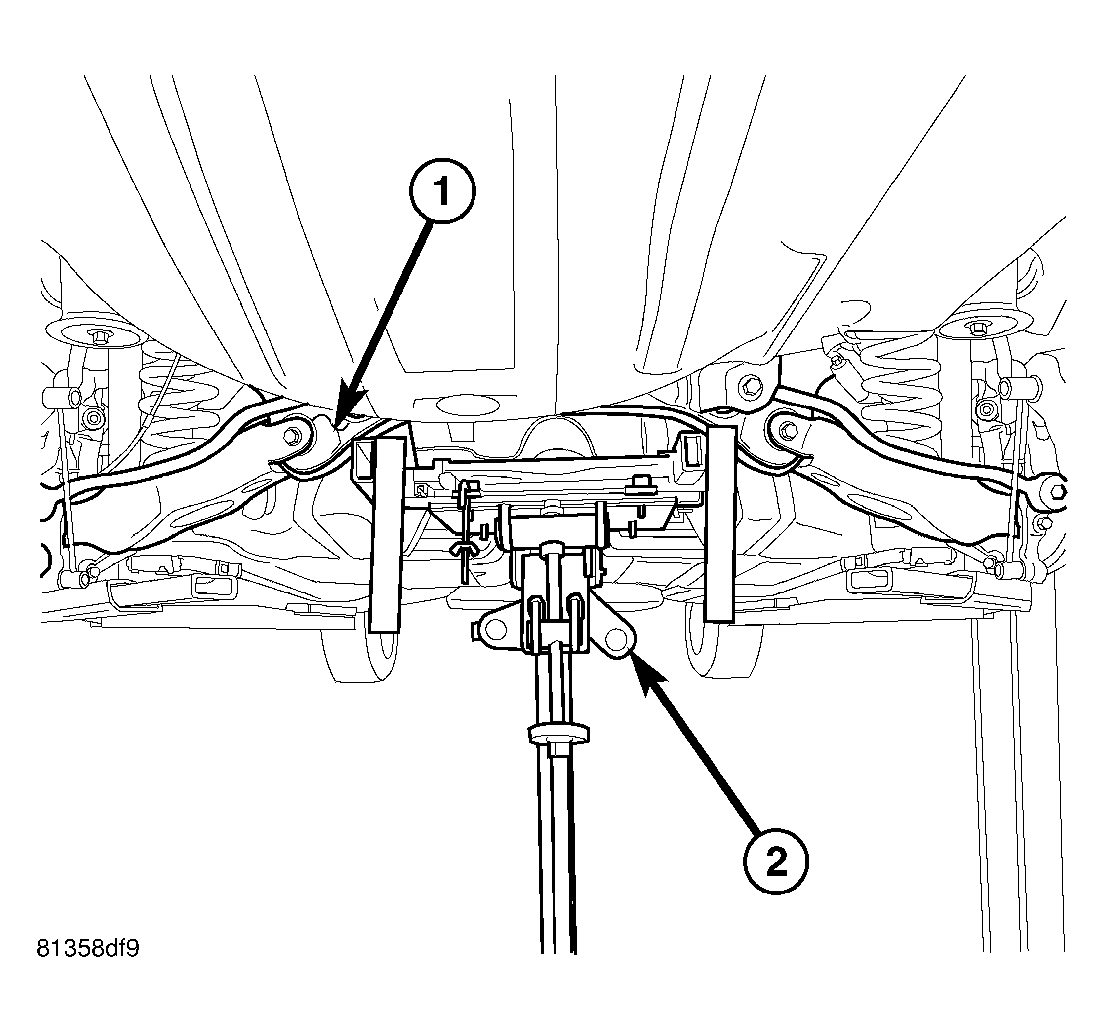
- Position under-hoist utility jack or transmission jack (2) under center of rear crossmember (1). Raise jack head to contact crossmember and secure in place. When securing crossmember to jack, be sure not to secure stabilizer bar.
 Courtesy of CHRYSLER LLC
WARNING:
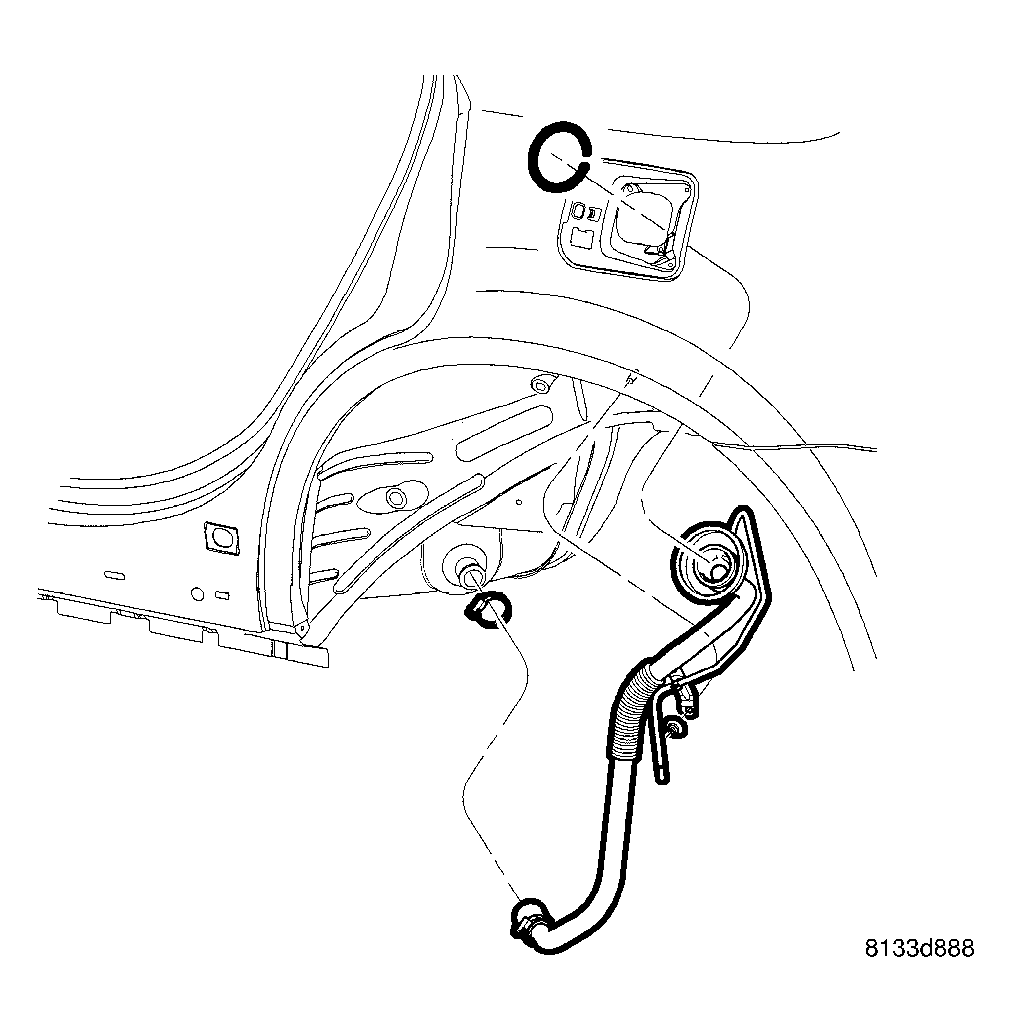
Before opening fuel system, review all Warnings and Cautions.
- Remove fuel filler tube. Refer to REMOVAL
.
 Courtesy of CHRYSLER LLC
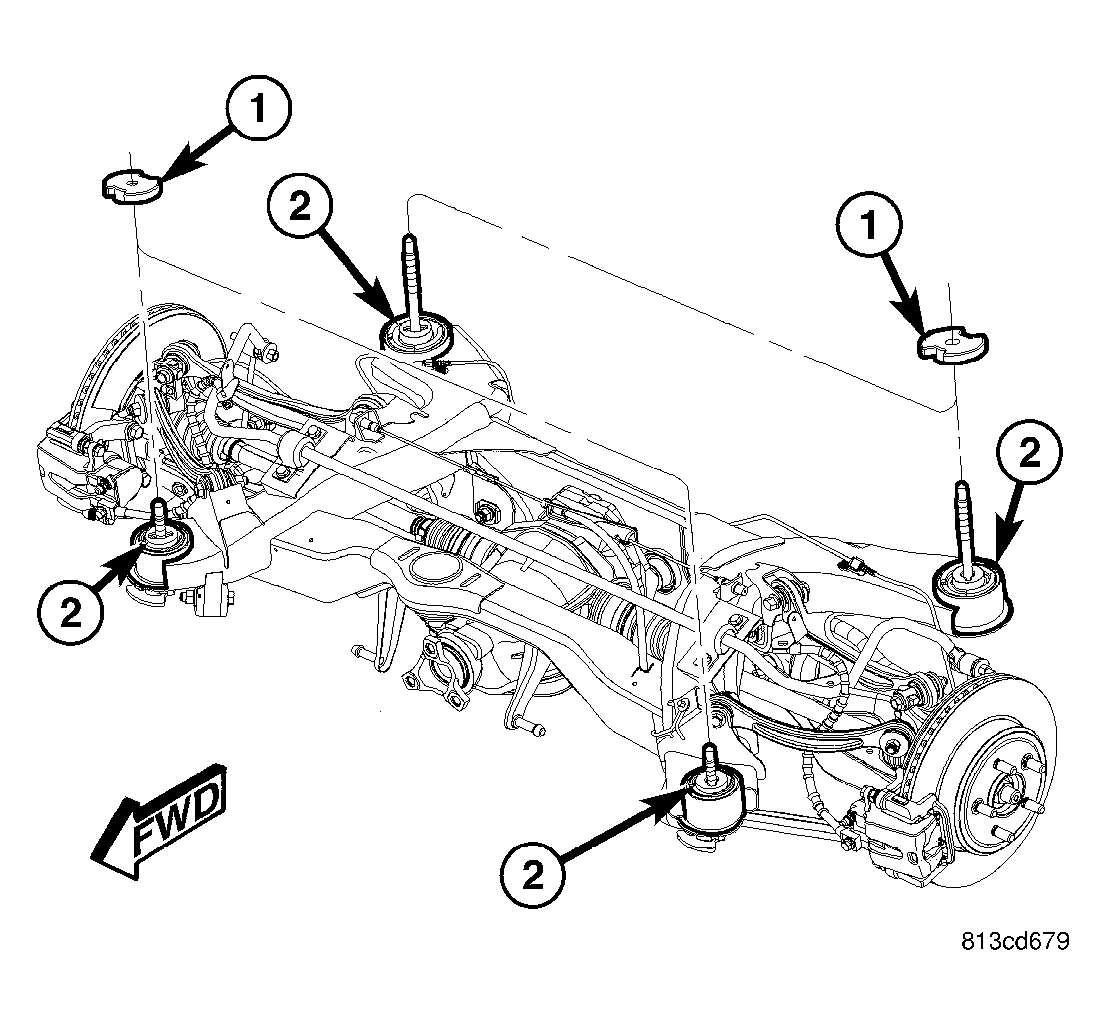
NOTE:
If equipped with AWD, when removing crossmember mounting bolts in following step, be sure to not to misplace spacers (1) between crossmember mounts (2) and body.
 Courtesy of CHRYSLER LLC
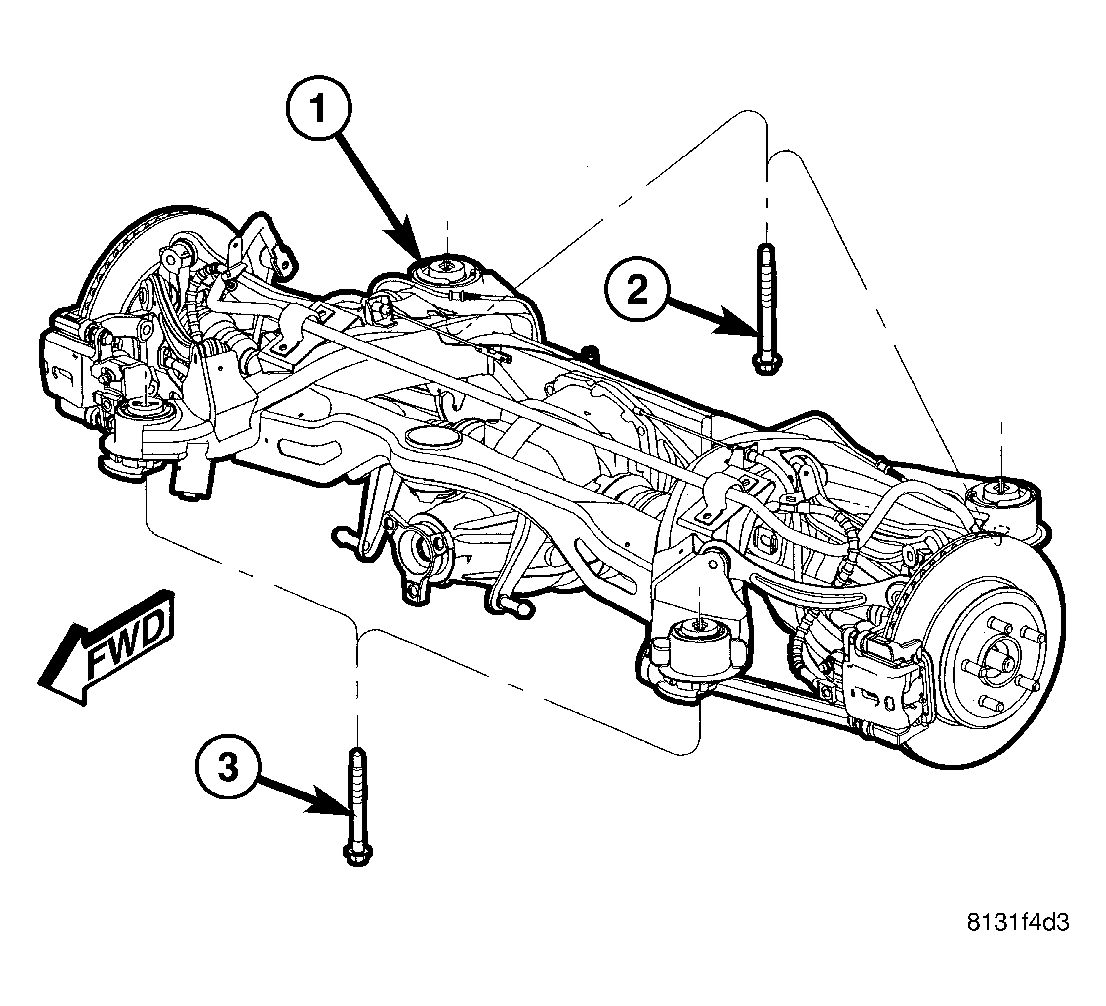
- Remove both front (3) and both rear (2) mounting bolts fastening crossmember (1) in place.
- Slowly
lower crossmember using jack until crossmember is at a comfortable working level to access link and stabilizer bar fasteners.
 Courtesy of CHRYSLER LLC
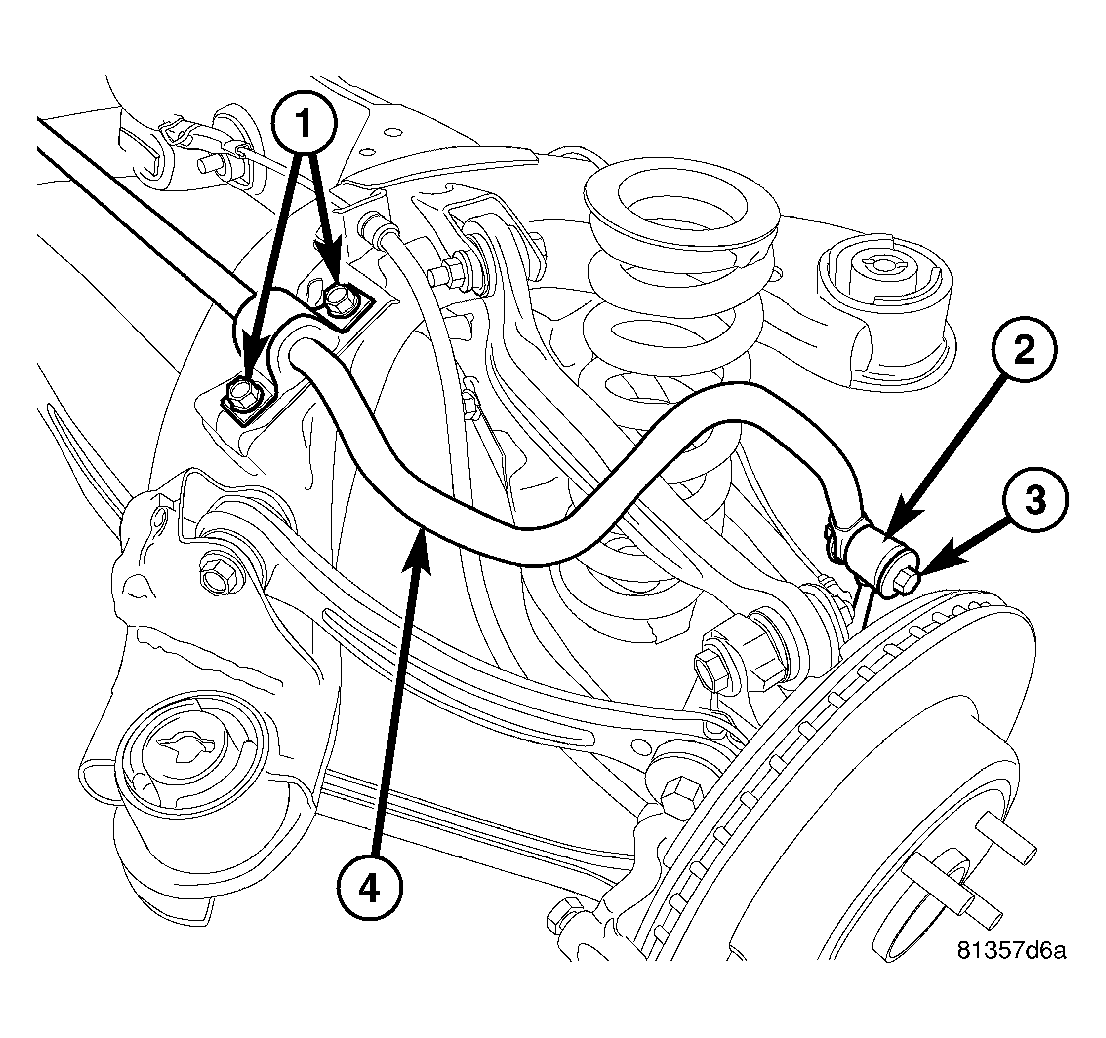
- On each end, remove bolt (3) and nut fastening stabilizer bar (4) to stabilizer link (2).
- Remove bolts (1) fastening each stabilizer bar cushion retainer to crossmember.
- Remove stabilizer bar (4) with cushions and retainers.
 Courtesy of CHRYSLER LLC
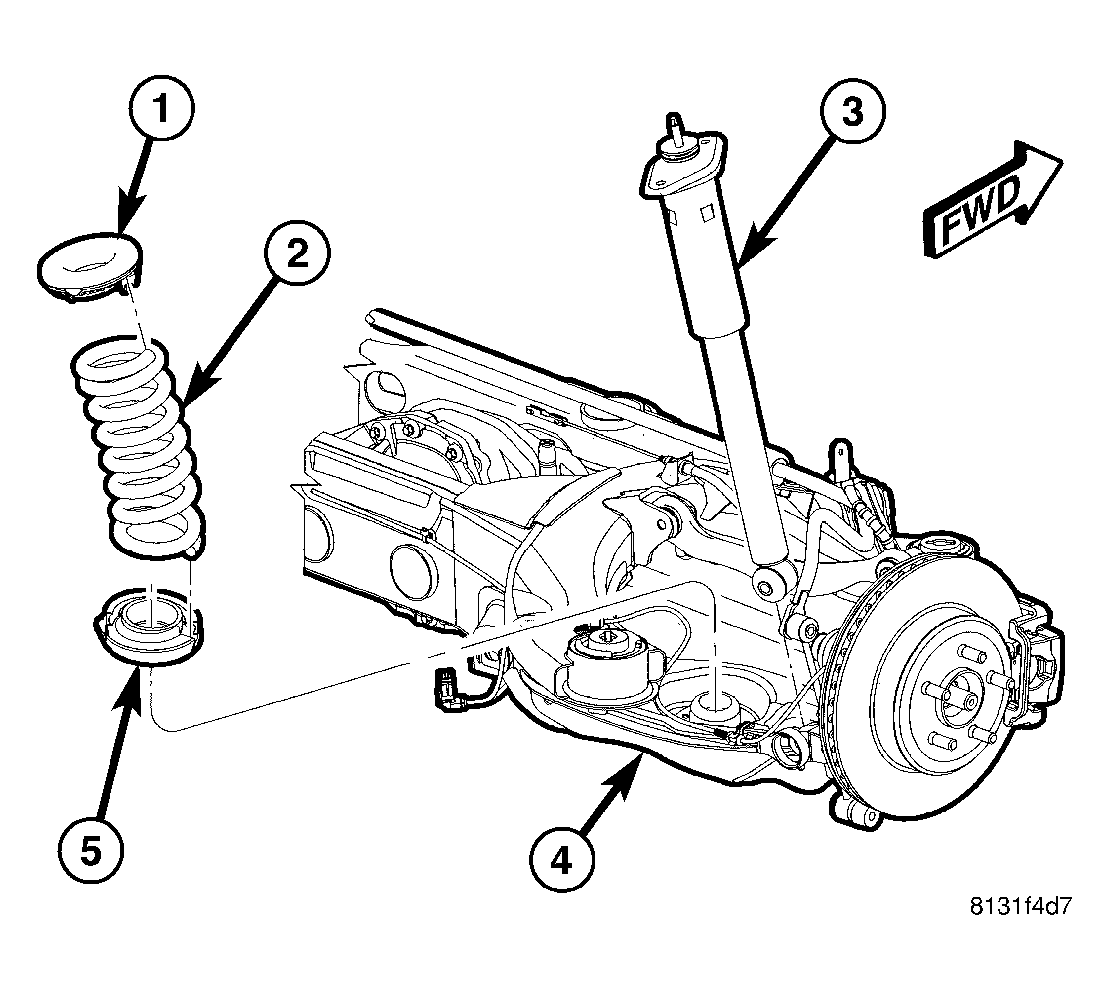
- Remove coil springs and isolators (1, 2 and 5) from spring links.
 Courtesy of CHRYSLER LLC
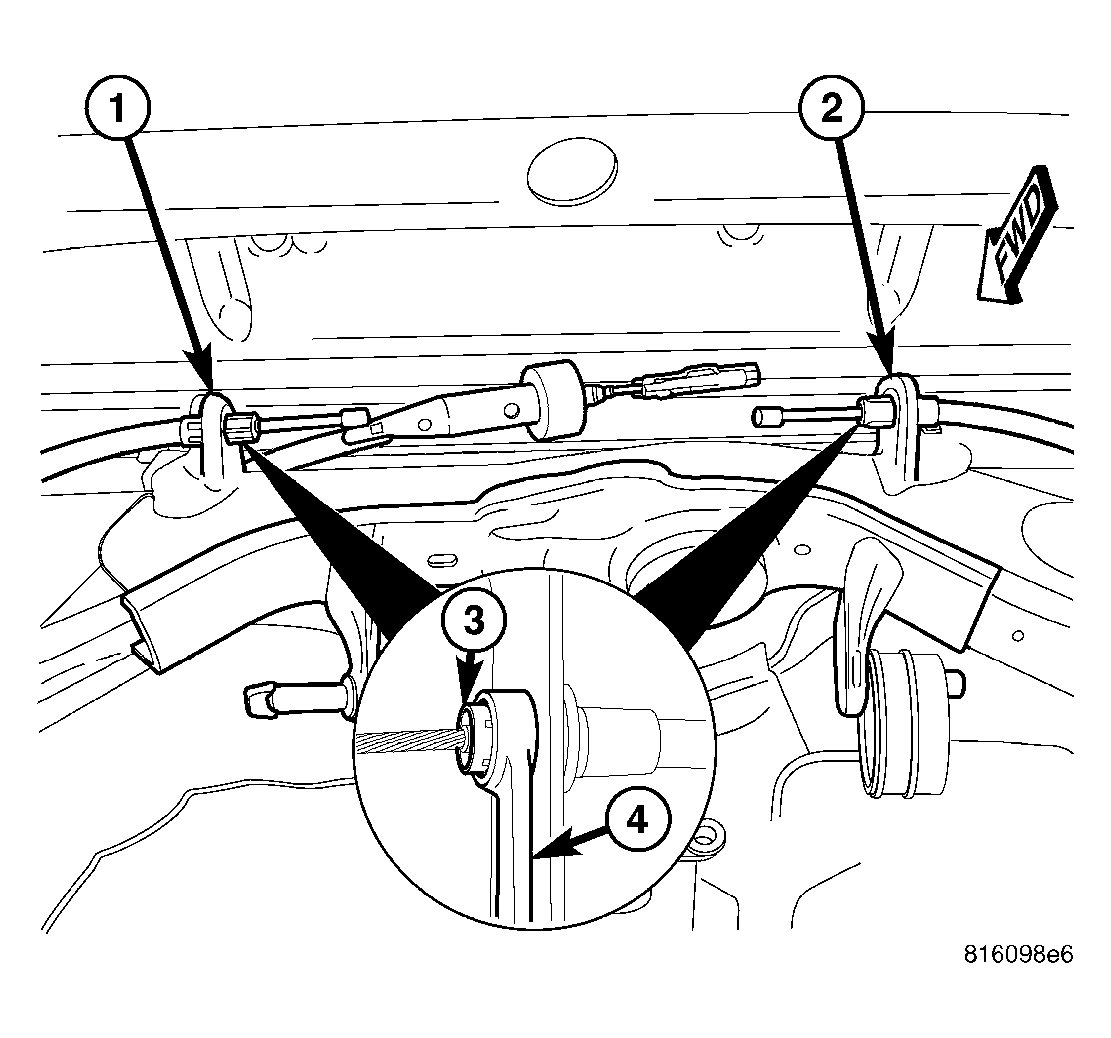
- For each parking brake cable, place 13 mm 12-point box wrench (4) over cable strand and completely onto cable retainer (3) as shown in illustration at crossmember bracket (1 - left) (2 - right). It may be necessary to wiggle wrench around somewhat to collapse retainer fingers. With wrench in place, pull cable from bracket.
 Courtesy of CHRYSLER LLC
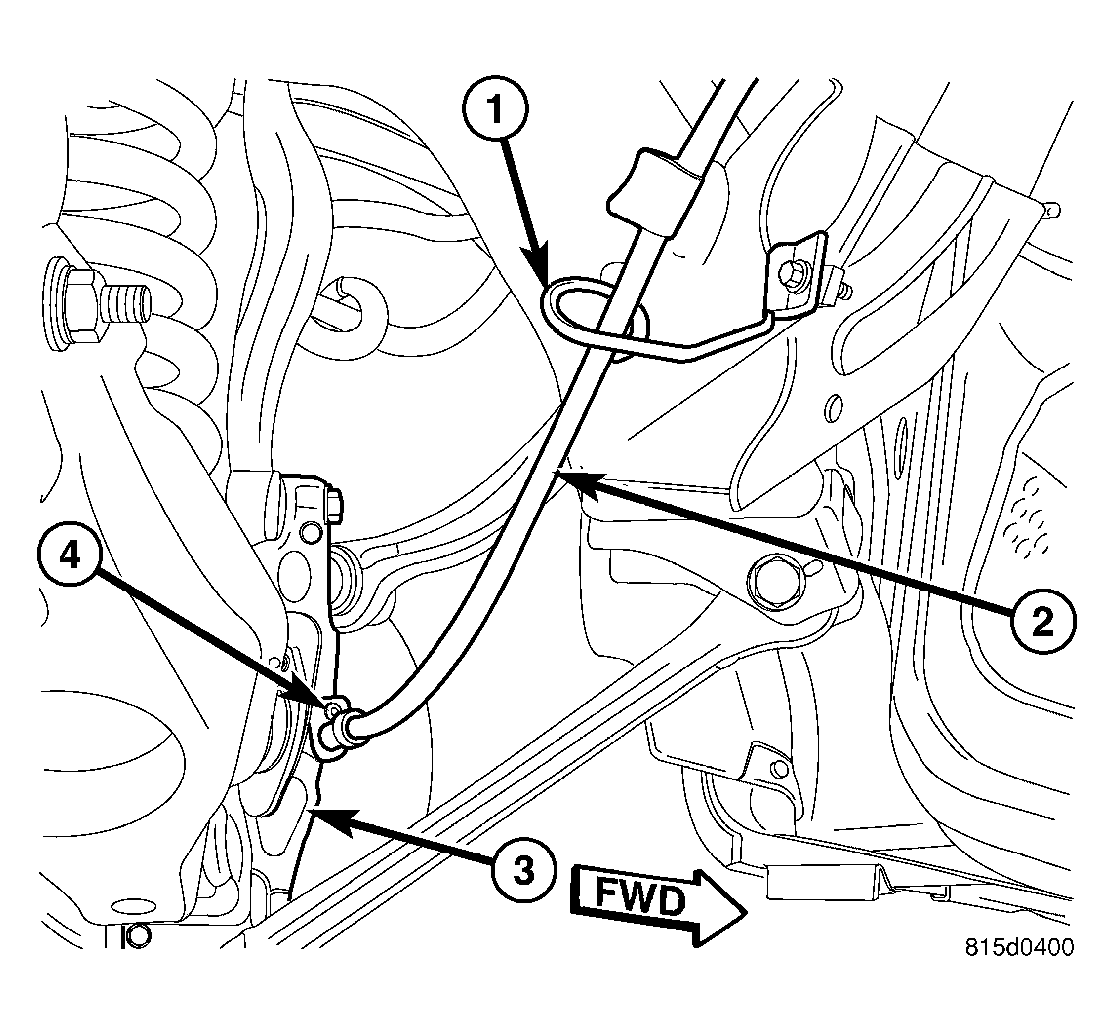
- On each side, remove screw fastening parking brake cable routing guide (1) to crossmember. Remove J-nuts from crossmember.
 Courtesy of CHRYSLER LLC
NOTE:
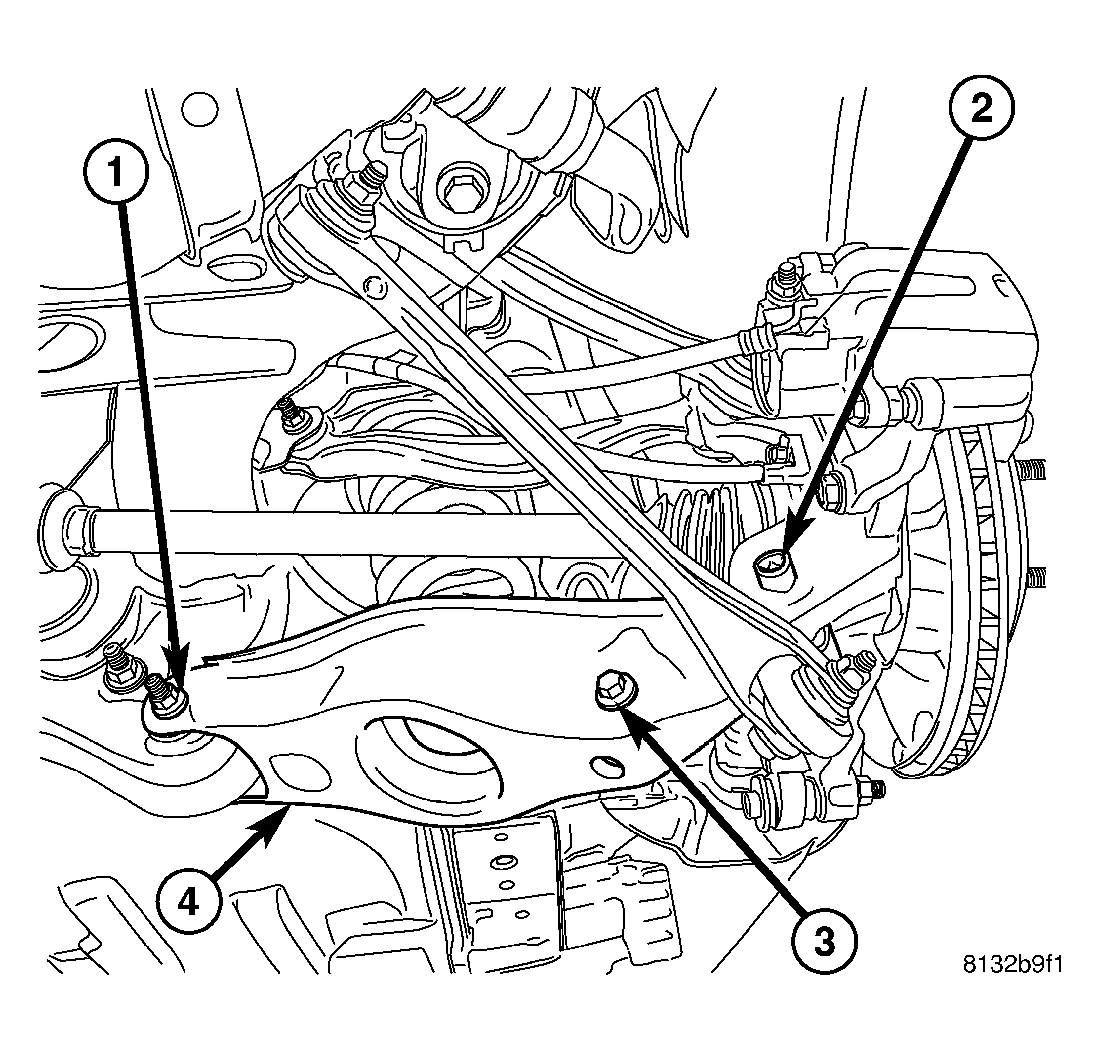
For installation purposes, when removing fasteners for any rear suspension links, it is important to note which bolt fastens what component and in what direction it is installed in.
- On each side of crossmember, remove bolt and nut (1) fastening spring link (4) to crossmember.
 Courtesy of CHRYSLER LLC
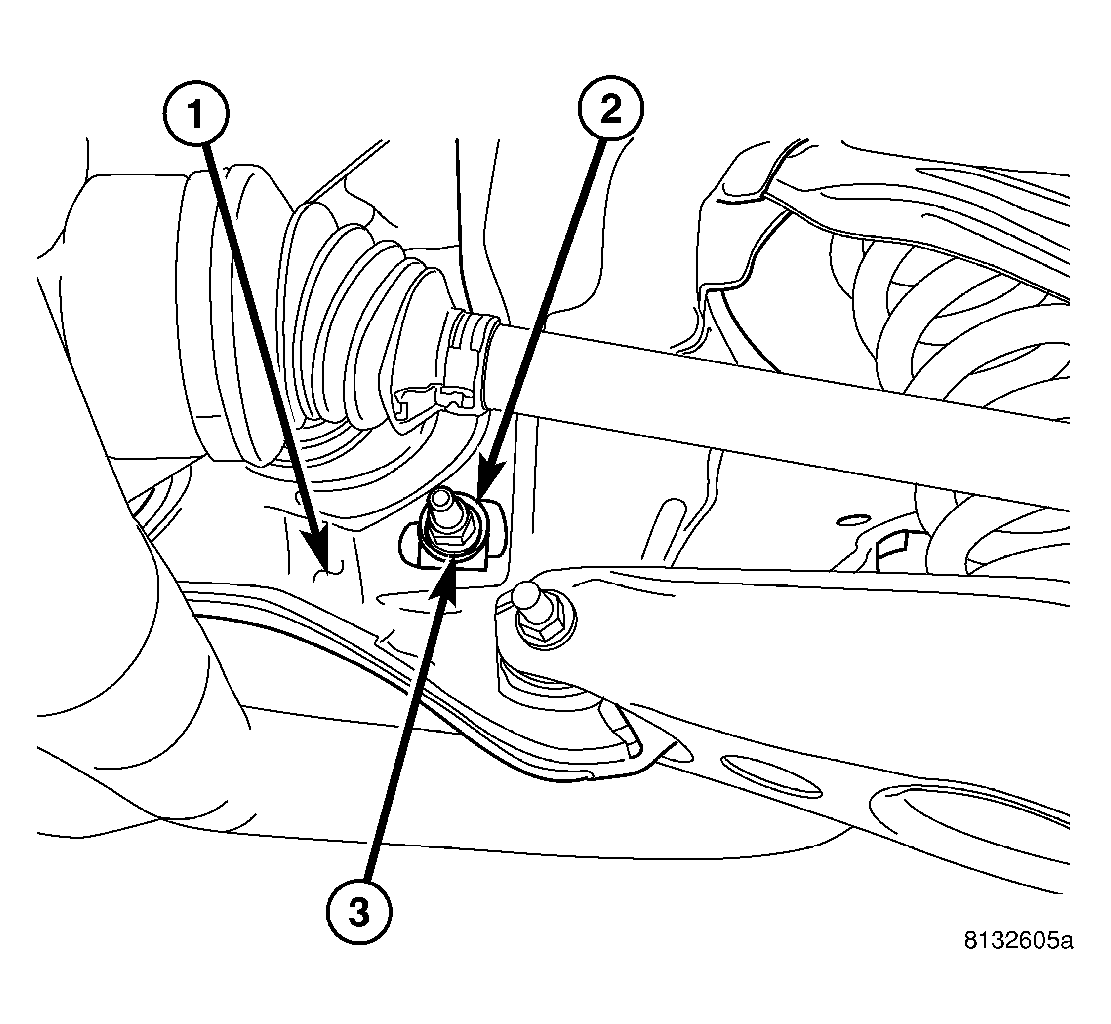
- On each side of crossmember, while holding toe adjustment cam bolt from rotating, remove nut (3) securing toe link at crossmember (1).
 Courtesy of CHRYSLER LLC
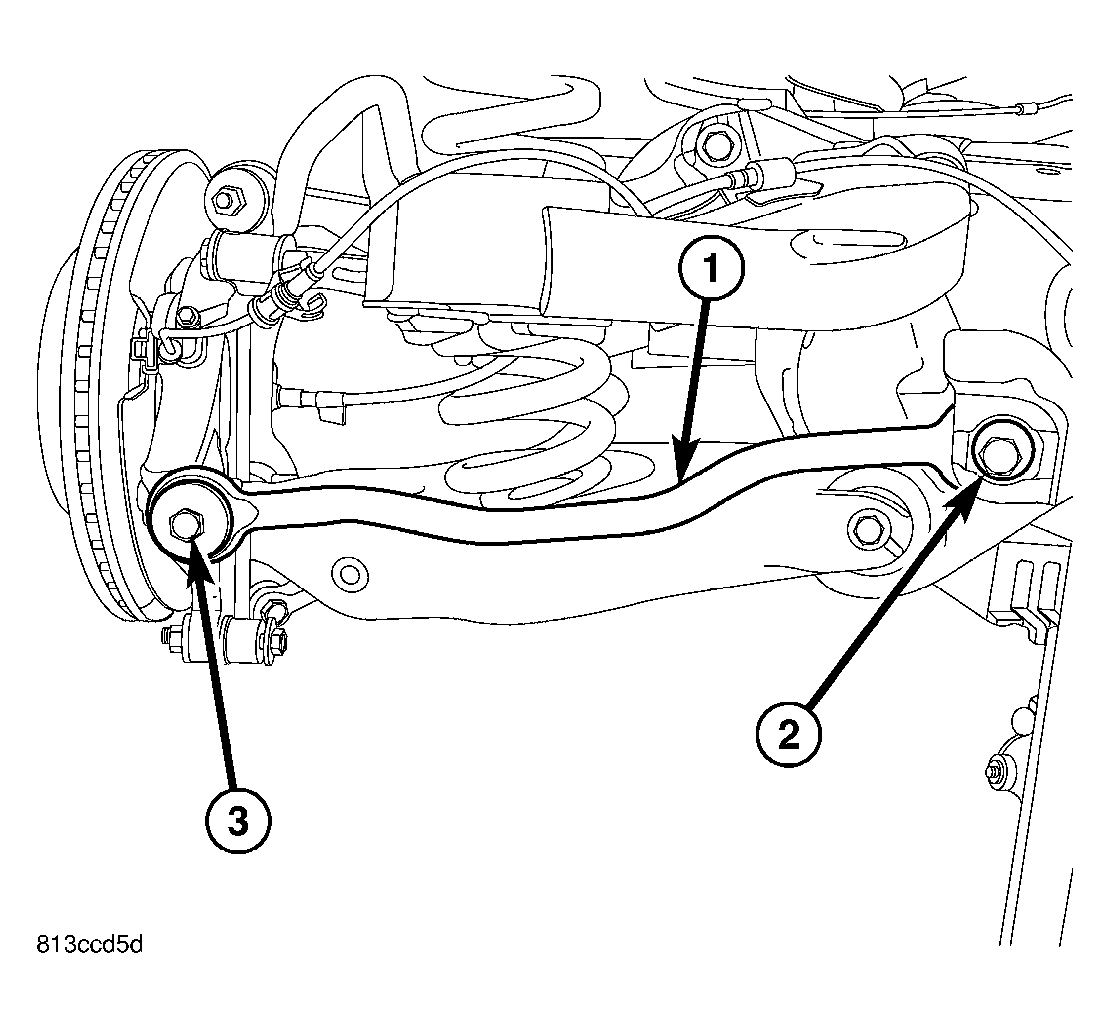
- On each side of crossmember, slide cam bolt (2) attaching toe link rearward, out of crossmember and link (1).
 Courtesy of CHRYSLER LLC
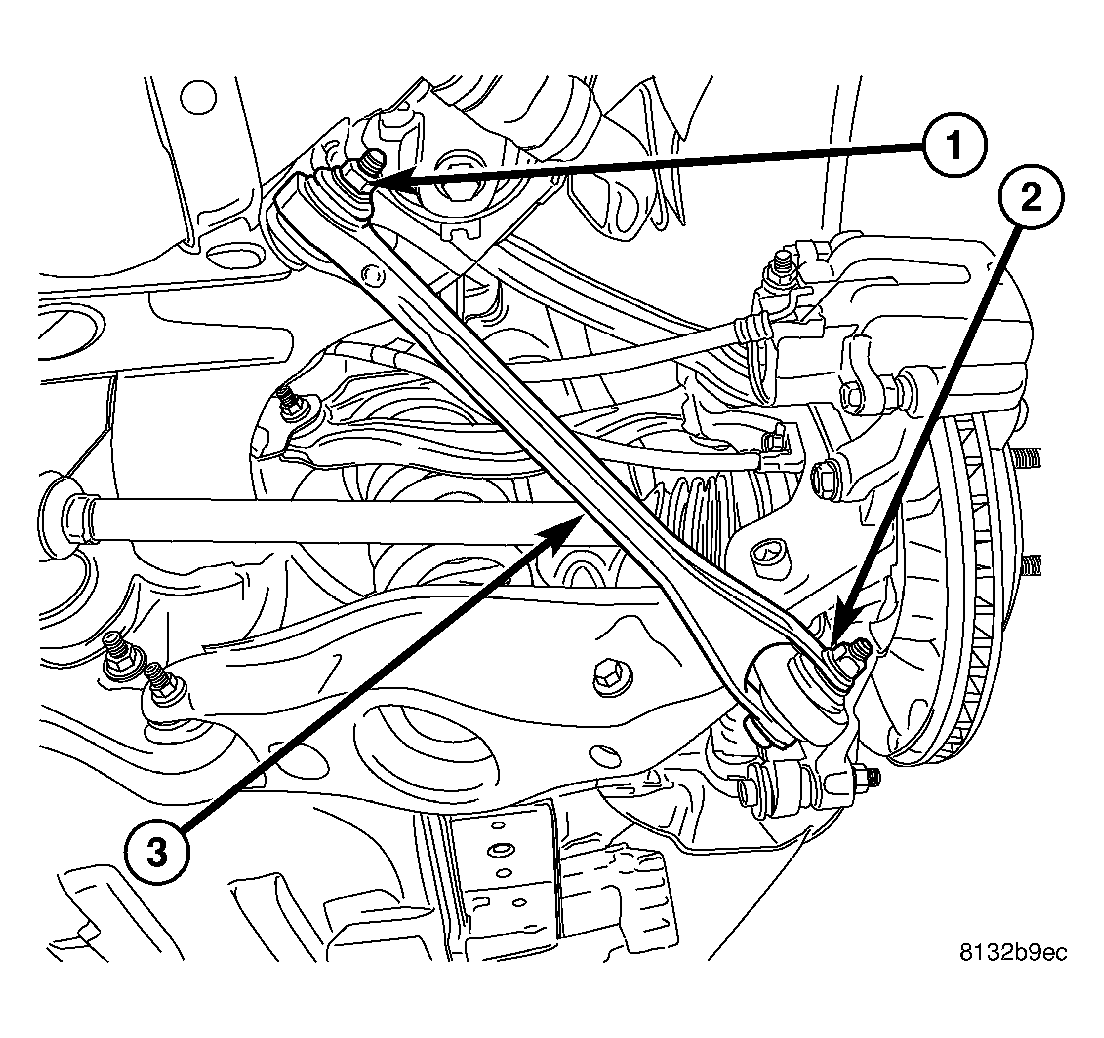
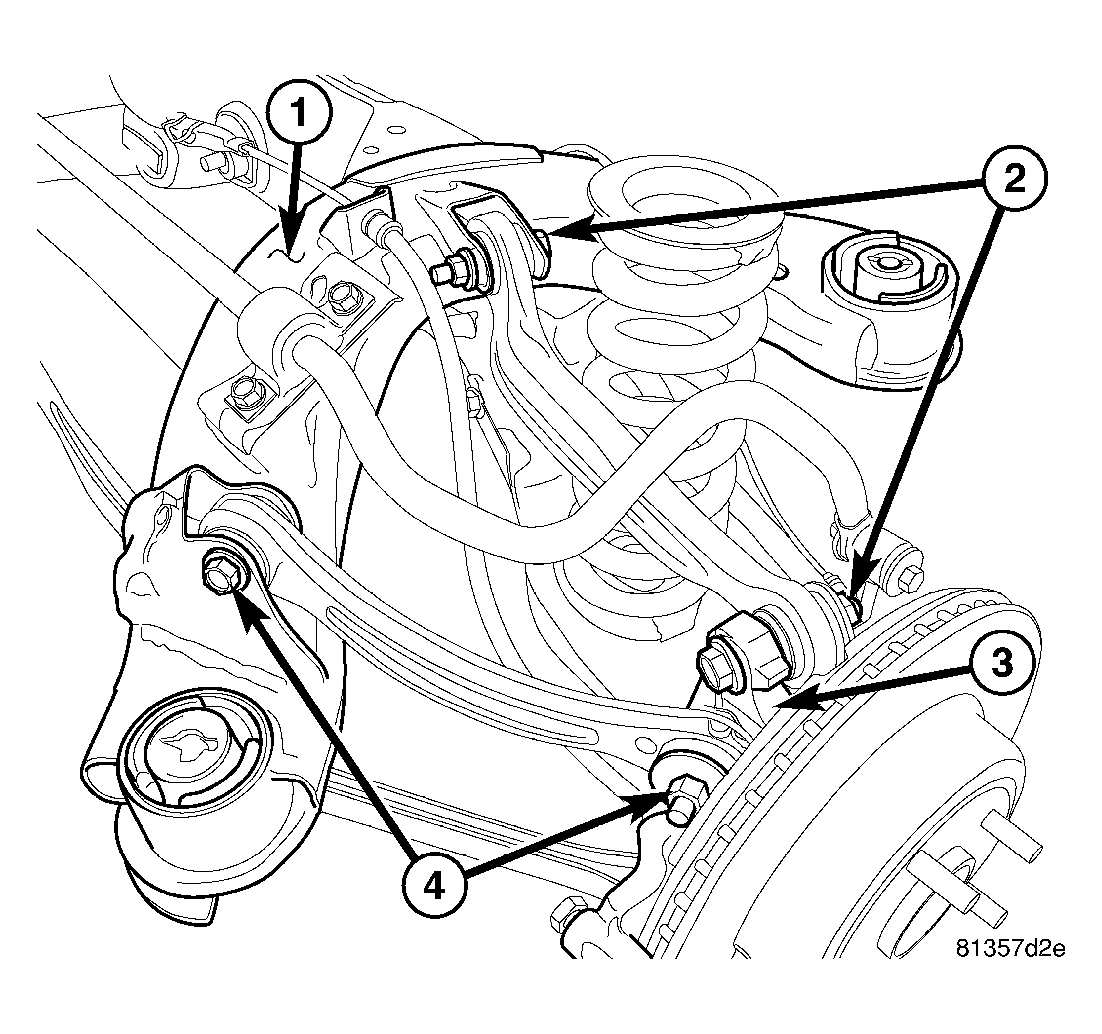
- On each side of crossmember, remove bolt and nut (1) mounting link (3) at crossmember.
 Courtesy of CHRYSLER LLC
- On each side of crossmember, remove nut and bolt (4) mounting tension link to crossmember (1).
- On each side of crossmember, remove nut and bolt (2) mounting camber link to crossmember (1).
- Carefully lift knuckle with links and parking brake cable attached from rear suspension crossmember.
- Remove crossmember from jack.