Shift Lock Solenoid Test/Replacement
- Remove the center lower cover (see
CENTER LOWER COVER REMOVAL/INSTALLATION
).
- Remove the shift lever console trim (see
SHIFT LEVER TRIM REMOVAL/INSTALLATION
).
- Shift the shift lever into the R position.
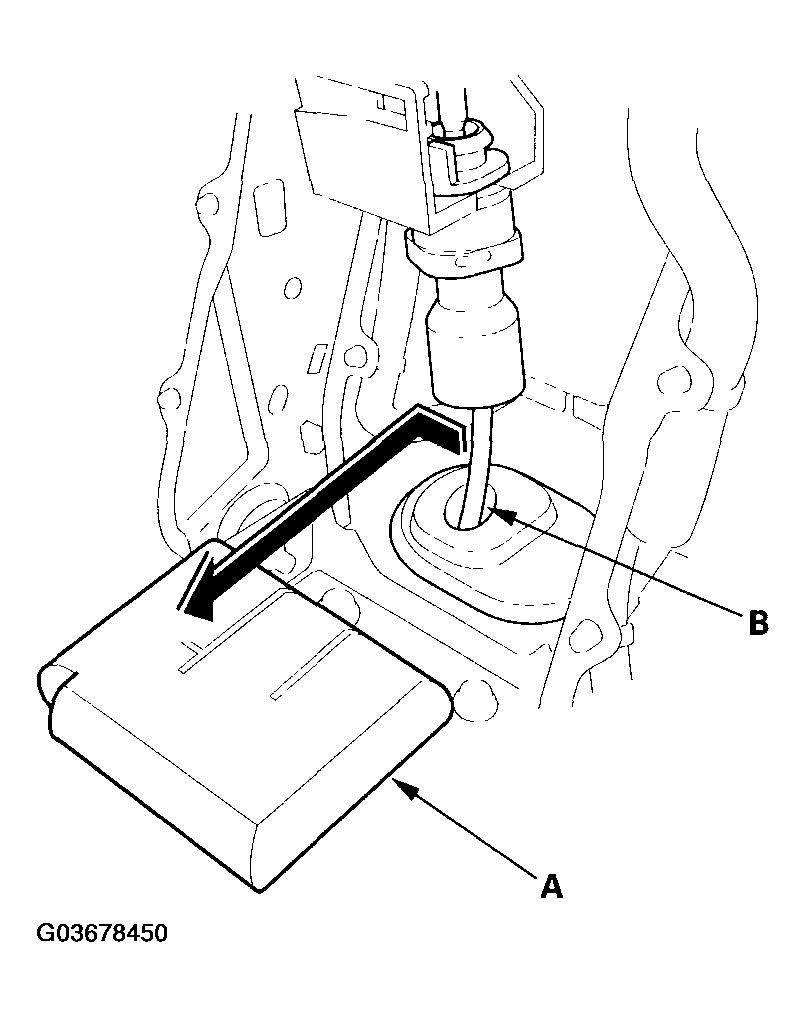
- Remove the shift cable insulator (A) from the shift cable (B).
 Courtesy of AMERICAN HONDA MOTOR CO., INC.
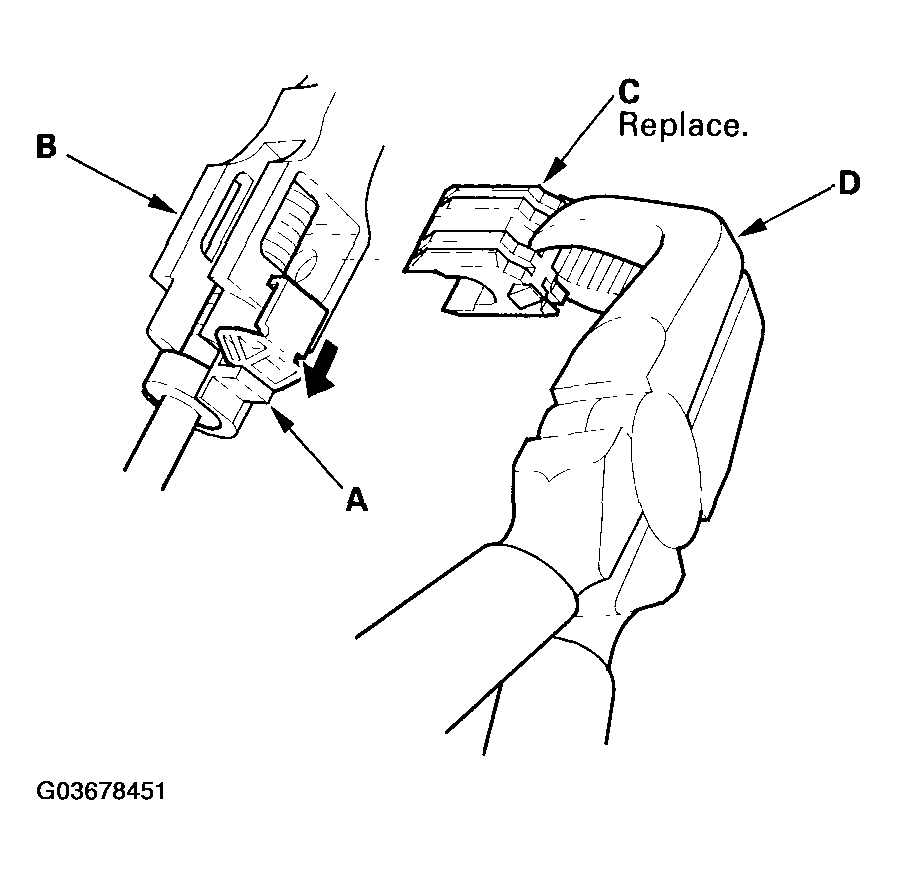
- Slide the lock tab (A) down on the shift cable end holder (B).
 Courtesy of AMERICAN HONDA MOTOR CO., INC.
- Grasp the shift cable lock (C) in the middle with angle-jaw needle-nose pliers (D), and remove it from the shift cable end and shift cable end holder. Do not pry the shift cable lock with a screwdriver, it may damage the shift cable end holder.
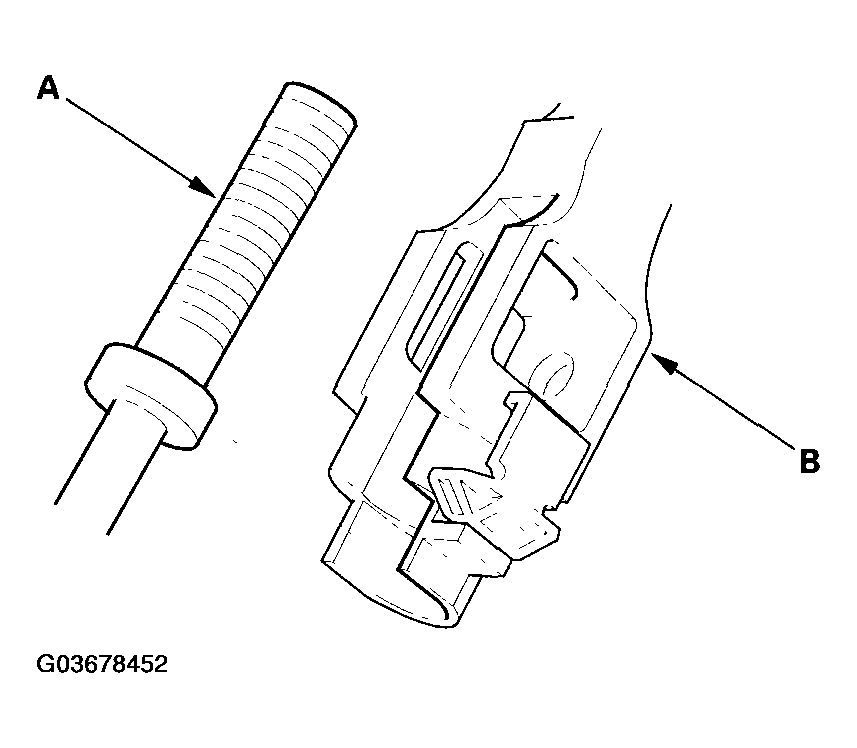
- Separate the shift cable end (A) from the shift cable end holder (B).
 Courtesy of AMERICAN HONDA MOTOR CO., INC.
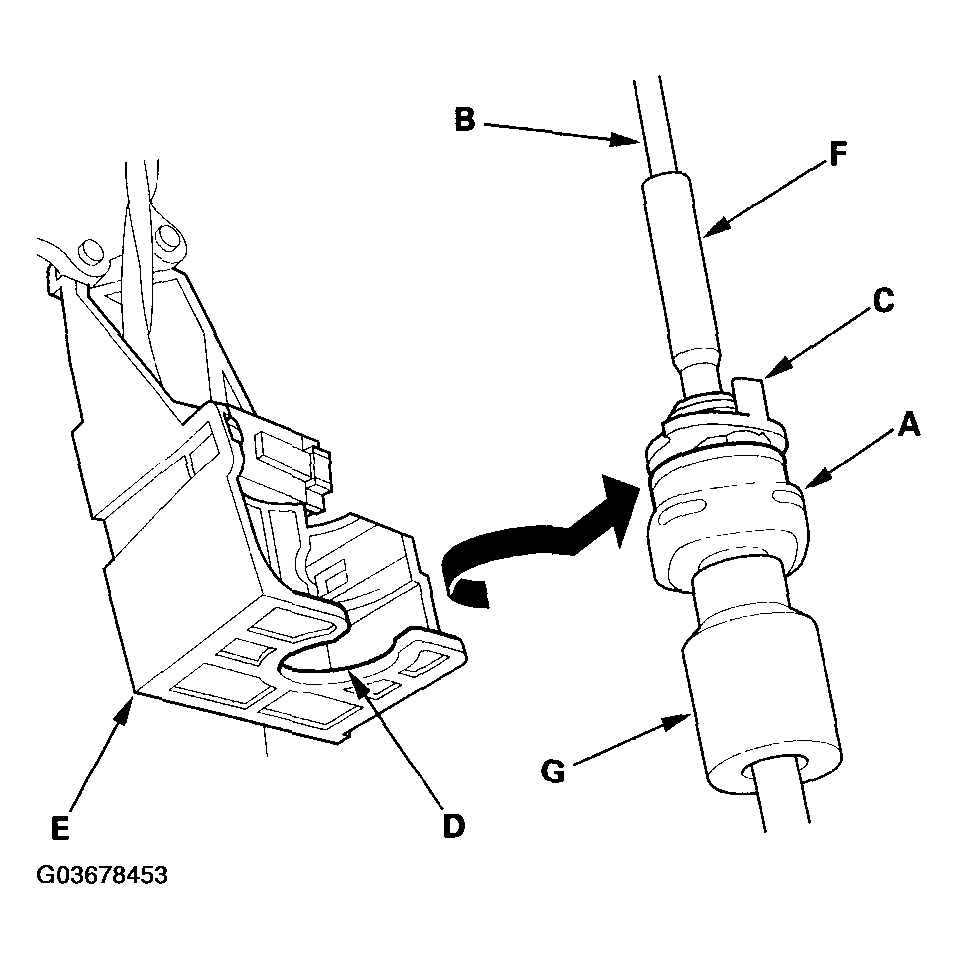
- Rotate the socket holder (A) on the shift cable (B) a quarter turn; the tab (C) on the socket holder will be in the opening (D) of the shift cable bracket (E). Then slide the holder to remove the shift cable from the shift cable bracket. Do not remove the shift cable by twisting the shift cable guide (F) and damper (G).
 Courtesy of AMERICAN HONDA MOTOR CO., INC.
- Remove the shift lever mounting bolts.
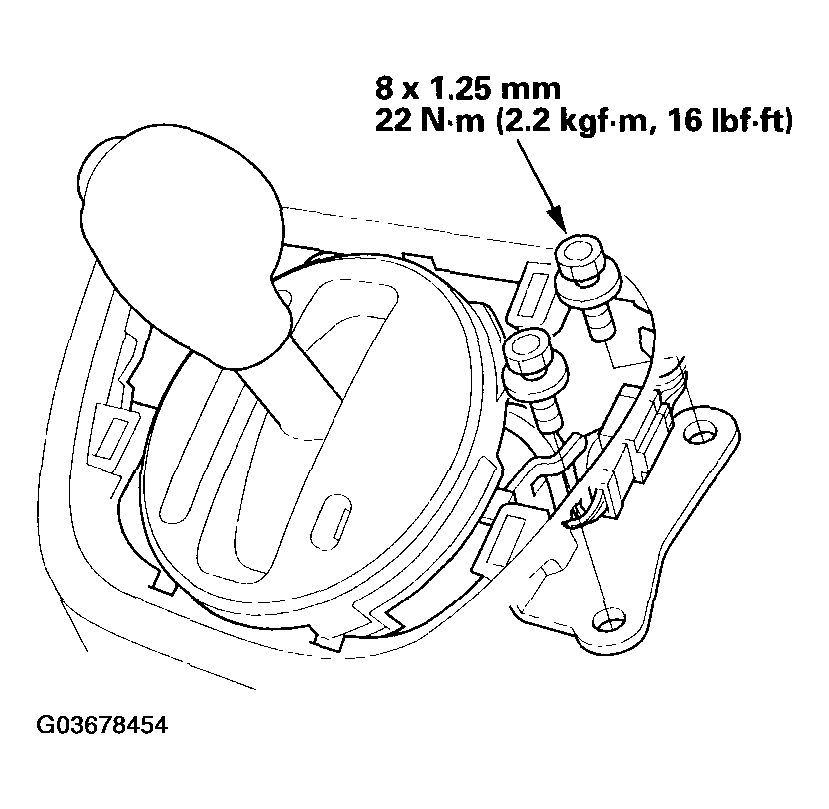 Courtesy of AMERICAN HONDA MOTOR CO., INC.
- Remove the shift lever mounting bolt (A), and remove the shift cable bracket (B).
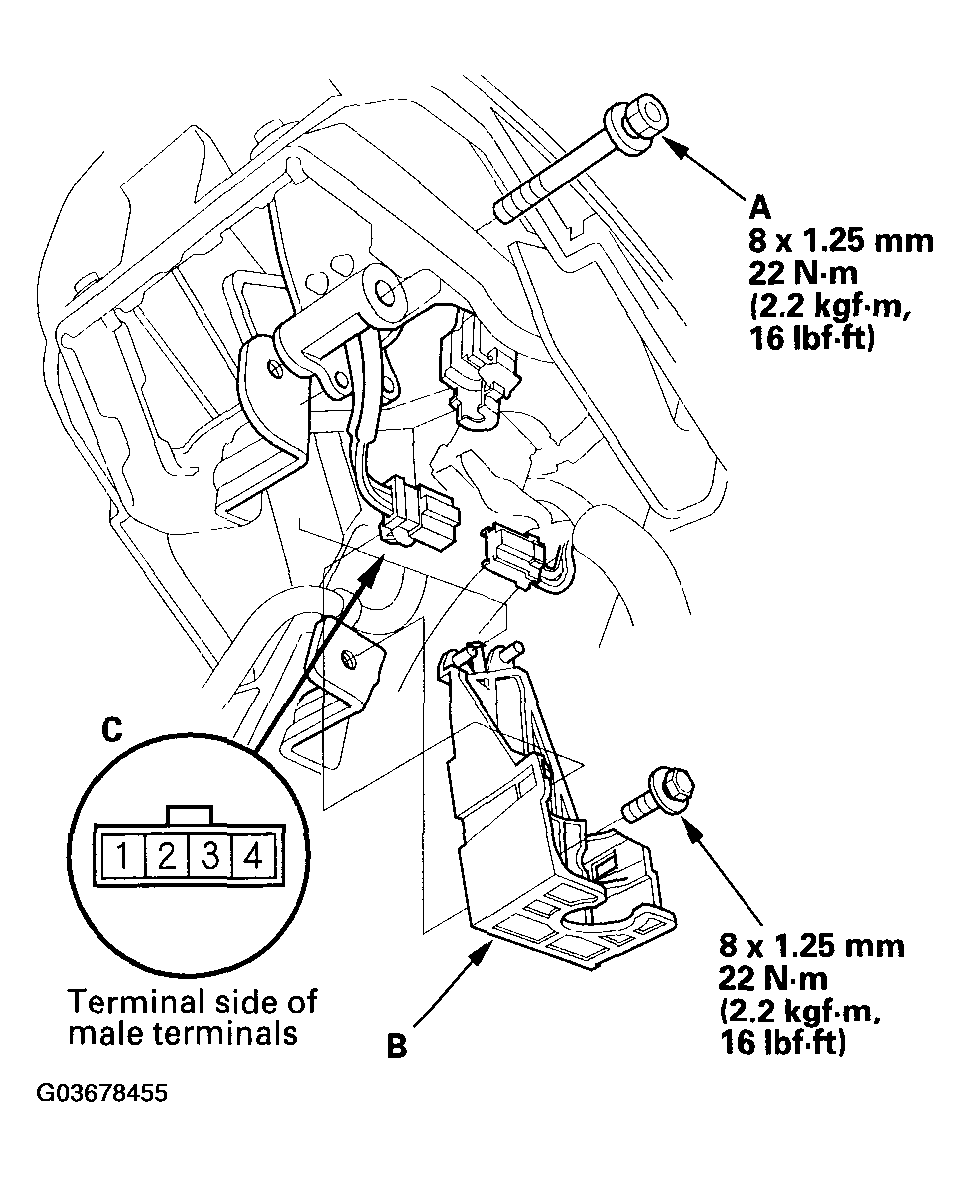 Courtesy of AMERICAN HONDA MOTOR CO., INC.
- Remove the O/D switch/shift lock solenoid connector (C), then disconnect the connector.
- Connect the battery positive terminal to O/D switch/shift lock solenoid connector terminal No. 3, and connect the battery negative terminal to connector terminal No. 4. Do not connect the battery positive terminal to the terminal No. 4 or you will damage the diode inside the solenoid.
- Check that the shift lever can be moved from the P position. Release the battery terminals, move the shift lever back to the P, and make sure it locks.
- If the shift lock solenoid works properly, connect the connector, and install the removed parts. If the shift lock solenoid is faulty, go to step 15, and replace the shift lock solenoid.
- Remove the shift lever assembly.
- Pry the O/D switch cover (A), and remove it.
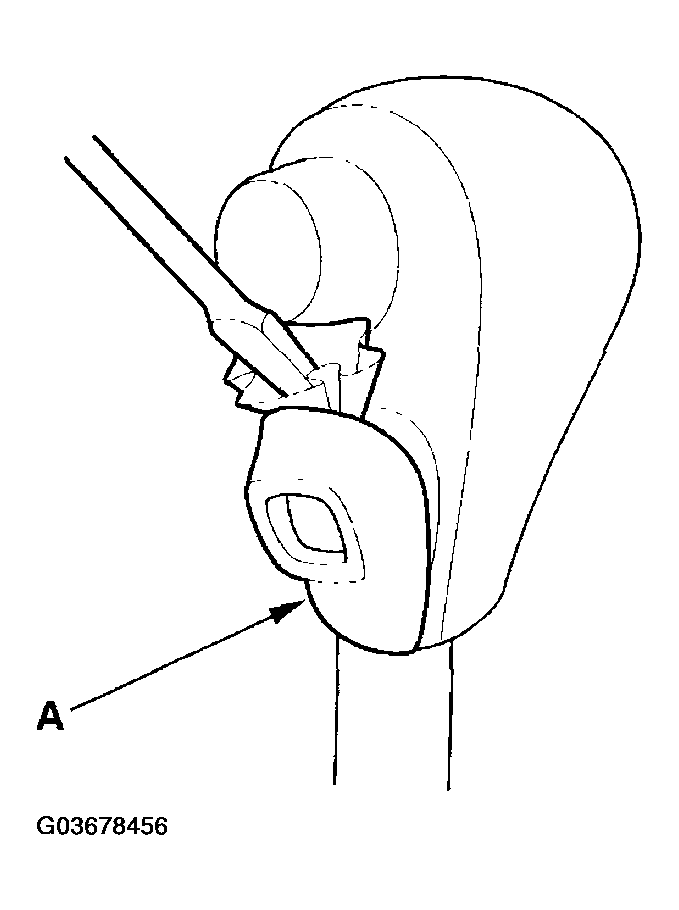 Courtesy of AMERICAN HONDA MOTOR CO., INC.
- Remove the O/D switch (A) by expanding its locks, and remove the screws (B), shift lever button (C), spring (D), and shift lever knob (E).
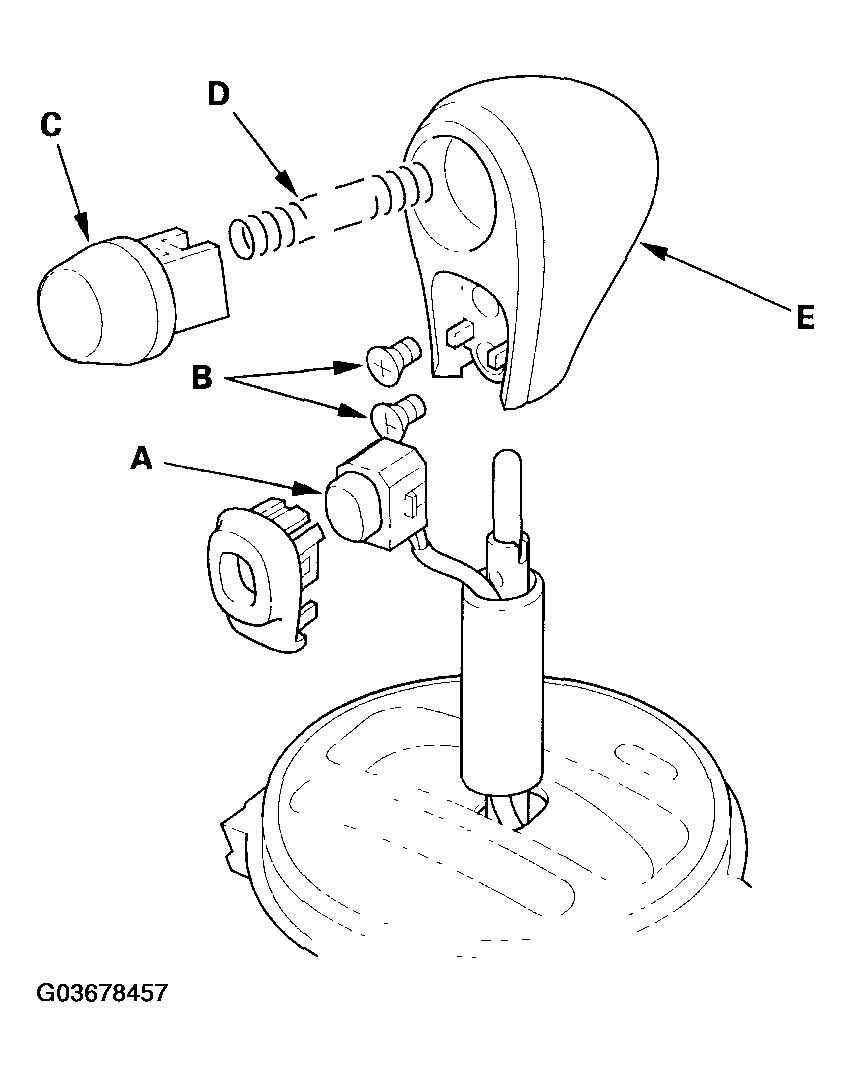 Courtesy of AMERICAN HONDA MOTOR CO., INC.
- Remove the A/T gear position indicator panel light socket (A), then separate the A/T gear position indicator panel (B) from the shift lever bracket (C).
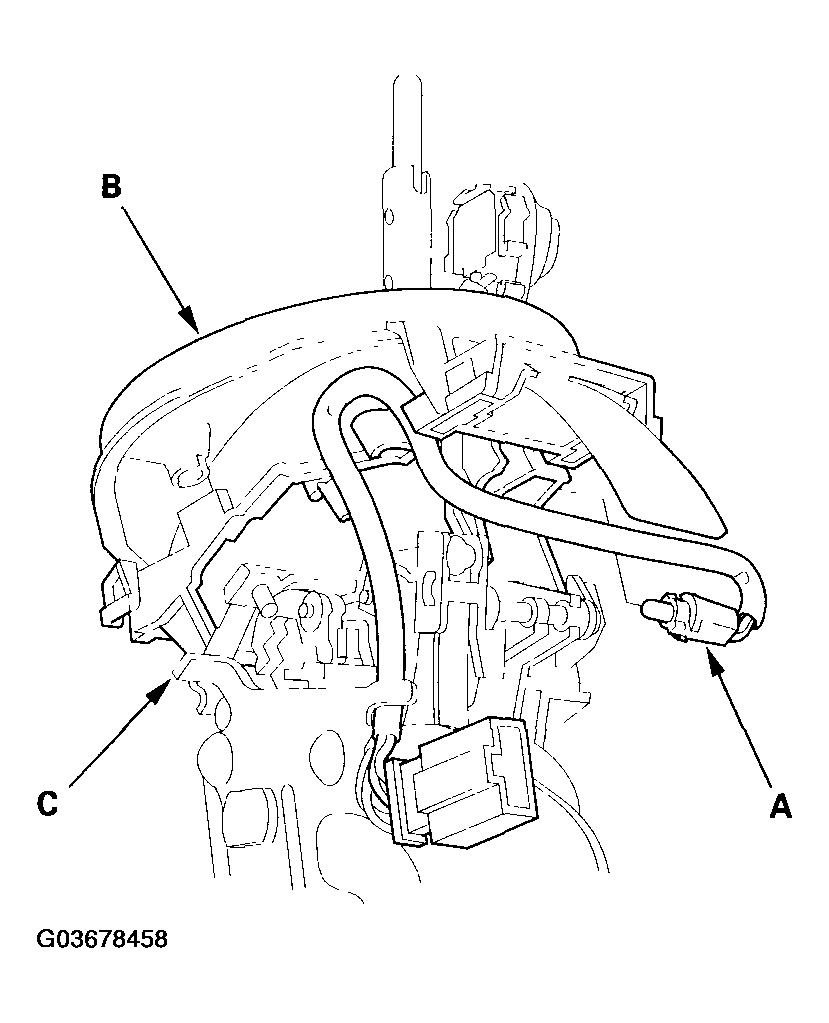 Courtesy of AMERICAN HONDA MOTOR CO., INC.
- Pry the lock tabs on the back of the O/D switch/shift lock solenoid connector (A), and remove the back cover (B).
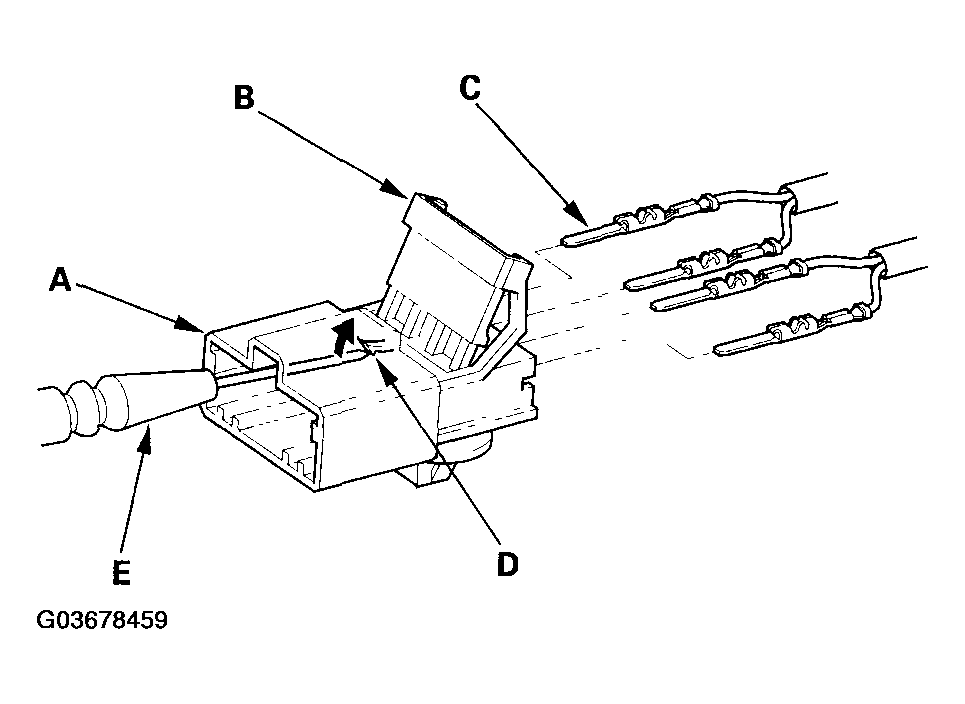 Courtesy of AMERICAN HONDA MOTOR CO., INC.
- Remove the terminal (C) from the connector by pushing the lock tab (D) up in the connector using a thin blade screwdriver (E). Remove all four terminals.
- Remove the shift lock solenoid harness clamp from the shift lever bracket, and remove the shift lock solenoid.
- Replace the shift lock solenoid.
- Install the new shift lock solenoid (A) on the shift lever/bracket assembly (B) with aligning the shift lock solenoid plunger (C) with the tip of the shift lock stop (D).
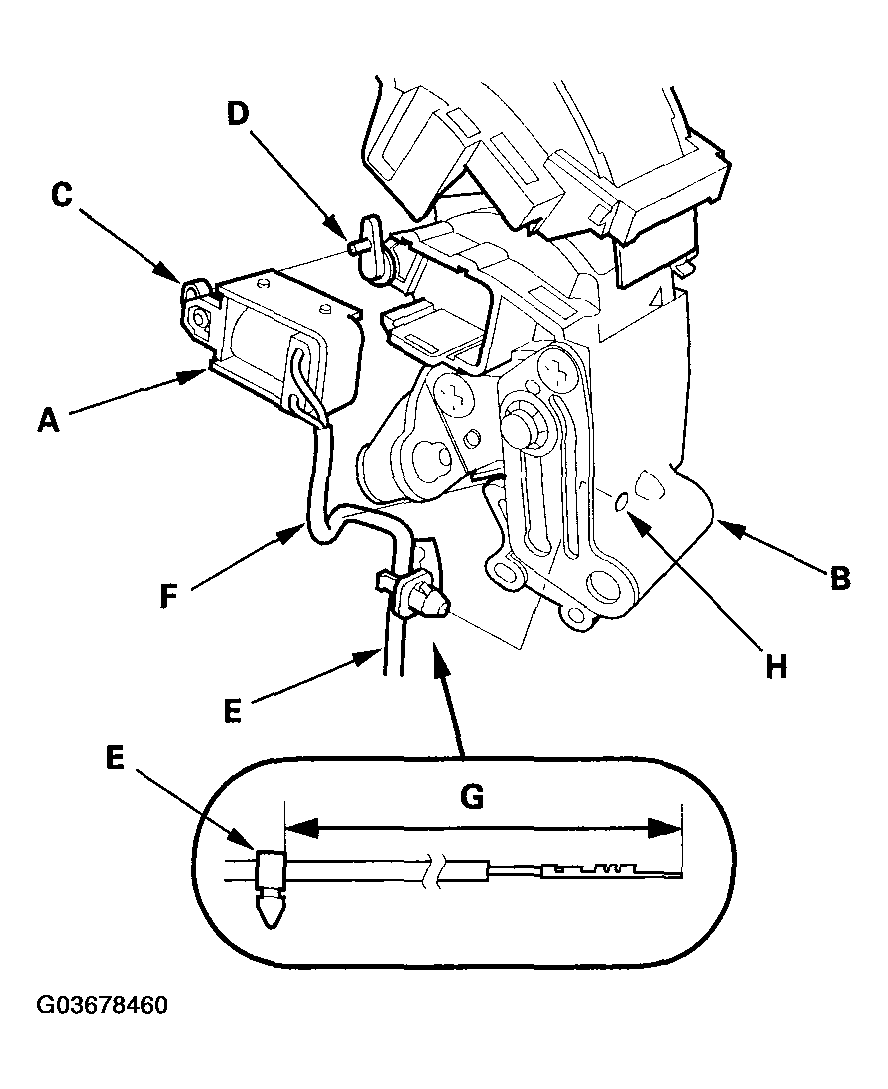 Courtesy of AMERICAN HONDA MOTOR CO., INC.
- Install the harness clamp (E) on the shift lock solenoid harness (F) at 128-138 mm (5.0-5.4 in.) (G) from the harness terminal end.
- Install the clamp in the hole (H) of the shift lever bracket.
- Apply silicone grease to the shift lever button (A) and push rod (B) of the shift lever (C), and install the spring (D), shift lever button, and shift lever knob (E). Install the screws (F) to secure the shift lever knob to the shift lever.
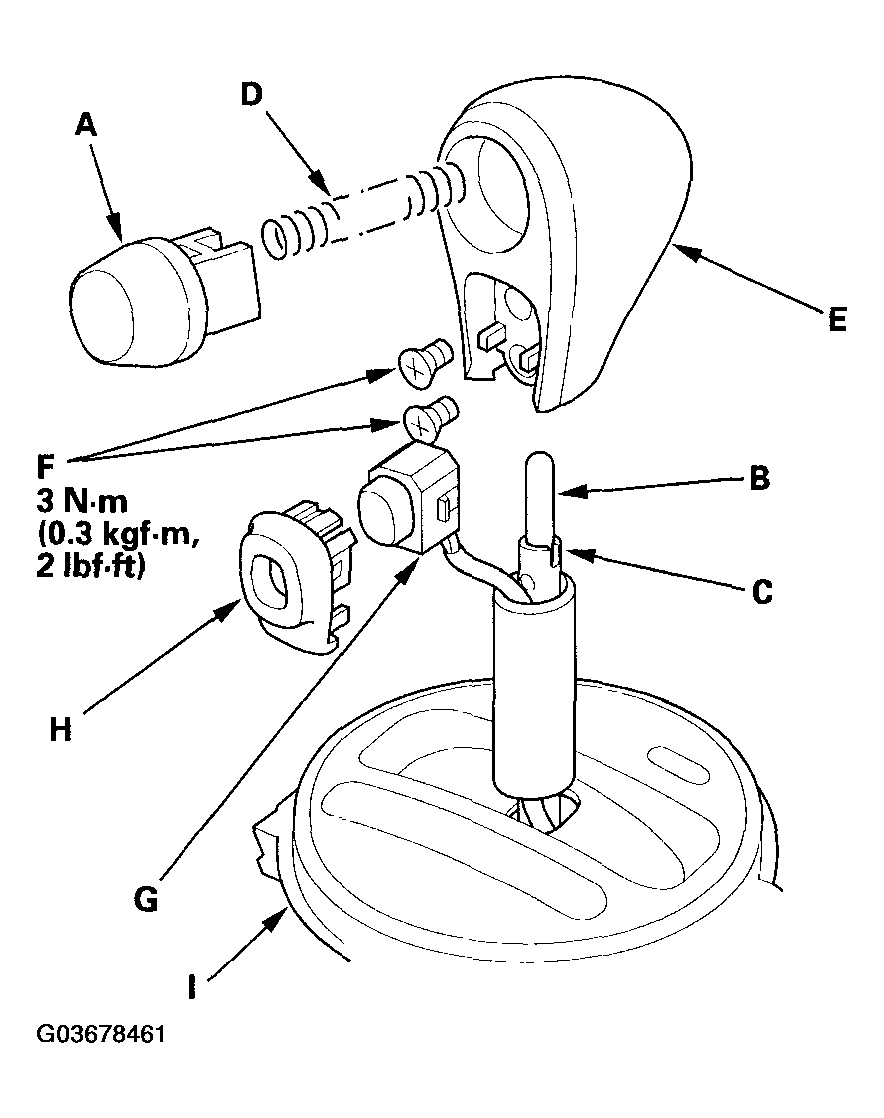 Courtesy of AMERICAN HONDA MOTOR CO., INC.
- Install the O/D switch (G) and the O/D switch cover (H), and install the A/T gear position indicator panel (I) on the shift lever bracket.
- Install the A/T gear position indicator panel light socket.
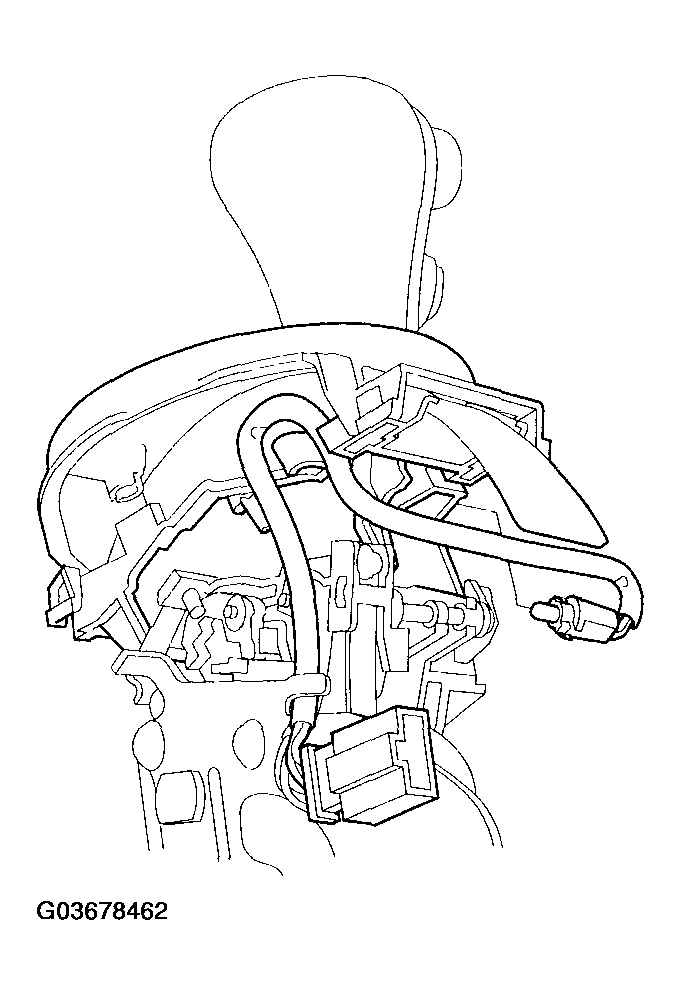 Courtesy of AMERICAN HONDA MOTOR CO., INC.
- Install BLU/RED harness terminal (A) of the shift lock solenoid in the No. 3 cavity, and BLK harness terminal (B) in the No. 4 cavity.
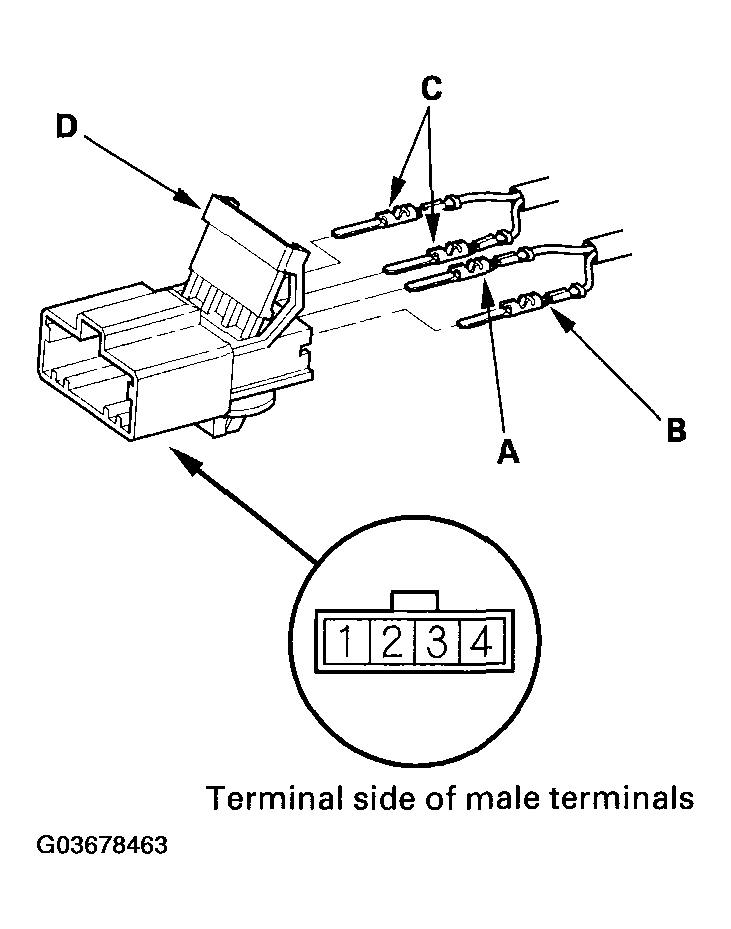 Courtesy of AMERICAN HONDA MOTOR CO., INC.
- Install the O/D switch harness terminals (C) in the No. 1 and No. 2 cavities. Either O/D switch harness terminal can be installed in No. 1 and No. 2 cavities.
- Make sure that the all four terminals lock securely, then install the back cover (D) securely in place.
- Install the shift lever assembly (see
SHIFT LEVER INSTALLATION ).