Entertainment System Control Panel: Service and Repair
Rear Controller and Screen Removal/Installation
NOTE:
- Put on gloves to protect your hands.
- Take care not to scratch the headliner and display cover.
1. Remove the wireless remote control.
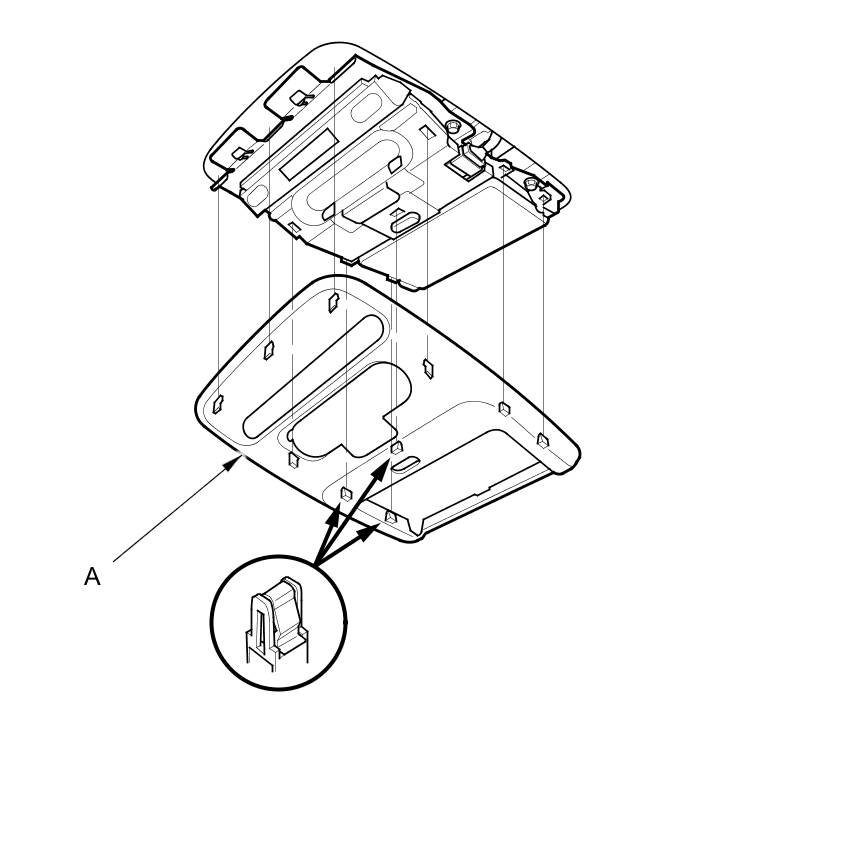
2. Remove the display cover (A).
3. Disconnect the connector (A). Pull the edge of the headliner down.
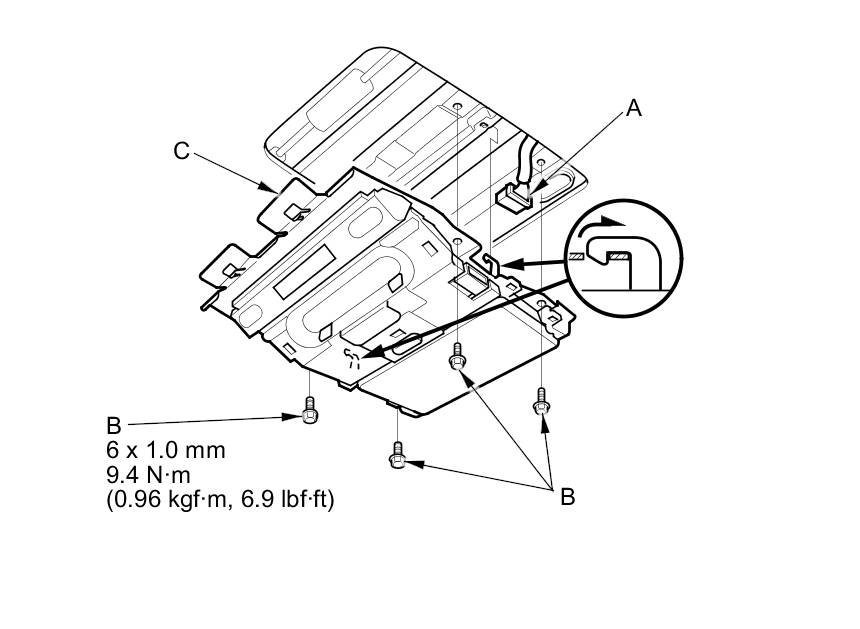
4. Remove the mounting bolts (B). Pull the rear controller (C) forward, under the headliner to release the hooks, then pull the rear controller back and down to remove.
5. Install the rear controller and screen in the reverse order of removal, and make sure the rear controller and screen connector are plugged in properly.